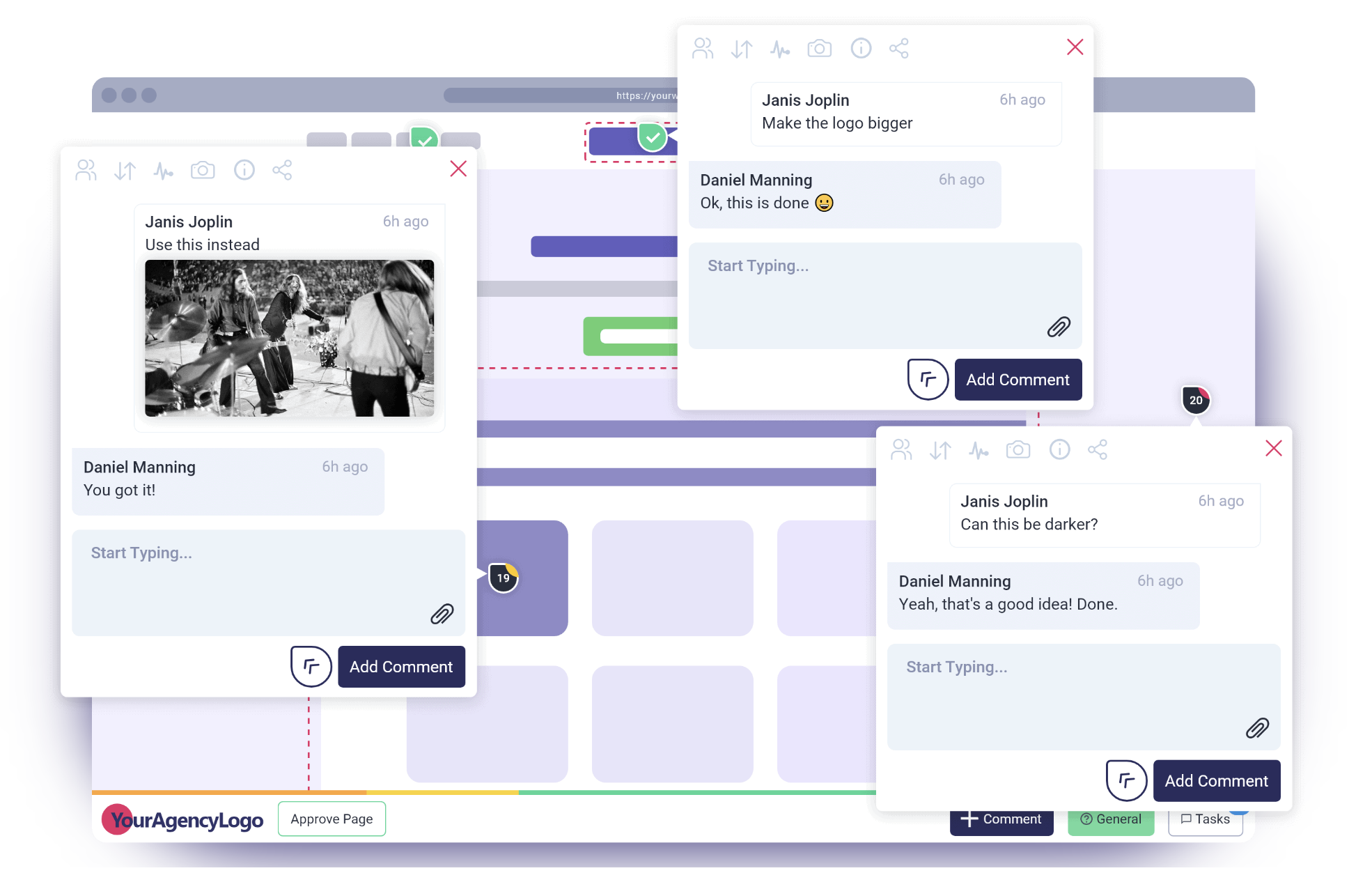
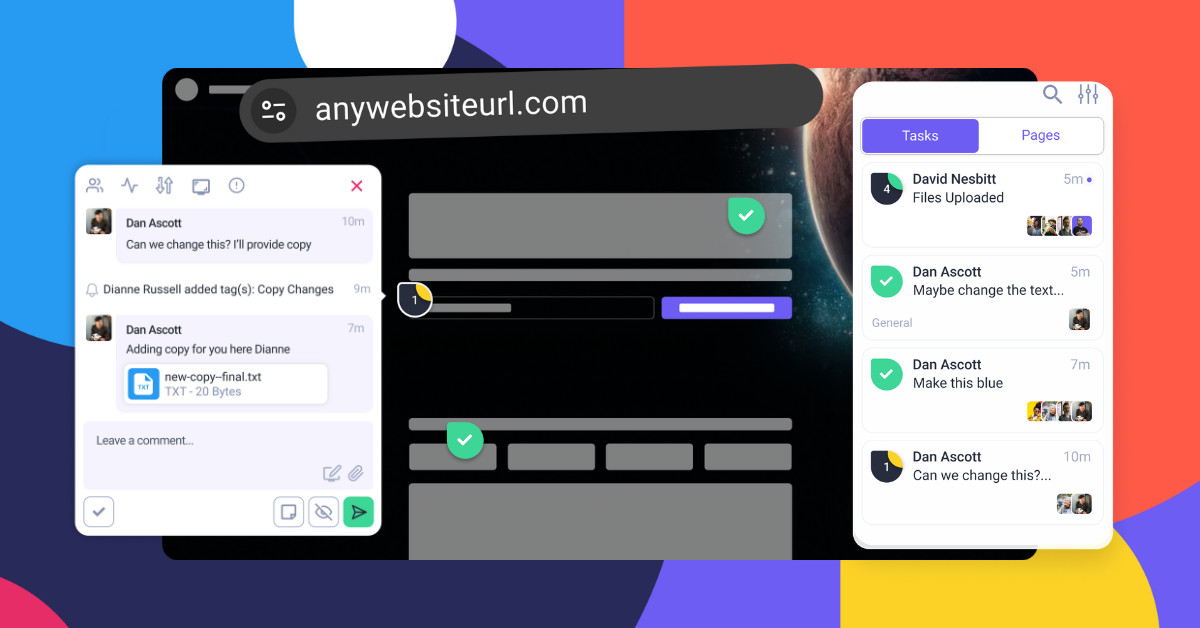
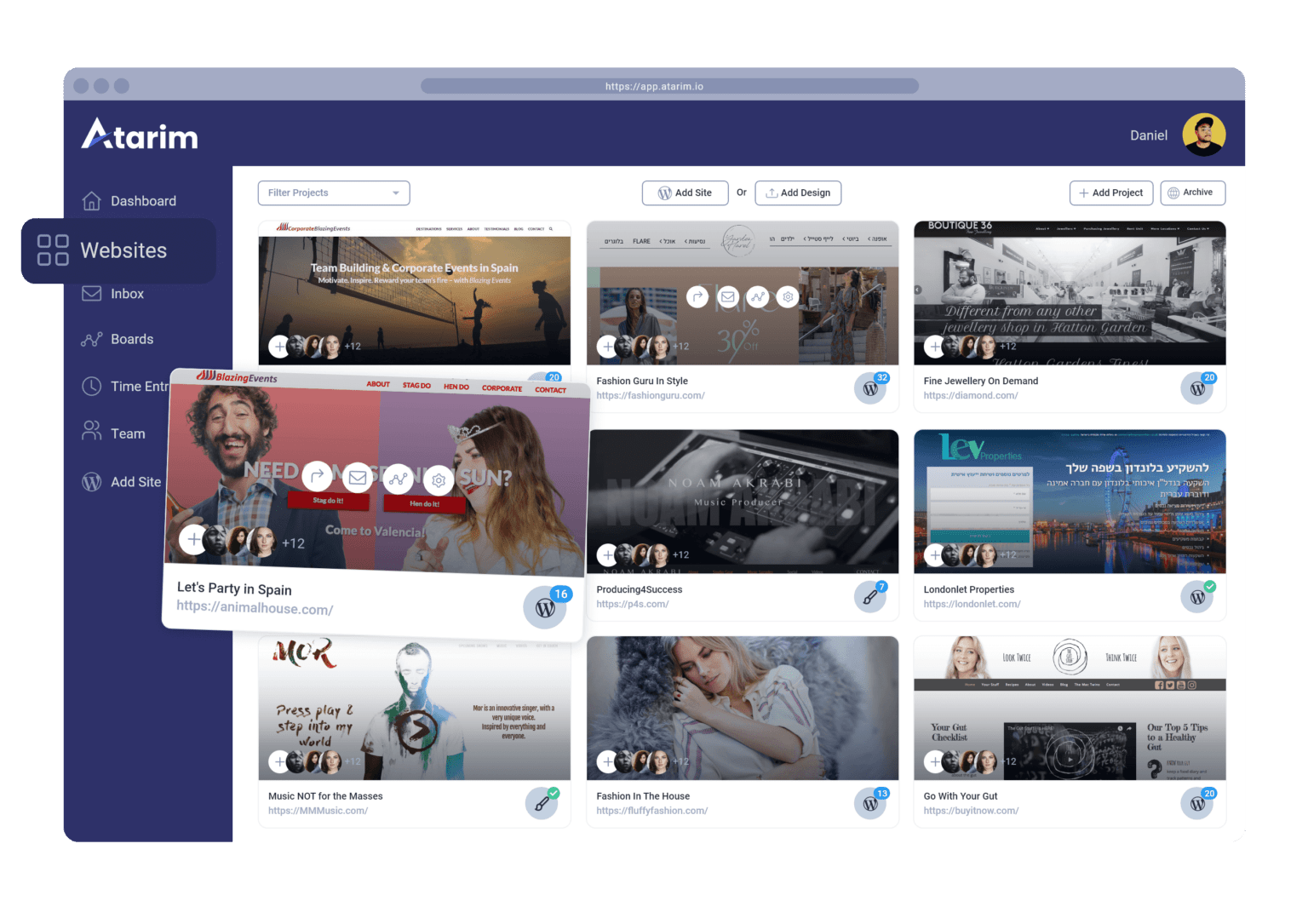
We’re excited to announce that today marks the release of BaseKit’s Atarim integration – and the introduction of our new partnership.
At Atarim, our mission is to help teams ship their best work. Every improvement we deliver, every new feature we ship, and every company we partner with serves this mission.
And, of course, this naturally means that we only partner with companies that share our mission, with BaseKit standing as a prime example of such a company.
Why We’re Partnering & What This Means
BaseKit is a white-label website builder, e-commerce, and booking software platform designed for small businesses. The partnership between BaseKit’s intuitive website builder and Atarim’s visual collaboration is an ideal one for agencies looking to build effortless websites at scale for small businesses.
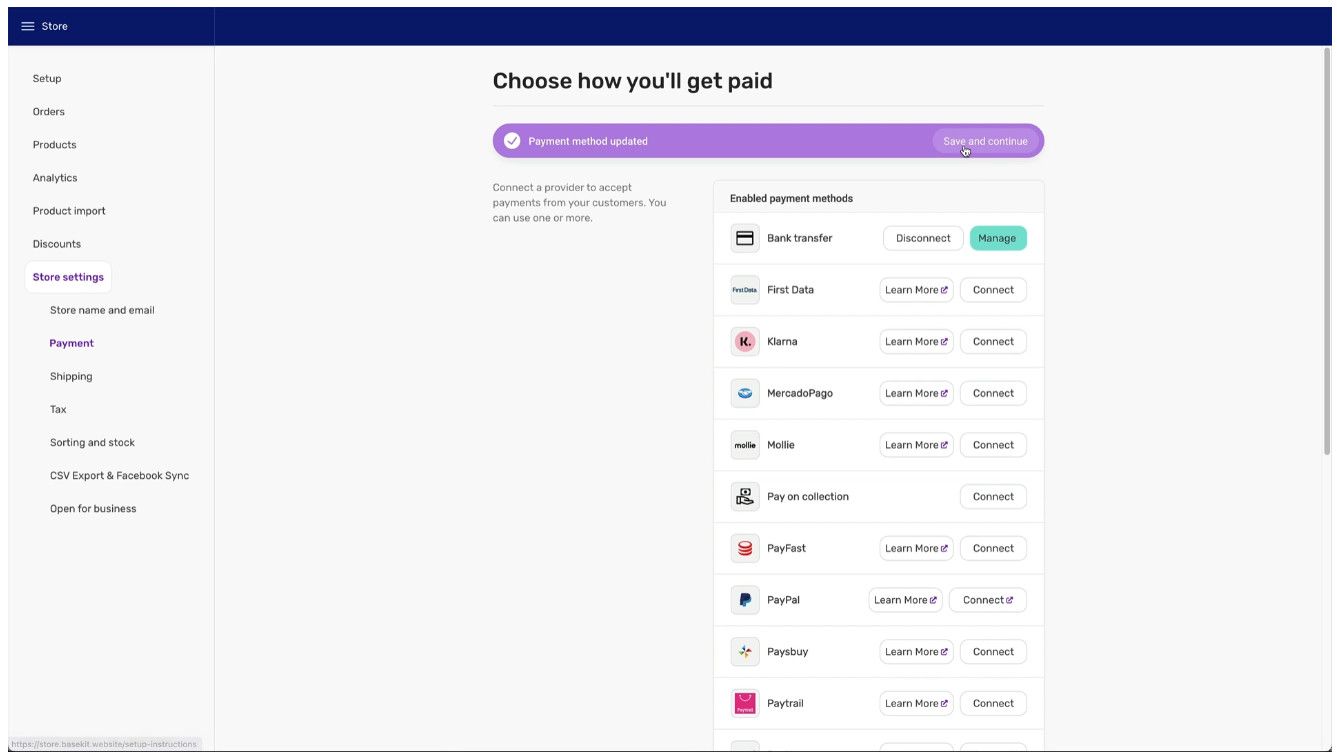
With a suite of design tools, including BaseKit Store (an e-commerce solution), BaseKit Bookings (a scheduling and built-in payments system), a mobile editor for cross-device ready websites, and a complete white-labeling solution, BaseKit’s aim is to enable small businesses to establish their online presence quickly and effectively, and be able to grow easily.
Take a closer look at how BaseKit, in partnership with Atarim, can provide the perfect design platform for agencies looking for a fast turnaround on multiple projects. Learn more & get started.
Now, with the power of Atarim, collaborating with your clients as you design, build, and maintain their websites has never been easier. 🎉
BaseKit and Atarim work together to help you and your team shorten the initial build time, reduce the time it takes to receive feedback, and significantly improve the efficiency of ongoing website maintenance.
With BaseKit’s website builder, the development process is more effortless than it has ever been. And now, in combination with Atarim – you can streamline website feedback & review stages, freeing you from the inefficiencies created by endless email ping-pong.
New to BaseKit? Here’s what you need to know.
BaseKit is the number one choice for small businesses, and for agencies working with small businesses, because of its ease of use, coupled with powerful and comprehensive tools that do most of the hard work behind the scenes.
As any small business knows, it is critical today to make sure websites are fully optimized for mobile devices, and with BaseKit’s mobile-first-by-design approach, businesses are able to capture and retain the 58.21% of internet traffic that is exclusively mobile.
With the BaseKit editor available in 22 languages, working with globally distributed teams or businesses in almost any part of the world becomes easy, and intuitive. And since BaseKit provides all first-line customer support, you and your team can focus on developing great-looking, highly responsive websites, or growing businesses.
BaseKit offers two simple packages to choose from, and hosting, three email addresses, and unlimited bandwidth all come as standard.
Although when we say ‘standard’, BaseKit is really the company setting it, with up-to-the-minute tools, including AI text generation for faster content and response creation.
BaseKit is truly a dynamic solution for businesses looking to move fast and grow quickly, making the partnership with Atarim ideal – given our own longstanding commitment to driving a more efficient and effective way for distributed design teams to collaborate for faster project turnaround times.
Why Should You Care?
Many web design businesses focus on targeting large companies and corporations, chasing the highest-paying clients only. Small businesses have tended to be less appealing because of their lower price point, with design teams needing a high volume of such projects to justify being able to serve them. Turning around such a high volume of smaller projects hasn’t tended to be easy – until now.
According to World Bank there are over 300 million small businesses worldwide, making up over 95% of all businesses globally, and with 62% of ‘Gen-Z’ either having already started, or are intending to start their own business, serving smaller projects like this is where the real money lies.
With BaseKit’s comprehensive web design and development toolkit, and Atarim’s visual collaboration allowing for significantly more rapid project turnaround times, this is a prime opportunity to grab a generous slice of a fast-growing business opportunity.
What Makes Atarim An Ideal Partner for BaseKit?
Atarim is the leading visual collaboration platform trusted by thousands of teams worldwide (from web dev/design agencies to software companies) to completely overhaul how they work with their clients & teams:
Curbing people’s tendency to send in requests wherever suits them best – WhatsApp, Email, scanned annotated printouts of a webpage (yes, we’ve seen it all, as have our users, and we’re tired of it).
Mitigating scope creep – where clients “sneak in” more work (expecting it to be included in the original agreement).
Trusted by 13,000+ teams (product, engineering, and growth) worldwide.
Supporting project delivery for 1,200,000+ of their teams & collaborators.
Deliver projects in weeks instead of months.
Atarim is a solution built based on years of experience dealing with the most common challenges agencies face.
This partnership announcement highlights the importance of providing agencies with the best combination of tools possible.
A large number of integrations are already possible through Atarim, such as Convesio, Visual Composer, Zapier, Rocket.net, Zendesk, Basecamp, Slack, and many more, and you can find out more about Atarim’s integrations here.
Atarim V4 Has Landed – Workspaces, UI Enhancements, & More…
We’re beyond proud & excited to announce that Atarim V4 has reached general availability.
The last three months have been a long & busy rollercoaster of a rollout, and we appreciate everyone’s patience. In many ways, while today marks the official launch of V4, it also marks the beginning of a new chapter for our product and engineering team.
This is one of (if not the) biggest releases to date, so let’s dive straight in:
A redesigned, simplified UI that puts your work front & center
A Redesigned, Simplified UI That Puts Your Work Front & Center
A large part of this release was focused on shipping big improvements to the interface and overall experience you have when interacting with your Atarim dashboard.
This includes, but is not limited to:
A completely redesigned sidebar
Various improvements to the consistency of components and UI behavior (this also remains a part of an ongoing effort)
Performance improvements (more on this later!)
And much, much more…
An all-new focused collaboration experience…
…with a much cleaner collaboration toolbar and task switcher.
Collaborating as you browse a website has never felt more natural – which brings us perfectly to the completely revamped Atarim Chrome extension experience.
Atarim for Chrome – Collaborate As You Browse
Another cornerstone of this release is a complete revamp of Atarim for Chrome.
Why was this a focus for this release & why is this a big deal?
The Chrome extension is what enables us to:
Deliver a collaboration experience that works within product UIs: think anything that’s protected by login/signup screens (auth).
Speed up collaboration: no more scraping/fetching sites.
Make sure collaboration is never more than a click away in your browser.
Based on its popularity so far, it seems safe to say that the experience with Atarim for Chrome is going to remain (and become) the go-to choice for a great many teams.
Sidenote: It goes without saying that the Atarim collab link experience, along with our WordPress plugin, are still considered fundamental to Atarim. However, for now, the experience is not unified – in the sense that tasks created using the Chrome extension will not appear when collaborating with the WordPress plugin or an Atarim collab link.
Introducing Workspaces
The ability to create and operate multiple Workspaces was one of the most popular user requests of all time – so we’re really excited to share that it’s finally here for you (and everyone) to enjoy. 👏
This feature was designed from the ground up for people who are a part of organizations that operate multiple brands, departments, teams, and client organizations.
Depending on the organizational structure you have within your business and how you work with external companies, this is going to have a huge impact on how you work.
The most popular use of Workspaces is to support cross-functional teams and service providers that work with multiple brands, since each workspace can have its own white label settings, allowing you to keep things clean, organized, and separate – as well as being easy for your customers to understand.
Built-In If This, Then That Workflow Automation
Look out for the new Workflows menu item in your dashboard, as shown above.
Here are some examples that have proved popular among early adopters:
Notify specific people when the urgency of a task changes
Our WordPress plugin has benefitted from an intensive overhaul, with a number of significant improvements that we think you’re going to love – including:
New Bottom bar UI
New Sidebar UI
Integrated Page tab in the Sidebar
Filter UI in the Sidebar
Integrated Comment/Browse mode
Integrated file attachment UI and UX
Task Popup UI modification
Other Performance & Under The Hood Improvements
Protect Your Account with Two-Factor Authentication
You can now secure your account with two-factor authentication.
Easily invite collaborators and team members to projects directly from the projects screen.
Permanently Delete Projects
Search Across All Projects, Tasks, and Comments
Being able to search across your projects efficiently is core to being productive as you use Atarim. We’ve optimized the search query tool behind the scenes so that it now runs much faster than before.
This is incredibly useful if you’re looking to pull up all feedback you’ve gotten on pricing pages in the past (for example) so that you can refer to that as you design and build the next pricing page that you’re working on.
Drag & Drop File Uploads on Tasks (Multiple Files At Once!)
Easily drag and drop multiple files to upload them for image-based collaboration.
What’s Next – Get Involved & Join The Conversation
Once again, we want to take the opportunity to thank everyone for your continued patience and support with the rollout of Atarim V4.
If you run into any issues, please feel free to reach out directly to support@atarim.io – our team is here and ready to help.
Beyond this, if something you were hoping would be included in this release wasn’t – as mentioned at the start, this is just the beginning…
In fact – if you want to join the conversation, we encourage you to:
Join Our Facebook Group: Our official Facebook community is the place to join conversations about how teams are making the most of Atarim.
Help Shape The Future of Atarim: The Atarim Innovation subsite is the home of all feature requests, changelog entries, and more. If you want to get involved in the development of Atarim – this is the place.
Thank you for choosing Atarim. 🤝
How to Use Motivation Theory as a Team (Theory + Application)
Motivation theories explore the foundation of what drives people to achieve a particular outcome.
We hope you find these frameworks as useful as we have in fostering a productive environment for your team based on the psychology behind human motivation.
“Theory” is great, and can be incredibly important to know…
…but, it can equally be dangerous to introduce what, in isolation, are abstract concepts.
So, in this practical guide we cover both the foundational concepts as well as how you can put them into practice in your team.
Alright, let’s get straight to it.
5 Motivation Theories & Frameworks You Can Use To Drive Your Team and Company Forward
1 – Maslow’s Hierarchy of Needs
If you’ve done any previous reading into motivation (as well as happiness in general) – it’s very likely you’ll be familiar with Maslow’s hierarchy of needs.
It’s by far the most well-known one we’ll cover today.
Self-actualization: Even if all of the above needs are satisfied – a new discontent and restlessness can develop. Maslow described this as achievable when the individual is doing what they are suited for – i.e., a musician must make music, etc. In its simplest form, some boil this down to “achieving your full potential”.
Of course, the theory is based on the premise of a hierarchy – as is self-evident from the actual levels. People tend to seek out their basic needs first (starting with 1 and approaching 5 once they have achieved the others).
That said, I think I can speak on behalf of everyone reading this article in saying that the pursuit of these needs is, without a doubt, not always sequential.
Fortunately, this is something Maslow also clarifies in his original paper. You don’t have to fully satisfy the needs of one level in order to proceed to the next level. It would be somewhat idealistic to think that humans work this way – they often mix priorities based on what they feel is more relevant to them personally.
“No need or drive can be treated as if it were isolated or discrete; every drive is related to the state of satisfaction or dissatisfaction of other drives.”
– Abraham Maslow
In fact, the whole premise of the hierarchy being depicted as a pyramid wasn’t even created by Maslow himself. And, to this day, many (including myself) find it to be a misleading representation as it implies that each level must be completed before someone can begin the pursuit of the needs of the next level.
Which, as described above, is simply not the case.
Note: Everything you read about Maslow’s hierarchy of needs today is an adaptation – including this very post – to make it more suitable and applicable to modern-day workplaces, leadership, team building, etc.
So, what’s the takeaway from Maslow’s hierarchy of needs?
Perhaps the only takeaway from this for you as a leader is that you need to have the basics in place before you can worry about the details.
So at the most fundamental level, if you hire a full-time employee but don’t pay them a salary that allows them to fulfill their needs to a reasonable degree – you can’t expect them to give work at your organization their “all”. Pay indexes are your friend, but discussing compensation openly, as well as what progressing to higher compensation would involve before you hire someone, is crucial.
Use Maslow’s hierarchy of needs to question whether you are providing working conditions that are conducive to people delivering their best work.
And continuously consider this approach. Has a family member recently passed away? Is there a situation that genuinely affects their ability to focus? It’s your job as a leader to account for circumstances beyond their control. Again, all within reason, of course.
None of this is to suggest that you can’t have high standards for your team – as long as you do whatever you can to maintain the best working conditions possible – even if they aren’t always ideal. The best hires will recognize the efforts & intentions made by a leader.
And they’ll be fully aware that no company they ever could work at – even the ones they dream of getting into (yes, you’re probably not Apple or Google) – is ever going to be perfect for them either. There will always be something missing.
The theory was based on the results of interviews that asked two questions:
Think of a time you felt good about your job.
What made you feel that way?
Think of a time you felt bad about your job.
What made you feel that way?
From these interviews, Herzberg identified that there are two mutually exclusive factors that influence employee satisfaction or dissatisfaction.
Hygiene in this context, this means the fundamental things at work. Examples include how good the working conditions are, how much people get paid, how they are supervised, and the rules of the company.
When these basic things are done right, employees usually stay happy with their jobs. But, if these things are not provided and are outright missing, then employees start to become unhappy with their jobs.
Motivators are special extras at work. Think of things like benefits, praise, and the chance to move up within the company. When these things are offered, they help to make employees more eager to work, more productive, and more dedicated to their jobs.
In short, hygiene issues will cause dissatisfaction that will directly hinder motivation. Motivators, on the other hand, can improve satisfaction and motivation – but only when good hygiene is in place to begin with.
So, how does Herzberg’s Motivation-Hygiene Theory apply in practice?
As you can tell, from a big-picture view, much of human behavior is fundamentally simple. This is almost an abstraction of Maslow’s hierarchy of needs – in the sense that basic needs need to be satisfied before moving to extras that can be used to increase motivation further.
The only difference is that Maslow’s hierarchy of needs, as you’d expect from the original theory, was more descriptive. Herzberg’s theory, on the other hand, focused specifically on the takeaways as applicable to the workplace – with the goal of giving managers a simple, two-part framework they can use to sense-check the presence of hygiene factors before looking at motivators.
This is something that you can actively ask in 1:1s with your team. Don’t ponder in private – publicly question how you operate, and involve your team – at least, your senior leadership team. Assuming they are bought in, they are going to care about how they can contribute to improving the company as a whole.
Sidenote: Most companies I’ve come across in my career (as an advisor) have not achieved the basic hygiene needs to an extent that would warrant any interest in motivators. It’s quite difficult to achieve even the basic hygiene needs as an early-stage company.
3 – Vroom’s Expectancy Theory
Vroom’s expectancy theory, created by Canadian psychologist Victor Vroom in 1964, is easy to understand: we choose how we behave, and we make these choices because we expect certain things to happen.
Put even simpler: We do things to feel good and avoid feeling bad.
Vroom found that different people care about different things. He looked closely at two ideas that affect why we want to do well:
Instrumentality: People think that if they do well, they will get a reward.
Expectancy: People believe that if they try harder, they will get a better reward.
Vroom’s theory says that people need to believe that their actions will lead to a result they care about. If you want to motivate people, they have to be interested in the results of their actions.
So, how does Vroom’s Expectancy Theory apply in practice?
First off, take into consideration that not everyone on your team likes the same rewards. Find out what matters to each person.
That way, you can make decisions that connect with what would be indicative of “doing well”. For some team members, buying a book could be viewed as you requiring them to learn, because they’re not good enough.
This is similar to what a career development plan does. But not everything we do at work comes with a reward – sometimes, we do things simply because it’s our job.
Vroom’s theory is about trying to feel good, and not bad. When a reward isn’t possible, it’s important to let employees know what will happen if they don’t meet expectations. Not everything can or should be rewarded, as this would also set misaligned expectations for the entire team.
And you can’t let the fact that some people require more motivation than others affect the way you treat them, as you risk creating a significant disparity in working conditions for the people who – in theory – work harder and keep their heads down.
4 – Reinforcement Theory
Reinforcement theory is part of a bigger idea called ‘operant conditioning’.
This idea comes from psychologist B.F. Skinner. He built on the work of Edward Thorndike, who created the Law of Effect in 1898.
The main point of this theory is simple: whatever happens after we do something affects what we do next. If doing something works out well for us (positive reinforcement) or stops something bad (negative reinforcement), we’re likely to do it again.
This theory is about what happens outside of us, not what we feel inside. It’s like when you learn not to touch a hot stove because you got burned before.
So, how does Reinforcement Theory apply in practice?
Because this idea is so natural to us (like the example of learning from the hot stove), it works well for managing a team. When someone on your team does something good, give them a reward. This could be a compliment, taking away a task they don’t like, or something special (like a book or other gift that is a suitable gesture for the company to offer).
5 – Self-Determination Theory
In 1985, Psychologists Richard Ryan and Edward Deci first introduced the Self-Determination Theory in their book – which focused on finding motivation within yourself.
They raise what some view to be a contrarian point, which is that motivation shouldn’t be introduced in the way that many others consider motivation to work – i.e., controlledmotivation, where people base their motivation on external factors that are largely beyond their control.
Instead, they advise shifting the focus to something that is (perhaps) far more effective – autonomous or intrinsic motivation. This is the concept that people are motivated because they’re doing something that matches their own personal goals or desires and that this comes from within themselves.
Simply put, it’s when people feel motivated because they’re actually choosing to do something on their own.
Despite this, you can’t foster intrinsic motivation in isolation – it requires three other psychological needs to be met:
Need for Autonomy: The psychological need to feel that one has choices and ownership over our actions.
Need for Competence: The psychological need to feel skilled, knowledgeable, and capable.
Need for Relatedness: The psychological need to feel connected, and belong to a social group.
So, how does Self-Determination Theory apply in practice?
There’s no other way to put this: achieving this in a workplace is difficult.
Why? This is largely because most companies aren’t huge self-organizing systems as they’re led by a leader or leadership team.
It’s difficult to create this as a company and team. For some organizations, depending on how they work, I’d argue it would be an impossible feat to achieve intrinsic motivation.
Your ability to create this depends on so many things, including (but not limited to) your business model, the caliber of the talent that you’re attracting, who your customers are, and the mission you serve.
However, here are some places where most companies should be able to make progress, and which are worth focusing on:
Autonomy: Empower employees by allowing them to have flexible schedules – the freedom to choose their optimal working times and locations.
Competence: Enhance their skill sets by providing access to ongoing training and learning opportunities.
Relatedness: Foster team bonding and personal connections through dedicated communication channels, such as Slack, or by organizing team outings.
After Action Report – Motivation Isn’t Guesswork, Don’t Let It Be
Motivation is volatile for most of us.
Even as leaders, if we’re honest with ourselves, it’s something that we sometimes achieve when all the conditions just happen to be right.
And even then, how long can that realistically stay completely level?
Your responsibility as a leader is to do as much as you can to contribute to the conditions being “just right” for your team, and to maintain the consistency of those conditions. This doesn’t require a degree in psychology or the ability to read the minds of everyone on your team – it requires being open, and communicating so that you ultimately lead with transparency & candor.
If you have any questions or things you’d like to contribute, feel free to Tweet us at @atarim_io. 👋
Dear (Former) InVision User – Here Are Your Alternatives
It’s official. InVision has announced to its community that it will be discontinuing its design collaboration platform. In other words, now is the time to start planning how your team will collaborate in 2024.
We, too, were InVision users not long ago. When we say, we’re here to help you make a smooth transition – we mean it. And, no, this isn’t going to be another 10,000+ word post full of fluff written for search engines in the hopes that they’ll consider it helpful.
This is written purely for teams looking to migrate away and make the transition smooth.
So, without further ado, let’s dive right in. 🏊
The InVision alternative for collaboration: Atarim
Atarim (hey, that’s us) was built as a standalone visual collaboration platform that lives outside of the tools that you already know and love.
And the best part – we have deep integrations with tools that are more than likely already an integral part of your workflow. Explore our integrations.
Here’s what this means – explained in just over 60 seconds:
[presto_player id=999093]
In other words, Atarim is the platform that teams turn to when they want to work together without the endless email ping pong 🏓 – whether that’s a product manager creating tasks for designers/developers to ship a UI change or your marketing team designing ad creative.
To summarize:
Atarim itself isn’t a platform that you can actually use to design and prototype. It’s the collaborative layer on top of whatever tooling you use to build, design, etc.
This means it replaces one core part of what InVision does.
So, here’s what we recommend for product design & prototyping…
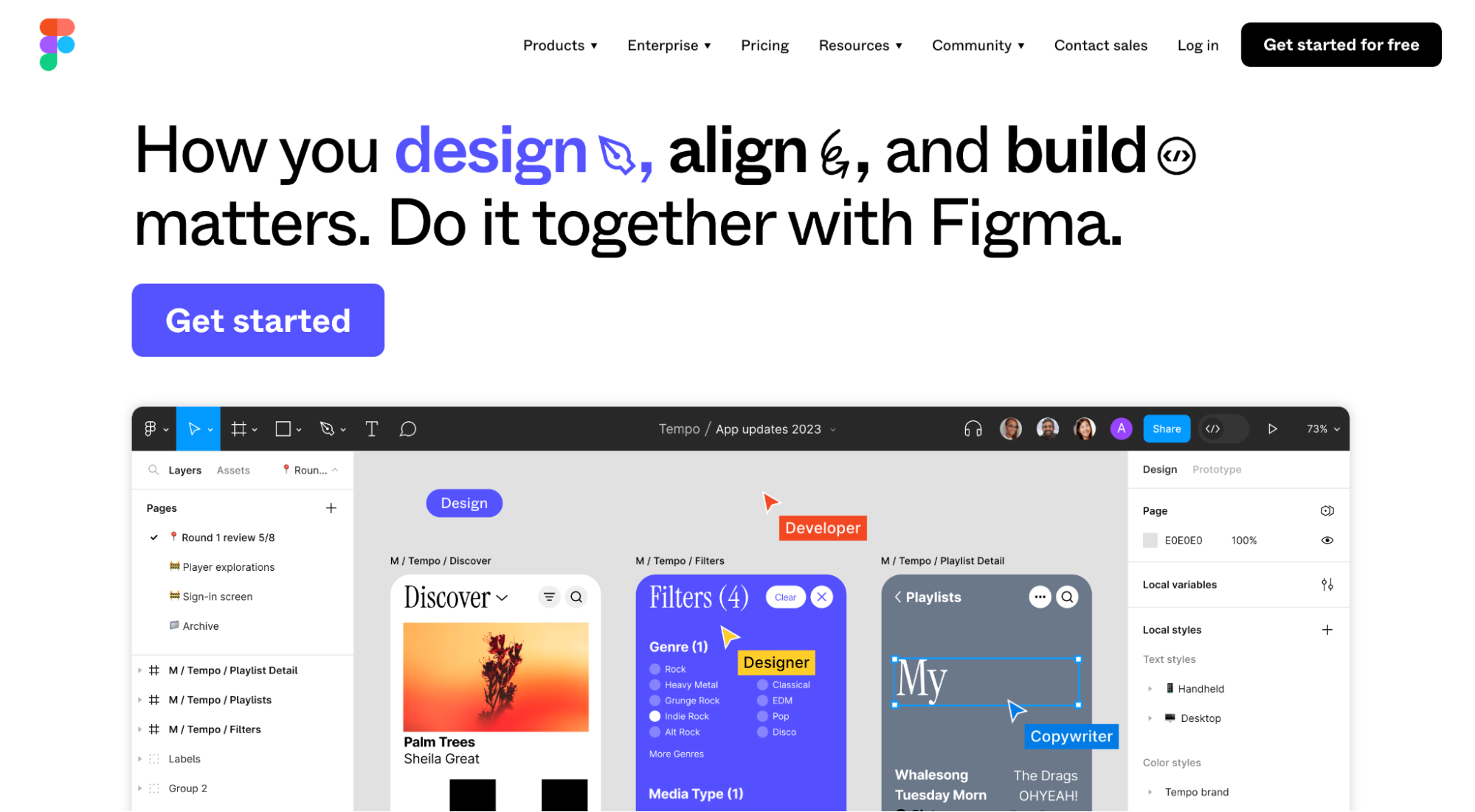
The InVision alternative for prototyping: Figma
Figma is hands down one of the favorite pieces of software we use as a team.
Atarim wouldn’t be the product that it is today without it. Simply put, our designers wouldn’t be able to work as well as they do with our developers without Figma because they’ve made it incredibly easy to design, iterate on, and later move those designs to development (with dev mode).
How we use Figma…
As a brief insight into where in our stack Figma fits – we use Figma to design new features as well as when we are making material visual changes to existing features.
In other words, before we build a feature (at least one that is big enough where we don’t already have an existing design pattern to cover that feature), we turn to Figma. At this point, we collaborate directly in Figma.
How we use Atarim…
So, where does our own platform fit into our workflow?
Well, simply put, the next stage – i.e., once a feature is shipped to staging or if it’s already in production, feedback/collaboration happens inside Atarim.
Since, at this point, it is a real interface as opposed to a prototype. And, of course, we also use Atarim for things that aren’t our product UI including our marketing site and graphics that we put together for ads, social, etc.
Alternatives to Figma include Sketch, Adobe XD, and Marvel.
Our team stands by our recommendation of Figma, which we’ve been using for over a year now. That said, Sketch is still widely used by teams, and it’s still, without a doubt, a great platform.
The current date they’ve stated is the end of 2024. It’s unclear when exactly and what parts of their product will remain available between then and now, though, so we suggest planning to move away as soon as possible so your team can get used to new tools and use InVision in parallel until fully comfortable with the transition away.
Introducing Atarim’s All-New Forms & Notifications
As our long-time users will know all too well, we don’t like to sit still and constantly strive to provide the best possible experience for your team and clients. In this release, we’ve focused on centralizing your workflow within the Atarim dashboard with the introduction of forms and notifications.
Forms – Get The Information You Need Faster and Accelerate Project Delivery
Atarim already helps you keep everything in one place – except for one thing…
Until now, you had to rely on 3rd party tools to conduct client discovery surveys to get all of the important details before you start working on projects, such as:
Target audience
Project goals
Design inspiration/suggestions
This is changing today (and eliminates any need of using external tools) with our brand-new feature – Forms.
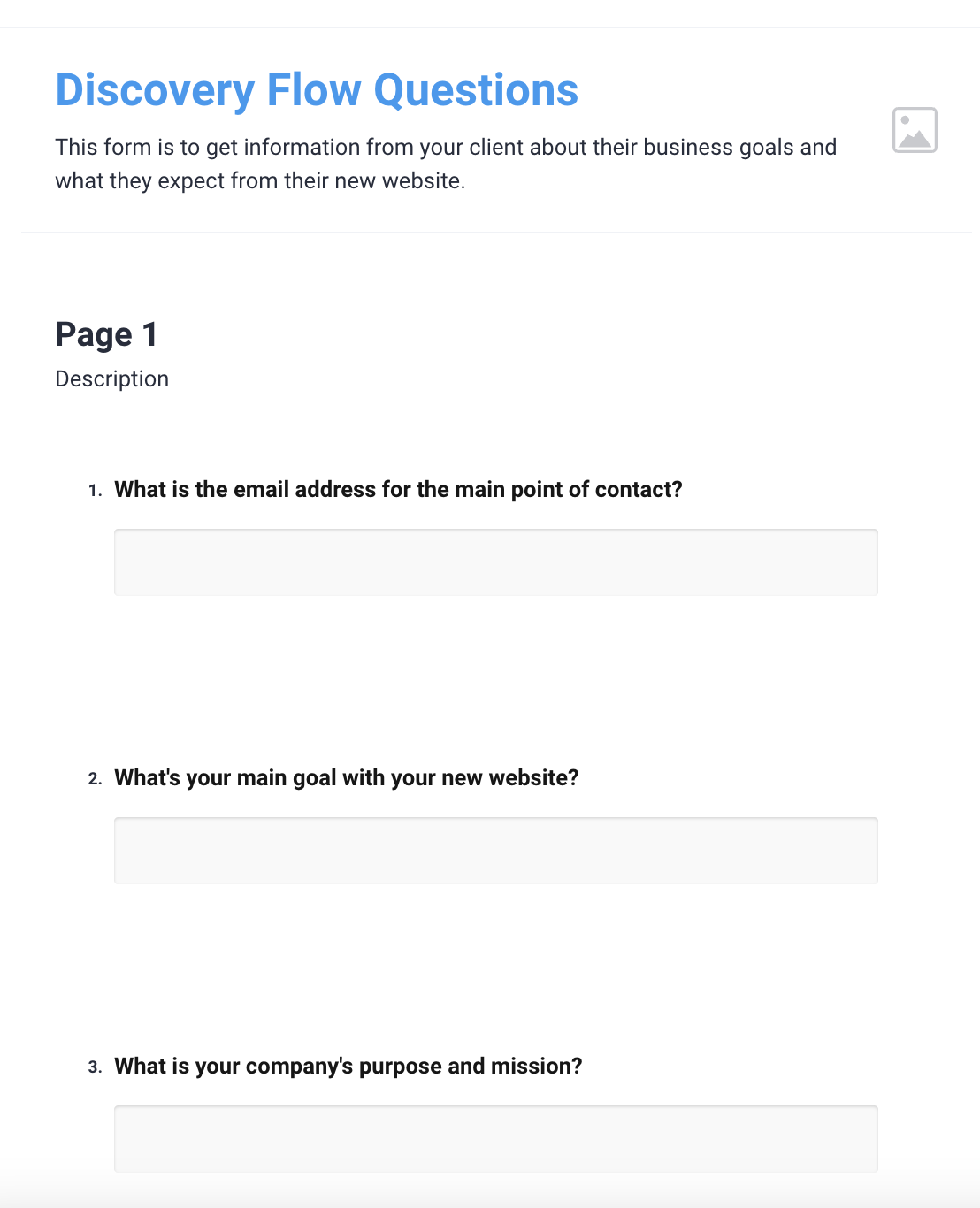
With Atarim’s all-new forms feature, you can now create discovery surveys to get all of the details you need from clients from right inside Atarim itself. They’re designed to be simple, clean, and professional with the intention of keeping all information related to a specific project in one place from day one.
Creating a new form is super easy. It’s literally as simple as drag-and-drop.
That’s because it is! Simply drag and drop the form elements together to create your own custom form.
Once you’re done, all you need to do is share your Form with your client.
Make it possible for your clients to easily submit information and provide your team with everything they need to start working on a project by creating your forms in Atarim.
Notifications – Never Miss A Single Task, Comment, or Update
Until now, there’s never been an easy way to see what’s new when logging in to your Atarim dashboard. Of course, you could always keep track by keeping an eye on tasks on each specific website’s boards, but it’s never been quite as convenient as it is today.
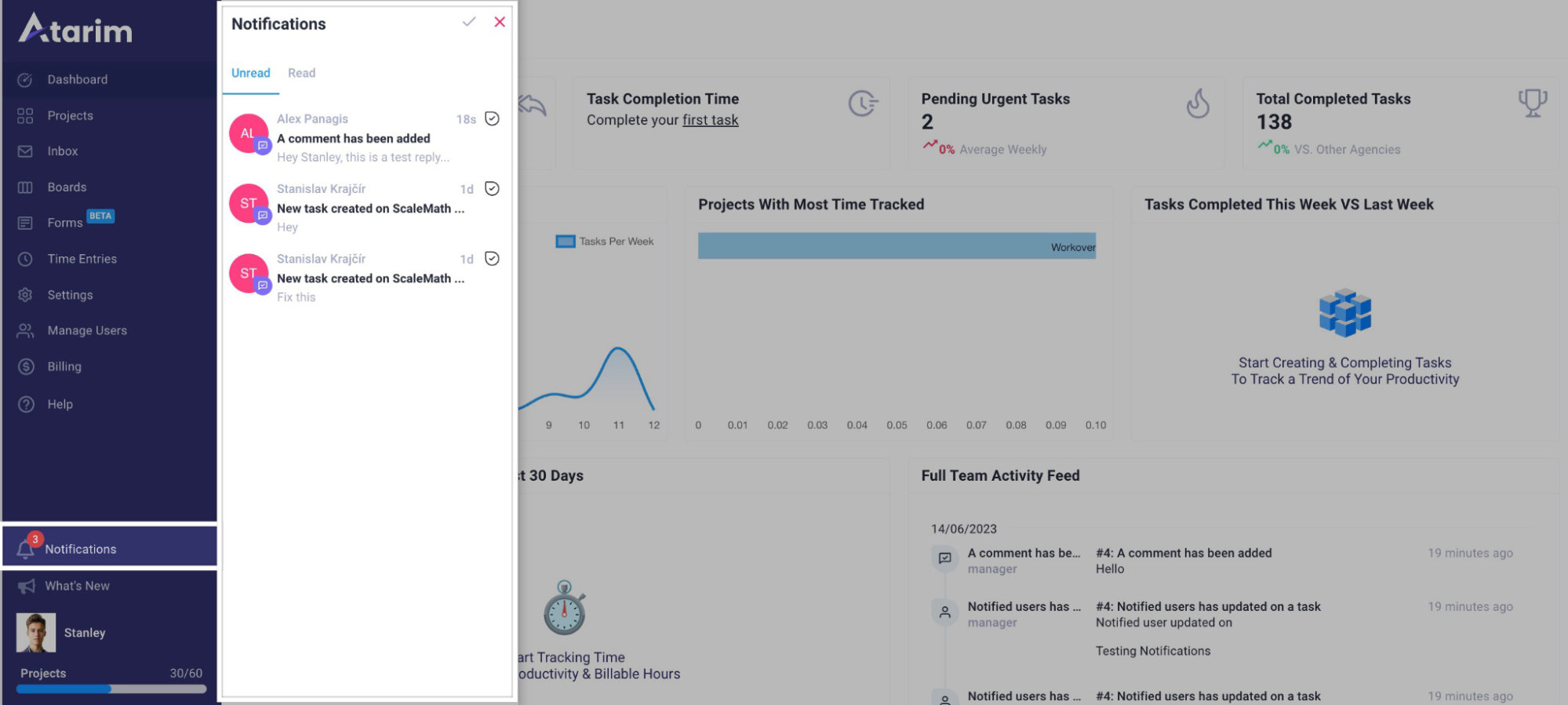
Notifications solve this issue by helping you see everything new in one single place.
Our Notifications feature allows both your team and your clients to get notified about events such as:
Newly-created tasks
Adding new users or projects
Suggestions inside the collaborator interface
You can access Notifications from anywhere inside Atarim’s dashboard. This allows you to immediately see what’s going on, and jump in to work with your team. You can also set who to notify, so you don’t bother your team members or clients with notifications they don’t need to see – which maximizes efficiency and organization.
This also makes it easier for clients to take a quick peek at how the project progresses.
Summary + Get Involved in Atarim’s Innovation
This announcement focuses on the features that will make you work more efficiently – and prevent any missed suggestions from clients or team members (which could cause a lot of headaches and extra work).
We’re making a big push on improving collaboration and eliminating any external tools.
In this way, you can make your workflow more efficient – and maximize your team’s performance.
If you’re interested in joining the conversation surrounding what we build next – check out our product feature request site at: https://innovation.atarim.io. This is the place to get involved in discussions about what you’d like to see in a future Atarim release.
You can also join existing conversations if you see another user has requested something that you’d also like to see make it to Atarim soon.
We’re Partnering with InstaWP to Speed Up Visual Collaboration
Today, we’re beyond proud & excited to announce we’re partnering with InstaWP.
We’re teaming up with the InstaWP team to bring increased efficiency to your visual collaboration workflows.
New To InstaWP? Here’s what you need to know.
We’ve been big fans of InstaWP since we first used their platform – our support, engineering, and growth team use it for everything from:
Testing Atarim, including the development of this integration.
Debugging with customers by spinning up environments with the same plugins and themes that they use.
Spinning up demo environments to use when showcasing how Atarim works.
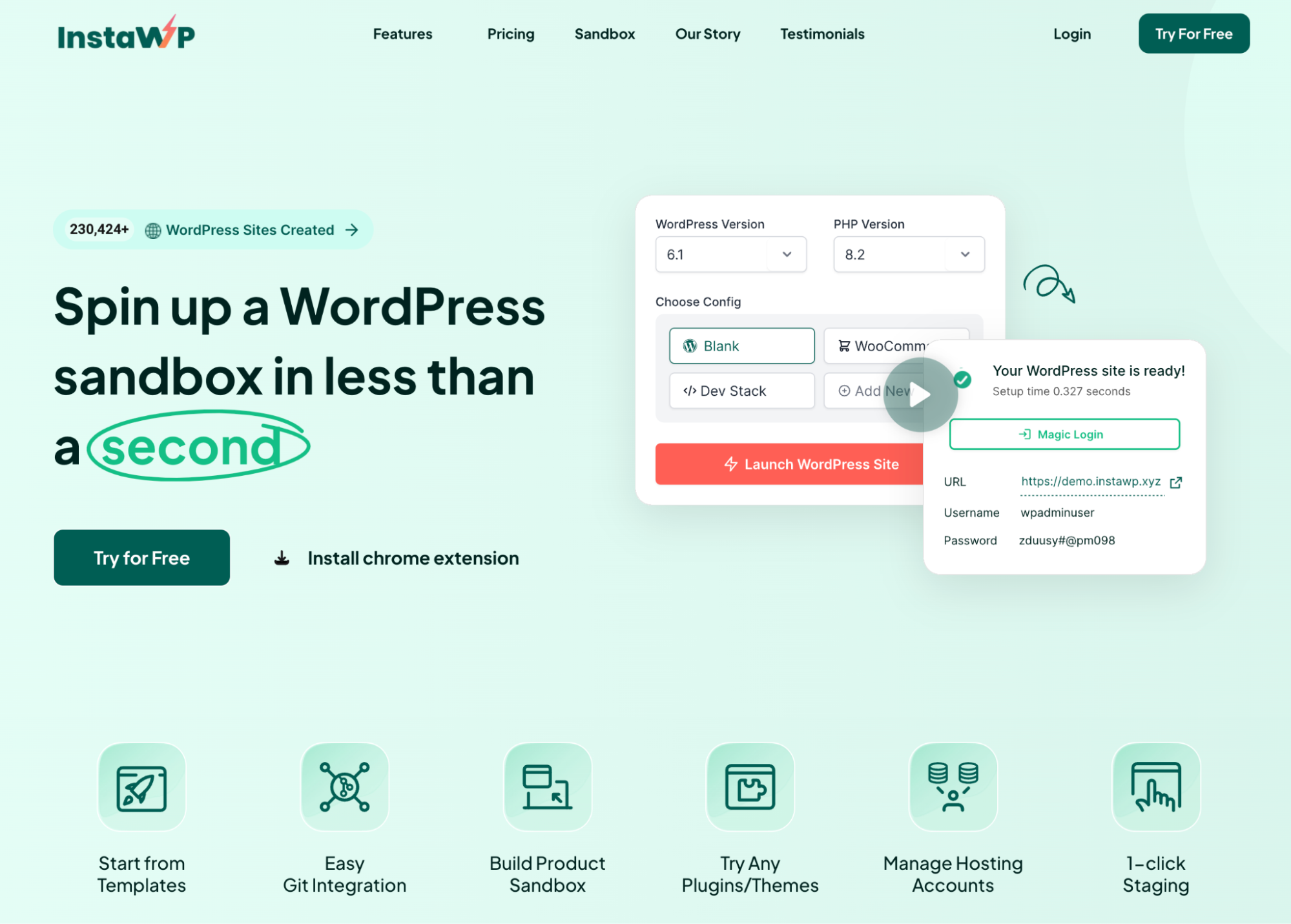
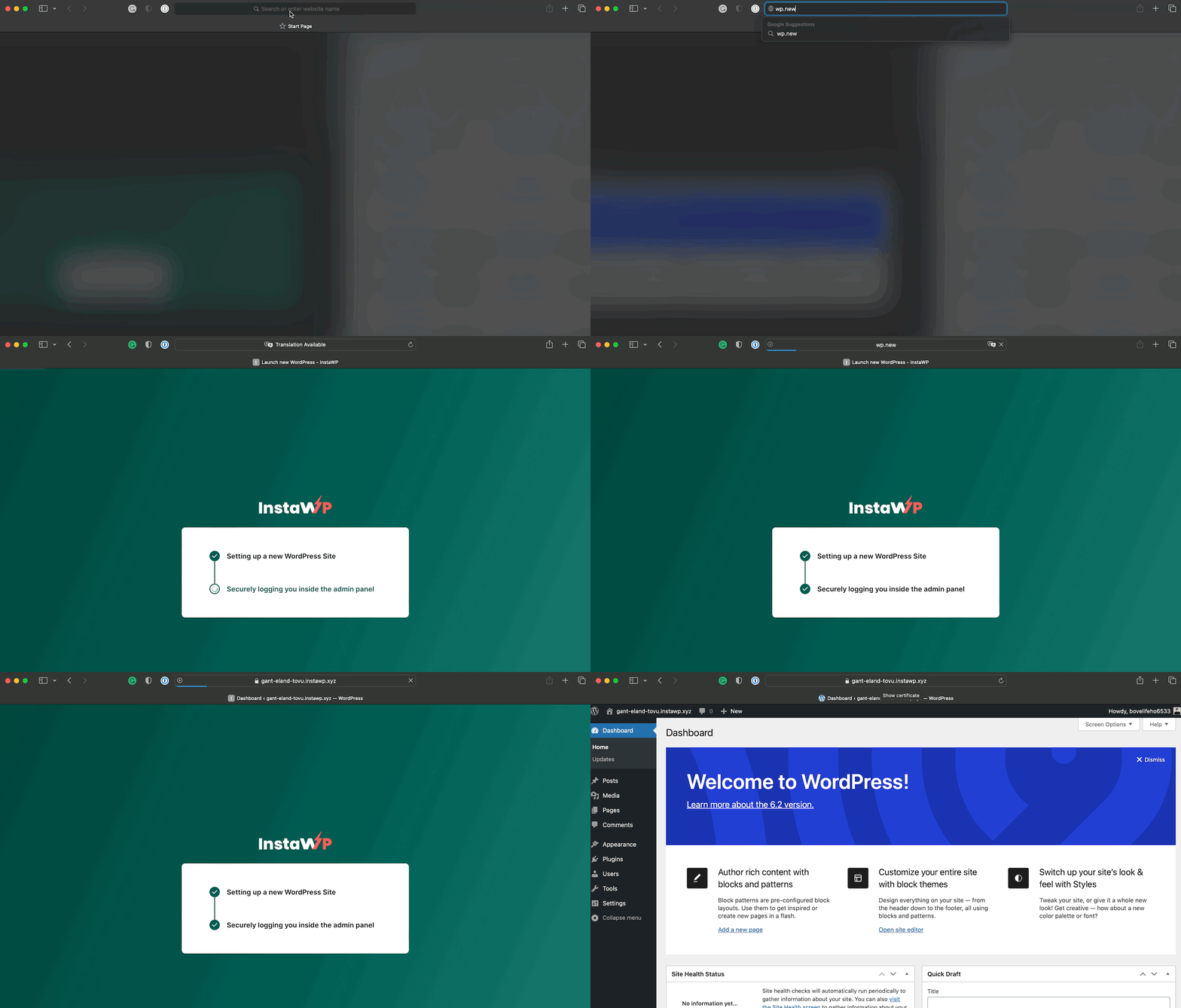
And, as you might’ve guessed from how we use it – InstaWP is a platform that makes it possible to spin up WordPress sandbox environments in less than a second.
InstaWP is already backed by Automattic and trusted by industry leaders in the WordPress product and agency communities for a whole range of use cases, including building a product sandbox, customer-facing demo environments, staging, and more.
Why We’re Partnering & What This Means
In our view, both InstaWP and Atarim are truly one-of-a-kind products in that we’ve both approached something in a fundamentally new & different way.
With InstaWP, fundamentally, this is in the sense that they have made it possible to spin up a WordPress site faster than has ever been possible before.
On its own already incredibly useful (case in point, how many teams, including us, already use it), yet this unlocks a whole range of applications such as product sandboxes and many more which are still on the horizon (currently being explored by the InstaWP team) including rethinking the way themes are sold and more.
The InstaWP platform has already been used to create over 230,000 websites.
For us, at first, this was making it possible for agencies and clients to collaborate visually by simply pointing and clicking exactly where they wanted to leave feedback on any visual project (websites, graphic designs, etc.).
We then eliminated the number #1 bottleneck we heard, which was the setup time. Although we simply saw it as installing a WordPress plugin to enable collaboration, it was a step that slowed work down and meant that people weren’t able to start collaborating in just a few clicks.
And so we followed suit by introducing 1-click collaboration enabling you to drop a URL into Atarim and start collaborating immediately.
This took things from dozens of clicks for the initial setup into simple copy & pasting in a URL to get started (released just in time for WCEU 2022).
Now, we’re joining forces as a natural next step for both of our products to bring the speed of spinning up environments with InstaWP and the ability to collaborate on sites instantly with Atarim together.
So without further ado – let’s take a look at how our InstaWP integration and InstaWP’s Atarim integration work.
Here’s What This Means for InstaWP & Atarim Users
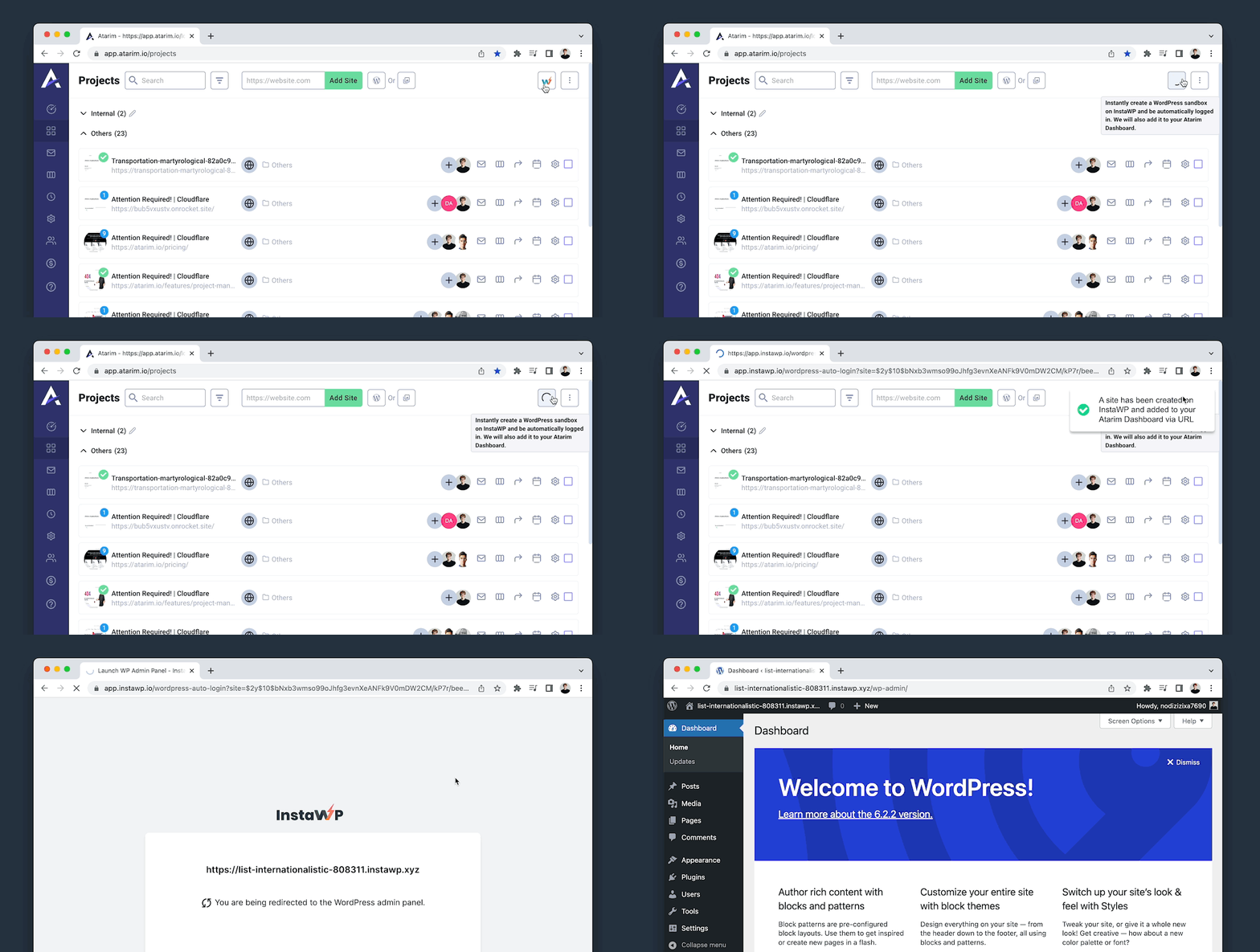
You can now instantly spin up test environments and add them to your Atarim dashboard in less than 10 seconds, all with a single click.
Atarim is the leading visual collaboration platform trusted by thousands of teams worldwide (web dev/design agencies and beyond) to completely overhaul how they work with their clients & team:
Curbing people’s tendency to send in requests wherever suits them best – WhatsApp, Email, scanned annotated printouts of a webpage (yes, we’ve seen it all, as have our users, and we’re tired of it).
Mitigating scope creep – where clients “sneak in” more work (expecting it to be included in the original agreement).
Trusted by 13,000+ agencies (web dev, design, and beyond) worldwide.
Supporting project delivery for 1,200,000+ of their clients and stakeholders.
Deliver projects in weeks instead of months.
A solution built based on years of experience dealing with the most common challenges agencies face. This partnership announcement highlights the importance we put on providing agencies with the best combination of tools possible. With a large number of integrations already possible through Atarim, such as Convesio, Visual Composer, Zapier, Rocket.net, Zendesk, Basecamp, Slack, and many more, you can find out more about Atarim’s integrations here.
As we double-down on our focus and commitment to improving the speed of collaboration (across performance, efficiency, and overall experience) – we’re beyond excited for our 3.8release.
There are three main updates in this release:
The All-New Canned Responses Feature
An Improved Sharing & Invite Flow
Enhanced Guest Mode (WordPress integration)
Canned Responses – Reply Even Faster With Reusable Snippets
Atarim already makes communicating with clients easier with the added context of what they’re looking at or – if you’re using our email inbox – the site that their request relates to. Entirely eliminating the need to rely on additional tools and back-and-forth emails clarifying what exactly they mean.
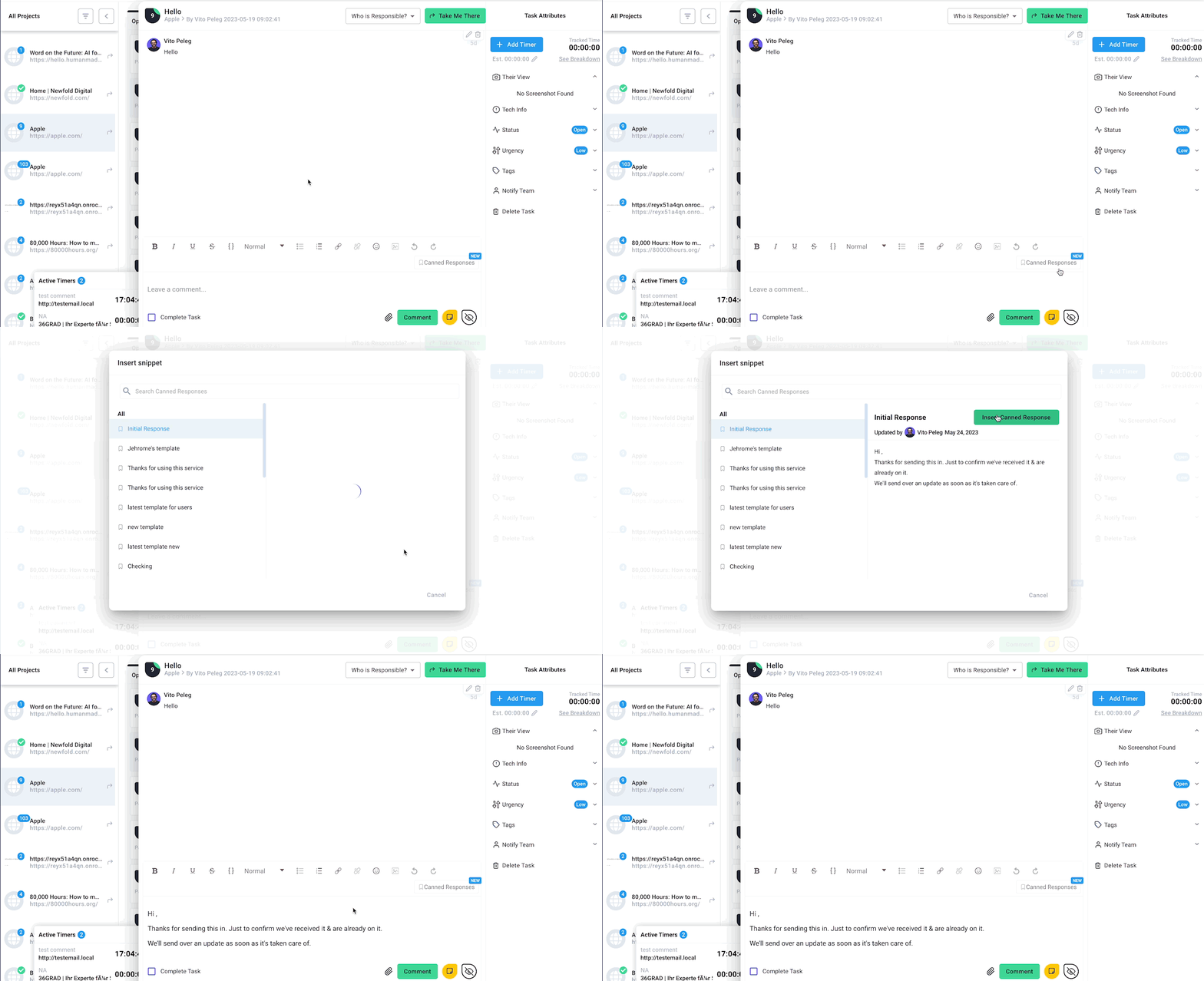
Today, we’re also making it easier to reply to both tasks created in visual collaboration and emails faster than ever with Canned Responses.
Canned Responses make it possible to create reusable snippets so replying to both emails and comments on tasks is even easier if it’s a question, suggestion, or issue you’ve had before.
By creating a range of snippets from common scenarios you run into in your day-to-day – save time and effort you’d usually spend typing out the same messages over and over again.
Writing messages for recurring issues is both tedious and time-consuming.
And more importantly, spending time on them is a missed opportunity to spend more time on things that really need the attention of you & your team.
Note: The plan is to expand our canned responses to include a library of hand-curated canned responses from people that are interested in contributing
Improved Sharing & Collaboration Invite Flow
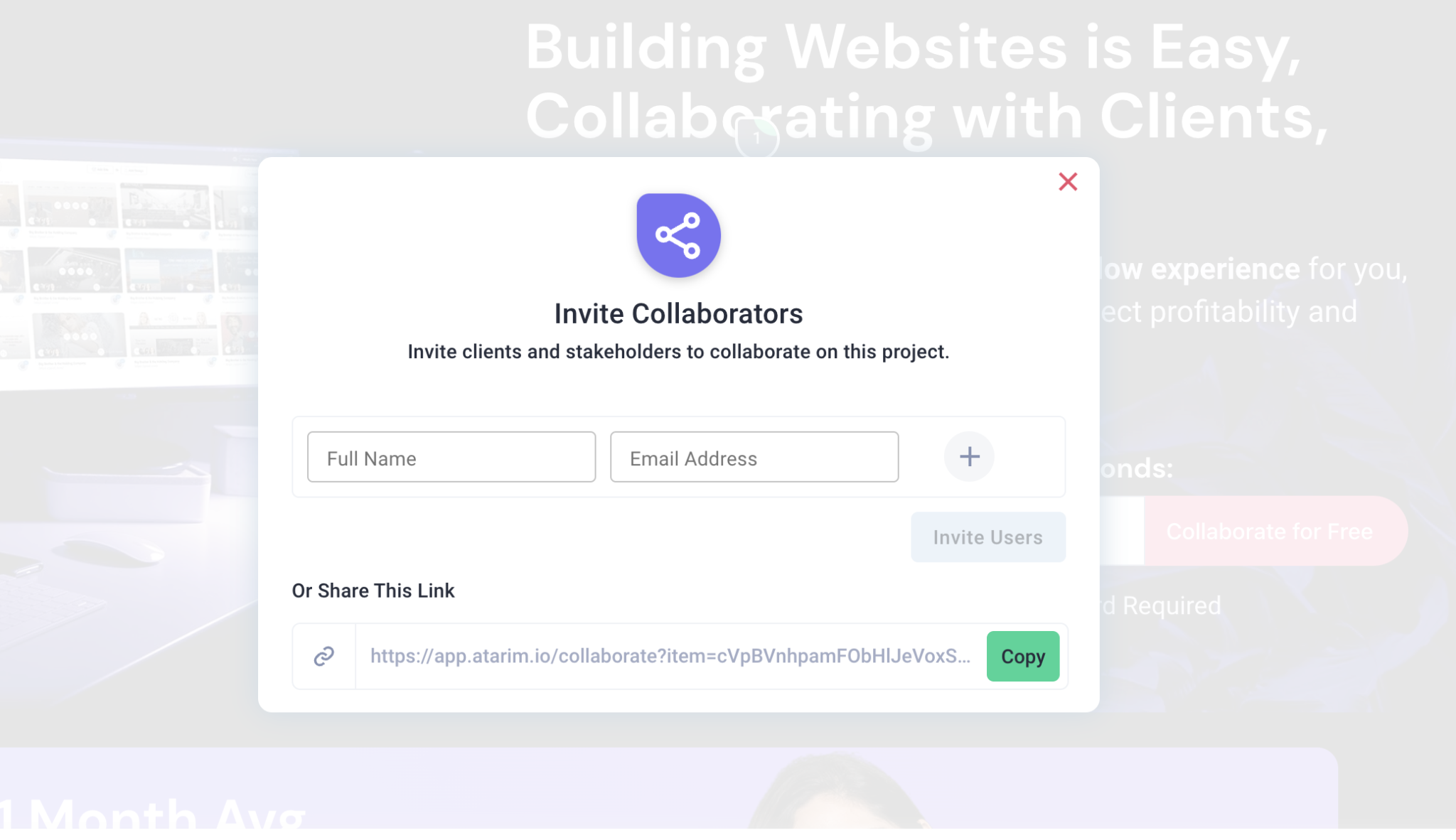
As a core part of improving time to collaboration, we’ve made a number of improvements to our invitation flow. These focus on three things:
People who receive links don’t need to log in anymore or re-enter their name, as this can be done by the person sending over the invite.
If they already have an account, once they click the link in the email they receive, the project will be added directly to their Atarim projects view.
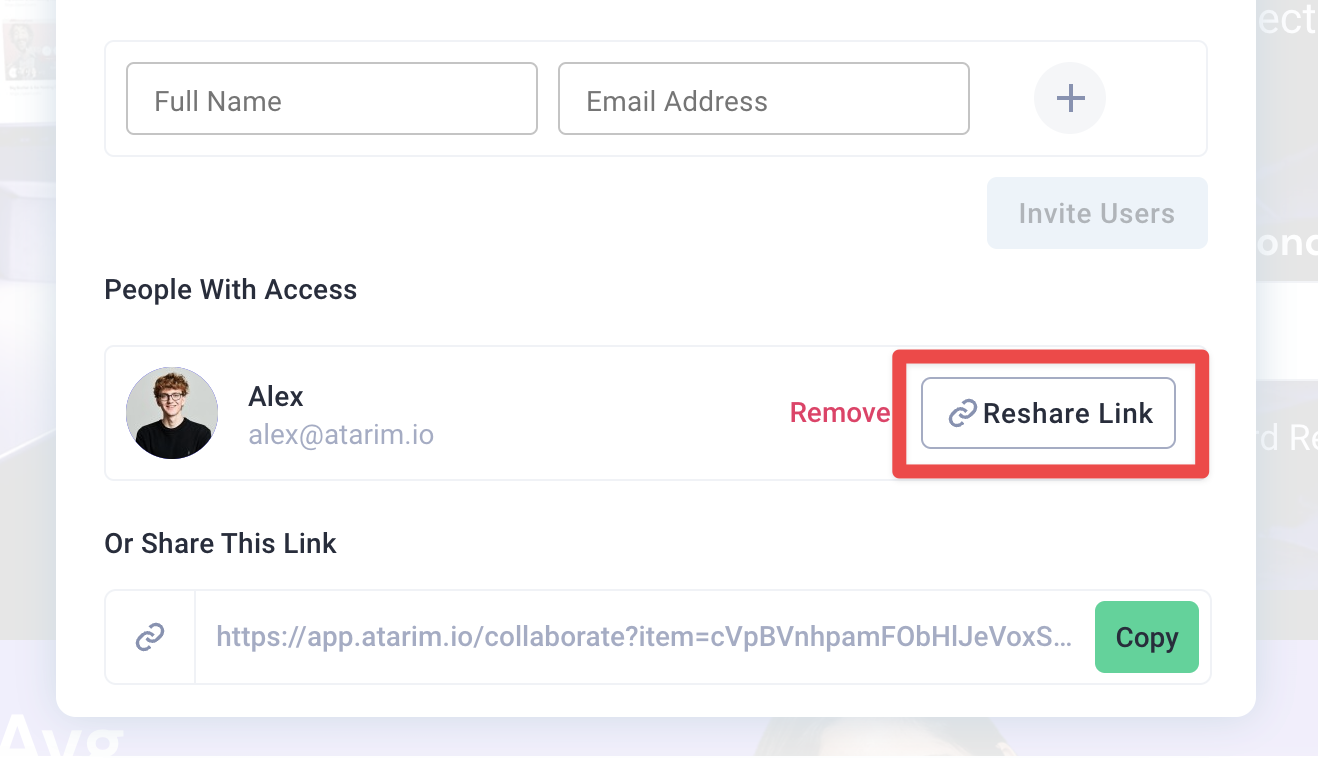
Every time you invite someone, you can copy their personal invite link – perfect for sharing with them personally separately as well to make sure they get up & running.
“Guest Mode” Enhancements (WordPress Integration)
Guest Mode was first introduced and originally designed to make collaboration during the build stage easier than ever.
When things move fast, generating an Atarim collaborate link (at app.atarim.io) can often add an extra layer to the mix that slows people that are working directly on the site down.
But guest mode was by no means perfect as a solution because it meant that Atarim’s visual collaboration toolbar had to be publicly visible (to absolutely everyone that landed on the site).
This – of course – made it unsuitable for live sites.
Today, this is changing.
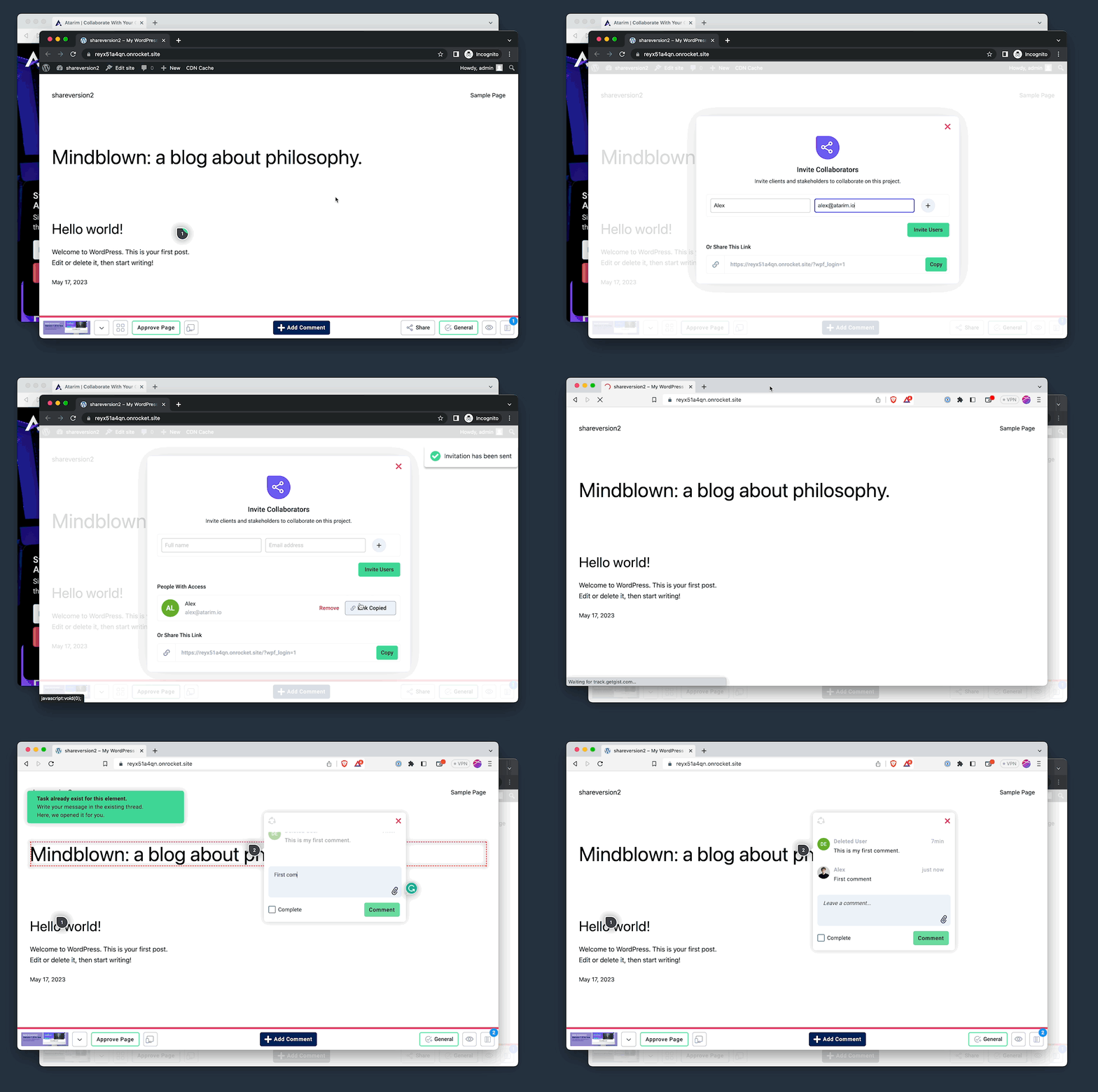
For those using our WordPress plugin integration to connect sites to your Atarim dashboard, you can now invite people to collaborate directly on the site without having to make collaboration public.
You invite someone as you normally would (from your site directly when our WordPress integration is installed).
And under the hood, a unique link is generated and sent via email (not a typical Atarim collaborate link, i.e., app.atarim.io, etc., a link that goes straight to the site in question).
When the person you’ve invited to collaborate on a site with you clicks that link, they’re automatically staged with the details you’ve entered on the invitation and can start collaborating.
All without having to log in anywhere.
They can dive straight in and get straight to collaborating.
Note: above test was conducted in two separate browsers since using this in incognito interferes with your browser’s ability to set cookies. The second browser (Brave) was not at all logged into the WordPress site, in fact, had never visited it before, and the Atarim toolbar appears and automatically allows the user to leave comments using the unique invite link shared (without having to enable the Atarim collaboration toolbar for everyone).
Summary + Get Involved in Atarim’s Innovation
This announcement focuses on the sexiest updates and changes we can share with you in every single release. Behind the scenes, the team has been working very hard with polishing season in full force.
We’re making a big push on improving the platform experience, from seemingly small things like the way you invite people to collaborate through to performance with another exciting release planned for next week.
If you’re interested in joining the conversations surrounding what we build next – we invite you to check out our product feature request site at: https://innovation.atarim.io.
This is the place to get involved in discussions about what you’d like to see in a future Atarim release (including joining existing conversations already happening there if you see another user has requested something that you’d also like to see make it to Atarim soon).
How to Manage Your Design Team Effectively
In this post, we will explore how to manage design teams effectively. We spoke with Scott Perket, the CEO of Forge, who has extensive experience working at companies such as Google, Facebook, Salesforce, Airtable, Zendesk, AWS and more. He now runs a product design agency and was generous enough to take the time to share his advice about what makes for great leadership in design teams to make this post possible.
Let’s dive straight in.
The Most Common Methodologies of Design Management
There are three different types of management methodologies:
Authoritarian micromanagement
Hands-on
Hands-off
Let’s look at each of these in more detail to help understand the differences between them.
Authoritarian Micromanagement
Authoritarians are among the worst design leaders.
It’s extremely annoying to work for leaders that just tell you what to do, how to do it, and micromanage every step of the way.
In fact, here are some of the biggest issues with authoritarian leaders:
Lack of originality. You have to do everything the exact way your team leader wants, or face the consequences!
Showing distrust. You are watched 24/7 so that you don’t make any mistakes, giving you no feeling of being trusted.
Stifling design. You will feel oppressed and won’t be able to showcase your creativity and skills.
Many of us in the design industry have had a manager or a creative director like this at some point. Sometimes you can learn a thing or two, but most of the time it’s just an awful slog to get through the work.
Hands-On
Hands-on leaders are there for their team, asking great questions and helping with the strategy from time to time. They create an open and safe environment where you can grow and express yourself.
These leaders are considered the best for those early in their career, and can really make your work more enjoyable.
Hands-Off
Hands-off leaders put a lot of trust in you to go about your work.
This can help you enjoy your work more since you can do everything according to your preferences, as well as being able to experiment with new things.
These leaders can be frustrating for those early in their careers, but great for senior individual contributors who are able to work according to their preferences, but also have the opportunity to contribute to defining culture and process in the organization.
But in some cases it can backfire and make the work a lot more difficult – especially when you need help.
Some hands-off leaders are completely absent, and you might not see them for six months (other than passing in the halls).
What Leader Do You Want to Be?
There is no such thing as the best management methodology – it’s highly individual, depending on your personality, skills, and teammates. You will need to find your own style and what suits you, which will probably be a combination of the last two methodologies.
The Biggest Management Headaches
Throughout any design project there will always be problems along the way you’ll have no control over. These are usually concerning your company’s budget, external clients, or internal conflicts among your teammates. It’s essential that you know about these, so you can be prepared to resolve them.
Economic Uncertainty
Sometimes unexpected things happen, such as budget cuts, and projects getting shut down.
There may even be a time when you’ll need to lay off some of your teammates. This is usually the number one issue brought up by the team and in individual 1:1s.
The best way to handle this is to be completely transparent, discussing and sharing any details to help the team understand your business situation.
Doing this will help you gain their trust, and foster an open relationship with your team.
Giving And Receiving Feedback
Giving and receiving feedback is one of the most challenging skills to learn as a design team leader. You need to find a way to have healthy discussions without them being problematic or too personal.
The key is to align the communication and feedback process with your team.
Many leaders make the mistake of managing their design team with the same approach that previously worked out for them personally. However, this may not be suitable for your current team, and this could cause a lot of internal conflicts.
The best way to create an effective environment for giving and receiving feedback is to experiment with different approaches and see what works.
Here are a few of them that you can try:
Train your team. Provide your team with feedback training to help them understand the value of feedback, and motivate them to share their opinions.
Lead by example. Shows your team members that feedback is encouraged, not punished.
Take action. The feedback your team provides has to lead to action. Otherwise it’s useless and no one will provide it.
There is no best approach – you just have to find the one that resonates with you and your team the most.
Client Challenges
You can often find yourself in a situation where a client is unable to make decisions.
Your team will face these soft skills challenges all the time – and it’s your job as a leader to ensure they’re fully prepared. You can do that by providing your team with proper guidance to help them overcome these communication challenges, and resolve such situations.
Or you can use collaborative tools to make the decision-making process quicker and easier. Atarim can help you achieve that with its visual communication features, allowing collaboration to happen in a way that is incredibly easy and natural to use, and reducing any possibility of ambiguity or misunderstanding.
Sometimes your clients might not be on the same page as you and your team – or they don’t really understand what you’re trying to say.
By showing them precisely what you plan to do you’ll give them more confidence and assurance, so they can make the final decision.
Tips For Managing Your Design Team
Managing a team is very demanding, and full of challenges.
Being a design team manager has very little to do with the actual designing aspect of a project. Instead, your focus shifts towards guiding your team, and micromanaging tasks.
You’ll have to take on responsibilities such as project management, client relationships, and supporting designers.
Here are some of the recommendations that will benefit you, the team leader, and your team.
Define Your Roles And Responsibilities
Leading a design team is very different from being a designer. The leadership role is not about giving strict orders or making decisions for your teammates. It’s more about finding ways to listen and communicate with your team.
Here are a few actionable steps you can take to manage your team more effectively .
Communicate in a transparent and constructive manner
Encourage your team to collaborate more
Identify ineffective techniques or procedures
Obtain input, implement it, and settle disputes
As a leader, you can’t manage your team if your own tasks and responsibilities aren’t clear.
You must be absolutely sure about your role within the team, how to approach management, and your duties and responsibilities.
Find The Biggest Motivators
Motivation, coupled with the right mindset, is a great driving force in any team-based effort.
To achieve this you need to build a friendly and supportive workplace where your designers can grow and feel comfortable. This sets your team on the right path, and creates an environment where everyone can grow.
Here are the steps you need to take as a design team leader to set your team up for success:
Encourage team collaboration and communication.
Provide a healthy work-life balance.
Conduct regular check-ins.
Your responsibility as a leader is to create a roadmap with a clear vision of which direction to head – that’s the only way to motivate your team and guarantee effective long-term results.
Constantly Strive For Improvement
The only way to thrive in today’s hyper-competitive market is by constantly looking for ways to push your team forward. You, as a team leader, must reflect on past experiences to ensure you and your team don’t repeat the same mistakes.
Here are some of the ways to improve your team’s efforts and effectiveness:
Assess what works and what doesn’t.
Set long-term, measurable goals.
Ask for advice.
Have a clear understanding of what works, what to eliminate, and what results you’re looking to achieve – and work religiously to achieve them.
Assess The Talents Of Your Team
You trust your team and their capabilities – you wouldn’t hire them if they weren’t competent. But everyone still needs to gain full trust and autonomy, and that’s only earned through the work itself.
You need to give each of your team members a good enough chance to show who they are and how they work. Give them an opportunity to fail, learn, and adapt to new challenges.
This will give you valuable insights into their:
Strengths
Weaknesses
Soft and hard skills
The best way to leverage this knowledge is to use it to introduce strength-based pairing.
You need to get a good sense of what is needed to make the project successful, including the types of skills and experience. You will then have to bring your team professionals together, go over the project, and explain their responsibilities and roles in the project.
You and your team have to be absolutely clear on:
The approach
The initial tasks
The expectations
After everybody is on board, you’ll set timelines for the expected results. In our experience this approach will make your team jump in and start growing, failing, and learning right away – making your projects gain both traction and momentum.
Stimulate The Team’s Creativity
Strength-based pairing is among the most effective ways to make your design projects successful. But the right skills and experience are not enough. Your teammates must also be excited about the project and who they are working with.
The most important ingredient for this is safety – a safe environment to be their authentic self, ask questions, and fail early and often. This is the best way to stimulate the team’s creativity.
Once you put together your dream team for the project, you’ll need to provide it with:
A stage for brainstorming
A failure tolerant culture
Collaboration opportunities
Allowing the designers to have freedom over their creative decisions makes sure the end product is of outstanding quality. Therefore, let your team have a certain degree of independence over their choices and decisions.
Implement Layers Of Management
The structure of your team plays a critical role in many aspects, from how people communicate with each other, to how members complete tasks. Dividing your team results in uniform standards, and well-defined roles and responsibilities.
Here are some of the most basic layers of management to implement:
Top-Level management. These managers perform work that demands long hours and demonstrates a strong commitment toward the company, its survival, and its welfare.
Middle-Level management. These managers facilitate any changes needed in an organization, and create an effective working environment.
Lower-Level management. These managers directly interact with the actual workforce and interpret the instructions of the middle-level managers to them.
An orderly and organized team structure lets designers and other positions hold accountability, encouraging efficiency and promoting collaboration.
Face Conflicts With Positivity
In the course of managing a team, conflict is inevitable. It’s important to address these conflicts early and effectively to sustain the fitness of the team. If you fail to do this, these small conflicts can develop into impactful issues – causing a lot of trouble.
Here are some of our tips to address and resolve conflicts effectively:
Accept that conflicts are a natural part of human interaction
Listen actively to understand everyone’s perspectives and concerns
Analyze the conflict to get to the root of the problem
Separate the person from the problem to prevent personal attacks
Work together to brainstorm solutions and agree on a course of action to build team unity and prevent similar conflicts from arising again in the future.
You need to look at the conflicts objectively, identifying points of agreement and disagreement.
Also, being positive and hopeful in the most stressful of times not only makes your team more resilient, but also enhances your chances of professional success.
Equip Your Team Properly
Your team needs to have the right equipment to have the ability to create amazing results. It’s your responsibility as a team leader to supply your design team with the right tools and resources, and give them an opportunity to work effectively.
Here are the essential things you need to equip your team with:
Mentor/proper leader
Standard operating procedures
Training and development plans
Overlooking resource management and resource allocation is a big mistake to be avoided at all costs.
Identify And Acknowledge Your Mistakes
It’s only human to make mistakes. However, ignoring them, blaming others, and not working to address them is the real problem.
Of course, it’s natural to slip sometimes. For instance, you might lose track of crucial data that pushes your ongoing project behind schedule. In such a case it’s crucial to accept accountability, and do everything to fix the situation.
Here are a couple of ways to take control of your mistakes.
Take accountability
Understand what led to you making the mistake
Learn from your mistakes
Don’t be too hard on yourself — mistakes happen!
A great team leader is not one who doesn’t make mistakes, but one who addresses them and takes steps to both remedy the situation, and identify how they can be avoided in future.
Establish Direct Communication With Your Teammates
Communication is the key to progress in a creatively demanding environment.
The responsibility of a good leader is to ask for insights from the team members, and to provide feedback on their work. To make this happen you need to create a safe environment in which everyone can share their opinions and ideas without being criticized for them.
Most teams establish direct communication by:
Having team syncs
Setting up meetings
Chatting in Slack channels
But there also has to be a place for personal conversations with team members to get more detailed insight into their emotional state.
Share Your Progress Publicly
Having a strong communication channel is invaluable as it saves countless resources spent during iterations and updates.
By sharing work early on, stakeholders can enjoy increased transparency, and your team can get a better understanding of stakeholders’ expectations. Early involvement also helps cultivate a feeling of trust, as stakeholders will be able to see all of the effort that goes into designing the project.
A strong communication channel can help identify potential roadblocks or challenges early in the process, allowing for:
Your team is busy – always chasing the next projects, meeting deadlines, and dealing with last-minute changes.
Sustaining this for a long time is not advised, and may lead to serious problems, such as:
Demotivation
Overworking
Burnout
To prevent this and achieve long-term success, you need to occasionally allow your team to take a break from work and celebrate past accomplishments. You can even go one step further and surprise your teammates with gifts and rewards.
This will definitely boost the spirit of your team members, show your appreciation, and lead to increased motivation and productivity.
Conclusion
Managing a design team effectively is not an easy task. It requires the combination of these three elements:
Communication
Collaboration
Organization
By establishing a strong team culture, delegating responsibilities, and encouraging an open and transparent working environment, designers can deliver better results.
Atarim can help design teams streamline their workflow, keep track of project progress, and stay organized. If you’re looking to deliver projects faster with less back and forth, and a happier team – get started with Atarim today!
The 13 Best Shared Inbox Tools to Help Manage Team Email
There areover 4 billion daily email users – making email the most widely used form of work communication. Whenever anyone has a question, whether it’s your team member, customer, or anyone seeking your help, they’re likely to send you an email.
However, the problem with collaborating through email is that it’s messy.
With forwarding, CC’ing, and group email addresses, a simple question can diverge into an impossible-to-follow chain of replies. That’s where shared inboxes come into play – they solve these issues, making you and your team work more efficiently.
In this post, you’ll learn about the 13 best shared inbox tools to help you manage your team.
What Is a Shared Inbox?
A shared inbox is an email inbox that multiple team members can access to send and receive emails.
It’s common for companies to begin managing team email by developing mailing lists that route messages to specific departments such as sales@, info@, or support@.
But as your email volume and staff grow, this will be increasingly difficult and confusing, resulting in critical messages potentially falling through the cracks.
Why Does Your Team Need a Shared Inbox?
While each company is unique, there are several very good reasons why teams choose to use a shared inbox. Think about how each of the following three main benefits could make a positive impact on your business’s efficiency and effectiveness.
Shared Mailboxes Enable Teams to Collaborate via Email
Inboxes with a high volume of new daily emails are untenable for one person to handle. If you have 3,000 new customer service messages coming in per day, you’ll need a team to help handle them.
A shared mailbox allows an entire team to share the burden and collaborate.
Many shared inbox tools offer features that allow you to leave notes and tag employees, alerting them to resolve a particular request.
Shared Mailboxes Offer Transparency and Accountability
Shared inboxes can convert email messages into tasks. You can then assign those tasks to the appropriate teammates.
This prevents messages from being forgotten or overlooked, increasing customer satisfaction.
Ultimately, when emails are assigned to specific members, you’ll get full transparency and accountability since you know which messages and tasks each member is responsible for.
Shared Mailboxes Are Secure and Easy to Monitor
With a normal email account, you’d have to share your password with others to gain access. However, shared inboxes give each team member their own login information, ensuring the company inbox is safe.
Additionally, shared mailboxes allow team members to manage their emails together from a single location.
There are plenty of tools to help organize messages, such as looking up messages by name, internal notes, labels, and tags, making everything easy to track.
The 13 Best Shared Inbox Tools
Teams of all industries and sizes can work together with a shared inbox tool.
When evaluating your options, you’ll want to consider the key features that your team members need to complete work more efficiently, as well as how easy each tool is to learn and to use.
Here are the 13 shared inbox tools we feel are the very best in 2023 – and necessary for every serious business.
#1: Atarim – Best Support Inbox for Web Design and Development Agencies
Atarim is the perfect collaborative platform for web design and development agencies to skyrocket their productivity and improve customer satisfaction. Agencies are notorious for using dozens of tools to manage their business, such as a CRM, web design collaboration tool, project management, email, etc.
As the leading visual collaboration platform, trusted by 13,000+ agencies, Atarim provides an all-in-one software solution that integrates those tools in a single place.
With the visual collaboration feature, you can empower your clients to leave requests directly on the live website, wherever they wish. They can literally point, click, and type – and all that information gets instantly sent to a shared mailbox, where the tasks can be assigned to specific team members.
Atarim also provides a Kanban board utility, and a fully integrated support desk as well. The board acts as a project management tool, letting you assign and move tasks across various phases until each project is complete.
Offering a Free Forever plan, agencies and developers can try out Atarim’s features at no risk, discovering for themselves how much easier visual collaboration and team collaboration can be.
Missive provides a unified inbox that keeps all your communications in a central location. This includes emails, live chats, and social media messages. This platform provides a wide range of features, such as conversation assignments, canned responses, rule-based automation, and shared labels to make managing contacts easier.
The entire product is designed to boost productivity and make collaboration easier. For instance, you can assign conversations to specific members.
With the workload balancing feature you can easily distribute the workload among your coworkers via either round robin, all at once, least busy first, or randomly.
HubSpot provides similar features to other shared inbox tools. It offers a centralized inbox that allows you to respond to messages from customers from various channels in one place. However, there’s one crucial element that separates Hubspot from other platforms.
HubSpot automatically connects each customer to the CRM tool.
By doing this it can automatically create new profiles or add the conversation history to your existing CRM database. This is crucial for sales since your reps can view your contact’s interaction with your company, allowing them to provide a more personalized experience.
#4: Kayako – Best for Sales, Marketing, Customer Support, and IT Teams
As your team grows, there’s a good chance that you’ll begin to branch off into different departments.
As new roles are established, there can be a divide in departments such as sales, marketing, and customer support. Keeping your team aligned throughout the customer journey is key to closing more deals and keeping customers happy.
The Kayako software stands out since it provides a complete picture of the customer’s journey, so you know exactly where they came from. Your reps will be fully aware of the previous conversations and the history that they’ve had with your business.
You can even see the issues clients were facing before they reached out. Having a profile attached and a customer history makes this a more dynamic shared inbox tool than many others.
#5: Groove – Best for Small to Medium-Sized Businesses
Groove is a great shared inbox tool designed for small to medium-sized digital businesses.
Whether you’re running an agency or an e-commerce store, there’s a good chance you’re using a variety of tools such as Shopify, Mailchimp, Stripe, Messenger, Salesforce, Jira, and perhaps many others. With Groove’s ability to integrate with many tools at once, you can interact with your favorite software tool within a single interface.
Groove has many other built-in features too, such as a shared inbox that lets you assign messages and mention others for better collaboration. You can even add private internal notes and respond to customers via live chat directly from your centralized inbox.
Helpwise unifies all channels into a single place, allowing your team to be completely omnipresent and never missing any messages, no matter where your prospects or customers ping you. You even get notifications for any mentions of your brand, so you can stay alert and keep your PR strategy on point.
This tool provides a wide range of analytics, giving your marketing team exactly the data they need to develop and improve their campaigns. For instance, you can view channel performance, such as daily volumes and query load. These metrics are great for identifying which channels provide you with the most traction.
There are also other key metrics such as team or individual performance, and customer satisfaction scores.
Scaling your business is difficult, especially since hiring isn’t always feasible. There’s a lot that goes into hiring, onboarding, and training new employees.
Freshdesk solves this issue by offering AI automation features that will help you scale without hiring more employees – saving you a lot of time and money.
Freshdesk deploys AI-driven bots across your channels to deliver self-service. The bots can perform a variety of tasks, such as automating common resolutions, collecting the required information to save time, and providing intelligent self-service solutions such as pointing them to relevant help articles.
Also, the AI bot will collect the appropriate information and send the data to the right agent.
Users also have access to a shared inbox, although they’ll have less to do since the AI bot will help to eliminate or alleviate certain tasks.
Help Scout is one of the more popular shared inbox tools, with plenty of features to support your needs. This includes assigning messages to your team, using tags, and leveraging templates.
With Help Scout’s ability to automate common tasks you should see a significant improvement to your workflow.
For instance, any billing issues can be set to automatically create reminder emails that go out to your customers. Or you can create automation for customer feedback every few months.
With so many features, Help Scout is a diverse tool that you can customize to your business’s unique needs.
#9: DragApp – Best for Teams Looking for a Shared Inbox with Project Management Capabilities
DragApp is an “everything inbox” with a Kanban board-style layout, and an intuitive drag-and-drop interface. With this tool, you’ve got an all-in-one workspace with a few practical features, such as task management, internal team chat, and email assignments.
There are many boards that can be created to help align your teams. Furthermore, all projects and tasks can be color-coded by urgency, time zone, and other priorities, allowing project managers to keep everything organized.
The DragApp is built directly into Gmail, meaning there’s not a huge learning curve to get everyone on board. They even offer high-level functionality such as custom automation, which allows you to send automation follow-ups or alerts, or automatically categorize high-priority messages.
The platform lets you create templates and even track your open and response rates, giving you everything you need to get more done.
#10: Mailflow – Best for Teams Looking for Advanced Email Analytics and Reporting
Mailflow offers an all-in-one inbox for companies that provide flexible workspaces. They enable easy email sharing without requiring cc’ing or email forwarding to users.
Additionally, users can opt to receive internal notes on the specific message or project, which prevents long internal threads.
There’s also plenty of tracking and email monitoring so you can see how your messages are performing. Analyzing the open and response rates allows you to improve your customer service.
#11: SupportBee – Best for Customer Service Teams With Ticketing Systems
SupportBee is a solution geared towards customer service teams looking to scale their support effortlessly. This is achieved by taking a three-pronged approach providing:
Shared inbox – A frictionless way for your team to collaborate on tickets.
Knowledge base – Build your knowledge base and let team members insert links to relevant support articles when replying.
Customer portal – Users can track their support ticket by seeing the progress. This ensures accountability and transparency, which boosts customer satisfaction.
While SupportBee doesn’t offer other channels such as Slack or social media, it helps your team complete more support tickets more quickly.
For those looking to level up their Slack experience, SharedInbox is a great addition to your toolset.
Rather than switching between Slack and email, the SharedInbox add-on lets you draft and receive emails directly within Slack.
Once emails are sent, they’ll appear in a thread, just like a message on Slack would. From there, you can continue the email chain directly in Slack. Additionally, you can tag other team members, which means you can assign a message to anyone from your team.
Hiver serves as an add-on to Gmail, making it an easy extension to your existing inbox processes.
However, not only can users take advantage of the shared inbox feature, but they can also incorporate other channels, such as a knowledge base and a live chat. The Hiver shared inbox has all the necessary features you need, such as adding notes, tagging likes, and assigning messages to people.
Hiver Analytics is particularly useful for customer service teams since it provides key metrics for individual members, such as satisfaction ratings, the number of messages replied to, and responsiveness.
After Action Report – Leverage Software That Helps You Delight Your Customers
The right system for your team to work together to provide your customer with the best possible experience is absolutely essential. And email is clearly the preferred channel for most customers. That’s why you must maximize the effectiveness of your email communication – eliminating any delays or friction.
One way to achieve this is to evenly distribute tasks and customer requests among your team members.
And that’s exactly what our tool can help you achieve!
One of the unique and revolutionary features of Atarim is that it has been built on the foundation of point-and-click collaboration – allowing clients to simply point at what they’re referring to, and then immediately leave feedback, say what needs to be changed, etc.
Agencies, developers, and project managers use Atarim to eliminate the need to rely on guesswork and endless back-and-forth email communication. Beyond these powerful collaboration features, you’ll also get access to in-depth reporting, time tracking, work summaries, and more.
Integrated into the leading visual collaboration platform trusted by 13,000+ agencies (web dev, design, and beyond) worldwide.
Supporting project delivery for 1,200,000+ of their clients and stakeholders.
Deliver projects in weeks instead of months.
The 11 Best Client Management Software for Your Team
Tired of juggling multiple clients and struggling to keep track of their needs? Look no further! We’ve rounded up the 11 best software tools for client management to help your business stay organized and efficient.
Level up your client management game and check out our list of recommended software products that can take your agency to the next level!
Why Do You Need Client Management Software?
As your business grows, managing multiple clients and their differing needs is challenging. A good client management software tool can help you stay organized, and keep track of your clients’ unique requirements.
By incorporating an effective client management tool into your agency’s workflow, you’ll see significant organizational gains – which in turn will lead to better customer service, higher client retention rates, a reduction in wasted hours, and ultimately, higher profits.
What Makes Client Management Software Great?
The best client management software solutions provide a number of key features that can help you manage your clients more effectively. Some of these features include:
User-friendly interface: The software should be easy to navigate and use, with clear instructions and straightforward tools.
Comprehensive client information: The software should allow users to store and access all relevant client information in one place – this may include contact information, communication history, and notes on their needs and preferences.
Automation and scheduling tools: The software should allow users to automate certain tasks, such as scheduling appointments or sending invoices, to save time and improve efficiency.
Collaboration tools: The software should include features that allow users to collaborate and communicate with each other, such as project management and team communication tools.
Customization and integration: The software should allow users to customize their workflow and integrate with other tools and systems they may be using.
So, with these features in mind, let’s take a look at the 11 client management tools we have identified that deliver exactly what agencies need.
The Best Client Management Software
Atarim
Cost: You can start using Atarim for free, and for some people, our Free Forever plan may be more than enough. And upgrading starts at just $16/month for a single user, with the option to add extra seats for $80 per year, per seat.
Atarim is the leading visual collaboration platform trusted by 13,000+ agencies (web dev, design, and beyond) worldwide, supporting project delivery for 1,200,000+ of their clients and stakeholders. Redefining how they work with their clients and team to eliminate client delays and enjoy delivering projects in weeks instead of months.
A solution built based on years of experience dealing with the most common challenges agencies face:
Curbing people’s tendency to send in requests wherever suits them best – WhatsApp, Email, scanned annotated printouts of a webpage (yes, we’ve seen it all, as have our users, and we’re tired of it).
Mitigating scope creep – where clients “sneak in” more work (expecting it to be included in the original agreement).
The infamous endless back-and-forth communication trying to identify exactly what needs to be done.
Delivering a superior experience, improving efficiency, and making it easier for those involved to play their role (in a timely manner).
Built on the foundation of point-and-click collaboration – allowing clients to simply point at what they’re referring to and then immediately leave feedback, say what needs to be changed, etc. Agencies, developers, and project managers use Atarim to eliminate the need to rely on guesswork and endless back-and-forth email communication, beyond collaboration also powering reporting, time tracking, work summaries, and more.
It’s really easy to forget that many clients aren’t familiar with the language of web development and will often describe what they want using misleading terms.
Do they mean ‘tab’, or do they actually mean ‘header’? Do they mean ‘link’, or should that be a ‘button’?
Atarim cuts this entire issue out of the equation, brings delivery times down from weeks to days, and helps developers to deliver more in less time, significantly increasing their revenue.
We strive for more than just revolutionizing the way the industry works – we help to boost revenue and efficiency and make the life of everyone on your team easier.
Trusted by the largest brands and enterprise companies in the world – you’ll not only be in great company, you’ll be using the same product trusted by industry-leading companies.
Trello
Cost: There is a free forever plan available with limited features; paid plans start at $5/user/month.
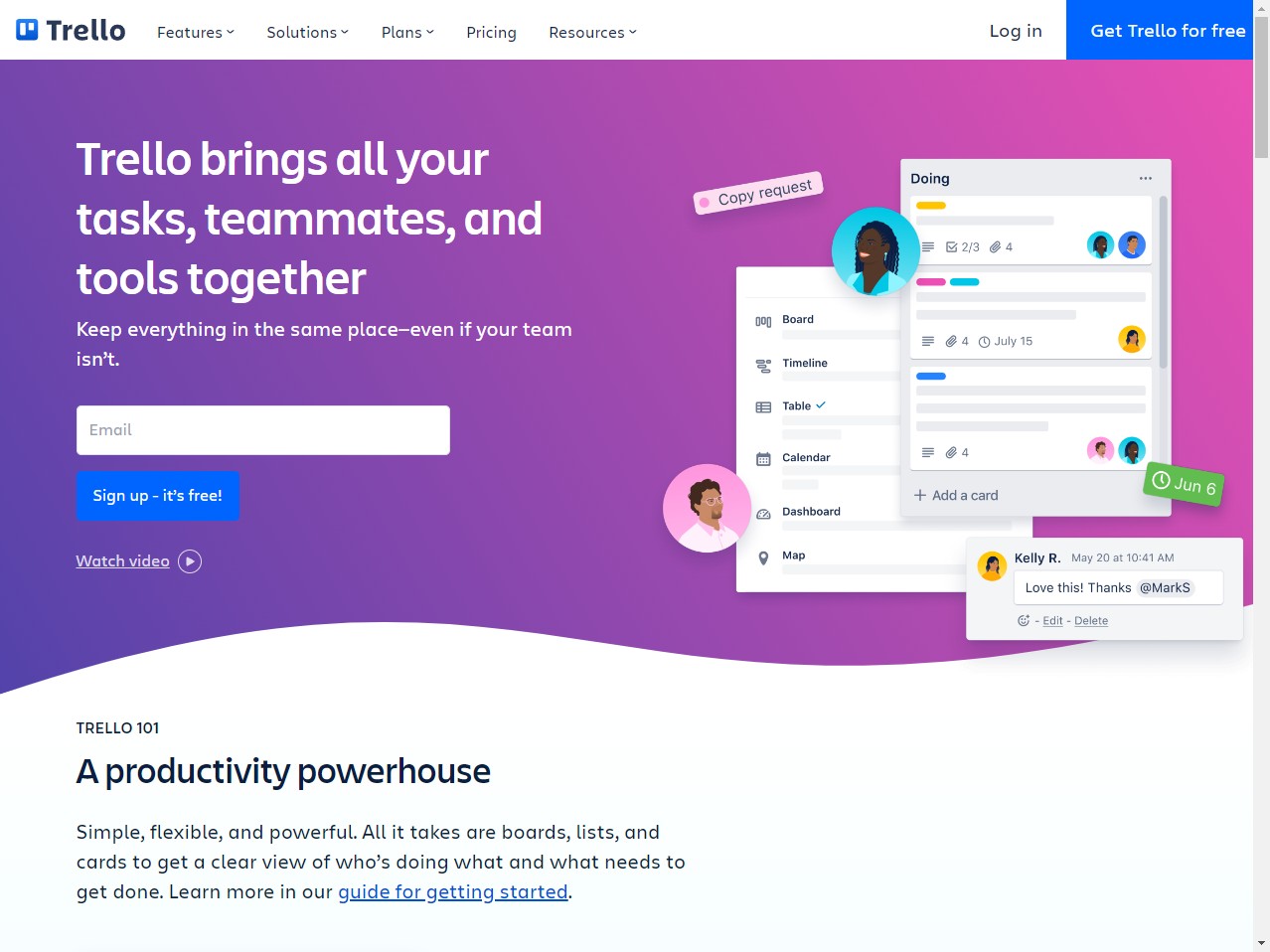
Trello is a project management and collaboration tool that can help you manage your clients quickly and easily using Kanban style boards and lists. It allows you to create boards for each of your clients and use them to organize and track their projects, tasks, and communications. This allows you to centralize all of the information and communication related to a client in one place. This Kanban style board can also be used as a quick visual representation of progress.
You can use Trello’s integrations with other tools, such as Google Drive and Slack, to connect your workflow and improve your efficiency. This can help you streamline your processes and save time.
Asana
Cost: The basic plan can be used for free, but the premium plan costs $13.49/user/month.
Asana is a popular project management tool that allows users to easily create and assign tasks, manage team member progress, and collaborate on projects in real time. It has a user-friendly interface that can be used for various internal functions, such as bug tracking, applicant tracking, and setting up pipelines.
It can also be used for customer relationship management (CRM), as customers can be treated as tasks or projects, and every interaction with them can be recorded in the notes and comments section.
There are two main options for organizing customer information in Asana: either by creating a separate task for each customer or by creating a separate project for each customer. If a team has a lot of customers and typically only one person works with each customer, it may be better to use separate tasks. However, if the work for each customer is more involved and requires input from multiple team members, it may be more effective to use separate projects.
Monday
Cost: Although a free plan is available, you’ll need to pay $12.5/user/month to unlock most of the functionality.
Monday is a popular CRM tool that is used by many businesses and teams to manage their clients. It offers a range of features that make it a versatile and user-friendly tool for managing client relationships, such as the ability to create custom pipelines, automate workflows, and track progress on projects.
The sales forecasting feature is useful for gaining deeper insights about projected sales and any unmet targets. It also offers a range of integrations with other tools, such as Slack and Google Drive, which can help teams work more efficiently and effectively.
Wrike
Cost: You can start with the free plan, and then later upgrade to the team plan by paying $9.80/user/month to unlock more features.
Wrike is a client management platform that offers project management and task management tools, such as project tracking and resource management. It also integrates with other tools, such as Slack, Salesforce, and Microsoft Teams.
It has a comprehensive CRM system to keep customer data at your fingertips and offers templates to help users quickly get started with client engagements. For example, there’s a template to receive requests through a form, manage them using traffic control, and keep track of overall performance using reports.
Podio
Cost: You can use the free plan with up to 5 team members. Plus plan costs $14/month.
Podio is a work management platform that offers tools for managing clients in an agency. It has a customizable interface that allows users to create a workspace specific to their agency and client needs. It offers features such as project management, task management, collaboration, and communication tools.
The platform also has a comprehensive CRM system that allows users to easily access and manage client information, including logging interactions and tracking pain points. It offers integrations with several other tools, such as Salesforce and Google, to provide a seamless workflow.
Zoho
Cost: $40 per month
Zoho CRM is a customer relationship management (CRM) platform that offers tools for maintaining relationships with clients. It has a useful set of features that allow users to manage and track all aspects of their interactions with clients, including sales, support, and marketing.
The platform offers tools for managing and organizing client information, including contact details, communication history, and activity logs. You can also use collaboration and communication tools, such as email, chat, and video conferencing.
Redmine
Cost: It is open source and can be used for free.
Redmine is an open-source project management and issue tracking platform. It offers a range of features and tools to help users manage and track their projects, including support for multiple projects, issue tracking, and Gantt charts.
You get a customizable interface and a flexible permission system that allows users to tailor the platform to their specific needs. It offers collaboration and communication tools, such as forums, news, and a document management system, to help teams work together effectively.
OpenProject
Cost: The community version can be self-hosted for free. The basic plan costs $435/year for both on-premises and cloud hosting and allows up to 5 users. The same plan would cost you $510/year if you choose to enable BIM features (Building Information Modeling).
OpenProject is an open-source project management platform that offers a range of features and tools to help users manage and track their projects. It has a customizable interface and a flexible permission system, allowing users to tailor the platform to their specific needs. It also offers tools for project planning, including support for Gantt charts, as well as issue tracking and time tracking.
It also offers collaboration and communication tools, such as forums, news, and a document management system, to help teams work together effectively. It’s known for its extensibility, with a large number of plugins and integrations available to enhance its capabilities. For example, you can connect with GitHub to check the status of a pull request, or use the Nextcloud integration to share files with team members.
Taiga
Cost: It can be used for free on the cloud, with certain storage limitations, or self-hosted for free to remove those limitations. You can get premium support for $70/month.
Taiga is an open-source project management platform that offers a Kanban module for managing work items. The Kanban module allows users to create their own set of Kanban columns and set Work in Progress (WIP) limits for each column.
Taiga also offers the ability to create Kanban swimlanes, which are independent sections of the Kanban board that can contain separate sets of work items. Taiga includes a number of customization options, such as the ability to define custom fields, and change the color and icon of each work item type.
ProjectLibre
Cost: It is open source and free to use.
ProjectLibre is an open-source project management platform that offers a range of features, including support for Gantt charts, resource management, issue tracking, and collaboration tools. ProjectLibre is compatible with Microsoft Project files and is available for Linux, macOS, and Windows.
Next Steps
After taking a look at the most popular and effective tools in the client management industry, we think it’s pretty clear that Atarim is the clear choice, especially if you want to start taking advantage of visual collaboration. But don’t take our word for it:
12,000+ agencies trust Atarim to speed up their project and support delivery for 1,200,000+ of their clients and stakeholders.