Atarim’s SOC 2 Compliance: Elevating Security and Trust in Creative Collaboration

Introduction

In the fast-paced world of digital agencies and creative collaboration, trust and security are paramount. Atarim, as a leading platform for streamlining workflows and communication between teams and clients, understands this better than anyone. That’s why we’re proud to share our SOC 2 compliance achievement – a critical milestone in ensuring your data is handled securely, reliably, and transparently.

In this blog, we’ll break down what SOC 2 compliance means, why it matters for you as an Atarim user, and how our platform integrates this standard to provide an unparalleled level of service and security.

What is SOC 2 Compliance?

SOC 2 (Service Organization Control 2) compliance is a rigorous auditing process designed to ensure that service providers securely manage data to protect the privacy of their clients. It is especially important for SaaS (Software-as-a-Service) providers like Atarim, where user trust hinges on how data is handled.

SOC 2 evaluates an organization’s adherence to five trust service criteria:

  1. Security: Safeguarding against unauthorized access and ensuring data protection.
  2. Availability: Ensuring the system is operational and meets uptime commitments.
  3. Processing Integrity: Confirming that systems work as intended and deliver accurate results.
  4. Confidentiality: Ensuring sensitive information is protected from exposure.
  5. Privacy: Protecting personal information and adhering to privacy regulations.

Why Atarim Pursued SOC 2 Compliance

At Atarim, our mission is to provide the most efficient and secure platform for digital agencies to collaborate, streamline workflows, and deliver results. With creative projects often involving sensitive client data, feedback, and intellectual property, SOC 2 compliance was a natural step to elevate our commitment to your success.

Key Drivers for SOC 2 Compliance:

  • Client Trust: SOC 2 compliance demonstrates our dedication to maintaining the highest data security and privacy standards, building confidence among our users.
  • Enterprise Readiness: As Atarim partners with agencies and enterprises with stringent compliance requirements, SOC 2 ensures we meet and exceed their expectations.
  • Proactive Risk Management: Achieving SOC 2 certification ensures our platform has robust safeguards in place, minimizing risks for all users.

How Atarim Achieved SOC 2 Compliance
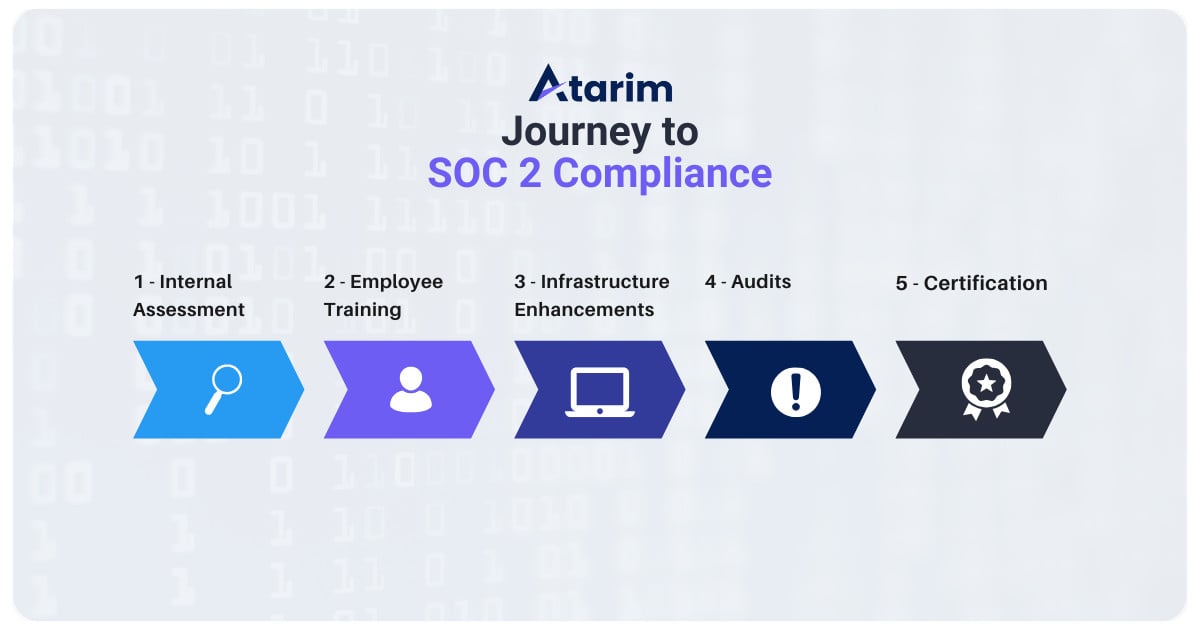
Atarim's Soc-2 compliance journey

Our journey toward SOC 2 compliance involved rigorous evaluations, process improvements, and third-party audits to validate our adherence to the framework’s high standards. Here’s an overview of what we did:

  1. Internal Assessments:
    • Conducted a gap analysis to align our operations with SOC 2 trust service criteria.
    • Upgraded internal policies for data security, availability, and confidentiality.
  2. Employee Training:
    • Trained all team members on secure data practices and compliance requirements.
  3. Infrastructure Enhancements:
    • Implemented advanced monitoring systems to detect and address vulnerabilities.
    • Strengthened disaster recovery plans to ensure data is protected during unexpected events.
  4. Third-Party Audits:
    • Partnered with a certified third-party auditor to assess and validate our compliance.
  5. Ongoing Monitoring:
    • Established real-time compliance monitoring to ensure continuous alignment with SOC 2 standards.

What Atarim’s SOC 2 Compliance Means for You

By achieving SOC 2 compliance, Atarim ensures that every aspect of our platform operates with best-in-class security measures. Here’s what this means for your business:

1. Advanced Data Security

Atarim secures your data with industry-leading practices such as:

  • End-to-End Encryption: Ensuring data is protected both in transit and at rest.
  • Access Controls: Limiting access to only authorized personnel and systems.
  • Regular Audits and Monitoring: Identifying and mitigating potential threats before they become issues.

2. Reliable Performance

Our compliance includes a focus on system availability, ensuring Atarim’s platform operates smoothly and meets uptime commitments, so your team can collaborate without disruption.

3. Enhanced Privacy Controls

With SOC 2’s privacy criterion, Atarim adheres to strict guidelines for protecting personal information, whether it’s your team’s data or your clients’ sensitive feedback and assets.

4. Trustworthy Partnerships

For agencies working with enterprise clients, SOC 2 compliance removes a significant hurdle. You can confidently present Atarim as part of your workflow stack, knowing it meets stringent compliance requirements.

The Road Ahead: Continuous Improvement

SOC 2 compliance isn’t a one-and-done achievement – it’s a commitment to ongoing excellence. Atarim will continue to:

  • Conduct regular audits to maintain compliance.
  • Enhance security features to stay ahead of emerging threats.
  • Ensure our platform evolves alongside your needs.

Final Thoughts

With SOC 2 compliance, Atarim reinforces its role as a trusted partner for digital agencies and creative teams worldwide. By prioritizing security, reliability, and privacy, we empower you to focus on what matters most: delivering exceptional results for your clients.

If you’re ready to experience the confidence that comes with SOC 2-compliant collaboration, sign up for Atarim today and elevate your workflow with unmatched security and efficiency.

Unveiling Atarim’s New Project Screen: Smarter, Faster, and More Intuitive

At Atarim, we’re all about creating tools that help you and your team collaborate seamlessly. That’s why we’re thrilled to announce the release of our revamped Project Screen, which brings you a host of powerful new features designed to streamline your workflow, improve user experience, and make project organization a breeze.

Let’s dive into what makes this update a game-changer for agencies and teams around the globe.

Key Features of the New Project Screen

1. Enhanced Drag-and-Drop Functionality

Gone are the days of clunky folder creation and project reorganization. Our new drag-and-drop functionality lets you:

  • Effortlessly reorder projects by dragging them to the desired position.
  • Create folders simply by dragging one project onto another. Once created, folders can be named, organized, and assigned team members in seconds.

This intuitive system eliminates extra clicks, offering a fluid experience that puts you in control.

2. Streamlined Folder Management

With the new folder management flow, you can:

  • Assign team members directly when creating folders.
  • Instantly search for and add projects to a folder.
  • Rename folders in real-time with changes saved instantly.

Whether you’re managing multiple clients or organizing internal projects, these upgrades are designed to make your workspace more efficient.

3. Improved User Interface (UI)

We’ve refreshed the UI for a cleaner, less cluttered look. Tags, buttons, and navigation elements are more compact, ensuring more space to focus on what matters—your projects. For instance:

  • Add or remove users with a single click
  • A new collaboration-disabled tag lets you instantly see if collaboration features are turned off for a project.
  • The top navigation and filter bar have been redesigned for simplicity and ease of access.

4. Improved Team Management

Atarim's new ux for adding and removing team members in just one click

We’ve revolutionized the way that Atarim handles team management. With our new update, you can simply add or remove new users with a single click – no need to go through the lengthy process of accessing the settings menu and using multiple clicks to manage users on projects. 

Our new search functionality is a leap forward in speed and usability. Previously sluggish and outdated, the search feature has been completely rebuilt:

  • Results are displayed almost instantaneously.
  • Search for folders, projects, or tasks, and jump directly to them with keyboard commands.
  • It’s not just faster; it’s smarter, helping you get to the information you need with minimal effort.

6.. Snippets and Scripts

The new Add Snippet modal introduces a sleek and animated way to manage scripts. Whether you’re embedding functionality or connecting resources, this feature ensures you can do so seamlessly while linking to helpful documentation for added clarity.

How These Features Elevate Your Workflow

The updates aren’t just about aesthetics – they’re about improving the way you manage projects. With drag-and-drop capabilities, lightning-fast search, and more, you can:

  • Save time by skipping unnecessary steps in project organization.
  • Keep your workspace clutter-free and intuitive.
  • Enable team members to quickly access the projects they need.
  • Boost collaboration and accountability with real-time updates and notifications.

These features are particularly valuable for agencies managing multiple client accounts, web designers juggling projects, or developers handling complex workflows.

Looking Ahead

The new project screen is more than just a feature update; it’s a testament to our commitment to making Atarim the most powerful visual collaboration platform available. These improvements are just the beginning of what we have planned for 2025.

Ready to experience the new project screen for yourself? Sign in or start a free trial today and see how Atarim can transform the way you work.

Top 10 Online Feedback Tools in 2025 to Boost Collaboration and Team Productivity

In today’s fast-paced digital world, selecting the right online feedback tool can revolutionize your team’s collaboration and productivity. These tools streamline workflows, enhance communication, and reduce project timelines. This guide uncovers the 10 best real-time feedback platforms in 2025 to help your team succeed.

What Is an Online Feedback Tool?

An online feedback tool is a digital feedback solution designed to facilitate seamless communication and collaboration. These tools allow users to provide contextual feedback directly on digital assets like websites, designs, and documents. With features like visual collaboration, real-time updates, and integrations, digital review tools are essential for design teams, marketing agencies, and businesses aiming to stay agile.

Why Your Team Needs Online Feedback Tools in 2025

  • Clear Communication: Consolidate feedback in one place and eliminate long email threads.
  • Improved Efficiency: Streamline approval processes to reduce project timelines.
  • Contextual Feedback: Provide actionable comments directly on specific elements.
  • Seamless Collaboration: Enhance teamwork between internal teams and stakeholders.

Using a feedback software solution can make your workflows more efficient while fostering team accountability.

The 10 Best Online Feedback Tools in 2025

1. Atarim – The Ultimate Online Feedback Tool To Simplify Collaboration with Visual Feedback

Atarim online feedback tool interface showing contextual comments on a live website for efficient team collaboration.

Best for: Web designers, agencies, and internal teams.

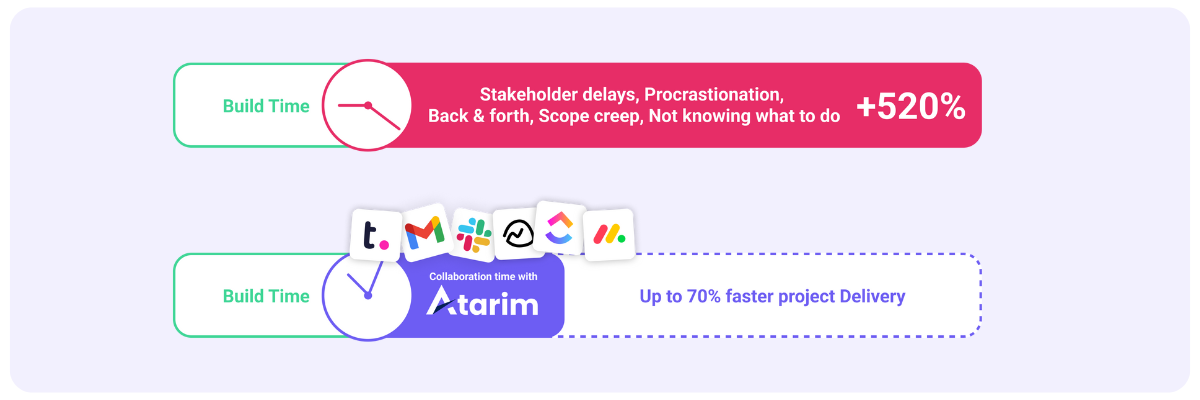
Atarim is a powerful tool for visual feedback collection that simplifies feedback management on websites, designs, or marketing assets. By allowing precise, context-based feedback directly on digital content, Atarim helps teams cut project delivery times by up to 70%.

Key Features:

  • Comment directly on live websites or designs for crystal-clear feedback.
  • Integrates seamlessly with project management platforms like Slack, Jira, and ClickUp.
  • Centralized dashboard for all feedback and task tracking.
  • Automates workflows using Kanban boards for streamlined task management.

Why Choose Atarim?
Trusted by companies like GoDaddy, Atarim stands out for its ability to enhance productivity and simplify collaboration for teams managing complex digital projects.

2. SurveyMonkey – A Versatile Online Feedback Tool To Simplify Feedback Collection

SurveyMonkey feedback tool dashboard with survey templates and analytics for structured feedback collection.

Best for: Structured surveys and data-driven insights.

SurveyMonkey is a trusted platform for creating feedback surveys that deliver actionable insights. With a user-friendly interface and advanced analytics, teams can collect and analyze data efficiently.

Key Features:

  • Pre-designed templates for various survey types.
  • Robust data visualization tools to generate insights.
  • Integrates with customer relationship management (CRM) software like Salesforce and HubSpot.

Why Choose SurveyMonkey?
SurveyMonkey is perfect for organizations that rely on structured feedback collection for market research, customer feedback, or employee satisfaction.

3. Mentimeter (Menti) – Interactive and Engaging Online Feedback Tool

Mentimeter online feedback tool displaying a live poll with bar chart results for audience engagement.

Best for: Audience engagement during meetings and workshops.

Mentimeter (or Menti) shines as an interactive feedback platform that gathers real-time feedback during presentations or workshops. Features like live polls, Q&A sessions, and word clouds make it a favorite for boosting audience engagement.

Key Features:

  • Real-time polls and quizzes for instant insights.
  • Mobile-friendly design ensures easy participation.
  • Generates visual data like word clouds and bar graphs.

Why Choose Menti?
If audience interaction tools are your goal, Menti’s real-time engagement features transform feedback sessions into engaging experiences.

4. SmartSurvey – Secure and Flexible Online Feedback Collection Tool

SmartSurvey feedback platform showcasing customizable survey templates and GDPR-compliant security settings.

Best for: GDPR-compliant surveys and data privacy-focused organizations.

SmartSurvey prioritizes data security while offering customizable feedback options. With GDPR compliance and multi-language support, it’s an excellent choice for global organizations.

Key Features:

  • Advanced security settings for feedback data protection.
  • Multi-language support for diverse teams.
  • Customizable templates for targeted surveys.

Why Choose SmartSurvey?
For teams prioritizing privacy-focused feedback tools, SmartSurvey delivers a secure yet flexible solution.

5. Qualtrics – Enterprise-Grade Online Feedback Insights Tool

Qualtrics feedback tool interface with customer journey analytics and AI-powered decision-making insights.

Best for: Large organizations and enterprise-level analytics.

Qualtrics offers advanced analytics powered by AI to help businesses collect, analyze, and act on feedback. It’s perfect for scaling efforts across customer and employee engagement surveys.

Key Features:

  • AI-powered insights for smarter decision-making.
  • Customer journey mapping for a holistic view of user experiences.
  • Highly scalable platform for global teams.

Why Choose Qualtrics?
For enterprises that need robust analytics and scalable feedback solutions, Qualtrics is an unbeatable choice.

6. Typeform – Beautifully Designed Feedback Forms

Typeform online feedback tool showing an interactive conversational feedback form designed for high engagement.

Best for: High-engagement feedback forms.

Typeform makes collecting user feedback visually appealing and user-friendly. Its conversational approach ensures higher response rates and more meaningful input.

Key Features:

  • Conversational forms for better engagement.
  • Conditional logic to personalize responses.
  • Integrates with apps like Zapier and Slack.

Why Choose Typeform?
Typeform combines form functionality with user-centric design, perfect for teams looking to align their feedback platforms with their brand.

7. UserTesting – Online Feedback Tool for In-Depth UX and Usability Insights

UserTesting feedback platform displaying video insights and heatmaps for analyzing user behavior on websites.

Best for: UX designers and product teams.

UserTesting delivers real-world insights into how users interact with your digital product. Video recordings and behavioral analytics make it invaluable for improving usability.

Key Features:

  • Video insights into user behavior.
  • Heatmaps to track user engagement.
  • Feedback from real participants for accurate data.

Why Choose UserTesting?
For teams aiming to improve UX, UserTesting offers unparalleled user behavior insights.

8. Feedbackly – Multichannel Customer Online Feedback Tool

Feedbackly dashboard with customer journey mapping and multi-channel feedback collection tools.

Best for: Businesses seeking customer journey insights.

Feedbackly captures user feedback across multiple touchpoints, enabling businesses to track customer satisfaction from start to finish.

Key Features:

  • Customer journey mapping.
  • Multi-channel feedback options.
  • In-depth analytics for actionable insights.

Why Choose Feedbackly?
Feedbackly’s customer feedback management system and journey mapping tools make it ideal for improving the customer experience.

9. Google Forms – Free and Simple Online Feedback Solution

Google Forms interface showing a simple feedback survey with customizable questions and data export options.

Best for: Small teams and quick surveys.

Google Forms offers a straightforward way to collect feedback at no cost. While it lacks advanced features, it’s perfect for simple tasks.

Key Features:

  • Integrates with Google Sheets for feedback data analysis.
  • User-friendly interface.
  • Completely free to use.

Why Choose Google Forms?
For budget-conscious teams, Google Forms is a reliable and simple feedback tool.

10. Trello – Task Oriented Feedback Tool

Trello feedback tool featuring a card-based task management board with feedback tracking for team projects.

Best for: Teams looking to combine feedback with task tracking.

Trello merges feedback collection with project management tools. Its card-based interface allows teams to organize tasks and feedback visually.

Key Features:

  • Card-based workflow for easy task management.
  • Attach feedback directly to project tasks.
  • Integrations with Slack, Jira, and more.

Why Choose Trello?
Trello’s versatility makes it a great tool for teams wanting an all-in-one solution for task and feedback management.

FAQs About Online Feedback Tools

What is the primary purpose of online feedback tools?

Online feedback tools facilitate real-time collaboration and contextual communication by enabling feedback directly on digital content.

Are free tools worth using?

Free online feedback tools like Google Forms and Atarim’s free version are excellent for simple tasks or smaller teams. However, premium tools like Atarim’s paid version provide advanced features ideal for scaling feedback workflows.

Can online feedback tools integrate with project management software?

Yes, tools like Atarim and Trello integrate seamlessly with platforms such as Jira, Slack, and ClickUp.

What industries benefit most from online feedback tools?

Teams in design, marketing, development, education, and customer support benefit from these collaboration solutions.

What should I look for in a feedback tool?

Prioritize ease of use, integrations, data privacy, and scalability.

Conclusion

Online feedback tools are essential for improving team collaboration, reducing project timelines, and boosting productivity. While all the tools listed offer unique benefits, Atarim stands out as the best online feedback platform in 2025 for web design and marketing teams.

Mastering Design Revision Requests

We all know that working with stakeholders on their projects can sometimes be challenging. But it gets significantly more frustrating when you find yourself constantly going back over the same work multiple times because they keep wanting more changes.

Dealing with these repeated changes can be tedious, and let’s be honest, it’s a task many designers loathe. But carrying out revisions to the work you’ve already created is a fundamental part of the design process. If done the right way, and with the right tools, it needn’t be as daunting or frustrating as it often seems.

In this article, we’ll be discussing the best ways to handle client revision requests in the most diplomatic and effective ways possible, even if those requests may sometimes seem unreasonable. Let’s get started!

The Importance of Revision Requests 

Revision requests usually involve clients asking for changes or edits to the design, product, or service being provided, and these requests typically arrive once the client has reviewed the initial delivery.

Although the revision requests may involve subtle things such as a change in color or layout, they may also involve adding additional features or elements – or changing the content entirely.

Of course, we absolutely understand the value and importance of these requests. Not only are we delivering exactly what the client needs, with their expectations fully met, but the end product is likely to be more polished, and customized in a way that’s unique to that client. We certainly wouldn’t want to discourage the client from expressing any concerns or issues – this isn’t the basis for a healthy working relationship.

One of the biggest headaches for designers is the seemingly endless back-and-forth of email communications or phone calls, with the client trying to explain what they want changed. The trouble is, though, that they often lack the technical knowledge and understanding to explain things clearly, or understand the developer fully.

While the client may be asking the designer to “make the tab bigger”, they may actually mean that they want the header section with the logo bigger, or the hero section, or the favicon in the actual tab, or even the navigation bar. We’ve come across all of these instances in the past!

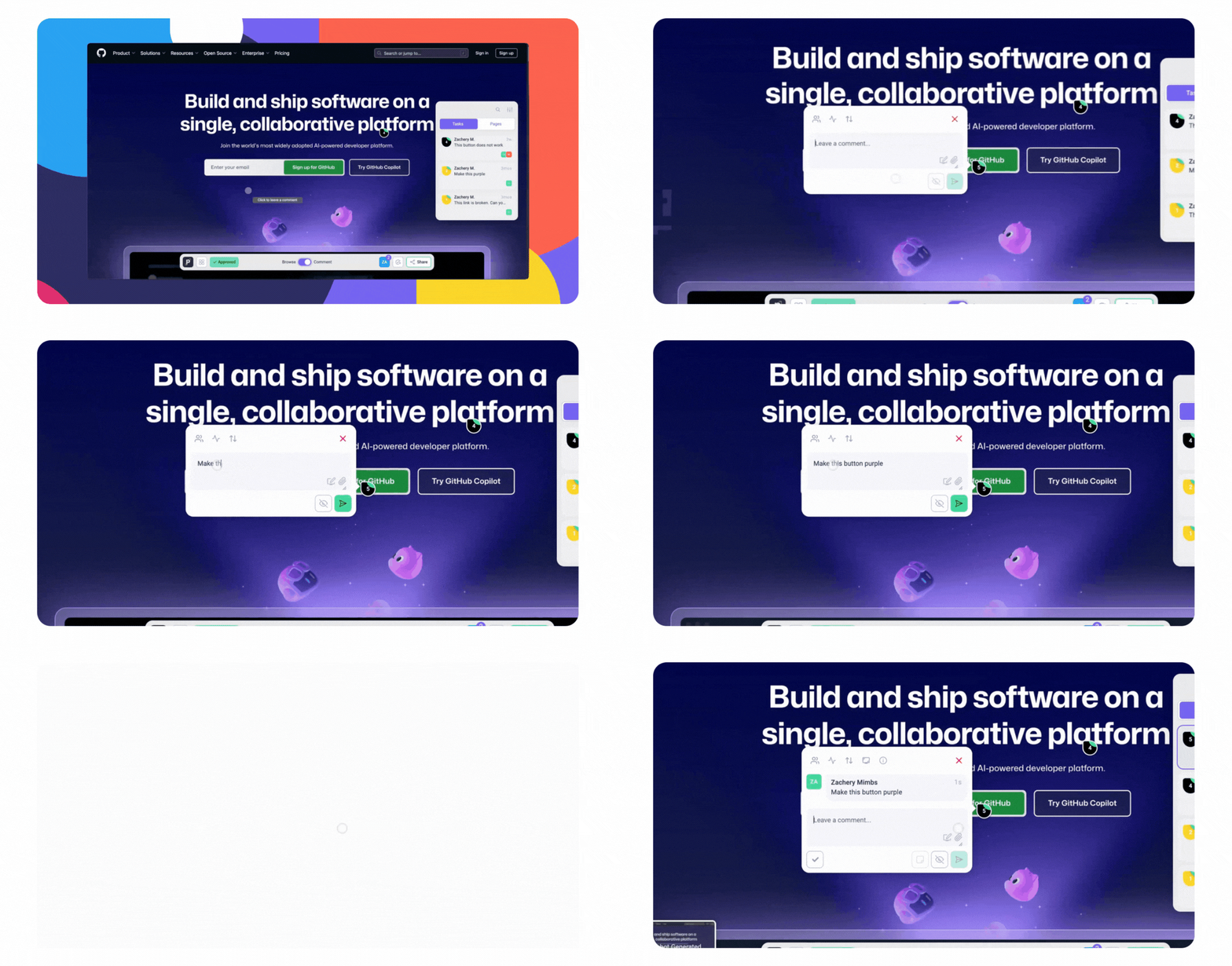
Imagine if the client could simply point at the bit of the page they want changing, and then say something simple like, “make this bigger”, “change this background color so it’s lighter”, or “replace this image with one featuring a lama”.

Then imagine that, just by the client doing this, a task is automatically generated within the designer’s dashboard, with the exact part of the page the client pointed to highlighted, with their notes attached to it, as well as all additional information such as their browser and screen resolution.

Wouldn’t all that make the whole process easier? We thought so! That’s why we built Atarim to do exactly that.

Atarim’s unique image-based collaboration feature makes it significantly easier for both client and designer, and makes dealing with revisions painless, streamlined, and incredibly efficient.

Planning Your Project Stages

Let’s be realistic. We all know that it’s highly unlikely that everything will be completed exactly right on the very first attempt.

With this in mind, we have to expect at least some minor corrections, and plan accordingly. By planning ahead for these anticipated revisions, we can reduce the chance of missing project deadlines, whilst still ensuring that the end result is of the high quality we would expect.

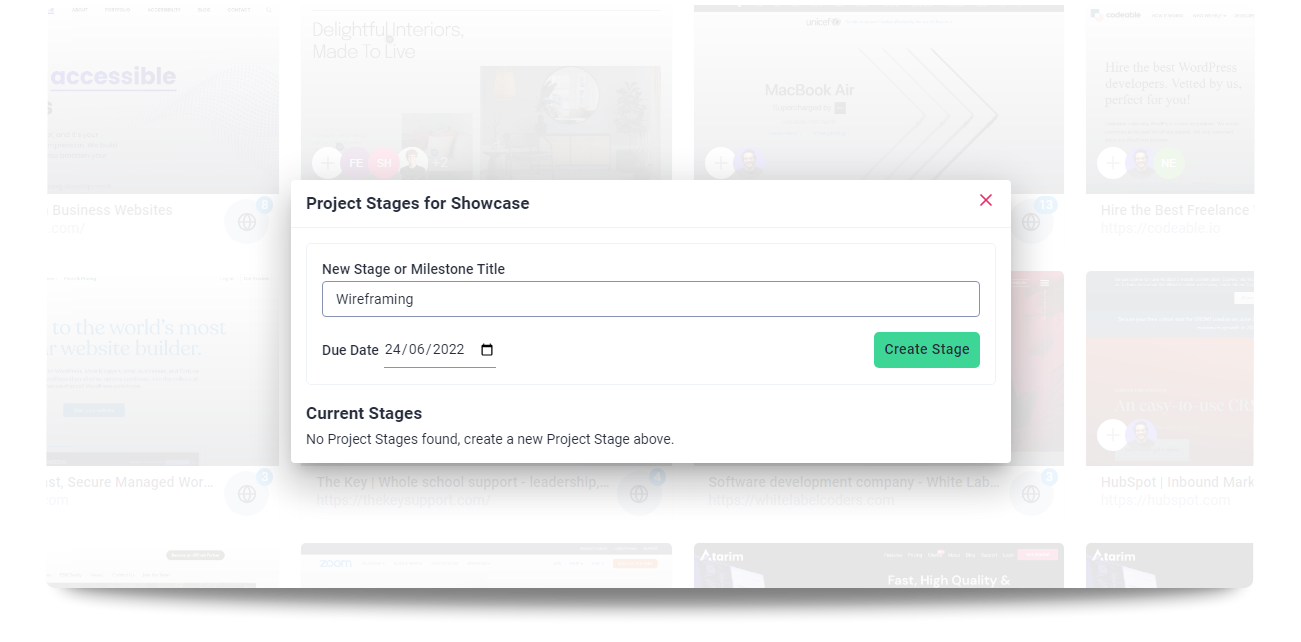
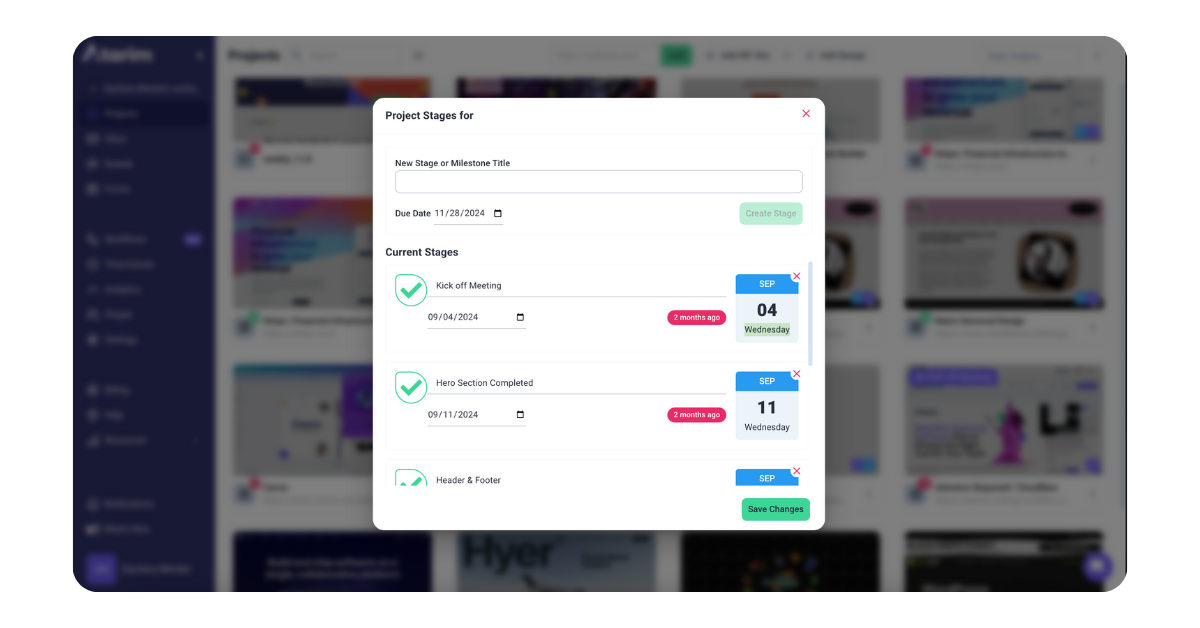
The Project Stages feature by Atarim makes it easy to track the progress of the project and keeps everyone up-to-date on what’s happening. You can use this feature to plan out your project and set aside time specifically for making corrections and amendments. This feature can also track the time taken on each stage of the project. By using this tracking data you can easily identify bottlenecks in your workflow, and make whatever changes are necessary to improve your agency’s productivity further.

Communicating Revision Requests Effectively

Effective communication with clients is vital for revisions to be processed correctly, avoiding any potential confusion or misunderstandings. This will include being completely transparent about the requested changes, the reason for any changes or adjustments, and any additional cost required as a result. Taking the time to fully understand exactly what the client’s vision is, and what they want to achieve with their revisions is essential. For this reason, asking questions when necessary in order to clarify anything that could potentially be unclear is a must.

Through clear, unambiguous communication clients will be able to fully understand exactly what they’re paying for, and what they can expect from the final product. This will inevitably lead to improved satisfaction with the end product, and reduce any additional back-and-forth revisions leading to further delays and unnecessary costs.

Keeping the communication medium open throughout the revision process enables the client to provide feedback promptly. This also lends them a sense of security and confidence in the final result.

Atarim’s Email Support Desk is designed to provide customers with complete control over their email support. The ticketing system allows every inquiry to be transformed into an actionable task, enabling customers to assign team members, set priorities and statuses, and track time. All communication is conveniently organized in one location, making it easy for customers to manage their email support.

How To Handle Revision Requests 

Since revision requests are an unavoidable part of the design process, it’s essential to deal with them calmly and professionally to maintain a positive experience with clients. Here are some tips to keep in mind while communicating with clients. 

  1. Always listen to the client’s feedback: Understanding fully what your client wants is vital for the process to be successful. Talk with your client, ask essential questions, and clarify their requests. Communicating clearly will enable you to understand your client’s perspectives and effectively address their concerns.
  2. Respond punctually: Confirm receipt of the client’s revision request quickly, and provide a realistic timeline for when they can expect changes to be implemented. Managing the client’s expectations and preventing delays is crucial.
  3. Don’t let your emotions control your decisions: Stay calm and composed, and face any potentially difficult (or even potentially unreasonable) requests professionally. Revisions are unavoidable in this industry, and designers should value client feedback.
  4. Maintain transparency and honesty: Be upfront and honest with the client about how reasonable their requests are, any additional costs or time that may be needed, and also any potential impact on the outcome that the client may not have realized.
  5. Be willing to compromise: Be open to making changes and adjustments, and prepared to compromise when necessary. Keeping the demands of the clients intact is an important part of the design process. 
  6. Follow up with your client: Keep your client updated when revisions are implemented, and follow up with them to ensure they are satisfied with the result. This shows that you care about client satisfaction and are committed to providing excellent customer service.

Setting Realistic Expectations And Boundaries 

Designers must take steps to prevent an excessive number of revision requests by setting up realistic expectations and boundaries with the clients. Ensuring this sustains a positive working relationship with the clients. Here are some tips on how to achieve this:

  1. Outline the design process clearly: The design process needs to be clearly explained to the client, from start to finish, including the revisions included in the project and any additional costs for additional revisions. Doing so helps the client understand what they can expect from the designers, and prevents any misunderstandings down the line.

    A proper discussion is necessary to understand the client’s goals and objectives for the project and to align the vision and strategy of both parties. This process prevents unnecessary revisions and sets realistic expectations. 
  1. Produce a detailed proposal and contract: The project’s scope, timeline, and table of all costs and services help set clear boundaries and expectations for both the client and the designer.
  2. Give progress updates: Deliver progress updates throughout the design process. Keeping the client up-to-date with the process gives them a sense of trust and confidence in the final output and makes it easier to receive quick feedback.
  3. Be clear about limitations and boundaries: Time, budget, and other restrictions must be explained clearly to the client. Legal regulations (such as those pertaining to accessibility) may affect the final result and helping the client understand the design process sets realistic possibilities for the client regarding the final outcome.

Managing Unreasonable Revision Requests

It’s far from unheard of for clients to make unreasonable revision requests. As an industry professional, some requests might not make any sense to you. But it’s important to maintain a positive working relationship with your clients.

Follow these tips to negotiate and deal with what may seem to be unreasonable requests:

  1. Stay composed and maintain professionalism: It’s important to keep your composure and stay calm when facing difficult client requests. Revisions are an unavoidable part of the design process, and the design team should handle client feedback professionally.
  2. Listen carefully: To understand the client’s perspective you must think carefully and not make any assumptions. Be direct in communicating with your client and clarify any concerns about the requests by asking questions.

    If the request made by the client is not possible, ask the client to explain why this specific change or adjustment is necessary, or what they are hoping to achieve. This may help you to identify ways in which the problem can be tackled, possibly with a different approach.
  3. Provide alternatives: If the client’s request is not feasible even after a discussion, provide alternative options that will still meet their needs and objectives. Doing this emphasizes your willingness to work with them to achieve the best possible outcome.
  4. Explain your decisions to the client: Help the client understand the design principles and objectives followed during the process. Explain to the clients the reasoning behind your choices, and ensure the client appreciates that they hired you for your expertise in this matter, and that your judgment should be trusted.
  5. Be honest with your client: If the client’s request will require you to allocate additional time and money, communicate this clearly and honestly. You need to provide a detailed briefing of the other work required during the process and its impact on the outcome. 
  6. Compromise when necessary: In some situations, being willing to compromise is the only way to keep the project moving forward. It assures the client that their priorities matter to you, and that your focus is on delivering the best possible outcome for their needs.
  7. Take the matter to a higher level when necessary: If the client is still dissatisfied with the alternatives or the reasoning you provided for the design decisions, you can suggest that they speak with a supervisor or manager if the situation requires. 

If the designer and the client signed a contract, refer to the terms and conditions and remind them that certain demands may not be acceptable within the terms of the agreement. 

Summary 

It is vital to handle revision requests professionally in order to maintain good client relationships. Setting realistic expectations ensures a more positive outcome, and a healthier relationship, and is key to propelling a company’s growth.

Atarim makes it easy for clients to provide content and feedback, and streamlines the entire design approval process – resulting in a 300% time improvement.

Atarim enables website development studios and freelance developers to streamline feedback and requests from various stakeholders, ultimately resulting in faster project completion and increased profitability.

Sign up for a free forever plan on Atarim and see the advantage for yourself.

Creative Review Tools: 7 Best Platforms to Streamline Feedback and Collaboration in 2024

Collaboration lies at the heart of every successful creative project. Whether you’re crafting marketing campaigns, designing websites, or developing products, seamless feedback and efficient workflows are critical. That’s where creative review tools come in—offering innovative solutions to centralize feedback, enhance clarity, and ensure faster delivery.

What Are Creative Review Tools?

Creative review tools are specialized platforms designed to help teams collaborate on assets like designs, videos, and documents. These tools allow direct feedback on visuals, automate approval workflows, and promote team alignment to reduce inefficiencies.

Why Use Creative Review Tools?

Investing in a creative review tool provides teams with:

  • Clear Communication: Eliminate unclear email chains with actionable feedback directly on assets.
  • Faster Feedback Loops: Speed up iterations with centralized comments and approval tracking.
  • Team Alignment: Keep all stakeholders informed with real-time updates.
  • Time and Cost Savings: Avoid delays and rework, freeing up resources for innovation.

Top 7 Creative Review Tools in 2024

1. Atarim – The Creative Review Tool for Visual Collaboration

Overview:
Atarim is a versatile creative review tool crafted for web designers, marketing teams, and product developers. Known for reducing project turnaround times by up to 70%, Atarim simplifies feedback by offering contextual data and robust task management features.

Atarim creative review tool interface for streamlined visual feedback and collaboration.

Key Features:

  • Visual feedback with browser-specific details.
  • Integrations with tools like Jira and ClickUp.
  • Custom workflows via Kanban boards.
  • Client-friendly external feedback options.

Best For: Web designers, marketing agencies, and product teams.

2.  Ziflow – A Review Tool for Multimedia Projects

Overview:
Ziflow is a creative review platform tailored for multimedia campaigns. Designed with marketing teams in mind, it simplifies approvals for video, design, and advertising content. Its user-friendly interface ensures easy collaboration for teams of any size.

Ziflow creative review tool dashboard showcasing multimedia project feedback and approval workflows.

Key Features:

  • Frame-specific feedback for video projects.
  • Side-by-side version comparison.
  • Workflow automation for repetitive tasks.

Best For: Multimedia-focused marketing teams.
Limitations: Limited integrations compared to alternatives.

Pro Tip: Perfect for video-heavy workflows; however, teams handling diverse assets may benefit from Atarim’s versatility.

3. Filestage – A Tool for Global Teams

Overview:
Filestage helps global teams streamline creative asset reviews, offering support for documents, videos, and presentations. Its multilingual commenting system enables seamless feedback across different languages.

Filestage creative review tool interface with global feedback and progress tracking features.

Key Features:

  • Multilingual collaboration tools.
  • Transparent progress tracking.
  • Integrations with Slack and Asana.

Best For: Teams working across international markets.
Limitations: Higher pricing may deter smaller organizations.

4. GoVisually – A Lightweight Tool for Small Teams

Overview:
GoVisually delivers a straightforward solution for startups and small agencies. With its simple interface, it prioritizes direct feedback and fast approvals, making it ideal for teams with basic requirements.

GoVisually creative review tool showcasing design annotation and client feedback tools.

Key Features:

  • Annotations directly on designs.
  • Quick sharing for stakeholder feedback.
  • Lightweight and easy to adopt.

Best For: Startups and small agencies.
Limitations: Lacks advanced functionalities for larger teams.

5. Wipster – The Tool for Video Production Teams

Overview:
Wipster is a powerful option for video production teams. With frame-specific feedback and revision histories, it caters to editors and producers seeking streamlined workflows.

Wipster creative review tool interface for video production and frame-specific feedback.

Key Features:

  • Frame-by-frame feedback.
  • Collaborative workspaces for discussions.
  • Revision history tracking.

Best For: Video production workflows.
Limitations: Limited support for non-video assets.

6. Conceptboard – An Interactive Brainstorming Tool

Overview:
Conceptboard offers an interactive canvas ideal for brainstorming sessions. From ideation to design, it supports creative teams in consolidating their workflows into a single, collaborative space.

Conceptboard creative review tool showcasing real-time brainstorming and interactive collaboration.

Key Features:

  • Infinite canvas for brainstorming.
  • Real-time team collaboration.
  • Integrations with task management software.

Best For: Cross-functional brainstorming and ideation.
Limitations: Lacks robust review and approval workflows.

7. Frame.io – A Secure Tool for Post-Production

Overview:
Frame.io is purpose-built for post-production teams handling video content. Its features prioritize secure sharing and real-time collaboration, making it a trusted choice for video editors and producers.

Frame.io creative review tool interface for secure video sharing and post-production collaboration.

Key Features:

  • Watermarked video sharing for security.
  • Adobe Creative Suite integration.
  • Real-time editing feedback.

Best For: Video production and post-production teams.
Limitations: Limited capabilities beyond video content.

How to Choose the Best Creative Review Tool

To pick the right creative review tool, consider:

  1. Team Requirements: Focus on tools designed for your most common asset types – videos, designs, or multimedia.
  2. Ease of Use: Choose platforms with intuitive interfaces to ensure quick adoption.
  3. Integrations: Ensure compatibility with essential tools like Slack, Jira, or Adobe Suite.
  4. Budget: Look for a solution that offers the features you need without exceeding your budget.

FAQs About Creative Review Tools

1. What are creative review tools used for?

Creative review tools help teams streamline feedback and approvals on assets like videos, designs, and documents.

2. Which creative review tool is best for video production?

Tools like Wipster and Frame.io are ideal for video workflows, offering frame-specific feedback and secure sharing.

3. Are creative review tools suitable for remote teams?

Yes, tools like Atarim and Ziflow are cloud-based, making them perfect for remote collaboration.

4. How do creative review tools save time?

They centralize communication, automate workflows, and reduce miscommunication, leading to faster project delivery.

5. Which creative review tool is affordable for small teams?

Atarim offers cost-effective solutions for startups and small agencies.

6. Can creative review tools handle multimedia assets?

Yes, tools like Atarim and Ziflow are designed to support diverse multimedia projects.

Conclusion

Selecting the right creative review tool can transform your workflows, reduce inefficiencies, and drive project success. While options like Atarim offer all-in-one capabilities for web-based projects, tools like Frame.io and Wipster cater to specific niches like video production. Evaluate your team’s needs and choose a solution that aligns with your goals for 2024.


Website Project Management Made Easy: Streamline Your Workflow with Atarim

Website project management often feels like navigating a maze of tasks, tools, and stakeholder feedback. From ensuring smooth website project workflows to delivering projects on time, the complexities can be overwhelming. Yet, with the right strategies and collaborative website tools, managing website projects becomes seamless. 

Enter Atarim, your ultimate ally in website project management. This powerful platform optimizes workflows, enhances collaboration, and ensures your website projects consistently exceed expectations.

Website Project Management Explained: Key Components for Success

Website project management is the art of organizing tasks, teams, and tools to create a functional website that meets client goals and serves its purpose. It encompasses these essential stages:

  1. Planning: Setting project objectives, defining scope, and ensuring project timeline optimization.
  2. Design and Development: Creating layouts, coding features, and refining the website design management process.
  3. Feedback and Iteration: Streamlining feedback systems to improve efficiency and client satisfaction.
  4. Launch and Maintenance: Deploying the website and handling updates to maintain functionality over time.

While these stages differ in complexity, they share one key requirement: robust communication and collaboration. Atarim excels by addressing these needs through a streamlined website project process.

Stage 1: Planning the Website Project Workflow with Clarity

Proper planning is critical for a streamlined website project process. Without clarity, miscommunication can lead to delays and missed objectives.

Atarim resolves these challenges by offering a centralized platform for project briefs, visual sitemaps, and deliverables. Teams can align on every aspect of the project, from scope to timelines, ensuring smooth website project workflows and avoiding the notorious “scope creep” that derails projects.

Screenshot of Atarim’s dashboard showcasing organized tasks, visual sitemaps, and milestones in a centralized platform.

Stage 2: Collaborative Website Design and Development

This phase marries creativity with functionality, but poor tools can hinder progress. For instance, unclear instructions via email can create bottlenecks in website design management.

Atarim revolutionizes this process with its real-time collaborative website tools. Feedback is attached directly to website elements, allowing designers and developers to implement changes without ambiguity. This approach fosters efficient project timeline optimization and ensures that the design aligns with client goals.

Proven Results:
Global brands like GoDaddy reduced their project timelines from four months to just four weeks by utilizing Atarim for website design management.

Comparison chart of website project completion times: Atarim reducing timelines to 4 weeks versus traditional tools taking 4 months.

Stage 3: Visual Collaboration for Streamlined Feedback

Feedback loops are often the most time-consuming aspect of managing website projects. Vague comments and back-and-forth emails can stretch simple tasks into weeks.

Atarim simplifies feedback with a streamlined feedback system. Stakeholders annotate directly on the website, specifying changes while providing critical details like browser information and screen resolution. By reducing feedback ambiguity, Atarim cuts down on unnecessary delays and improves overall project workflow.

Atarim in action, with comments added directly to a live website element for streamlined website project feedback.

Stage 4: Streamlined Website Launch and Maintenance with Atarim

Launching a website can be stressful, with last-minute adjustments leading to chaos. Post-launch, many teams struggle to maintain the same level of efficiency for updates or redesigns.

With Atarim, these challenges are a thing of the past. Its collaborative tools ensure a streamlined website project process even after the site goes live. Teams can efficiently manage redesigns, maintenance tasks, or feature updates, keeping the website optimized long-term.

Side-by-side comparison of traditional feedback workflows and Atarim’s visual web collaboration process.

Why Choose Atarim for Website Project Management?

Atarim is more than a tool—it’s a transformative solution for website project management challenges. It caters to teams of all sizes and ensures you stay ahead in today’s competitive digital landscape.

  • Speed and Efficiency: Save up to 70% of project time through optimized workflows.
  • Centralized Workflows: Manage all project stages—from briefs to approvals—in one place.
  • Streamlined Feedback Systems: Simplify client and stakeholder feedback with user-friendly tools.
  • Scalable Solutions: Whether you’re a freelancer or an enterprise, Atarim adapts to your needs.
Carousel of user testimonials demonstrating Atarim’s positive impact on project timelines and team productivity.

Conclusion: Simplify Website Project Management with Atarim

Managing website projects doesn’t need to feel overwhelming. By integrating Atarim into your workflow, you can transform website project management into a streamlined, collaborative process. This platform empowers teams to deliver exceptional results, from planning to post-launch maintenance. Whether you’re navigating your first project or your hundredth, Atarim ensures every step of your streamlined website project process leads to success.

FAQs About Website Project Management

Q1. What is website project management?
Website project management involves organizing tasks, teams, and resources to build functional, goal-oriented websites.

Q2. How does Atarim improve website project workflows?
Atarim centralizes project management tasks, streamlines feedback systems, and reduces project timelines by up to 70%.

Q3. What are collaborative website tools, and why are they important?
Collaborative website tools, like Atarim, enable real-time team collaboration, ensuring efficiency in design, development, and feedback processes.

Q4. Can Atarim handle project timeline optimization?
Yes, Atarim simplifies task management and feedback cycles, ensuring projects stay on schedule.

Q5. Is Atarim scalable for different team sizes?
Absolutely. Whether you’re a solo freelancer or part of a large enterprise, Atarim adapts to your project’s needs.

Q6. How does Atarim support post-launch website maintenance?
Atarim’s tools ensure that updates and redesigns can be handled with the same clarity and collaboration as during the development phase.

Q7. Can Atarim integrate with other project management tools?
Yes, Atarim integrates seamlessly with popular tools like Trello, Asana, and Slack, enhancing your existing workflows.

The Ultimate 2024 Black Friday Deals for Designers, Agencies, and Digital Teams

Your Black Friday Discount Deal Has Been Added

Black Friday is here, and it’s the best time of year to save big on essential tools for your business. We’ve compiled an updated list of the most valuable deals for designers, agencies, and digital teams. Each offer is packed with features to boost productivity, simplify workflows, and empower you to take on more projects with less hassle. Let’s jump right in!

1. Atarim: Visual Collaboration and Project Management Platform

Atarim Black Friday Sale. Get up to 9 Months Free.

Deal: 6 months FREE on our annual plans; 9 months FREE on our 2-year plans

About Atarim: Atarim is the ultimate tool for creative collaboration. Built by agency owners, for agency owners, Atarim bridges the gap between designers, developers, and stakeholders. The platform enables teams to visually comment on live websites, drastically cutting down back-and-forth emails and minimizing misunderstandings. Trusted by thousands of teams, including big names like GoDaddy, Atarim can help you reduce project delivery times and keep clients happy. Secure your spot to streamline your agency’s workflow with Atarim.

Deal Link: Get Atarim Black Friday Deal

Deal Dates: November 15, 2024 – December 2, 2024

2. Brizy: Website Builder

Brizy website builder logo for Black Friday 2024 discount on yearly plans

Deal: 50% off all Cloud + WP yearly plans; 50% OFF Cloud MONTHLY plans

About Brizy: Brizy simplifies the website creation process with its intuitive, drag-and-drop builder. Perfect for agencies and freelancers who need to quickly spin up attractive websites, Brizy offers a flexible platform that’s easy to use even for beginners. With tons of templates, customization options, and an affordable price point, it’s a powerful option for anyone looking to build stunning sites without diving into code. This Black Friday, make Brizy your go-to tool for rapid website creation.

Deal Link: Grab the Brizy Black Friday Deal

Deal Dates: November 29, 2024 – December 6, 2024

3. NitroPack: Website Speed Optimization

NitroPack website speed optimization logo for Black Friday 2024 discounts on plans

Deal: 20% off monthly plans, 35% off annual plans

About NitroPack: NitroPack is a one-stop solution for website speed optimization, used by agencies and website owners worldwide. With its comprehensive features, NitroPack helps you achieve faster load times and better Core Web Vitals scores, which are crucial for SEO and user experience. This Black Friday, boost your site speed and improve rankings with NitroPack’s exclusive discounts.

Deal Link: NitroPack Black Friday Deal

Deal Dates: November 1, 2024 – December 3, 2024

4. Crocoblock: Ultimate toolkit for WordPress

Crocoblock WordPress Toolkit logo for Black Friday 2024 sale

Deal: Up to 40% Off

About Crocoblock: Crocoblock is your ultimate toolkit for WordPress, offering a range of powerful plugins that streamline website development. With features like JetEngine for custom content types, JetSmartFilters for advanced filtering, and JetFormBuilder for dynamic forms, you can easily enhance your site’s functionality. Coupled with 24/7 support and seamless integration with popular page builders, Crocoblock empowers you to create stunning, high-performing websites that meet your clients’ needs effective.

Deal Link: Crocoblock Black Friday Deal

Deal Dates: November 21, 2024 – December 3, 2024

5. Modular DS: Automate the maintenance of all your websites

Deal: Get up to 35% OFF in any Modular premium plan 

About Modular DS: Get up to 35% OFF in any Modular premium plan and start managing all your WordPress websites from one place. Saving time and improving your web maintenance services with bulk updates and plugin and theme management, cloud backups, vulnerability checks, uptime monitor and client reports. CODE: PURPLEWEEK

Deal Link: Modular DS Black Friday Deal

Deal Dates: November 25, 2024 – December 2, 2024

6. WPBakery: Page Builder

WPBakery page builder logo for Black Friday 2024 multisite licence sale

Deal: Up to 30% off on multisite licenses

About WPBakery:  A staple for WordPress designers, WPBakery is a robust page builder that allows you to create beautiful, custom layouts without code. It’s ideal for agencies managing multiple websites or looking to add a creative flair to client sites. With a range of design elements, compatibility with most WordPress themes, and a vast template library, WPBakery is trusted by millions of users around the world. Snag it at a discount and see why it’s a fan favorite among WordPress professionals.

Deal Link: WPBakery Black Friday Sale

Deal Dates: November 21, 2024 – December 8, 2024

7. Visual Composer: Website Builder

Visual Composer website builder logo for Black Friday 2024 premium plans offer

Deal: Up to 40% off premium plans

About Visual Composer: Visual Composer is a powerful website builder that combines a flexible editor with design elements and templates. Great for agencies and freelancers alike, it supports responsive design, advanced customization, and offers a variety of layout options to create unique web experiences. This tool makes website building accessible to all skill levels, helping you design high-quality sites with ease. Take advantage of this Black Friday offer to expand your web-building toolkit.agency’s workflow with Atarim.

Deal Link: Check Out Visual Composer Deals

Deal Dates: November 21, 2024 – December 8, 2024

8. Omnisend: Email Marketing for E-Commerce

Omnisend email marketing platform logo for Black Friday 2024 e-commerce discount

Deal: 30% off for 3 months with code BFCM30OFF

About Omnisend: Omnisend is the go-to email marketing platform for e-commerce businesses. It provides powerful automation tools and ready-to-use templates to help you create highly targeted email campaigns that convert. With Omnisend, you can also reach your audience through SMS and push notifications, making it a comprehensive solution for customer engagement. This Black Friday, supercharge your marketing with Omnisend and watch your sales grow.

Deal Link: Omnisend Black Friday Deal

Deal Dates: October 22, 2024 – December 6, 2024

9. Stackable: The Power of Gutenberg, Elevated

Deal: Up to 50% off on all plans

About Omnisend: Take your WordPress websites to the next level with Stackable, the ultimate block editor companion for designers and developers. Whether you’re crafting stunning landing pages or building intricate layouts, Stackable makes Gutenberg shine with its premium collection of flexible blocks and design templates. Stackable’s library of stunning blocks and intuitive features, it’s designed to help you create exceptional websites faster, easier, and more beautifully.

Deal Link: Stackable’s Black Friday Deal

Deal Dates: November 18, 2024 – December 5, 2024

10. InstaWP: Your Instant WordPress Playground

Deal: 50% off on all yearly plans (first year) with code BF50

About InstaWP: Why waste time on manual setups when InstaWP lets you create a fully functional WordPress environment in seconds? From development to deployment, InstaWP is the simplest cloud solution for WordPress professionals. Build, manage, host, deploy, migrate, and sell sites—all with one powerful toolset. Now 50% off.

Deal Link: InstaWP’s Black Friday Deal

Deal Dates: November 22, 2024 – December 6, 2024

11.  Convesio: Managed WordPress Hosting

Convesio managed WordPress hosting logo for Black Friday 2024 bundle offer

Deal: Save $550/month with the $149 bundle

About Convesio: Convesio offers high-performance managed WordPress hosting tailored for agencies and serious website owners. Known for its scalability, uptime, and support, Convesio makes it easy to host multiple client sites without the headaches of traditional hosting solutions. Their reliable infrastructure, designed to handle large traffic spikes, keeps your clients’ sites up and running smoothly. This Black Friday, take advantage of their bundle offer and save big on premium hosting.

Deal Link: Get Convesio’s Deal

Deal Dates: October 17, 2024 – December 6, 2024

12. Beaver Builder: WordPress Page Builder

Beaver Builder WordPress page builder logo for Black Friday 2024 sale on all plans

Deal: 25% off all plans

About Beaver Builder: Loved by the WordPress community, Beaver Builder is a powerful drag-and-drop page builder designed to make WordPress design accessible to everyone. With its flexibility and robust set of tools, you can create responsive, engaging websites effortlessly. Perfect for agencies, freelancers, and DIYers alike, Beaver Builder helps you bring your creative ideas to life without writing code.

Deal Link: Beaver Builder Black Friday Sale

Deal Dates: November 1, 2024 – December 2, 2024

13. Code Snippets Pro: Code Management for WordPress

Code Snippets Pro WordPress code management tool logo for Black Friday 2024 sale

Deal: Up to 50% off

About Code Snippets Pro: Code Snippets Pro simplifies custom code management in WordPress, allowing developers to add, edit, and organize snippets without editing theme files directly. It’s perfect for agencies and developers looking to maintain clean, efficient code across multiple sites. This Black Friday, save big on this indispensable tool for WordPress customization.

Deal Link: Code Snippets Pro Black Friday Deal

Deal Dates: November 6, 2024 – November 30, 2024

14. My Web Audit: AI Website Audits

My Web Audit Black Friday / Cyber Monday Deal

Deal: 50% off for 3 months on ANY plan or 3+ months FREE on annual plans

About My Web Audit: My Web Audit uses AI to help freelancers and agencies generate more leads and close bigger deals. Our AI audits instantly uncover critical website, SEO, and GBP issues others miss. Our professional reports build trust, establish expertise, and transform sales conversations into high-value client relationships.

Deal Link: My Web Audit Black Friday Deal

Deal Dates: November 11, 2024 – December 3, 2024

15. Indystack: Supercharge Your WordPress Hosting Game


Deal: 40% off for 6 months on monthly plans and 50% off yearly plans.

About My Indystack: Indystack offers fast, secure, and scalable managed cloud hosting for WordPress with top performance and ease of use, tailored for modern businesses. This Black Friday, Indystack Managed Cloud Hosting for WordPress offers 40% off for 6 months on monthly plans and 50% off yearly plans.

Deal Link: Indystack Black Friday Dea

Deal Dates: November 28th – December 8th, 2024

Special Mention: Rocket.net

Deal: Rocket.net and get the world’s leading caching plugin, WP Rocket, for free (a $59 value).

About Rocket.net & WP Rocket: While it’s not a Black Friday deal, we couldn’t resist highlighting an awesome perk from one of our trusted platform partners, Rocket.net. They’ve teamed up with WP Rocket, the world’s leading caching plugin, to offer you a free license worth $59 when you join Rocket.net.

Deal Link: Rocket.net & WP Rocket Deal

Deal Dates: November 20, 2024 – December 31, 2024

Don’t miss out on these exclusive Black Friday deals! With these tools, you can simplify your workflow, save time, and deliver exceptional value to clients all year long. Remember, these offers are only available for a limited time, so grab them while they last!


10 Best Website Feedback Widgets in 2024

In 2024, the best website feedback widgets are essential for improving user experience (UX), gathering actionable insights, and resolving issues efficiently. A website feedback widget allows visitors, clients, and stakeholders to leave real-time feedback directly on a webpage, streamlining collaboration and communication between teams. Whether you’re a web designer, developer, or business owner, choosing the right tool can improve project outcomes, reduce feedback loops, and ultimately deliver better experiences for your users.

Below is a comprehensive guide to the 10 best website feedback widgets of 2024, each offering unique strengths and features to meet your business needs.

1. Atarim: The Best Website Feedback Widget for Visual Collaboration

Atarim website feedback widget interface for visual collaboration and project management

Atarim takes the top spot as the most advanced website feedback widget in 2024. Initially built for web designers and agencies, it has evolved into a robust platform for any digital team, combining visual collaboration, project management, and client communication.

Why Atarim is the Best Website Feedback Widget:

  • Visual Collaboration: Atarim allows users to leave feedback directly on live websites or staging environments. Feedback is precise, enabling clients and team members to pinpoint specific areas of a webpage in real-time.
  • Integrated Project Management: Beyond feedback, Atarim provides task management, automated workflows, and time tracking, making it an all-in-one solution for web agencies, internal teams, and freelancers.
  • Streamlined Client Communication: Atarim simplifies client feedback by allowing them to comment directly on the website. This reduces confusion and accelerates project timelines.
  • Third-party Integrations: Seamlessly integrates with tools like Jira, Slack, and Trello, making it a powerful extension to your existing workflow.

Large organizations like GoDaddy report reducing their feedback loops by over 50% and achieving an impressive 14.5:1 ROI using Atarim. If you’re an agency or internal team looking to streamline web collaboration, Atarim is the ultimate website feedback widget to boost productivity and project delivery.

Hotjar website feedback widget with heatmaps and session recordings

Hotjar continues to be one of the most popular tools for collecting website feedback in 2024, thanks to its integration of feedback with heatmaps and session recordings. The feedback widget allows users to provide ratings, comments, and suggestions, giving a full picture of user behavior to improve the overall UX.

Why Choose Hotjar:

  • Complete User Insights: By combining heatmaps, session recordings, and feedback, Hotjar provides a holistic view of user behavior.
  • Best For: UX designers looking to optimize site performance and usability based on real user interactions.
  • Limitations: While it excels at providing insights, Hotjar lacks advanced project management and direct collaboration features.

3. Zonka Feedback: Ideal for Customer Satisfaction Metrics

Zonka website feedback widget for customer satisfaction surveys and NPS metrics

Zonka Feedback is a straightforward yet powerful website feedback widget that collects user feedback via customizable surveys, helping measure key metrics such as Customer Satisfaction (CSAT) and Net Promoter Score (NPS).

Why Choose Zonka Feedback:

  • Customer Satisfaction Focus: Ideal for businesses that want to gauge customer satisfaction on their websites.
  • Best For: Businesses that prioritize measuring and improving customer experience.
  • Limitations: Focused mainly on surveys and customer satisfaction metrics; lacks visual collaboration or direct task management.

4. Qualaroo: AI-Driven Website Feedback Widget for Conversion Optimization

Qualaroo AI-driven website feedback widget for conversion optimization and user insights

Qualaroo is a survey-based feedback tool that uses AI-driven question prompts to gather user insights in real time. It excels at identifying key areas of improvement for conversion optimization.

Why Choose Qualaroo:

  • AI-Powered Insights: Provides intelligent feedback prompts to gather actionable insights and improve conversions.
  • Best For: Marketing teams focused on conversion rate optimization (CRO).
  • Limitations: Lacks visual feedback capabilities or the ability to collaborate on website elements.

5. GetFeedback: Seamless Salesforce Integration for Customer Journey Feedback

GetFeedback website feedback widget with Salesforce integration for customer journey feedback

GetFeedback stands out for its seamless integration with Salesforce, making it a top choice for businesses that rely heavily on the Salesforce ecosystem. It’s excellent for collecting feedback at various stages of the customer journey.

Why Choose GetFeedback:

  • Salesforce Integration: Perfect for businesses already using Salesforce to manage their customer data.
  • Best For: Companies that want feedback at key points in the customer journey.
  • Limitations: Lacks the visual collaboration and real-time feedback features of tools like Atarim.

6. Survicate: Customizable Survey Widget for Real-Time Feedback

Survicate customizable website feedback widget for real-time user feedback and satisfaction

Survicate is a versatile website feedback widget that allows you to create customizable survey forms for gathering real-time user feedback. It’s particularly useful for businesses looking to measure satisfaction and optimize their websites based on user input.

Why Choose Survicate:

  • Customizable Surveys: Tailor surveys to capture relevant feedback and insights.
  • Best For: Websites seeking actionable insights to improve user satisfaction.
  • Limitations: Focused on surveys, it does not offer real-time visual feedback or task management features.

7. Usersnap: Visual Feedback and Bug Reporting for Development Teams

Usersnap visual website feedback widget for bug reporting and UX/UI feedback

Usersnap is one of the best tools for collecting visual feedback, especially for development and design teams. Users can annotate screenshots, highlight bugs, and point out UX/UI issues directly on the website.

Why Choose Usersnap:

  • Visual Feedback: Allows detailed visual feedback, making it ideal for development and design teams.
  • Best For: Teams focused on website testing and bug reporting.
  • Limitations: Usersnap lacks the project management and task tracking capabilities found in tools like Atarim.

8. Feedbackify: Lightweight and Simple Feedback Widget for Small Businesses

Feedbackify lightweight website feedback widget for collecting basic user insights

Feedbackify is a basic, affordable website feedback widget that enables website owners to create simple, customizable feedback forms. It’s an excellent option for gathering quick insights from users.

Why Choose Feedbackify:

  • Simple Setup: Easy to install and use, perfect for small businesses.
  • Best For: Small businesses looking for a lightweight feedback solution.
  • Limitations: Does not offer advanced visual feedback or collaboration features.

9. FeedbackFish: Minimalist Website Feedback Widget for Quick Insights

FeedbackFish minimalist website feedback widget for real-time user feedback collection

FeedbackFish offers a minimalist approach to feedback collection, making it a great option for startups or small teams. It captures real-time feedback with a simple and easy-to-use interface.

Why Choose FeedbackFish:

  • Simplicity: Easy to install and use, perfect for quick feedback.
  • Best For: Startups and small businesses.
  • Limitations: Lacks advanced collaboration and project management features.

10. GetSiteControl: Versatile Feedback Tool with Surveys and Pop-Ups

GetSiteControl versatile website feedback widget with surveys, pop-ups, and chat features

GetSiteControl is a multifunctional tool that combines feedback collection with pop-ups and chat functionality, making it a versatile option for businesses seeking more than just feedback.

Why Choose GetSiteControl:

  • Multiple Features: Combines surveys, pop-ups, and chat into one platform.
  • Best For: Businesses looking for a multi-purpose tool that goes beyond feedback.
  • Limitations: Lacks advanced visual collaboration tools.

Conclusion: Atarim – The Best Website Feedback Widget of 2024

In 2024, Atarim emerges as the best website feedback widget for digital teams, agencies, and freelancers. Its combination of visual collaboration, integrated project management, and streamlined client communication makes it a must-have tool for reducing feedback loops and delivering projects faster.

If you’re looking for a way to optimize your web development process, enhance collaboration, and improve user experience, Atarim should be your top choice.

FAQ: Website Feedback Widget

  1. What is a website feedback widget?
    A website feedback widget is a tool that allows users to provide real-time feedback directly on a website. These widgets help teams collect insights, report bugs, and improve user experience.
  2. Why use a website feedback widget?
    Website feedback widgets streamline communication by allowing users to leave feedback on the site itself, reducing the need for long email threads and improving UX by quickly addressing issues.
  3. What is the best website feedback widget for agencies?
    Atarim is widely regarded as the best website feedback widget for agencies due to its visual collaboration tools, task management features, and seamless client communication.
  4. How can a website feedback widget improve UX?
    A website feedback widget allows designers and developers to gather real-time insights on user behavior, identify pain points, and make immediate improvements to enhance UX.
  5. Are there free website feedback widgets?
    Some tools, like FeedbackFish, offer free versions with limited features. However, premium tools like Atarim and Hotjar offer more advanced functionality for professional teams.
  6. Can website feedback widgets integrate with project management tools?
    Yes, many website feedback widgets like Atarim and Usersnap integrate with project management tools such as Jira, Trello, and Slack to streamline workflows and task management.

Mastering Design Feedback Culture in 2024

In the evolving landscape of 2024, fostering a design feedback culture has become critical for businesses aiming to thrive in the digital world. With a focus on efficiency, collaboration, and user-centric design, how teams handle feedback can make or break project success. A well-established design feedback culture can lead to better project outcomes, happier clients, and a more engaged design team. This article will explore practical steps to establish a strong design feedback culture, with insights on how tools like Atarim can support this transformation.

Why a Design Feedback Culture Matters

A robust design feedback culture ensures that feedback is valuable, actionable, and geared towards continuous improvement. As remote work continues in 2024, having a clear feedback process is more important than ever. A thriving design feedback culture can:

  • Accelerate project timelines by reducing misunderstandings.
  • Boost team morale by ensuring designers feel heard.
  • Align final outputs closely with client expectations and user needs.
  • Enhance client satisfaction through collaborative involvement.

For more on creating a positive company culture, see our guide on How to Build a Company Culture.

1. Start with Clear Guidelines for Giving and Receiving Feedback

To create a successful design feedback culture, it’s essential to set clear guidelines that all team members follow when providing feedback. Focus on being specific, constructive, and timely.

Tips for Clear Feedback:

  • Use visuals whenever possible to illustrate points. Tools like Atarim enable stakeholders to leave visual feedback directly on live web pages or designs, reducing the ambiguity often associated with feedback rounds.
  • Encourage the use of frameworks like “Start, Stop, Continue,” which makes it easier for team members to point out what is working, what isn’t, and what could be improved​.

For more detailed advice, read our guide on How to Give Great Team Feedback.

This structured approach helps maintain a shared understanding and ensures conversations focus on design improvements rather than personal preferences.

2. Leverage Technology to Streamline Feedback Processes

In 2024, the right technology can significantly improve the design feedback culture. Platforms like Atarim simplify feedback loops, allowing users to comment directly on design elements, minimizing misunderstandings and speeding up revisions.

Atarim centralized dashboard for managing tasks, comments, and feedback, supporting a strong design feedback culture.

Why Use Atarim for a Design Feedback Culture?

  • Centralized Feedback Hub: Atarim centralizes all feedback, making it easy for design teams and stakeholders to see comments, revisions, and approvals in one place. This not only saves time but also ensures that everyone is on the same page​.
  • Real-Time Collaboration: Atarim’s real-time collaboration feature means that feedback can be addressed quickly, reducing the back-and-forth that often plagues digital projects​.
  • Version Control: With Atarim, you can track changes and feedback history, making it easier to revert to previous versions when necessary.

Using such tools helps teams address common issues like vague feedback or lengthy email threads, creating a more streamlined feedback experience.

3. Encourage a Feedback-First Mindset

Building a strong design feedback culture starts with a mindset that sees feedback as a chance for growth. Here’s how to foster this approach:

  • Celebrate Feedback: Recognize and reward team members who actively seek and give constructive feedback. This can be done through shout-outs during team meetings or internal newsletters​.
  • Normalize Asking for Feedback: Make it a standard practice for designers to ask for feedback early in the design process, not just at the end. This leads to more iterative improvements and better alignment with project goals.
  • Train Stakeholders: Often, delays in feedback arise from stakeholders not knowing how to articulate their thoughts. Offering short training sessions on providing actionable feedback can make a big difference​.

To learn how to provide feedback that truly benefits design projects, check out our article on How to Give Useful Web Design Feedback.

4. Reduce the Feedback Loop with Visual Tools

A visual feedback tool like Atarim can dramatically shorten the time spent on feedback rounds. For example, a typical project timeline can extend to 4-6 weeks due to inefficient feedback processes. However, with Atarim, these timelines can be cut by up to 50%.

Atarim visual feedback feature, crucial for building an effective design feedback culture.

How Visual Feedback Works:

  • Stakeholders can click directly on elements of a design or web page to leave comments. This pinpoint feedback helps designers understand exactly what needs to change, eliminating guesswork.
  • Atarim captures screenshots and context automatically, making it easier to understand the feedback without needing a follow-up call​.

This approach builds a design feedback culture where feedback is a seamless part of the process.

5. Make Feedback Part of Your Workflow

Integrating feedback into the daily workflow ensures that it becomes a core part of the design process. Platforms like Atarim can integrate with project management tools such as Jira, Trello, and Slack to help facilitate this.

Image demonstrating Atarim integrations that streamline workflows in a design feedback culture.

Best Practices for Integrating Feedback:

  • Daily Stand-Ups with Feedback Rounds: Use daily stand-up meetings to quickly discuss feedback received and align on changes. This keeps the momentum going and ensures that feedback is addressed promptly.
  • Feedback Milestones: Set clear feedback milestones in the project timeline, such as initial design review, mid-project review, and pre-launch review. This encourages stakeholders to engage at critical points without feeling overwhelmed by constant requests for input.

6. Measure and Iterate on Your Feedback Culture

Like any aspect of company culture, a design feedback culture should be measured and iterated upon. Use metrics such as feedback response times, the number of revisions, and project completion times.

Metrics to Track:

  • Feedback Response Time: Measure how quickly feedback is given after a request. Faster response times often correlate with shorter project timelines.
  • Number of Revisions: Track the number of revisions each project goes through. A reduction in revisions often indicates that feedback is being given more clearly.
  • Project Completion Time: Compare project timelines before and after implementing a feedback tool like Atarim. Many agencies have reported significant improvements, like reducing project times from 30 days to 14 days​.
Graphic comparing collaboration time in a design feedback culture with and without Atarim.

Webinar on Building a Design Feedback Culture

Want to learn more about building a design feedback culture, check out our webinar with our partner Plannable and CEO & Co-founder, Vito Peleg on how to build a feedback culture with your clients.

Atarim Webinar banner on building a design feedback culture.

Conclusion: Building a Feedback-Driven Future

In 2024, a strong design feedback culture is essential for digital success. By fostering a culture that values clear, constructive feedback, leveraging technology like Atarim, and integrating feedback into daily workflows, teams can improve productivity and project outcomes. Ready to transform your feedback process? Discover how Atarim can support your design feedback culture today!

Frequently Asked Questions (FAQs)

1. What is a design feedback culture?
A design feedback culture is an environment where feedback on design projects is encouraged, valued, and used to improve design outcomes. It focuses on creating a collaborative atmosphere where feedback is seen as a tool for growth.

2. Why is design feedback culture important in 2024?
In 2024, remote work has made clear communication and efficient feedback processes more crucial than ever. A strong design feedback culture helps improve collaboration, project timelines, and overall design quality.

3. How can Atarim help build a design feedback culture?
Atarim streamlines the feedback process by providing a centralized platform for stakeholders and designers to leave and manage feedback directly on design elements, reducing misunderstandings and speeding up revisions.

4. What are the best practices for giving feedback in a design feedback culture?
Best practices include being specific, using visuals, following feedback frameworks like “Start, Stop, Continue,” and ensuring feedback is timely and constructive.

5. How do you measure the effectiveness of a design feedback culture?
Track metrics such as feedback response times, the number of design revisions, and project completion times to assess the impact of your design feedback culture.

6. How can technology improve the design feedback process?
Tools like Atarim enable real-time collaboration, version control, and centralized feedback, making the process more efficient and reducing the time spent on back-and-forth communication.

Top 10 Developer Productivity Tools to Maximize Efficiency in 2024

In today’s fast-paced digital landscape, developer productivity tools are essential for maximizing efficiency, improving collaboration, and speeding up project delivery. Agencies managing multiple clients and complex projects need the right tools to streamline their teams, avoid bottlenecks, and deliver on time. These tools help developers work smarter, reduce downtime, and meet client expectations with ease.

To help your agency stay ahead of the curve in 2024, we’ve curated a list of the top 10 developer productivity tools that can supercharge your team’s workflow. These tools will optimize your internal processes, accelerate project timelines, and keep both your developers and clients happy. Leading the list is Atarim, the ultimate solution for visual collaboration and feedback.

1. Atarim: A Developer Productivity Tool for Visual Collaboration and Feedback

Atarim visual collaboration tool for developers with live website feedback feature

Atarim is at the forefront of developer productivity tools, offering a visual feedback platform that bridges communication gaps between developers, designers, and stakeholders. It transforms workflows by cutting down back-and-forth communication, resulting in faster project timelines. Agencies using Atarim have reduced their project timelines by up to 70%, as seen in companies like GoDaddy.

Key Features:

  • Visual Collaboration: Developers receive context-specific feedback directly on live websites, eliminating miscommunication.
  • Real-Time Feedback: Comments and annotations appear instantly, allowing developers to make changes quickly and avoid time-consuming meetings.
  • Faster Project Delivery: Atarim streamlines communication and accelerates timelines.
  • Integrated Workflows: Seamlessly integrates with Jira, Trello, and Slack for streamlined project management.

Why We Love It:

Atarim not only facilitates feedback but accelerates project completion and reduces communication friction, making it an essential developer productivity tool for any development agency.

2. GitHub: The Essential Version Control Platform for Developers

GitHub version control platform for developer productivity showcasing code repository and branching features

GitHub remains the most popular version control and collaboration platform for developers. Whether working solo or as part of a team, GitHub enables developers to track changes, collaborate in real time, and roll back to previous versions when necessary.

Key Features:

  • Branching and Merging: Work on features independently and merge them back without disrupting the main codebase.
  • GitHub Actions: Automate workflows such as testing and deployment directly from the GitHub repository.
  • Collaboration: Multiple developers can work together seamlessly, reducing the risk of code conflicts.

Why We Love It:

GitHub is essential for keeping development projects organized and efficient, making it a must-have in any set of developer productivity tools.

3. Visual Studio Code (VS Code): A Customizable Code Editor for Developers

Visual Studio Code (VS Code) is a lightweight yet powerful code editor known for its extensive customization and flexibility. It supports a wide range of programming languages and has an expansive marketplace of extensions to boost developer productivity.

Key Features:

  • Integrated Git: Manage Git repositories and version control directly within the editor.
  • Extensions Marketplace: Thousands of extensions allow developers to tailor VS Code to their specific needs.
  • IntelliSense: Advanced code suggestions reduce errors and save time on coding tasks.

Why We Love It:

VS Code offers flexibility, speed, and deep customization, making it the preferred code editor for developers looking to improve their workflow efficiency.

4. Slack: The Communication Hub for Development Teams

Slack communication and productivity tool for development teams with organized project channels

Slack is much more than just a chat tool. It’s a comprehensive communication hub that integrates with nearly every development tool, helping teams keep conversations, updates, and feedback in one place. For development teams, this reduces the need for long meetings and fosters faster problem-solving.

Key Features:

  • Channels: Organize conversations by project or client to keep teams focused.
  • Integrations: Connects with Jira, GitHub, and Google Drive for seamless access to project updates.
  • Huddles: Quick audio meetings allow teams to resolve issues without scheduling formal meetings.

Why We Love It:

Slack enhances communication, helping teams avoid long, unnecessary meetings that can otherwise slow down development progress.

5. Figma: A Real-Time Collaboration Tool for Design and Development

Figma real-time collaboration tool for design and development teams with interactive prototype feature to improve productivity

Figma is essential for seamless collaboration between design and development teams. As a cloud-based design tool, Figma allows real-time feedback on designs, ensuring alignment before development begins.

Key Features:

  • Real-Time Collaboration: Designers and developers can work on the same file simultaneously, making feedback and adjustments quick.
  • Prototyping: Create interactive prototypes and share them with stakeholders before coding starts.
  • Design-Dev Handoff: Figma’s design elements are easy to share with developers, simplifying the transition from design to development.

Why We Love It:

Figma bridges the gap between design and development, improving communication and speeding up workflows—an indispensable part of any agency’s developer productivity tools.

6. Jira: The Go-To Project Management Tool for Complex Projects

Jira project management tool for developers with agile sprint planning and progress tracking to improve efficiency

When managing large-scale projects, Jira is the tool of choice for development teams. Jira helps agencies organize workflows, from sprint planning to software release, while providing detailed reports that track progress and highlight bottlenecks.

Key Features:

  • Customizable Workflows: Tailor workflows to fit your team’s process, whether following agile, kanban, or another methodology.
  • Advanced Reporting: Generate detailed reports on project progress and team performance.
  • Integrations: Jira integrates with GitHub and Bitbucket, keeping development tasks in sync with project management efforts.

Why We Love It:

Jira’s project management capabilities are unmatched when it comes to juggling complex development tasks, making it an essential developer productivity tool.

7. Docker: Ensuring Consistent Application Deployment Across Environments

Docker containerization tool for efficient application deployment across different environments

Docker enables developers to containerize applications, ensuring they run consistently across different environments. This eliminates the “it works on my machine” issue, allowing seamless deployment across staging and production environments.

Key Features:

  • Containerization: Package applications and dependencies into containers that run reliably across environments.
  • Docker Compose: Simplify the setup of multi-container applications.
  • Portability: Docker containers can be moved between systems without affecting performance.

Why We Love It:

Docker simplifies deployment and ensures consistency across different environments, making it a must-have for developers working on complex projects.

8. Trello: A Simplified Project Management Tool for Agile Teams

Trello task management tool with Kanban board for agile development teams to speed up productivity

Trello offers a simple yet effective visual interface for managing tasks. Its Kanban-style boards allow teams to organize tasks, track progress, and manage deadlines intuitively.

Key Features:

  • Drag-and-Drop Interface: Move tasks between different stages with ease.
  • Power-Ups: Integrate with tools like Slack and Google Drive for added functionality.
  • Task Management: Add checklists, deadlines, and assign team members to keep projects organized.

Why We Love It:

Trello’s visual simplicity keeps teams organized and on track, making it an ideal project management tool for developers looking to streamline their workflow.

9. Notion: The All-in-One Workspace for Collaboration and Documentation

Notion is a highly flexible workspace tool that combines project management, documentation, and collaboration into one platform. For agencies, Notion serves as a central hub for organizing tasks, creating shared knowledge bases, and improving team communication.

Key Features:

  • Collaborative Workspaces: Share notes, databases, and documents with your team in one platform.
  • Templates: Use pre-built templates for task management, documentation, and more.
  • Integrations: Notion integrates with tools like Slack and GitHub, making it a versatile hub for development workflows.

Why We Love It:

Notion’s versatility makes it an invaluable tool for organizing information and improving collaboration among team members, which can significantly boost productivity.

10. Zapier: Automating Workflows and Saving Time for Developers

Zapier automation tool connecting apps and automating workflows for developer productivity

Zapier connects apps and automates workflows, enabling developers to automate repetitive tasks across different platforms. For developers, this means freeing up time for critical work while Zapier handles the routine tasks.

Key Features:

  • Custom Workflows: Set up automations between apps using triggers and actions.
  • No Code Required: Build complex workflows without writing code.
  • Multi-Step Zaps: Automate complex processes across multiple applications.

Why We Love It:

Zapier allows developers to automate everyday tasks, increasing productivity and efficiency.

Frequently Asked Questions (FAQs)

1. What are developer productivity tools?

Developer productivity tools help streamline development workflows, improve collaboration, automate tasks, and manage projects more efficiently, allowing developers to focus on high-priority work.

2. How do developer productivity tools improve workflow?

These tools facilitate faster communication, task management, and automation, which reduces manual work, improves collaboration, and ensures smoother project management.

3. What are the best developer productivity tools for 2024?

The best developer productivity tools for 2024 include Atarim, GitHub, Visual Studio Code, Slack, Figma, Jira, Docker, Trello, Notion, and Zapier.

4. Which tool is best for developer collaboration?

Atarim, Slack and GitHub are among the best tools for collaboration, offering real-time communication and version control features.

5. How do developer productivity tools help with project management?

Tools like Atarim, Jira and Trello offer agile project management features that allow teams to plan, track, and complete tasks efficiently, ensuring deadlines are met and work is organized.

6. What tools increase software development speed?

Tools like Atarim, GitHub, and Zapier can significantly boost development speed by automating repetitive tasks, facilitating feedback, and streamlining workflows.

Final Thoughts: Supercharge Your Development Workflow in 2024

Choosing the right developer productivity tools can greatly improve your team’s efficiency, help you meet project deadlines, and keep stakeholders satisfied. Whether facilitating collaboration, streamlining feedback, or automating workflows, these tools will empower your developers to work smarter. With Atarim leading the charge in developer productivity tools, expect faster project completion, clearer communication, and a more productive team in 2024.