How To Create A Website Project Plan in 2025: A Step-by-Step Guide
Building a website without having a solid project plan in place increases the likelihood of having an unorganized website – that will very likely lead to disappointed clients, and threaten your reputation.
That’s why it’s essential to always start a website development process with a properly developed project plan.
In this post you’ll discover our step-by-step process to creating an effective website project plan that delivers the best user experience.
Why You MUST Create A Website Project Plan
If you don’t create a proper plan, then you’re really just hoping to get results – instead of making sure you get them. Yet website development planning all too often takes a back seat. This is generally due to a lack of motivation – and a failure to appreciate its importance.
In this article we’re taking a detailed look at the range of tremendous benefits to be had from making an effective and strategic website project plan, and then guiding you through the recommended process. By the end of this article you’ll be able to approach your next website project in a way that will guarantee your site delivers as it should.
Let’s get started!
How to Create a Winning Website Project Plan
Ready to create a solid website project plan that drives outstanding results?
In this section, you’ll discover our approach to developing an effective website project plan. We’ll show you our step-by-step process for creating a plan that will make your website successful, deliver the expected results, and make your clients happy.
#1: Get Organized
The most common error we see with creating website project plans is a lack of organization. Most teams that develop website plans are unorganized, and store different information in multiple places. This creates chaos, a lack of control, and poor results.
Project planning is quite heavy. You’ll need to:
set measurable goals,
research the project,
define your audience,
structure the website,
create a design,
and communicate internally.
Many businesses use 10+ tools to store all of this information – which is highly ineffective. It may lead to confusion, waste a lot of time, and make the whole process less enjoyable.
We recognised and understood this problem, which is why we created Atarim – the all-in-one solution for website projects.
Atarim makes organizing your website project plans an effortless task.
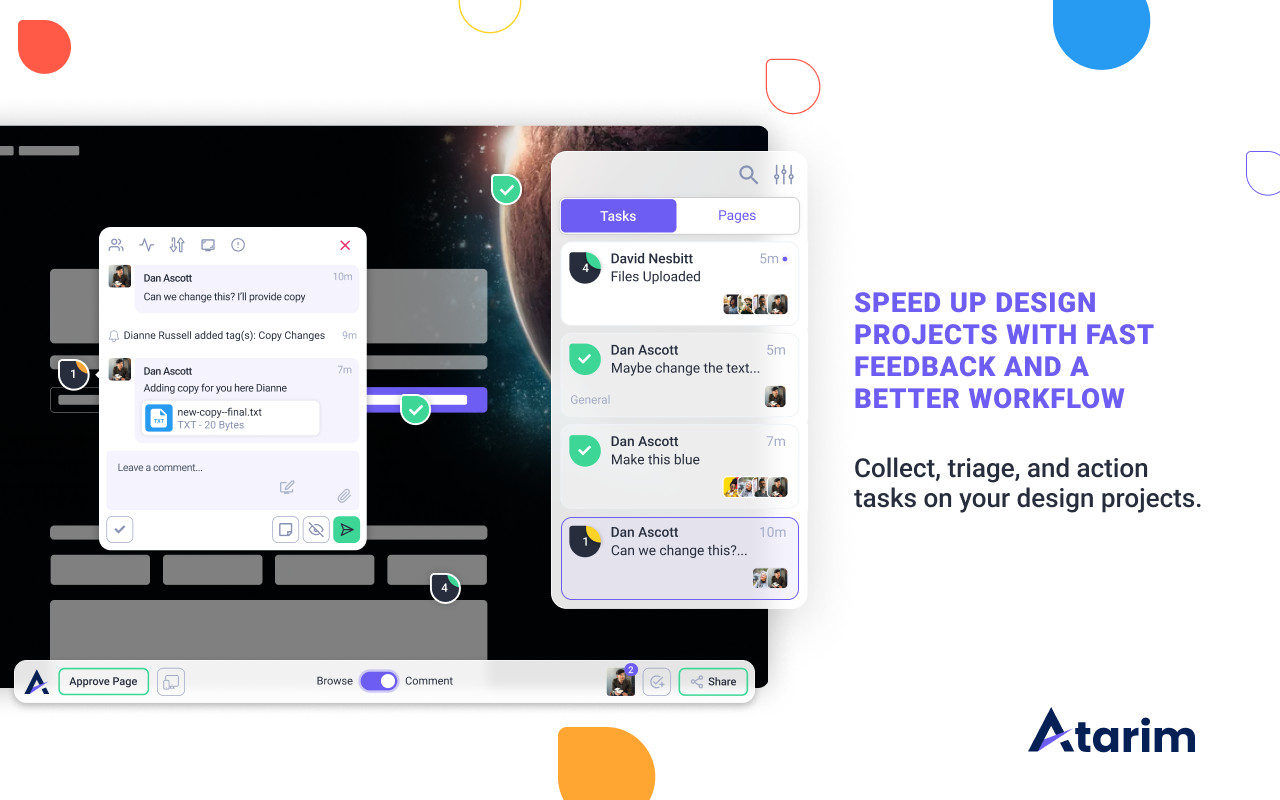
It creates a visually appealing and understandable workflow experience for you, your team, and your clients. You’ll be able to collaborate in one place – preventing any delays, and increasing productivity.
#2: Research the Project
You have to be clear about your client’s goals and expectations. The easiest way to achieve this is to ask your clients the right questions. Make sure to spend time with them, and get insights about their expectations.
After you find out what is important to your clients, and what exactly their expectations are, it’s time to define goals for measuring the progress of the whole project.
Set SMART Goals
Having a clear, realistic, and measurable goal will help to keep your team on the same page. To make the most out of this, your goals have to be SMART.
For instance, here is how to create a SMART goal, by asking a series of questions:
What specific goal are we trying to achieve? Increase daily traffic to our online art store.
What measurement will we use to know when we have achieved it? Monitoring daily traffic, and identifying when it has risen from 50 daily views to 500 daily views.
How will we attain this growth? Using a combination of regular, original, new content, external links through guest posts, increased use of social media, and paid advertising using Google Ads and Facebook Ads.
Is this goal relevant? Yes, our current daily views translate to 5% sales, so an increase of targetted traffic could result in an increase from 2.5 average sales per day to 25 average sales per day.
What period of time will be allocated to achieving this goal? By the end of the current quarter.
Aim to set goals that are in-depth, relevant, and motivate you and your team to keep pushing and creating the best possible website.
#3: Set A Deadline
You want to create a website project plan as quickly as you can – speed is a great way to gain a competitive advantage. But it’s important to be fast without sacrificing quality. Your timeline and speed of execution mostly depend on two factors:
the client’s expectations, and
your capabilities and resources.
If your client expects a website in a week, yet your resources don’t allow it, you have to let them know that you can’t finish it within this timeframe. The worst thing you can do is to agree to an impractical deadline, and then miss it – increasing costs and putting your reputation on the line.
In our experience, the best way to create a realistic time estimate is to sit down with your team and figure out how long it will take you to complete the project. After that, take this estimate and increase it by 25%. This should ensure that you won’t miss the deadline, even if there are unexpected problems along the way (which there almost always are!).
Establish Milestones
You will also have to create multiple milestones to track your progress. This is the only way to create realistic planning for your website project. It will allow you to see whether you are on the right track – and prevent missing the deadline.
#4: Determine The Required Time & Budget
You need to plan your resources correctly to avoid running out of budget. This will be mostly dependent on the client – how much are they willing to pay? More resources allow you to focus on the project more intensively, and get more team members working on it.
The most common issue with resources is not considering problems along the way – and not allocating resources to resolving them. That’s why many projects run over budget or over time.
The way to prevent running over budget or time is to expect that these events may arise, and prepare for them. You can also look at your past projects to have an idea of the required resources.
#5: Assemble A Team
You need to assemble a team of professionals suited for the project. Ideally, you already have a team who can work together to achieve substantial results. If you don’t, these are the most important roles in your team:
Project manager
Designer
Web developer
Content specialist
Marketer
Tester
The second part of this is getting everyone aligned and on the same page.
You, as a team leader, have to go over the goals, expectations, and the whole process of the project development. After that, add your team to Atarim and allow them to collaborate easily to deliver the best results.
#6: Define Your Audience
You need to define your target audience to align your branding to their needs.
If you provide a bad experience you simply won’t win in the current hyper-competitive environment – and will lose almost one third of your potential customers.
This is a common issue with many websites – they want to create everything to the CEO’s preference without having their customers’ needs in mind. You have to avoid that, and be clear about who your target audience is, and what their pain points and needs are.
Create A Target Persona
The easiest way to deliver an excellent experience is by creating your target persona. To do that, you need to first get to know your customers and research this information about them:
Age
Gender
Hobbies
Motivations
Purchasing behaviors
You can do that by carrying out customer surveys, conducting market research, or interviewing existing customers. After that, it’s time to write it down and have it in mind all the time throughout the project planning, so you can align your strategy to your audience.
Most clients have at least some sort of design in mind that they want to implement. That’s why you should connect them with your designers to create something with which they will be fully happy.
Of course, you can come up with something better and suggest it to them. That’s an approach we regularly practice, and we recommend you do the same. This is because your designers know the most up-to-date design trends.
You can ask your designers to prepare a few design suggestions, and present them to the client.
Oftentimes you can pleasantly surprise your clients with better designs than they suggested. This can increase client satisfaction and lead to much better results – and a more appealing website.
The Biggest Design Mistake (Almost) Everyone Makes…
Your website UI (user interface) design is not there just to make your website look good. It also has to be functional and make your website easy to navigate – and it should always be intuitive. If you can get it right, it can deliver a great UX (user experience) and lead to an increase in sales.
Unfortunately, many project managers lose sight of this, and leave design only to the designers.
A much better approach is to connect your copywriters with your designers, and create an appealing and high-converting website design that achieves the results your client expects.
#8: Create a Website Structure
You have to map out your website structure, and figure out how to organize your content. The main goal of this is to make sure visitors can find what they’re looking for quickly, and intuitively. We recommend dividing this step into three phases to achieve the most optimal results.
Sitemap
A sitemap contains information about the pages, videos, and other files on your site, and the relationships between them. You can see an example of a very simple sitemap below.
You should aim to create something similar – there is no need to overcomplicate it, or overwhelm your client with too much information.
Flowchart
Flowcharts focus on the user experience and help to plan all of the steps the user has to take. Also, they will allow you to identify whether your site’s navigation is overly complicated.
Wireframes focus more on the individual pages of the website you’re developing. They help you quickly draw the page layout to give you an idea of how well the end result will look – and let your clients immediately see what to expect.
You can see an example of a simple wireframe below.
You can make it extremely simple, as in the example, or take your time on it. We prefer to do this with the most important pages – such as a homepage or sales page.
#9: Create Content
This is the step where you map out the copy, imagery, and structure you need so your team knows what to design and build.
Here are a few steps you should take to create content for each of your pages:
Add content ideas
Create a rough layout
Add visuals
Collaborate and revise
Follow this process with each page to deliver the best possible content and make each page high-quality, appealing, and engaging.
#10: Review And Develop
At this stage, the whole plan is created, and you’re ready to jump into the development phase. But before you do so it’s important to review the whole website project plan with your client. Ideally, this would not be the first time you share your progress with a client.
You should definitely share progress regularly. This early involvement will help you assure your client that their project is moving in the right direction and prevent misunderstandings – which could both potentially increase the time of completion and the required resources.
The key here is to be respectful – welcome any criticism from your client, and do your best to make the necessary changes.
That’s It. You’ve Just Created the Perfect Plan!
Creating an effective website project plan is challenging. Having a solid strategy in place can help you produce outstanding results, and make your clients happy.
There are a lot of different steps involved in the process, but the most important ones are proper communication and collaboration. You have to get everyone involved and combine your efforts to create a truly successful website project plan.
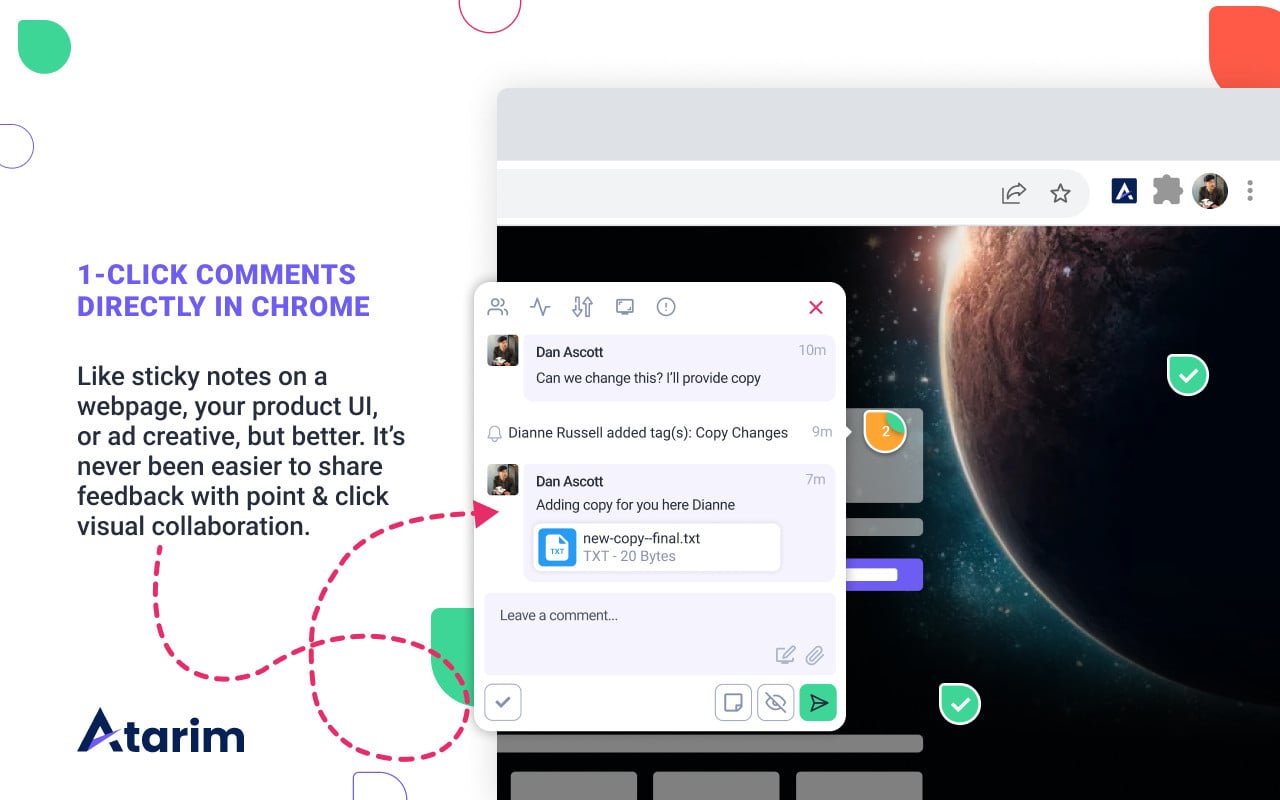
Atarim allows you to achieve this with visual collaboration – empowering your clients with an option to leave their requests directly on their live website at specific locations.
Our tool also gives you an opportunity to store your website project data, collaborate with your team, and communicate with clients – all in one place.
Ready to make creating website project plans easier? Get started with Atarim today.
The Best Reseller Hosting Providers Compared 2024
When I first dipped my toes into the world of web design, reseller hosting was one of those terms that popped up frequently but was often misunderstood. Back then, I was juggling multiple client websites, each with its unique set of demands, and the idea of managing everything under one roof was both enticing and intimidating.
Over the years, as I gained more experience, I realized that reseller hosting isn’t just a convenience – it’s a powerful tool that can transform the way you manage and scale your business.
What Is Reseller Hosting?
Reseller hosting is essentially a way for individuals or businesses to buy hosting resources in bulk and then rent them out to their own clients. Think of it as renting a large office space and subletting individual rooms to other businesses. You’re the landlord, but instead of dealing with plumbing and electrical issues, you’re managing server resources, bandwidth, and client accounts.
In its simplest form, reseller hosting allows you to purchase a hosting package and then divide it into smaller portions to sell to your clients. This model is particularly useful for web designers, developers, and digital agencies who want to offer hosting services without the hassle of managing servers directly.
Here’s why reseller hosting is a game-changer:
Scalability: As your client base grows, your hosting needs will too. Reseller hosting allows you to scale up without the need to move to a different platform or service.
Revenue Stream: By reselling hosting services, you can create a steady income stream alongside your primary business.
Control: You maintain control over your clients’ hosting environment, which can simplify troubleshooting and enhance customer service.
The Importance of Choosing the Right Provider
Here’s something I’ve learned the hard way: not all reseller hosting providers are created equal. Choosing the right one isn’t just about finding the cheapest option – it’s about aligning the hosting provider’s strengths with your business needs.
When I first started, I opted for a provider purely based on price, and it backfired. My clients experienced downtime, and I was left scrambling to resolve issues that were beyond my control.
That’s why, over the years, I’ve become meticulous about evaluating providers based on several key factors:
Reliability: Uptime guarantees aren’t just marketing buzzwords; they’re the backbone of your service. Your clients rely on you to keep their sites online.
Support: When something goes wrong (and it will), having responsive, knowledgeable support can make all the difference.
Customization: Some clients want white-label solutions or specific control panel features. Your provider should offer the flexibility to meet these needs.
Pricing: It’s important, but it should be weighed against the value of the features and support you’re getting.
Choosing the wrong provider can lead to sleepless nights and frustrated clients. Trust me, it’s worth taking the time to get this right.
The Best Reseller Hosting Providers Compared 2024
The world of reseller hosting is vast, and with so many options available in 2024, it can be overwhelming to know where to start. That’s why this article is here. Drawing from years of hands-on experience, I’ll guide you through a comparison of the best reseller hosting providers available this year. We’ll look at the strengths and ideal customer profiles for each, helping you find the perfect match for your business needs.
Whether you’re just starting out in web design or are an established agency looking to expand your services, there’s a reseller hosting provider out there that’s right for you. Let’s find it together.
Oh, and as I know you’re probably busy, here’s a quick TL;DR breakdown of the 10 resellers covered in detail in this article…
When you’re managing multiple client websites, juggling hosting needs can become a headache. Hostinger’s reseller hosting aims to simplify this process by offering a blend of affordability, performance, and user-friendly tools.
Pricing
Hostinger has built its reputation on being a budget-friendly option, and this extends to their reseller hosting plans as well.
Overview of Pricing Tiers
Hostinger’s reseller hosting offers three primary tiers: Startup, Grow, and Scale. Each plan is designed to cater to different stages of your business, with prices starting at an impressively low rate. The Startup plan is perfect if you’re just getting started, offering a basic yet functional setup. As your business grows, you can transition to the Grow or Scale plans, which include more resources and features to accommodate increased traffic and more demanding clients.
What’s Included in Each Plan
Regardless of the tier, Hostinger’s plans come with a few consistent offerings:
Unlimited Bandwidth: No need to worry about traffic spikes.
Free SSL Certificates: Keep your clients’ sites secure.
100+ Free Subdomains: Ideal for agencies managing multiple projects.
WHM (Web Host Manager) Access: Allows you to efficiently manage client accounts.
The higher-tier plans also include more storage, enhanced performance, and additional dedicated IP addresses, which can be a significant selling point if your clients are concerned about SEO or security.
Value for Money
Compared to other providers, Hostinger offers excellent value. The pricing is incredibly competitive, especially considering the range of features you get. While some providers may offer more in terms of raw resources, Hostinger balances cost with usability, making it a strong contender for anyone who needs reliable hosting without breaking the bank.
End-User Experience
For someone who’s spent years in the trenches of web design, the last thing you want is a clunky, outdated interface that complicates your day-to-day operations.
User-Friendly Control Panel and Tools Hostinger uses cPanel for its reseller hosting, which is the gold standard in the industry. cPanel is intuitive, allowing you to manage domains, email accounts, and databases with ease. For those who prefer more control, Hostinger also offers WHM (Web Host Manager), which provides deeper administrative capabilities.
Customization Options for Branding Customization is another area where Hostinger excels. You can white-label the hosting services, meaning your clients will see your branding instead of Hostinger’s. This is crucial if you want to present a professional, cohesive brand experience.
Ease of Integration with Third-Party Services Hostinger makes it simple to integrate third-party services. Whether you need to connect with a payment gateway, an email marketing tool, or any other service, the process is streamlined, ensuring that your clients have access to the full suite of tools they need.
Customer Support Reputation
Support is one of those areas where you often don’t realize its importance until you really need it. Hostinger offers a range of support options, and they’re generally reliable.
Overview of Support Channels Hostinger provides 24/7 support via live chat and email. They’ve also invested heavily in their knowledge base, which is packed with tutorials and guides that can help you solve many issues on your own.
Availability of Technical Support and Resources for Resellers One thing that sets Hostinger apart is the availability of reseller-specific support. Whether you’re dealing with a tricky client issue or need help setting up a custom configuration, Hostinger’s team is equipped to assist. Their live chat is responsive, and the support staff is knowledgeable – two qualities that are indispensable.
A Look At Customer Reviews
When evaluating a hosting provider, customer reviews allow you to get a sense of real-world performance. Hostinger’s reviews offer a mixed but generally positive picture.
Summary of Customer Feedback On platforms like Trustpilot, Hostinger consistently earns high marks for its affordability and ease of use. Users often praise the uptime, which is crucial for keeping clients happy. The customer support, while generally good, does receive some criticism – mostly for occasional slow response times during peak hours.
Common Trends
Positive: Users appreciate the platform’s reliability and the robust set of features offered at a budget-friendly price.
Negative: Some users have reported longer wait times for support during busy periods. However, these issues seem to be the exception rather than the rule.
Ideal Customer Fit
Hostinger is best suited for budget-conscious resellers who need a blend of reliability, performance, and user-friendly tools. If you’re just starting your reseller business or running a small agency, Hostinger provides a solid foundation without overwhelming you with unnecessary features or high costs. Their services are straightforward, and while they might not have every bell and whistle, what they do offer is dependable and easy to use – exactly what you need when your reputation is on the line.
If you’ve been around the WordPress ecosystem for any length of time, you’ve likely heard of WPMU DEV. This platform has carved out a niche for itself by offering an all-in-one solution that’s tailored specifically for WordPress professionals. Whether you’re a seasoned developer or a growing agency, WPMU DEV’s reseller hosting is designed to make managing multiple WordPress sites as seamless as possible.
Pricing
WPMU DEV takes a unique approach to pricing that sets it apart from traditional reseller hosting providers. Instead of offering standard hosting plans, WPMU DEV operates on a membership-based pricing model.
Explanation of Membership-Based Pricing
With WPMU DEV, you’re not just paying for hosting – you’re buying into an entire ecosystem of WordPress tools and services. Membership plans are tiered based on the number of sites you need to manage and the level of access you want to their suite of tools. For a flat monthly fee, you gain access to a wide range of plugins, themes, and support services that are all geared toward optimizing and managing WordPress sites.
What’s Included in the Reseller Plans
Each membership level includes:
Unlimited Hosting for WordPress Sites: Host as many sites as your plan allows without worrying about additional charges.
Access to WPMU DEV’s Premium Plugins: This includes tools for performance optimization, security, SEO, and more.
White-Labeling Options: You can fully brand the service as your own, from the dashboard to the plugins.
24/7 Support and Dedicated Account Management: This service is ideal for agencies that need ongoing assistance or want to offer premium support to their clients.
The membership model may seem unconventional compared to the per-site pricing seen with other providers, but it’s a powerhouse for WordPress-centric businesses that need more than just hosting.
End-User Experience
When it comes to the day-to-day management of WordPress sites, WPMU DEV’s reseller hosting is hard to beat. They’ve built their platform with WordPress professionals in mind, ensuring that every aspect of the experience is optimized for this CMS.
White-Label Solutions and Customization WPMU DEV goes above and beyond when it comes to white-label solutions. You can fully rebrand the client experience, from the hosting dashboard to the admin emails. This is perfect for agencies that want to maintain a consistent brand presence without letting on that they’re using a third-party service. The level of customization available here is impressive, allowing you to create a truly unique offering for your clients.
Integration with WPMU DEV’s Suite of WordPress Tools One of WPMU DEV’s biggest advantages is how seamlessly it integrates with its suite of WordPress tools. Whether you need to optimize site performance with Hummingbird, secure your sites with Defender, or handle backups with Snapshot, everything is baked into the platform. This tight integration means you spend less time managing plugins and more time focusing on client work.
Customer Support Reputation
Support is another area where WPMU DEV shines, especially if you’re working within the WordPress ecosystem.
Overview of the Support Ecosystem
WPMU DEV offers an extensive support ecosystem that includes:
24/7 Live Chat: Whether you need help at noon or midnight, there’s always someone available to assist.
Dedicated Account Managers: For agencies managing a large portfolio of sites, having a dedicated account manager can be a game-changer. They’ll help you navigate any complex issues and ensure you’re getting the most out of your membership.
Community Forums: The forums are an invaluable resource where you can get advice from other WordPress professionals and share your own experiences.
Specialization in WordPress
Unlike general hosting providers, WPMU DEV’s support team specializes in WordPress. This means that when you reach out for help, you’re speaking to someone who understands the nuances of the platform and can offer targeted advice. In my experience, this level of expertise is hard to come by, and it makes all the difference when you’re troubleshooting a tricky issue.
A Look At Customer Reviews
Customer feedback on WPMU DEV is overwhelmingly positive, especially among WordPress users who appreciate the platform’s focus on their specific needs.
Insights from Customer Reviews
Many users highlight the comprehensive nature of WPMU DEV’s offering. The ability to manage everything – from hosting to optimization and security – within one platform is a huge draw. Reviews often mention the platform’s excellent uptime and the robust suite of tools as key benefits.
Trends in Feedback
Positive: WordPress professionals love the convenience of having everything in one place. The platform’s tight integration with WordPress tools and plugins is frequently praised, as is the quality of customer support.
Negative: Some users have noted that the membership-based pricing can be a bit steep if you’re only managing a small number of sites. However, most agree that the value you get in return justifies the cost.
Ideal Customer Fit
WPMU DEV is best suited for WordPress agencies and developers looking for an all-in-one solution. If your business revolves around WordPress, WPMU DEV offers unparalleled convenience and value. The platform is especially ideal for those who want to offer premium WordPress hosting and support under their own brand without the need to juggle multiple providers or services.
For anyone deeply entrenched in the WordPress world, WPMU DEV isn’t just a hosting provider – it’s a partner that can help you elevate your service offerings and streamline your operations.
GoDaddy is a name that’s practically synonymous with domain registration, and over the years, they’ve expanded their services to include a robust reseller hosting program. If you’re looking for a provider that combines the power of a well-known brand with extensive domain management capabilities, GoDaddy could be the right choice.
Pricing
GoDaddy’s reseller hosting is structured to cater to both newcomers and experienced resellers. The pricing is transparent, with a focus on giving you the tools to profit while leveraging GoDaddy’s vast infrastructure.
Detailed Look at GoDaddy’s Reseller Pricing Structure
GoDaddy offers two main reseller plans: the Basic and Pro packages. The Basic plan is an entry-level option that allows you to get started without a hefty upfront investment. On the other hand, the Pro plan is designed for those who are ready to scale, offering more resources, better discounts, and additional features. What makes GoDaddy’s pricing unique is the tiered discount structure. As you sell more products – whether it’s hosting, domains, or other services – you unlock deeper discounts. This model can significantly boost your profit margins as your reseller business grows.
Benefits of Joining GoDaddy’s Reseller Program
Generous Profit Margins: GoDaddy allows you to set your prices for the services you resell, meaning your profit margins are flexible.
Wide Range of Products: From domains to SSL certificates, GoDaddy gives you access to a broad catalog of products that you can offer to your clients.
No Hidden Fees: Everything is clearly laid out from the start, so you know exactly what you’re paying for.
End-User Experience
GoDaddy’s reseller hosting program is designed to be as user-friendly as possible. It offers a suite of tools to help you manage your business and provide a seamless experience for your clients.
Customizable Storefronts and Management Tools
One of the standout features of GoDaddy’s reseller program is the customizable storefront. You can tailor your online store to match your brand, including adding your logo, choosing your color scheme, and setting your prices. This ensures that your business has a professional appearance right out of the gate. Additionally, GoDaddy provides a comprehensive Reseller Control Center where you can manage your clients, track sales, and monitor your store’s performance. The interface is intuitive, making it easy to handle day-to-day operations without getting bogged down in technical details.
Features Specific to GoDaddy
Integration with Domain Registration: Given GoDaddy’s dominance in the domain registration space, it’s no surprise that their reseller program integrates seamlessly with their domain services. This is a significant advantage if your clients also need domain management alongside their hosting.
Automated Billing and Payments: GoDaddy takes care of the backend logistics, including billing and payments, so you can focus on growing your business.
Customer Support Reputation
GoDaddy’s reputation for customer support is a mixed bag, but their reseller-specific support deserves special mention.
Overview of GoDaddy’s Support Offerings and Availability GoDaddy offers 24/7 support through various channels, including phone, live chat, and email. They also provide a detailed knowledge base that can help you resolve common issues independently.
Reseller-Specific Support: GoDaddy’s reseller support team is dedicated to helping you succeed. Whether you’re facing technical challenges or need advice on maximizing your profits, there’s a team ready to assist. This reseller-focused support is a big plus, particularly for those who are new to the game and need a bit more guidance.
Focus on Uptime and Reliability GoDaddy’s infrastructure is built for reliability, and they guarantee a 99.9% uptime, which is a critical factor for maintaining client trust. However, customer experiences with support can vary – some users report swift resolution of issues, while others mention longer wait times during peak periods.
A Look At Customer Reviews
Customer reviews of GoDaddy’s reseller hosting program reflect the experiences of a large and diverse user base. As with any large provider, opinions are varied, but there are some clear trends.
Analysis of Customer Reviews
Praises: Many customers appreciate GoDaddy’s ease of use and comprehensive tools. The ability to offer a full suite of services, including domain registration and SSL certificates, is frequently highlighted as a major benefit. Additionally, GoDaddy’s uptime is generally praised, with most users reporting few issues with downtime.
Complaints: On the flip side, some users have expressed frustration with customer support, particularly when it comes to resolving more complex technical issues. There are also occasional complaints about the pricing structure, with some resellers feeling that the profit margins could be better for those on the lower-tier plans.
Trends in User Satisfaction
Positive: Strong uptime, comprehensive service offerings, and user-friendly tools.
Negative: Variability in customer support experiences and concerns about pricing for lower-tier plans.
Ideal Customer Fit
GoDaddy’s reseller hosting is best suited for those who value a comprehensive, well-known brand with extensive domain management capabilities. If your business model revolves around offering a wide range of services – from hosting to domains to SSL certificates – GoDaddy provides a one-stop shop that’s hard to beat. It’s particularly appealing for those who want the backing of a big-name provider with the flexibility to customize their offerings.
For web professionals who need reliable uptime, a trusted brand, and the ability to manage a diverse product catalog, GoDaddy’s reseller program offers a robust platform to build and grow your business.
SiteGround has long been celebrated for its exceptional customer service and rock-solid hosting performance, and its reseller hosting program is no exception. For web professionals who prioritize reliability, security, and a seamless user experience, SiteGround’s reseller hosting offers a compelling option.
Pricing
SiteGround’s reseller hosting pricing structure is designed to offer flexibility, making it suitable for a wide range of business models, from solo web designers to larger agencies.
Breakdown of SiteGround’s Reseller Pricing and Credit System
SiteGround uses a credit-based system for its reseller hosting. You purchase credits upfront, and each credit is equivalent to one year of hosting for a single account. The more credits you buy, the cheaper the per-credit cost. This bulk purchase model can be advantageous for agencies that plan to host multiple clients, as it offers a clear pathway to savings over time.
1-4 Credits: Each credit costs around $49, making it ideal for those just starting out or managing a small number of clients.
5+ Credits: The cost per credit drops as you purchase more, offering significant savings as your business scales.
This system is a bit different from the traditional monthly or yearly hosting fees, but it provides long-term benefits, especially for those planning to grow their client base.
Comparison of Upfront Costs Versus Long-Term Benefits
While SiteGround’s upfront costs might seem higher compared to some other providers, the long-term benefits are substantial. The credit system ensures that as your business expands, your hosting costs decrease, allowing for better profit margins. Plus, the peace of mind that comes with SiteGround’s reputation for reliability and support is a significant value-add.
End-User Experience
SiteGround is known for its commitment to delivering a premium user experience, and its reseller hosting tools reflect this ethos.
Overview of SiteGround’s Reseller Tools, Including White-Label Capabilities SiteGround provides a suite of reseller tools that are both powerful and easy to use. One of the standout features is the white-label capability, which allows you to present SiteGround’s services under your own brand. This is crucial for agencies that want to maintain a consistent brand image across all client interactions. Additionally, SiteGround offers WHM (Web Host Manager), which lets you manage all your client accounts from a single interface. This tool is intuitive and integrates seamlessly with SiteGround’s other services, making it easy to handle tasks like account setup, billing, and resource allocation.
User-Friendly Interface and Integration Options SiteGround’s reseller interface is designed with usability in mind. Even if you’re not a tech guru, you’ll find it straightforward to navigate. The platform also integrates well with popular CMSs like WordPress and Joomla, ensuring that your clients have access to the tools they need to succeed.
Customer Support Reputation
When it comes to customer support, SiteGround is in a league of its own. Their dedication to providing top-notch assistance is one of the reasons they’ve garnered such a loyal following.
Highlighting SiteGround’s Renowned Customer Support SiteGround offers 24/7 support via live chat, phone, and ticketing systems. What sets them apart is not just the availability but also the quality of support. Their team is known for being highly knowledgeable, particularly when it comes to the more technical aspects of hosting. This level of expertise can be a lifesaver when troubleshooting issues for your clients.
Specific Resources Available to Resellers Resellers with SiteGround receive priority support, meaning your issues will be addressed faster than standard customers. This can make a huge difference when you’re managing multiple client accounts and need quick resolutions to keep everyone happy. Additionally, SiteGround provides a comprehensive knowledge base and a range of tutorials to help you navigate any challenges you might encounter.
A Look At Customer Reviews
SiteGround consistently earns high marks from its user base, and this is reflected in the overwhelmingly positive reviews found across various platforms.
Overview of Customer Sentiment
Customers frequently praise SiteGround for its outstanding performance and reliable uptime. The hosting platform’s speed is often highlighted, with users noting significant improvements in website load times compared to other hosts. This performance is especially important for resellers who need to ensure that their clients’ sites are always running smoothly.
Trends in Reviews
High Praise for Speed and Reliability: Users love how SiteGround combines speed with stability. Even during peak traffic, websites hosted on SiteGround remain responsive, which is critical for maintaining client satisfaction.
Consistent Commendation for Support: The quality of customer support is another recurring theme in reviews. Many users share stories of how SiteGround’s support team went above and beyond to solve their problems quickly and efficiently.
Ideal Customer Fit
SiteGround’s reseller hosting is ideal for resellers who prioritize performance, security, and high-quality customer support. If you’re an agency or a web professional who needs a hosting provider that you can rely on to deliver consistent speed and uptime, SiteGround is a great choice. The credit-based pricing might seem like a hurdle initially, but for those looking to build a scalable, client-focused hosting business, the long-term benefits are well worth the investment.
SiteGround is a top contender for resellers who demand the best in terms of support and performance and want to offer their clients a premium hosting experience.
RunCloud isn’t your typical hosting provider – it’s a cloud server management platform that gives tech-savvy resellers a powerful toolset to manage and optimize cloud servers without the complexity traditionally associated with server management. For resellers who value flexibility and the ability to fine-tune every aspect of their hosting environment, RunCloud offers a compelling solution.
Pricing
RunCloud’s pricing is designed with flexibility in mind, catering to different levels of reseller needs, whether you’re managing a few clients or a larger portfolio.
Overview of Pricing Plans and Features Offered by RunCloud
RunCloud offers three main pricing tiers: Basic, Pro, and Business. Each plan provides varying levels of access to RunCloud’s server management features, with the higher tiers unlocking more advanced functionalities.
Basic Plan: Ideal for beginners, this plan offers core features such as server management for up to 2 servers, unlimited web applications, and SSL management. It’s priced affordably for resellers who are just beginning to build their client base.
Pro Plan: This middle-tier option expands server management to 5 servers, adds Git deployment, and includes more advanced server tools such as Redis cache management. It’s a sweet spot for resellers who need more control without the overhead of a full-fledged business plan.
Business Plan: Designed for larger operations, this plan allows the management of up to 10 servers and includes team collaboration tools, staging environments, and priority support. The pricing reflects the extensive feature set, but for those managing multiple clients with complex needs, the investment is worthwhile.
Focus on the Value Provided in Terms of Server Management and Automation
What sets RunCloud apart is the value it provides in server management and automation. Unlike traditional hosting providers that bundle hosting with their platform, RunCloud gives you the tools to manage your own cloud servers, whether they’re hosted on DigitalOcean, AWS, or another provider. The platform automates many of the tedious aspects of server management – such as updates, security patches, and backups – allowing you to focus on delivering top-notch service to your clients. This level of control and automation is particularly valuable for resellers who want to offer custom solutions tailored to specific client needs, rather than a one-size-fits-all hosting package.
End-User Experience
RunCloud’s platform is designed to streamline server management for resellers, providing powerful tools while maintaining an intuitive user experience.
Tools and Features That Enhance the Reseller Experience
RunCloud provides a comprehensive suite of tools that make it easier for resellers to manage multiple servers and client accounts. Key features include:
Server Management: RunCloud’s core offering is its robust server management capabilities, which include automated backups, one-click SSL installation, and server monitoring. The platform also supports various web stacks, allowing you to choose the best environment for each client’s needs.
Automated Backups: Keeping client data safe is critical, and RunCloud’s automated backup system ensures that your clients’ websites are regularly backed up without any manual intervention. This not only enhances reliability but also frees up your time to focus on growth.
Application Management: RunCloud makes it easy to deploy and manage web applications across multiple servers, making it ideal for resellers handling diverse client portfolios.
Customization and Branding Options for Resellers
While RunCloud is primarily focused on the technical aspects of server management, it also offers customization options that allow you to brand the platform with your own logo and color scheme. This white-label approach is essential for resellers who want to maintain a consistent brand identity across all client interactions. The ability to customize server settings and environments also means that you can offer highly tailored solutions to your clients, differentiating your services in a competitive market.
Customer Support Reputation
RunCloud’s customer support is known for its technical depth, which is crucial when dealing with the complexities of server management.
Analysis of the Support Structure and Its Responsiveness RunCloud offers 24/7 support through live chat and email, ensuring that help is available whenever you need it. The platform also has an extensive knowledge base and a community forum where users can share tips and solutions. What stands out about RunCloud’s support is its technical expertise. The support team is well-versed in server management and can assist with a wide range of issues, from basic setup questions to more complex troubleshooting. This level of support is particularly valuable for resellers managing multiple servers, where downtime or technical issues can have significant impacts.
Focus on the Support’s Technical Depth For resellers who are not only managing client websites but also the underlying server infrastructure, having access to knowledgeable support staff is a game-changer. RunCloud’s support team is often praised for their quick response times and ability to solve problems efficiently, which is essential when you’re juggling multiple clients and servers.
A Look At Customer Reviews
RunCloud’s user base tends to be more technically inclined, and this is reflected in the reviews, which often highlight the platform’s flexibility and performance.
Summary of User Feedback
Performance and Ease of Use: Many users appreciate how RunCloud simplifies server management without sacrificing control. The platform’s ability to integrate with various cloud providers while offering a unified management interface is frequently praised.
Customization and Automation: Users also highlight the customization options and automation features, noting that these tools make it easier to manage complex server environments with less effort.
Trends in Reviews That Highlight RunCloud’s Strengths and Weaknesses
Strengths: Flexibility, powerful server management tools, and strong customer support are consistently mentioned as RunCloud’s major strengths. The platform’s ability to handle multiple servers and applications seamlessly is a recurring theme in positive reviews.
Weaknesses: Some users mention a steeper learning curve, especially for those who are less familiar with server management. However, once over the initial hurdle, the platform is generally seen as highly rewarding.
Ideal Customer Fit
RunCloud’s reseller hosting is best suited for tech-savvy resellers who need powerful server management tools with the flexibility to create customized hosting environments for their clients. If you’re a web developer, agency, or IT professional who values control and wants to offer more than just basic hosting services, RunCloud provides the infrastructure and tools to do so effectively.
RunCloud is an excellent choice for those comfortable with cloud server management and who want to offer a tailored, high-performance hosting experience. It’s particularly well-suited for resellers who need to manage multiple clients across different server environments, providing a unified, automated, and customizable platform to meet those needs.
GetDollie stands out in the reseller hosting market by offering a platform specifically tailored for WordPress agencies. Unlike traditional hosting providers, GetDollie focuses on providing a white-label solution that empowers resellers to build and manage their own branded WordPress hosting business. This makes it an attractive option for agencies and developers looking to deliver a highly specialized service to their clients.
Pricing
GetDollie’s pricing is designed for agencies and developers who need a scalable, flexible hosting solution that can grow with their business.
Explanation of GetDollie’s Pricing Model
GetDollie offers a subscription-based pricing model that varies depending on the number of clients and the level of resources you need. The pricing is structured to scale with your business, allowing you to start small and expand as your client base grows.
Starter Plan: This entry-level plan is designed for agencies just starting out. It offers enough resources to host a small number of clients, making it a cost-effective way to test the waters before committing to a larger plan.
Professional Plan: Aimed at established agencies, this plan includes more resources, allowing for the hosting of a larger number of client sites with enhanced performance and support features.
Enterprise Plan: For large-scale operations, the Enterprise plan offers the most resources and advanced features, making it suitable for agencies managing a significant number of high-traffic websites.
What’s Included in Each Plan and the Value It Provides
Each GetDollie plan includes access to their fully managed, white-label WordPress hosting platform, with features such as automated updates, backups, and staging environments. Higher-tier plans come with additional resources such as dedicated account management, advanced security features, and premium support. The value proposition here is clear: GetDollie provides a robust, managed environment where you can focus on growing your business rather than managing servers.
End-User Experience
GetDollie’s platform is designed to help resellers deliver a seamless, branded experience to their clients, with a strong focus on WordPress.
Overview of the White-Label Platform and Client Management Tools One of GetDollie’s key selling points is its white-label platform, which allows resellers to fully customize the hosting environment with their own branding. This means that your clients will see your brand at every touchpoint, from the client portal to billing communications. The platform also includes comprehensive client management tools, making it easy to oversee multiple client accounts from a single dashboard. These tools are designed with agencies in mind, offering features like invoicing, client communication, and performance monitoring all in one place.
Features Specific to GetDollie, Such as Its Focus on WordPress Hosting GetDollie is built exclusively for WordPress hosting, which means the platform is optimized for WordPress performance and security. This specialization allows for features like one-click staging, automated WordPress updates, and performance optimization tools that are tailored to the needs of WordPress sites. For agencies that primarily work with WordPress, these features provide a significant advantage over more generic hosting solutions.
Customer Support Reputation
Customer support is a critical aspect of any hosting service, and GetDollie’s approach is designed to meet the specific needs of resellers and their clients.
Insights into the Customer Support Experience GetDollie offers 24/7 support via live chat and email, focusing on helping resellers navigate the platform and resolve any issues quickly. The support team is knowledgeable about both the technical aspects of hosting and the specific needs of WordPress sites, which is a significant benefit for resellers who may need assistance with specialized WordPress configurations.
Resources and Support Available for Resellers In addition to direct support, GetDollie provides a range of resources designed to help resellers succeed, including comprehensive documentation, video tutorials, and a community forum where users can share tips and advice. For resellers who need extra guidance, GetDollie also offers dedicated account management as part of their higher-tier plans, providing personalized support to help you grow your business.
A Look At Customer Reviews
Customer feedback for GetDollie often highlights the platform’s focus on WordPress, ease of use, and strong support.
Overview of Customer Feedback
Reviews of GetDollie typically focus on the platform’s performance, ease of use, and the quality of customer support. Many users appreciate the simplicity of managing multiple client sites from a single dashboard, and the peace of mind that comes with a fully managed WordPress environment.
Trends in Reviews Related to Ease of Use and Customer Support
Ease of Use: Users frequently mention how easy it is to set up and manage WordPress sites with GetDollie. The white-label interface is particularly praised for being intuitive and customizable, allowing resellers to maintain a consistent brand experience across all client interactions.
Customer Support: Another common theme in reviews is the high level of support provided by GetDollie’s team. Resellers appreciate the support staff’s responsiveness and expertise, particularly when dealing with more complex WordPress-related issues.
Ideal Customer Fit
GetDollie is ideal for WordPress agencies looking for a specialized reseller hosting solution that offers strong branding and client management tools. If your business revolves around WordPress and you need a platform that is both powerful and easy to manage, GetDollie is a top choice. The white-label capabilities make it particularly appealing for agencies that want to offer a seamless, branded experience to their clients without the hassle of managing servers or dealing with technical details.
For agencies focused on delivering high-quality, managed WordPress hosting under their own brand, GetDollie offers the perfect blend of customization, performance, and support.
Cloudways has carved out a niche for itself in the hosting industry by offering a unique, cloud-based platform that allows resellers to manage multiple cloud providers under one roof. This approach provides an unprecedented level of flexibility and scalability, making Cloudways an excellent choice for resellers who prioritize these qualities in their hosting solutions.
Pricing
Cloudways employs a pay-as-you-go pricing model, which is one of the most flexible options in the market. This model allows resellers to only pay for the resources they actually use, making it an attractive option for those who want to start small and scale as needed.
Overview of Cloudways’ Pay-As-You-Go Pricing Structure
Cloudways’ pricing is structured around the cloud provider you choose – whether it’s DigitalOcean, AWS, Google Cloud, Vultr, or Linode. Each provider has different pricing tiers based on the resources (RAM, CPU, storage, bandwidth) allocated to each server. The pay-as-you-go model means there are no long-term contracts, and you can easily scale up or down depending on your clients’ needs.
Entry-Level Plans: For instance, a basic plan on DigitalOcean might start at around $12 per month, offering 1GB RAM, 1 core processor, 25GB storage, and 1TB bandwidth. This is great for small-scale resellers or those just beginning to build their client base.
Higher-Tier Plans: For more demanding applications, you can opt for higher-tier plans on providers such as AWS or Google Cloud, where pricing scales with increased resources. These plans are ideal for resellers managing multiple high-traffic websites or applications that require more robust performance.
Benefits of Scalability and Flexibility in Pricing
Cloudways’ real strength lies in its scalability and flexibility. As your business grows, you can seamlessly upgrade resources without the hassle of migrating to a different hosting environment. This flexibility is perfect for resellers who manage a diverse range of clients with varying resource needs. Additionally, the transparent pricing structure, with no hidden fees or complex billing, makes it easier to predict costs and manage your budget. For resellers, this means you can start small, with minimal financial risk, and scale your operations as you acquire more clients.
End-User Experience
Cloudways is designed to be intuitive and easy to use, even for those who might not have extensive technical expertise. The platform offers a range of features that enhance the reseller experience, particularly when managing multiple cloud providers.
Features That Enhance the Reseller Experience
Cloudways provides a unified platform where resellers can manage servers from multiple cloud providers, all from a single, easy-to-use dashboard. This includes:
Server Management: With Cloudways, you can deploy and manage servers with just a few clicks. The platform takes care of server setup, security, and performance optimization, allowing you to focus on your clients.
Application Management: Cloudways supports a wide range of applications, including WordPress, Magento, and custom PHP apps, with one-click installation. This versatility is ideal for resellers who serve clients across different industries.
Team Collaboration Tools: Cloudways also offers collaboration features, allowing you to manage teams, assign roles, and delegate tasks efficiently. This is particularly useful for agencies that work with multiple team members or freelancers.
Ease of Use and Customization for Resellers
The platform’s intuitive interface makes it easy for resellers to manage complex hosting environments without needing a deep technical background. Cloudways also offers extensive customization options, enabling resellers to configure servers to meet the specific needs of each client. This level of control is rare among hosting providers and is a significant selling point for Cloudways.
Customer Support Reputation
Cloudways is well-regarded for its customer support, which is crucial for resellers who need reliable assistance, especially when dealing with cloud infrastructure.
Analysis of Cloudways’ Customer Support, Including Available Resources Cloudways offers 24/7/365 support through live chat, email, and a ticketing system. They also provide a comprehensive knowledge base and community forums, which are excellent resources for troubleshooting and learning best practices. The platform’s support is particularly effective in helping users navigate the complexities of cloud hosting. Whether you’re setting up a new server or dealing with performance issues, Cloudways’ support team is known for its responsiveness and technical expertise.
Focus on Support’s Effectiveness with Cloud Hosting Given the complexities involved in managing cloud servers, having a knowledgeable support team is essential. Cloudways’ support is often praised for its ability to resolve issues quickly and efficiently, minimizing downtime and ensuring that your clients’ websites and applications run smoothly. For resellers, this level of support is invaluable, as it allows you to maintain a high standard of service without needing to be a cloud expert yourself.
A Look At Customer Reviews
Customer reviews for Cloudways typically highlight the platform’s strong performance, scalability, and user-friendly interface.
Summary of Customer Feedback
Cloud Performance: Users frequently commend Cloudways for the performance of their cloud servers, particularly the speed and reliability of hosting across various cloud providers. The ability to choose from multiple providers is a significant advantage for those needing tailored solutions.
Flexibility: Many resellers appreciate the platform’s flexibility, especially the ability to scale resources on demand. This is often mentioned in reviews as a key factor in their decision to choose Cloudways over traditional hosting providers.
Trends in Satisfaction with the Platform’s Scalability and Flexibility
Scalability: Customers consistently note how easy it is to scale their resources with Cloudways. Whether it’s adding more storage, increasing bandwidth, or upgrading server specs, the process is smooth and hassle-free, making it a favorite among businesses that experience fluctuating traffic.
Support: While generally positive, some reviews mention occasional delays in response times during peak periods, but overall, the support quality remains a strong point in user feedback.
Ideal Customer Fit
Cloudways is best suited for resellers who need a scalable, cloud-based solution with the flexibility to choose and manage servers from multiple cloud providers. It’s ideal for agencies, developers, and IT professionals who require a platform that can grow with their business while offering the control needed to optimize performance for their clients.
If your business revolves around delivering custom hosting solutions or managing multiple websites with varying resource needs, Cloudways offers the tools and flexibility to do so effectively. The platform’s combination of scalability, performance, and user-friendly management makes it an excellent choice for resellers looking to offer premium cloud hosting services.
HostGator is a well-known name in the hosting industry, renowned for its reliable services and comprehensive toolset, making it a solid choice for resellers who need a dependable, traditional hosting solution. With its rich feature set and robust support system, HostGator caters to resellers who are looking for a blend of performance and user-friendliness.
Pricing
HostGator offers competitive reseller hosting packages, which are designed to accommodate the varying needs of resellers at all levels.
Detailed Look at HostGator’s Reseller Pricing Options
HostGator’s reseller plans come in several tiers, each offering an increase in resources and tools as you move up the pricing scale. These include:
Aluminum Plan: The entry-level option provides 60 GB of disk space and 600 GB of bandwidth, perfect for those just starting their reselling business.
Copper Plan: A mid-range option, which ups the ante with 90 GB of disk space and 900 GB of bandwidth.
Silver Plan: The most extensive plan offers 140 GB of disk space and 1400 GB of bandwidth, suited for resellers managing larger volumes of traffic or more numerous client accounts.
Each plan comes with unlimited domains, which means you can host as many websites as you like up to your resource limits, offering significant scalability.
Value Comparison with Other Hosting Providers
When compared to other hosting providers, HostGator’s reseller packages stand out for their balance of cost and included features. The pricing is straightforward, with no hidden fees, making it easier for new resellers to get started without significant upfront investment. The tiered structure also means that you can grow your business and upgrade your resources without needing to switch providers.
End-User Experience
HostGator is focused on making the reseller experience as smooth and efficient as possible, with tools designed to simplify client and server management.
Overview of HostGator’s Reseller Tools, Including WHM and cPanel
HostGator provides resellers with WHM (Web Host Manager), which allows for comprehensive control over the hosting environment. This includes account management, server management, and a host of other administrative tasks. Each client account you manage will have access to its own cPanel, the leading control panel software, which makes it easy for your clients to manage their individual hosting environments.
Features That Support Easy Client Management and Branding
White-Label Capability: You can rebrand the control panel with your own logo and company colors, which helps in maintaining a consistent brand identity across your services.
Automated Billing System: Integration with WHMCS, a leading web hosting billing and automation platform, which simplifies the billing and account management process, freeing up your time to focus on business development.
Customer Support Reputation
HostGator has built a strong reputation for customer support, providing resellers with the assurance that help is always available when needed.
Insights into HostGator’s Support Channels and Availability HostGator offers 24/7/365 support via phone, live chat, and email. This comprehensive support availability ensures that you can get assistance at any time, which is vital in the hosting business where issues can arise unexpectedly.
Overview of the Reseller-Specific Support Experience The support provided to resellers is geared towards dealing with common and advanced hosting issues, ranging from server downtime to configuration challenges. HostGator’s support staff are known for their technical expertise and readiness to help, making it easier for you to maintain high service levels for your clients.
A Look At Customer Reviews
HostGator’s customer reviews often reflect the provider’s commitment to quality and service, though they also highlight areas where there is room for improvement.
Summary of Customer Reviews
Common Praises: Users frequently praise HostGator for its reliability and the comprehensiveness of its hosting features. The ease of use, thanks to tools like cPanel and WHM, is also a commonly highlighted benefit.
Common Concerns: Some reviews point out areas such as occasional slow server response times during peak periods and mixed experiences with customer support.
Trends in Feedback Related to Customer Support and Performance
Positive: Many resellers appreciate the stability of the hosting service and the robustness of the management tools provided.
Negative: There are occasional criticisms regarding response times from support, especially during high-demand periods, which could affect customer satisfaction.
Ideal Customer Fit
HostGator is best suited for resellers looking for a traditional, reliable hosting provider with robust tools and resources. Its plans are ideal for those who want a straightforward, scalable hosting solution that allows them to focus on growing their client base without worrying about the underlying infrastructure.
For resellers who need a proven platform with a track record of stability and comprehensive support, HostGator offers a compelling choice that combines performance, ease of use, and scalability.
DreamHost offers a reseller hosting service that is well-regarded for its flexibility, comprehensive tools, and exceptional customer support. Known for its strong emphasis on privacy and performance, DreamHost provides a solid foundation for resellers who prioritize uptime and a streamlined user experience.
Pricing
DreamHost’s approach to reseller hosting is designed to cater to a variety of reseller needs, from small businesses to larger agencies requiring more extensive resources.
Overview of DreamHost’s Reseller Pricing Structure
DreamHost does not have a traditional reseller-specific pricing model but allows resellers to use its shared, VPS, or dedicated hosting plans to create customized hosting packages for their clients. This approach provides flexibility in crafting the right service offerings based on individual client needs.
Shared Plans: These affordable plans are ideal for resellers just starting out or with small client bases. They include unlimited traffic, website hosting, and SSD storage.
VPS Plans: For resellers with clients needing more power and resources, VPS plans offer scalable options with increased performance and isolated resources.
Dedicated Plans: Best suited for high-demand websites, offering maximum control, performance, and security.
Features and Benefits Included in Each Plan
Regardless of the plan chosen, DreamHost includes several key features that are advantageous for resellers:
Unlimited Domains: Allows you to host multiple client sites seamlessly.
SSL Certificates: Free SSL certificates enhance security for all hosted websites.
Automated Backups: Essential for data integrity and client peace of mind.
End-User Experience
DreamHost prides itself on providing an intuitive and powerful platform that simplifies the management of hosting services for resellers.
Tools and Features Available for Resellers
DreamHost offers a range of tools that are particularly useful for resellers, including:
Domain Management: Easy management of client domains directly from the reseller dashboard.
White-Label Services: Enables resellers to offer DreamHost’s services under their own branding, providing a cohesive client experience.
User Interface and Ease of Use
DreamHost’s control panel is custom-built for ease of use, making it simple to manage hosting accounts, install applications, and configure settings without needing deep technical knowledge. The panel’s design focuses on clarity and functionality, ensuring that even less tech-savvy resellers can navigate and manage client sites effectively.
Customer Support Reputation
DreamHost has a longstanding reputation for providing stellar customer support, which is crucial for resellers managing multiple client accounts.
Analysis of DreamHost’s Customer Support Options and Availability DreamHost offers 24/7 support through live chat and email. They also provide a callback service for more direct communication, which can be invaluable for resolving complex issues quickly.
Focus on the Effectiveness of Support for Resellers The DreamHost support team is well-equipped to handle inquiries related to advanced hosting issues, making it a reliable resource for resellers. The availability of in-depth technical support means that resellers can assure their clients of quick resolutions to potential hosting problems.
A Look At Customer Reviews
DreamHost’s focus on performance and support quality is consistently reflected in customer feedback.
Overview of Customer Feedback
Performance: Customers often praise DreamHost for its reliable uptime and strong performance, which are critical for maintaining client satisfaction.
Support Quality: Reviews frequently highlight the responsiveness and expertise of the support team, noting that issues are addressed promptly and effectively.
Trends in Reviews Regarding Reliability and Customer Satisfaction
Reliability: DreamHost is consistently lauded for its excellent uptime records. Resellers find this reliability translates into fewer client complaints and lower churn rates.
Customer Satisfaction: Positive feedback often centers around the user-friendly nature of the hosting services and the strong support provided, which enhances the overall customer experience.
Ideal Customer Fit
DreamHost is ideal for resellers who value flexibility in their hosting options and need dependable customer support with a strong focus on uptime. Whether you’re managing a handful of small websites or a diverse portfolio requiring robust hosting solutions, DreamHost provides the tools and support needed to manage them effectively.
For resellers looking to build or maintain their reputation as reliable hosting providers, DreamHost’s versatile hosting plans and committed support make it a compelling choice. The ability to offer white-labeled services further enhances its attractiveness, allowing resellers to present a seamless brand experience to their clients.
WP Engine stands out in the world of WordPress hosting for its premium services specifically tailored to meet the high demands of WordPress developers and agencies. Known for its robust performance, cutting-edge security, and exceptional customer support, WP Engine is a top choice for those who require a dedicated WordPress hosting environment.
Pricing
WP Engine’s pricing structure reflects its premium positioning in the market, aimed at providing high-quality WordPress hosting solutions.
Breakdown of WP Engine’s Reseller Pricing
WP Engine offers a variety of plans tailored to different sizes and types of WordPress sites, making it accessible for small businesses to large agencies:
Startup Plan: Designed for small websites or blogs with limited traffic. This plan includes all the essential features such as daily backups, threat detection, and free site migrations.
Growth Plan: Suitable for growing businesses with increasing traffic needs. It offers more storage, bandwidth, and the ability to host more sites.
Scale Plan: Created for large-scale businesses or agencies that require high performance and bandwidth for significant traffic volumes.
Custom Plans: For enterprises or agencies needing bespoke solutions, custom plans offer a tailored approach with dedicated environments, high performance, and scalability.
Comparison with Other Premium WordPress Hosting Providers
WP Engine’s pricing might be higher than that of other providers specializing in WordPress, but it justifies this with superior features such as advanced security measures, faster load times, and access to premium WordPress themes and plugins.
End-User Experience
WP Engine is highly focused on providing a seamless and efficient experience for WordPress users, emphasizing tools and features that streamline site management and enhance performance.
Overview of WP Engine’s Tools for Resellers
WP Engine offers robust tools for resellers that include:
White-Label Services: Allow resellers to offer WP Engine’s hosting under their own branding, enhancing their professional image and service offerings.
Client Management Dashboard: An intuitive interface for managing all client sites from one place, with features that simplify site updates, security checks, and performance monitoring.
Features That Enhance the WordPress Hosting Experience
WP Engine is designed exclusively for WordPress, with optimizations that ensure peak performance:
Automated WordPress Updates: Keeps sites secure with the latest software patches.
GeoTarget: Optimizes sites for specific geographical locations to improve loading times and user experience.
Staging Environments: Essential for testing new features or updates without affecting live sites.
Customer Support Reputation
WP Engine is renowned for its exceptional support, tailored specifically towards WordPress, which is a significant advantage for resellers and their clients.
Insights into WP Engine’s WordPress-Specific Support WP Engine’s support team consists of WordPress experts available 24/7 to address any issues, whether they’re technical challenges or routine inquiries. Their deep knowledge of WordPress greatly enhances the troubleshooting process, ensuring accurate and efficient problem-solving.
Availability of Specialized Resources for WordPress Resellers WP Engine provides resources such as a comprehensive knowledge base, live chat support, and phone support. Additionally, they offer advanced analytic tools and performance testing to help resellers optimize client sites for the best results.
A Look At Customer Reviews
Reviews of WP Engine frequently highlight its performance and customer support, reflecting the company’s commitment to providing top-tier WordPress hosting services.
Analysis of Customer Reviews
Customer feedback often praises WP Engine for its:
Performance: Users frequently commend WP Engine for fast loading times and robust performance, critical for SEO and user experience.
Support: The expert-level support for WordPress-specific issues is frequently highlighted as a standout feature.
Trends in Feedback Related to WordPress Optimization and Premium Support
Positive reviews tend to focus on how WP Engine’s platform optimizes WordPress performance and security, making it ideal for high-traffic sites or eCommerce. On the other hand, the few criticisms typically relate to pricing, with some finding WP Engine more expensive compared to generalist hosting providers.
Ideal Customer Fit
WP Engine is best for agencies and developers specializing in WordPress who demand premium hosting solutions with top-tier support. Its comprehensive tools and WordPress-specific optimizations make it the perfect partner for those who manage multiple WordPress sites and need a reliable, high-performance hosting service that can scale with their business growth.
For those in the WordPress ecosystem looking for a hosting provider that understands their unique needs and offers solutions designed to enhance every aspect of their WordPress experience, WP Engine is an unrivaled choice.
Conclusion
Choosing the right reseller hosting provider is crucial for the success of your web design or development business. Each provider we’ve explored offers unique strengths tailored to different needs and business models. Whether you’re looking for cost-efficiency, specialized WordPress support, robust performance, or scalability, there’s a provider that aligns with your specific requirements.
Summary of the Best Reseller Hosting Providers
Hostinger offers an excellent starting point for budget-conscious resellers with its user-friendly tools and competitive pricing.
WPMU DEV shines for WordPress developers needing extensive tools and support within the WordPress ecosystem.
GoDaddy stands out for those needing a broad range of products alongside hosting, benefiting from its established brand.
SiteGround excels in delivering top-tier customer support and performance, ideal for those who prioritize reliability and tech support.
RunCloud is perfect for tech-savvy resellers who want detailed control over server management and configuration.
GetDollie provides a white-label solution ideal for WordPress agencies focusing on branding and client management.
Cloudways offers unparalleled flexibility in managing multiple cloud infrastructures, suitable for businesses scaling at a variable pace.
HostGator is a reliable, traditional hosting provider known for its comprehensive tools and solid performance.
DreamHost offers flexibility and excellent customer support, focusing on providing a user-friendly experience and strong uptime.
WP Engine is the go-to for premium WordPress hosting, providing specialized resources and exceptional support for WordPress sites.
As you assess your options, consider your business goals and the specific needs of your client base. The right hosting provider should not only align with your current requirements but also have the capacity to grow with your business. Flexibility and scalability are critical factors, as they ensure that as your business evolves, your hosting can adapt to changing demands.
Atarim stands ready to help you make this crucial decision. By understanding each provider’s unique offerings and how they align with your business needs, you can select a partner who will support your growth and enhance your ability to serve your clients effectively.
Ready to take your reseller business to the next level?
Explore your options, assess your needs, and choose a provider that best fits your vision for growth and success.
Visit Atarim today to learn more about how we can support your journey in the web development and design industry.
How to Set Boundaries with Clients
It’s 8.20 pm, the popcorn is warm, and a bottle of beer is glinting in the light of the Netflix search screen.
The evening is looking good.
And then your phone chirps to let you know that a client has just emailed you.
Then your phone whistles to make you aware that they’ve also messaged you on Slack.
After which your phone belches out a few more high-pitched warbles to inform you that another client ‘urgently’ needs some updates made to a website. But it’s okay because they’ve shared a link to a Google Drive folder containing a 25-minute video of them walking you through the sketch they’ve made in PowerPoint of how the pages should look.
Meanwhile, the 18 web pages you finished a month ago are still sitting in the client’s ‘pending approval’ queue… and you begin wondering where it all went wrong.
Take a step back. Let’s be real for a moment and remind ourselves that we are not an emergency service. We are not dealing with buildings on fire. We’re not needed to save someone’s life, chase down bank robbers, or even rescue a kitten from a tree.
We’re website developers.
We build and maintain websites.
And despite what our clients may think – updating some website copy, changing the color of a button, or adding a new navigation menu item is not life-changing, or life-saving.
In other words, it can wait. And it should wait. Because frankly, if you don’t start setting boundaries with your clients, you’re in for a short, rough, and ultimately disappointing journey.
I’ve been involved in website development for well over 20 years, and have worked with many different types of clients. And based on my experience I can honestly say that if you don’t set clearly defined boundaries with clients, then it’s not just you who will be suffering. It’s inevitable that if you don’t look after yourself and your sanity, the quality of your work will suffer, and your clients won’t be benefitting from the best of you.
So what boundaries are we talking about?
Forget any negative connotations you feel the word ‘boundary’ may suggest.
It’s not a dirty word. In fact, it’s the key to a more positive you, a more productive workflow, and more satisfied clients. So let’s identify the boundaries we need to consider here.
What Boundaries Can You Set With Clients?
Great, you’ve made it this far. That suggests you recognize that there may be scope for some improvement in your work/life balance, and in the control and hold your clients seem to have over you.
So let’s consider what aspects of your life and your design business can be structured in a way that sets clearly defined boundaries that your clients can work within for mutual benefit:
Project Scope
Communication Methods
Your Availability
Milestones & Page Approvals
Client Obligations
Based on both my experience over the past couple of decades, and from talking with many other design agencies and web design business leaders, here are some practical strategies I strongly recommend you use to set clear boundaries for your clients.
For us as web designers, it’s easy to compartmentalize the different aspects of design, to know the likely amount of work required to undertake certain tasks, and the time these will take. But our clients almost certainly won’t be familiar with this sort of thing. To them, the difficulty involved and the time required to…
increase the size of an image
change the font style throughout the entire website
add new copy to a page
modify the database so that all products include an additional field
…are much the same!
This is why ‘one little extra change’ can be requested on top of a previous task that, to them, is indeed just a small change. However, these small changes can potentially have widespread consequences that will require considerable time to undertake. Not to mention that if several stakeholders are involved in providing feedback, these ‘little extra changes’ can quickly add up to a lot of extra work.
And if that extra work isn’t in the original project scope, then your web design business has just decided to become a charitable organization that performs not-for-profit work for clients for free.
Not the best business move, even if it does give you a warm fuzzy feeling.
The thing is that octopi (or octopuses if you prefer to acknowledge the Greek, rather than Latin origin of the word) not only have eight arms, but also nine brains.
Which, frankly, makes me think that their evolutionary ancestors were web developers.
Because with eight arms and nine brains, we could more adequately handle the obscene variety and frequency of communications from clients.
One arm is happily applying some edits to the CSS file, while another arm is responding to an email from a client with some notes referring to a screenshot they forgot to attach. Meanwhile, your third arm is dealing with half a dozen Slack notifications, while your fourth is handling the requests coming in through WhatsApp mentioning something about making the tabs bigger.
Your fifth arm is rather usefully capable of answering the phone when clients call asking you to add something they seem to vaguely remember seeing on another website somewhere, while your sixth and seventh arms are busy typing new website copy that five of your brains are working on.
Which of course leaves your eighth arm to wave a white flag.
Remember… you are not an octopus.
The trouble is, if you’re being completely honest, the scenario above isn’t terribly far from the truth sometimes.
It really doesn’t make sense to have them contacting you about website changes through half a dozen channels. Using messaging apps, or even email, is fortunately something most of us have moved on from.
Rather than playing email ping-pong, the next best thing to teleporting the client to the seat next to you so that they can point at the screen and tell you what they want changing, is to use a visual collaboration tool such as Atarim.
The intuitive way in which Atarim makes it easy for clients to provide feedback means it’s a win-win. Clients can explain much more easily exactly what they want you to do, because all they have to do is click on the bit of the website they want to change and leave a quick sticky note right there to explain their wishes.
Meanwhile, you and your team get an automated task in your dashboard with a direct link to the right part of the right web page, along with the client’s note, a screenshot of what they were looking at, and other useful bits of information.
Once you’ve seen how simple, easy, and effective this is, you’ll certainly never consider allowing email, phone calls, or messaging apps to be an option for client communication about this type of task!
3. Set Your Availability Limits
As I mentioned at the start, no matter how important web maintenance may seem, you are not an emergency service provider.
As web developers we do not qualify for having flashing blue lights, sirens, or hi-viz jackets.
For that reason, we need to be strict about when we are actually going to be available for clients. Most businesses have opening hours, and this isn’t something that should surprise anyone. If you allow yourself to be reachable 24 hours a day, then not only will you never experience true ‘downtime’, but your clients will quickly accept that you will be on call at any time – and therefore willing to work at any time.
And it’s surprising how quickly that acceptance can become expectance.
By all means, provide ways for clients to send you messages out of hours – but make sure you don’t reply to them until you’re back at work. If you wish to, you can set up out-of-office responders so that clients know their message has been received, but also that you will be unable to respond until the next working day.
In this line of work, it’s highly probable that you’ll have clients in various countries, spread across multiple time zones. This can make it more difficult to manage these expectations, but I strongly urge you to stick to clearly defined working hours (and days). Otherwise, you will burn out and go mad, and the quality of work your clients receive will inevitably suffer.
If you work as part of a team, it is essential that everyone sticks to this principle. If clients get used to some team members being available at all hours, they will easily expect the whole team to be available.
Using a tool such as Atarim makes handling client communications significantly easier.
Since the majority of these communications relate to website updates and edits, it makes no sense to rely on messaging apps, calls, or emails.
With clients able to simply point and click anywhere on the page and leave a virtual note for you, knowing that this will automatically generate a task your team will pick up, there’s far less need for them to message you directly at all.
4. Create Milestones & Implement Page Approvals
When you jump in the car and set off on a journey, you generally have a pretty good idea of where you’re going. You might use a satnav, but you’ll certainly have a clear destination in mind.
And if it’s a long journey, you’ll probably have a few stops planned for ‘relief’ breaks and meals. In other words, you’ll have milestones planned for your journey.
And this is exactly how you should approach any web design or website-building project.
If you don’t have clear project milestones in place right from the start, how will you know when “you have arrived at your destination”?
Milestones might typically involve the completion of specified pages. But here, too, there can be an issue. Because what exactly constitutes ‘finished’? After all, in web development, pages are constantly being updated. There is no real ‘finish point’.
Rather than thinking of pages as being ‘complete’ or ‘incomplete’, within the boundary of a single website project, there need to be set cycles. If a new page is being built, then once the page is finished, it must be approved for that milestone to be marked complete. If updates to that page are required, then this will be an entirely separate task, and may even be a new project (one for maintenance, rather than development).
If you’re using Atarim for collaboration with clients, then page approval is a fairly straightforward process.
Any page on which the client has left notes will have an ‘Approve Page’ button at the bottom. Once all tasks for that page have been completed, the client must be encouraged to click that button in order to allow measurable progress toward the next milestone to be determined.
We created a video demonstrating the page approval process within Atarim, which you may find useful:
A common objection from web developers to this process is that clients never stop leaving notes on web pages. Because of this, there’s never an opportunity to identify that all tasks have been completed and that the page should, therefore, be approved.
Fortunately, Atarim has your back here as well.
You can set timeframe windows during which the website is open for comments by the client. They can browse, click, and leave notes anywhere on the page, creating tasks in your dashboard. However, once the window of opportunity is up, this ability becomes locked, and the client can no longer leave further notes.
This has the double advantage of creating clear milestone opportunities for page approvals, as well as motivating the client to get on with leaving comments promptly.
Of course, if the commenting window closes and the client requests more time, as long as the duration of this commenting/feedback window was clearly stated in the original project scope document, you’ll be well within your rights to grant them an additional few days, but for an additional cost, as this now goes beyond the original agreed-upon project scope.
It’s a win-win once again, with Atarim!
5. Client Obligations
Of course, it’s important to remember that any website project is not all about you and your team. It’s a partnership between the client and you, which means that they have just as much of an obligation towards the eventual success of the project as you.
The client’s obligations and responsibilities need to form part of the project brief and be tied into each milestone.
This could include providing you with text, images, logos, graphics, data, or other necessary resources, leaving comments and feedback on designs, or approving pages or graphics to allow milestones to be reached. All of this needs to happen according to an agreed-upon schedule and within specified timeframes.
This really underlines the vital role a good project brief plays in ensuring everything stays on track and that project creep doesn’t happen.
Clients need to know exactly what their responsibilities are, what they need to provide, to whom, by when, and how.
Providing you with assets can be done easily using a shared Google Drive, for example. With Atarim as your collaboration platform, getting feedback from clients and having them submit page approvals is easy and intuitive. This is why so many web development teams have found projects taking significantly less than half the time they used to – making the entire experience less stressful.
Conclusion
After more than twenty years in the website development industry, I’ve seen far too many brilliant developers and designers burn out or find their businesses struggling to achieve profit because projects that should take days end up consuming weeks of their time.
Setting clear boundaries with clients is not a negative thing, and it shouldn’t be seen by you or your clients as anything other than a structured way of ensuring everything is delivered to a high standard, on time, and on budget.
That’s clearly in everyone’s interest, and fortunately, with Atarim as your visual collaboration and task management platform, this process is intuitive and incredibly time-saving.
What are the best visual feedback tools in 2024, and which ones should you be considering integrating into your workflow?
What even are visual feedback tools, and do they really make as much difference as the popular hype suggests?
Here at Atarim, we started out with very much the same needs as any other design business and faced similar challenges. The concept of visual collaboration and feedback was born from this experience, and that’s how Atarim was originally conceived.
Not only are we passionate about making Atarim’s visual feedback capability the very best possible, but we rely on it ourselves every day. We’re users of our own product and know just how much time and effort it has saved us over the years.
In this article, we’ll examine the current landscape of visual feedback and collaboration and see how Atarim compares with some of the alternative tools in the marketplace so that you can decide which one will best suit your needs and fit your existing workflow as smoothly, efficiently, and effectively as possible.
Let’s take a look at the best visual feedback tools of 2024.
Atarim’s Unique Features and Benefits
When it comes to visual feedback, Atarim has set the bar high. What makes Atarim truly exceptional?
Real-Time Collaboration: Atarim allows design teams to collaborate in real-time, providing instant feedback. This feature eliminates the back-and-forth delays and endless email ping-pong that often plague project timelines.
Intuitive User Interface: The interface is designed to be user-friendly, ensuring that even non-technical team members can easily navigate and provide input.
Extensive Integrations: Atarim integrates seamlessly with popular tools such as Slack, Jira, and Trello, making it a versatile addition to any workflow.
Advanced Annotation Capabilities: The ability to annotate directly on any live webpage or design mockup simplifies the feedback process. It’s as if you’re leaving sticky notes on the project itself.
Automated Feedback Workflows: Streamline your processes with automated workflows that keep everyone on the same page and reduce manual follow-up tasks.
These features aren’t just bells and whistles – they address real pain points that I have encountered over the years (and I know I’m very far from being alone!).
Detailed Breakdown of Features:
Real-Time Collaboration: Immediate feedback reduces the need for lengthy email threads and meetings.
Intuitive User Interface: Simplifies onboarding for new team members.
Extensive Integrations: Connects with tools like Slack, Jira, and Trello, fitting seamlessly into existing workflows.
Advanced Annotation Capabilities: Provides precise and clear feedback by allowing annotations directly on the design.
Automated Feedback Workflows: Automates repetitive tasks, freeing up time for more critical work.
Use Cases
Consider a scenario in which a client needs to review a complex website redesign.
With Atarim, users can leave specific, contextual comments directly on the site. They visit the website, browse through the pages, and click on any part where they would like to make a comment. Once they click, a virtual sticky note appears in which they can write their comments.
This sticky note then automatically triggers the creation of a task in the design team’s dashboard, and this task includes a link directly back to the specific point on the web page where the user clicked.
The task also includes information such as the browser the user was using, its version, and the screen resolution. It even includes a screenshot of exactly what the user could see when they clicked.
All of which not only makes the feedback clear but also ensures that no detail is lost in translation.
Whether it’s pinpointing a design flaw or suggesting a minor tweak, Atarim’s visual feedback system makes it straightforward and efficient.
The Best Visual Feedback Tools Compared
Feature-by-Feature Comparison
To understand how Atarim stacks up against other visual feedback tools, let’s break down the key features of several leading tools in a comparative table:
Feature
Atarim
Filestage
BugHerd
InVision
Real-Time Collaboration
Yes
Yes
No
Yes
Integrations
Extensive
Moderate
Moderate
Extensive
User Interface
Intuitive
User-Friendly
Basic
Sophisticated
Annotation Capabilities
Advanced
Basic
Moderate
Advanced
Automated Workflows
Yes
No
No
No
Pricing
Competitive
High
Moderate
Variable
Performance and Efficiency
Time and time again, we hear from web design businesses that have begun using Atarim, saying just how significant the efficiency gains are with using Atarim.
Atarim’s Performance & Efficiency Compared With Other Visual Feedback Tools:
Filestage:
Strengths: Good for large teams and detailed project approvals.
Weaknesses: Can be overkill for smaller projects, variable pricing.
Pros and Cons
When evaluating visual feedback tools, it’s essential to weigh their strengths and weaknesses. Let’s examine the pros and cons of some leading tools in the market, including Atarim, Filestage, BugHerd, and InVision.
This analysis will help you understand why Atarim stands out as the top choice for most design teams today.
Filestage: Strong in project approvals, good for large teams.
BugHerd: Effective for basic bug tracking.
InVision: Great for design collaboration, and has a highly polished UI.
Cons:
Atarim: Slight learning curve for new users.
Filestage: High cost.
BugHerd: Limited real-time capabilities.
InVision: Can be overkill for smaller projects.
Workflow Integrations Comparison
Integration capabilities are a critical factor when choosing a visual feedback tool. They determine how well the tool will fit into your existing workflow and how seamlessly it can connect with other applications you use daily.
Here, we compare the workflow integrations of Atarim, Filestage, BugHerd, and InVision.
Atarim
Slack: Real-time notifications and updates can be pushed directly to Slack, keeping teams informed and connected without leaving their communication platform.
Jira: Atarim’s integration with Jira allows for direct creation and management of tasks based on feedback, streamlining the bug-tracking and resolution process.
Trello: Syncs feedback tasks with Trello boards, making it easy to manage project tasks and timelines visually.
Asana: Similar to Trello, Asana integration allows for feedback to be converted into actionable tasks, ensuring nothing falls through the cracks.
Zapier: Through Zapier, Atarim can connect with over 2,000 apps, providing unparalleled flexibility and automation capabilities.
Filestage
Slack: Keeps teams updated on feedback and review status changes directly within their communication tool.
Google Drive: Integration with Google Drive allows for easy sharing and storing of files for review, centralizing document management.
Microsoft Teams: Supports collaboration within Microsoft’s ecosystem, ensuring seamless communication and document sharing.
Trello: Syncs review tasks and feedback with Trello boards, aiding in visual project management.
Zapier: Enables connections with thousands of other apps, providing broad automation options to enhance workflow efficiency.
BugHerd
Jira: Direct integration allows for seamless bug tracking and task management within Jira, centralizing feedback and development efforts.
Trello: Connects feedback directly to Trello cards, integrating smoothly into visual project management workflows.
GitHub: Integration with GitHub allows developers to see feedback and bugs directly in their repositories, streamlining the coding and debugging process.
Basecamp: Syncs feedback tasks with Basecamp, supporting project management and team collaboration.
Zapier: Facilitates additional integrations with a wide range of apps, offering customizable automation workflows.
InVision
Slack: Notifies teams about feedback and design updates, ensuring constant communication and quick responses.
Jira: Allows designers and developers to link feedback directly to Jira issues, maintaining a unified workflow between design feedback and development tasks.
Trello: Syncs design feedback with Trello boards for visual task management.
Adobe Creative Cloud: Deep integration with Adobe Creative Cloud tools, making it easier for designers to import and manage their assets.
Sketch: Integrates with Sketch, allowing for smooth transitions between design and feedback stages within the same toolset.
Summary Table of Workflow Integrations
Feature
Atarim
Filestage
BugHerd
InVision
Slack
Yes
Yes
Yes
Yes
Jira
Yes
No
Yes
Yes
Trello
Yes
Yes
Yes
Yes
Asana
Yes
No
No
No
Zapier
Yes
Yes
Yes
Yes
Google Drive
No
Yes
No
No
Microsoft Teams
No
Yes
No
No
GitHub
No
No
Yes
No
Basecamp
No
No
Yes
No
Adobe Creative Cloud
No
No
No
Yes
Sketch
No
No
No
Yes
It’s clear that Atarim offers the most comprehensive set of integrations, ensuring it can seamlessly fit into a wide range of workflows.
Its ability to connect with essential project management, communication, and automation tools makes it an invaluable asset for teams looking to enhance their visual feedback processes.
How Does Atarim Compare Overall As A Visual Feedback Tool?
Cost-Effectiveness
When considering the cost, Atarim offers significant value for its price. With various plans tailored to different needs, Atarim ensures that you’re not paying for unnecessary features.
Here’s a quick comparison of pricing models:
Tool
Starting Price per Month
Features Included
Atarim
$29
Full feature set, unlimited projects
Filestage
$49
Limited features, high team cost
BugHerd
$39
Basic features
InVision
$25
Advanced design tools
Scalability and Flexibility
Atarim is designed to scale with your business, whether you’re a solo freelancer or a large design company. Our flexible plans and robust feature set ensure it grows with your needs.
Scalability Examples:
Freelancers: The basic plan offers all the necessary features to handle individual projects effectively.
Design Teams: Higher-tier plans provide extensive capabilities for seamlessly managing multiple clients and large teams.
Customer Support and Community
At Atarim, we greatly value our customers and make every effort to listen to them and provide the very best support we can. With updates rolled out at least every two weeks (see full details on our changelog), an active User Community Group, and highly responsive support staff, you can be assured you’re in safe hands.
Support Highlights:
Responsive Customer Service: Quick resolution of issues.
Active Community: Access to a community of users for additional support and best practices.
Real-World Applications and Success Metrics
Case Studies and Examples
Imagine you’re leading a team redesigning a high-traffic blog. Using Atarim, you can quickly gather feedback from stakeholders, address design issues in real-time, and keep the project on track without constant email chains or meetings. This efficiency translates into measurable improvements in project timelines and client satisfaction.
Example Scenarios:
E-commerce Redesign:
Stakeholders leave direct feedback on product pages.
Real-time annotations speed up the revision process.
Result: Projects usually completed days, or even weeks ahead of schedule.
Marketing Campaign:
Marketing team uses Atarim to gather feedback on creative assets.
Immediate revisions based on real-time feedback.
Result: Campaign launched with fewer iterations and delays.
ROI and Business Impact
Using Atarim, teams have reported up to 40% faster project completions and significantly improved client approval rates. The reduction in revision cycles alone can justify the investment in Atarim.
Business Impact Metrics:
Project Completion Time: Reduced by up to 40%.
Client Approval Rates: Improved due to clearer and more precise feedback.
Revision Cycles: Fewer revisions needed, streamlining the workflow.
It’s Easy To Visualize How Feedback Should Be
Atarim is not just another visual feedback tool – it’s a comprehensive solution that addresses the unique needs and demands of modern web design and development projects.
By seamlessly integrating into existing workflows, providing real-time collaboration, and offering a user-friendly interface, Atarim proves to be the essential tool for any team looking to streamline its feedback processes.
If you’re serious about improving project timelines, reducing miscommunication, and enhancing client satisfaction, give Atarim a try. Its unique features and proven track record make it the standout choice in the crowded field of visual feedback tools.
Product feedback tools are a vital part of being able to deliver products that not only meet your requirements and targets – but the everyday needs of your users.
No matter how well you might have used internal testing – even dogfooding your own products, nothing can ever compare to the raw feedback you can receive through using the right product feedback tools.
But what are the right feedback tools for you to use for your specific product, and your unique audience?
Before answering the question of “what is the best product feedback tool in 2024?”, what we need to think about first is “what is the best type of feedback tool I should be using?”.
Relying on tickets, emails, and open-ended feedback through forms or social media is highly unlikely to connect you with your end users in a way that provides you with specific, meaningful, and actionable feedback.
And that’s the point.
Product feedback must be ACTIONABLE.
So the tool you use must be set up in such a way that not only are users able to provide product feedback easily, but also in a way that allows you to get value from their feedback.
So in this article we’re going to look at the different types of product feedback tools that we would recommend, before sharing our thoughts on the best feedback tools for each category.
In making our recommendations we have not been sponsored, cajoled, or bribed in any way!
Our recommendations are based upon our own experience, community feedback and reviews – taking into account user-friendliness, features, integrations, and pricing.
These are the product feedback categories we’ve identified, so if you prefer you can jump straight to the type you feel most suited to you. Or, of course, feel free to read right through our coffee-fueled advice and hard work!
After all, we may well have covered something you hadn’t previously considered:
Comprehensive Feedback and Workflow Management
Categories of Product Feedback Tools
#1 – Comprehensive Feedback and Workflow Management
Effective product feedback shouldn’t be an isolated solution.
It’s not a postbox that suggestions and comments can be dumped in, resulting in a sort of ‘lucky dip’ approach as and when team members have availability to consider ‘optional’ or ‘additional’ product developments.
For a product feedback tool to be truly effective it should ideally connect seamlessly with your existing workflow, allowing comments and feedback to become tasks, and then tasks being assigned to the right person, tracked, progressed, actioned, and recorded.
Of course, you may already have an existing workflow, with communication and project management software. In which case a feedback tool that offers a wide range of integrations will allow for the best of both worlds.
Whilst there are some standalone feedback tools available, it’s important to be aware that there are a number of comprehensive feedback and workflow management tools available, providing a much more integrated, holistic, and accountable approach to actioning and benefitting from the feedback received.
But we’ve spent five years perfecting Atarim to become the best feedback tool in the industry.
And many of the top website design and development businesses and teams around the world have come to rely on Atarim’s feedback and workflow tools to significantly increase efficiency – which is a testament to our success.
Atarim is primarily for teams who need visual feedback on either live websites, or visual designs (such as logos, ads, graphics, etc.).
What makes Atarim really stand out as a visual product feedback tool is the fact that clients, team members, and any other stakeholder can simply visit any live website, click the Atarim Chrome extension button, and immediately start clicking anywhere on any live website, leaving virtual ‘sticky notes’ that explain clearly what they want changing.
But here’s the real kicker.
Because every time a client leaves one of these virtual notes, Atarim creates an actionable task right in your team’s dashboard. These tasks can be assigned to whoever is appropriate, tracked, and marked as complete. They can even be timed, to help with accurate billing. And each task links directly to the exact spot on the website where the client clicked.
Not only that, but each of these tasks also includes an automated screenshot of exactly what the client was looking at, and which browser they were using (so, you know, if they’re trying to access the website using Internet Explorer 4, it’s easier to understand why they might be having a problem).
Something that Atarim is well-known for is its huge array of integrations, allowing it to fit in seamlessly with almost any workflow, such as Zapier, Asana, Basecamp, Trello, Monday.com, and many more. With automated workflows as well, Atarim brings visual feedback and collaboration directly into any workflow, allowing teams to collect highly actionable and very accurate feedback on virtually any visual design.
So for a comprehensive product feedback and workflow management tool, Atarim is a highly recommended solution.
There’s a problem with users providing feedback on apps. It often requires them to leave the app completely in order to provide that feedback, and this onerous task can be enough to put them off telling you anything about how their experience could be improved, or issues that don’t work properly.
It might not seem a huge deal, but expecting users to switch from your app to their email app to compose a message is enough to put off more than 84% of all users who experience a bug or issue.
A more successful approach can be to integrate your feedback tool within the actual app itself. By doing this, as soon as an issue arises, users are able to immediately provide clear feedback on their experience.
There are several tools that can be used to help integrate this feedback approach, two of which include Hotjar and Pendo.
Hotjar is a popular in-app feedback tool that combines heatmaps, session recordings, and feedback polls to provide a comprehensive view of user behavior and feedback.
Key Features:
Heatmaps: Visualize user interactions, such as clicks, taps, and scrolling behavior, to understand what users are focusing on.
Session Recordings: Replay user sessions to see exactly how they navigate through your app, identifying any pain points or confusion.
Feedback Polls: Collect user feedback through targeted polls, asking specific questions based on user actions.
Pendo offers a robust platform for in-app surveys and polls, combined with powerful product analytics and roadmap integration. It’s designed to help product teams understand user behavior and prioritize features based on real user needs.
Key Features:
In-App Surveys and Polls: Gather direct feedback from users through customizable surveys and polls embedded within the app.
Product Analytics: Track user interactions, feature usage, and user journeys to gain deep insights into how users engage with your product.
Roadmap Integration: Link feedback directly to your product roadmap, ensuring that user input drives development priorities.
Survey and Form Builders
Sometimes you need more information from users than a simple comment when they run into an issue. You may wish to be more proactive, or even provide users with a guided form that includes specific questions or requires predetermined responses.
This is where surveys, polls, and questionnaires can be hugely valuable, allowing you to create a carefully constructed method of getting exactly the information you need, whether that be opinions, preferences, or experiences.
This approach can make it significantly easier for you to gain much more in-depth insight into what your users are thinking and feeling, allowing you to make more informed decisions for further improvements to your product.
Typeform is renowned for its visually engaging and conversational survey forms. It stands out due to its user-friendly interface and interactive design, which makes filling out surveys a more enjoyable experience for respondents.
Key Features:
Engaging Design: Typeform’s surveys are visually appealing and interactive, which helps increase response rates.
Conversational Interface: The tool uses a conversational approach, presenting one question at a time to keep respondents focused and engaged.
Customizable Templates: Offers a wide range of customizable templates that can be tailored to match your brand’s look and feel.
SurveyMonkey is a versatile tool for creating detailed surveys with extensive reporting features. It is widely used for its robust functionalities and flexibility in survey creation and data analysis.
Key Features:
Comprehensive Survey Builder: Allows for the creation of detailed and complex surveys with various question types and logic branching.
Advanced Reporting: Provides extensive reporting and analytics features, enabling you to interpret data effectively and gain valuable insights.
Wide Range of Integrations: Integrates with numerous other tools and platforms, such as CRM systems and email marketing services, to streamline your workflow.
These survey and form builders not only help in collecting valuable feedback but also ensure that the data gathered is organized and actionable, supporting better decision-making and continuous product improvement.
Feature Request Management
How do you decide what your development team will work on next? What informs the decision making process regarding the features and tools that are built and integrated into your product next?
If that process is entirely internal, then how do you know you’re truly meeting the needs and wishes of your target audience – your users?
This is where it can be hugely valuable to make use of feature request management tools, allowing your users to submit their own ideas for new features or tools they’d like to see, and for them to vote on features and tools from a list (that’s completely user-led, curated by you, or set out by you exclusively).
This feedback is vital, if your goal is to have your product evolve in a much more user-centric way – a proven approach for increasing customer satisfaction, and boosting your reputation as a listening and responsive developer.
Canny is a powerful tool that enables users to submit and vote on feature requests, helping to prioritize development based on user demand. This platform is particularly useful for gathering collective insights and making informed decisions about which features to develop next.
Key Features:
User Voting: Users can submit feature requests and vote on existing ones, providing a clear indication of what the majority of users want.
Prioritization: Helps prioritize features based on the number of votes and user comments, ensuring that the most impactful features are developed first.
Integration: Seamlessly integrates with project management tools like Jira and Trello, ensuring that feature requests are easily turned into actionable tasks.
Productboard integrates user feedback directly with product roadmaps, aligning team priorities with user needs.
It offers a comprehensive solution for managing feature requests, making it easier to understand what users want and how it fits into your overall product strategy.
Key Features:
Centralized Feedback: Collects feedback from various sources, including direct user input, customer support tickets, and sales insights, consolidating it into a single platform.
Roadmap Integration: Directly links user feedback to your product roadmap, ensuring that development efforts are aligned with user priorities.
Customer Insights: Provides detailed analytics and insights into customer needs, helping teams make data-driven decisions about feature development.
By using feature request management tools like Canny and Productboard, you can ensure that your product development is closely aligned with user expectations, leading to higher satisfaction and more successful product releases.
Usability Testing Tools
How usable is your product really? The thing is, you know exactly how to use it, because you designed it.
But often users will find innovative ways of using products that were never envisioned by those who designed it.
This is where usability testing tools are so important. They help you to observe and analyze your users’ behavior, helping you to accurately identify pain points you may never have been aware of, because of how you use your own product.
By using remote usability testing you can see exactly how users interact with your product in real-time, helping you make much more accurate decisions about how to design and develop your product in future.
UserTesting is a leading platform for remote usability testing, offering comprehensive features such as video recordings and live interviews. It allows you to gain firsthand insights into how users experience your product, helping you to identify areas that need improvement.
Key Features:
Video Recordings: Capture real-time interactions of users with your product, providing visual and audio feedback on user behavior.
Live Interviews: Conduct live, moderated testing sessions to ask users questions and observe their reactions in real-time.
Broad Audience Reach: Access a diverse panel of users to ensure that your testing covers a wide range of demographics and use cases.
Lookback offers live moderated testing and screen recording for real-time user insights. It is designed to help teams collaborate during the usability testing process, making it easier to gather and analyze feedback.
Key Features:
Live Moderated Testing: Conduct live sessions where you can guide users through tasks, ask questions, and receive immediate feedback.
Screen Recording: Record user sessions to see exactly how they navigate your product, providing valuable insights into user behavior and usability issues.
Collaboration Tools: Allows team members to join live sessions, take notes, and discuss findings in real-time, enhancing collaborative analysis.
Using usability testing tools like UserTesting and Lookback, you can gain deep insights into user interactions with your product. This helps you identify usability issues, improve user experience, and ensure that your product meets user expectations.
Customer Feedback Management
The trouble with feedback from users is that often it can be arriving from so many different channels.
You may have email addresses, website forms, and in-app forms, and trying to make sense of it all is like trying to juggle half a dozen live chickens, each of which is trying to knit a rhombicosidodecahedron out of spaghetti.
All right, well it might not be quite that bad.
But it is still hugely challenging, and that’s where customer feedback management tools become so hugely useful.
Customer feedback management tools allow you to collect and analyze user feedback from a whole heap of different channels, making sure that all voices are heard – not just those who tag you most frequently and publicly on social media.
These tools help you to collect comprehensive insights, track trends, and make decisions based on data, rather than guesswork.
Qualtrics is a leading customer feedback management tool that offers comprehensive solutions for collecting and analyzing feedback across multiple channels.
It is designed to provide deep insights into customer experiences, helping organizations understand and address customer needs effectively.
Key Features:
Multi-Channel Feedback Collection: Gather feedback through surveys, social media, email, and web, ensuring a holistic view of customer opinions.
Advanced Analytics: Utilize powerful analytics tools to interpret feedback, identify trends, and generate actionable insights.
Customizable Surveys: Create and distribute highly customizable surveys tailored to specific user groups and feedback goals.
Integration Capabilities: Seamlessly integrate with other platforms such as CRM systems and analytics tools, enhancing the value of collected feedback.
Zonka Feedback provides a robust solution for multi-channel feedback collection, offering detailed analytics and reporting features.
It is particularly useful for businesses looking to streamline their feedback processes and gain comprehensive insights from various customer touchpoints.
Key Features:
Multi-Channel Feedback: Collect feedback via email, SMS, web, mobile apps, and kiosks, providing flexibility in how you gather customer opinions.
Real-Time Reporting: Access real-time feedback and analytics, allowing you to respond promptly to customer needs and concerns.
Customizable Feedback Forms: Design and deploy feedback forms that match your brand and specific requirements, ensuring relevance and engagement.
Actionable Insights: Generate detailed reports and dashboards to track feedback trends and measure customer satisfaction over time.
Using customer feedback management tools like Qualtrics and Zonka Feedback, you can build a comprehensive understanding of your customer base. These insights empower you to make informed decisions that enhance the customer experience, driving loyalty and growth.
Conclusion
Collecting customer feedback is essential. No developer aims to be the monkey that ‘sees no evil’ – or indeed, anything at all. It’s essential for businesses to ensure they’re accurately meeting the needs of their users, and having the right product feedback tools is crucial.
When selecting a product feedback tool, consider the following criteria:
User-Friendliness: Ensure the tool is easy to use for both your team and your users.
Feature Set: Look for comprehensive features that meet your specific needs.
Integrations: Check if the tool integrates well with your existing systems and workflows.
Pricing: Choose a tool that offers good value for its features.
By focusing on these factors, you can select a tool that not only collects valuable feedback but also drives meaningful improvements in your products and services.
Call us biased, but Atarim is honestly a terrific tool for collecting feedback on designs. Why? Well, to start with – it’s exactly what we use ourselves when developing Atarim!
With its unique approach to gathering feedback in a visual and highly intuitive way, it invites feedback with just a single click, and because it’s integrated into a full task-management platform, actioning feedback becomes just as easy.
Whether you take advantage of the Atarim WordPress plugin that allows you to collaborate and provide feedback on both the frontend and backend of any WordPress site, or the Chrome extension that enables one-click collaboration on any website, Atarim has feedback fully covered.
Experience firsthand how Atarim can transform your team dynamics and project management. Sign up now and see how our visual collaboration tool can help you make the most of every personality type on your team.
Stay connected with us for more insights on team dynamics, collaboration tips, and updates on how Atarim continues to evolve to meet your needs.
Workflow Approval Software: How to Choose the Right Tool for Your Team
If you don’t get excited at what workflow approval software has to offer, then you either haven’t discovered what it can offer, or you’re training for the next Olympics in the sport of email ping pong. 🏓
Because without workflow approval software, once you hit ‘Send’ to inform a client or other stakeholders that the changes are made, and that they need to approve them before they go live, you’re often in for a lo-o-o-ng wait.
We’ve all been there…
You’ll spend ages waiting for a reply only to realize – when (or if) it eventually does arrive – that it’s relatively meaningless, with vague references to changes that make you wonder whether they’re even looking at the same webpage or design you are.
Sound familiar? Well, you’ve come to the right place.
In this guide, we’ll take a look at how workflow approval software can help you slash approval times by up to 80%.
What’s with workflow approval software & do you really need it?
For those of us who’ve worked in web design and development, feedback loops and approvals that take weeks (if not months) are nothing out of the ordinary.
As an industry, we’ve somehow started to accept them as a reality we can’t change.
Yet, imagine this in any other context.
For example, imagine taking your car to a garage to have a heap of work done, only to turn up four full weeks after it was ready just to kick the tires and drive off.
Or, perhaps even worse, having a meal at a gourmet restaurant only to have it sit in front of you for an entire month before commenting that it was cold, and not what you ordered.
None of these scenarios would make any sense in the real world.
Meanwhile, as designers, developers, and project managers, we’re living the real-world equivalent of these fictitious examples, which – if we’re being honest – really do sound like a complete joke.
Of course, these delays, in addition to being frustrating (as if that weren’t enough), eat into your budget, profit, and capacity to deliver more—and better—work as a team.
That’s why having the right workflow approval software to keep things moving and in check isn’t a luxury – it’s vital.
Atraim is the solution trusted by client-facing solopreneurs through to the largest Fortune 500 brands to power visual collaboration and the creative workflows that enable them to cut turnaround times for creative projects from weeks to days.
Our integrations and built-in if this, then that automations are one of the ways larger teams take advantage of Atarim. Since many already use Jira, Asana, ClickUp, etc., – they use Atarim to power their design feedback workflow and can still send this straight to the platform they use for project management.
Atarim is the only platform that delivers fast feedback & a better workflow quite like this, which comes with a range of benefits, including:
Reduces Delays: Automated workflows ensure that approvals happen swiftly, keeping your projects on track.
Increases Accountability: With clear approval steps, everyone knows their responsibilities and deadlines.
Enhances Collaboration: Streamlined workflows foster better communication among team members and stakeholders.
Over (admittedly, quite a few) years, I’ve learned that the right tools can make or break a project.
I’ve witnessed projects crumble due to bottlenecks in the approval process, and I’ve seen them soar when everything flows seamlessly.
How To Develop a Smooth Workflow Approval Process (Examples)
You now know why you and your team deserve a smooth workflow for approvals – one will help you ship your best work faster and with less guesswork.
So, let’s dive into some guidance and practical examples:
Take Advantage of Automation
Atarim’s built-in if this, then that automation is designed to help you build out exactly what your team’s workflow looks like with triggers, actions, and conditions.
Here are just a few examples of how teams are using automation:
Automated Task Assignments: When a new task is created, it can be automatically assigned to the appropriate team member based on their role or availability. This ensures that tasks are promptly picked up and prevents delays.
Approval Reminders: Configure automated reminders to notify stakeholders when approvals are pending. This helps keep the approval process moving smoothly and prevents bottlenecks.
Status Updates: Implement automated status updates to inform team members and clients as tasks progress through different stages of the workflow. This reduces the need for manual follow-ups and keeps everyone informed.
Conditional Logic: Use conditional logic to create dynamic workflows that adapt based on specific criteria. For example, if a task is marked as high priority, it can automatically be escalated to a senior team member for approval.
Design Custom Approval Processes
Not every team works the same way.
Not every team has the same approval process.
With Atarim, you can build out an approval process that makes sense for how you want to work with multiple project milestones”
Client Feedback Loops: Set up a workflow that includes multiple rounds of client feedback and approvals. Each milestone can have specific instructions and deadlines, ensuring that feedback is received and incorporated in a timely manner.
Internal Review Processes: Create processes that require multiple internal approvals before a task is marked as complete. This is particularly useful for quality control and ensuring that all deliverables meet your standards.
Integrate With Your Tech Stack
We have native integrations with all of your favorite tools, such as Slack, Trello, Asana, Jira, and Monday.com – you name it, we either have it or will very soon.
This allows you to keep using the tools you love while taking advantage of Atarim’s powerful workflow features.
Slack Notifications: Receive real-time notifications in Slack when a task requires your attention or when approval is needed. This ensures that you never miss an important update.
Trello Integration: Automatically create Trello cards for new tasks and update them as tasks move through the workflow in Atarim. This keeps your project boards in sync and up-to-date.
Let’s Take a Look at Some Real-World Examples
Let’s take a quick look at some practical ways design teams are using Atarim’s workflow approval and automation tools to improve the efficiency of the entire approval process.
Page Approval
Page approval is the perfect way to mark an entire page as 100% complete and fully aligning with all collaborators on your project that this has been done.
To mark a page as approved, simply head to the project in question.
And then, navigate to the specific page on the website in question. Once there, look for the Approve Page button on the collaboration toolbar, as shown below:
Once clicked, you’ll be presented with the following confirmation including the choice to mark all of the remaining unresolved tasks on this page as complete.
To confirm that you’d like to mark this page as approved, click Approve Page again.
Design Approval Workflow
Step 1: Task Created – A new design task is created and assigned to a designer.
Step 2: Initial Review – The designer completes the task and submits it for an initial review.
Step 3: Client Approval – The task is sent to the client for approval. If approved, it moves to the next stage; if not, it is sent back to the designer with feedback.
Step 4: Final Approval – Once the client approves, the task is sent to the project manager for final approval before being marked as complete.
Content Publishing Workflow
Step 1: Content Draft – A content writer drafts an article and submits it for editorial review.
Step 2: Editorial Review – The editor reviews the draft, provides feedback, and requests revisions if needed.
Step 3: Client Review – The revised draft is sent to the client for approval.
Step 4: Publishing – Once the client approves, the content is scheduled for publishing on the website.
Bug Fix Workflow
Step 1: Bug Reported – A bug is reported and a task is created in Atarim.
Step 2: Developer Assignment – The task is automatically assigned to a developer based on their expertise.
Step 3: Fix and Test – The developer fixes the bug and submits the task for testing.
Step 4: Quality Assurance – The QA team tests the fix and either approves it or sends it back to the developer for further work.
Step 5: Deployment – Once the fix passes QA, it is deployed to the live environment.
Other Workflow Approval Solutions
When it comes to workflow approval software, the market is filled with robust tools designed to streamline project management and enhance team collaboration.
While we’re big fans of Atarim for the obvious reasons – 1) we’re the makers and 2) that it is the only platform that combines visual collaboration with automation and integrations with the other tools we use, we do want to recognize that there are other solutions out there that are also great options to use either independently or in combination with Atarim.
User-Friendly Interface: Markup.io offers an intuitive interface that makes it easy for users to annotate and provide feedback on web pages.
Real-Time Collaboration: The tool allows multiple stakeholders to collaborate in real time, making it ideal for iterative design processes.
Atarim’s Edge:
Greater Customization: While Markup.io excels in real-time collaboration, Atarim offers more customization options for workflow automation. Users can tailor workflows to fit their specific project needs, from task assignments to automated reminders and status updates.
Advanced Automation: Atarim’s automation capabilities surpass Markup.io by allowing more complex, conditional logic to handle various project scenarios efficiently.
Seamless Integration: Marker.io integrates well with popular project management tools like Trello, Asana, and Jira, facilitating easy bug tracking and feedback collection.
Ease of Use: The simplicity of capturing and reporting issues directly on live websites makes it a favorite among developers.
Atarim’s Edge:
Comprehensive Workflow Management: Atarim not only handles bug tracking and feedback but also offers a holistic approach to project management with its workflow automation. This means you can manage everything from design approvals to content publishing within a single platform.
Enhanced Reporting and Analytics: Atarim provides detailed reporting and analytics to help teams track performance and identify bottlenecks, offering deeper insights compared to Marker.io’s more basic reporting features.
All-in-One Platform: ClickUp is known for its versatility, offering a wide range of features from task management to time tracking and goal setting.
Custom Views: Users can switch between different views (list, board, calendar) to manage tasks according to their preference.
Atarim’s Edge:
Specialization in Web Projects: While ClickUp is a powerful generalist tool, Atarim is specifically designed for web development and design projects, making it more specialized for teams in this industry.
Workflow Templates: Atarim’s pre-built workflow templates are tailored for web design and development, providing a quicker setup compared to the more generic templates available in ClickUp.
In short: we think you’ll really like ClickUp as a general, all-purpose project management platform, but it’s even better when paired with Atarim. 😉
After Action Report – How Could Better Workflow Approval Software Help Your Business?
Having effective workflow approval software is crucial for maintaining project momentum and ensuring quality outcomes. The benefits of streamlined approval processes are manifold, impacting not only the efficiency and productivity of your team but also the satisfaction of your stakeholders and the overall success of your business.
The Benefits of Effective Workflow Approval Software
Reduce Delays: By automating and streamlining the approval process, you can significantly reduce the time it takes to get approvals, thereby keeping projects on track and avoiding costly delays.
Encourage Collaboration: Efficient workflow approval software fosters better communication and collaboration among team members and stakeholders, ensuring everyone is aligned and informed throughout the project lifecycle.
Improves Accountability: Clearly defined roles and responsibilities within the workflow ensure that everyone knows what is expected of them and when, which increases accountability and reduces the risk of errors.
Boosts Efficiency: Automation reduces the need for manual interventions, freeing up valuable time for team members to focus on more strategic tasks and increasing overall productivity.
Ensures Consistency: Standardized approval processes lead to more consistent outcomes, maintaining high standards of quality across all deliverables.
What Should You Look for When Choosing Workflow Approval Software?
When selecting the right workflow approval software for your business, consider the following factors:
Customization Options: The software should offer the flexibility to customize workflows to fit your unique business needs.
Automation Capabilities: Look for tools that provide advanced automation features to handle repetitive tasks and reduce manual effort.
Integration with Other Tools: Ensure that the software integrates seamlessly with your existing project management and communication tools.
User-Friendly Interface: The tool should be easy to use and intuitive, reducing the learning curve for your team.
Reporting and Analytics: Detailed reporting and analytics capabilities are essential for tracking workflow performance and making data-driven decisions.
Scalability: Choose software that can grow with your business and handle increased workloads efficiently.
Questions to Ask When Deciding on a Solution
What are our specific workflow needs and challenges?
How customizable is the software to fit our unique processes?
Does it offer robust automation features to reduce manual tasks?
Can it integrate with our current tools and systems?
Is the interface user-friendly for all team members?
What kind of reporting and analytics does it provide?
Is the software scalable to accommodate our future growth?
What is the level of support and training provided by the vendor?
By carefully considering these factors and asking the right questions, you can choose a workflow approval software that not only meets your current needs but also supports your long-term business objectives.
Ready to take your workflow approval processes to the next level?
Atarim offers advanced automation, unparalleled customization, and seamless integration to help you streamline your workflows and boost your project efficiency.
For any WordPress website development business, getting feedback from customers isn’t just helpful – it’s essential. Over the years, working on countless projects, I’ve learned that clear, actionable feedback can make or break a project.
That’s where collaborative feedback tools come in.
WordPress feedback plugins bridge the gap between developers and clients, making communication smoother and more effective.
The Power of Collaborative Feedback
Let’s face it: traditional feedback methods such as emails and static screenshots are often vague and can lead to misunderstandings. Collaborative feedback tools, however, allow clients to click directly on website elements and leave notes. This kind of visual feedback is a game-changer. It ensures everyone is on the same page, literally and figuratively.
Why Collaborative Feedback Matters:
Precision: Pinpoint exactly what needs fixing or improving.
Efficiency: Save time by avoiding back-and-forth clarifications.
Collaboration: Foster a more interactive and engaging development process.
Introducing Atarim
Now, let’s talk about a tool that’s close to my heart – Atarim! This tool is built specifically for web development teams. What sets Atarim apart is its ability to streamline feedback and integrate it directly into your workflow.
Atarim’s Key Features:
Visual Feedback: Clients can click anywhere on a webpage to leave comments, which appear directly in the development team’s dashboard as tasks. This visual context eliminates any guesswork.
Real-Time Collaboration: Feedback is updated in real-time, meaning no more waiting for emails or messages. Everyone stays in the loop instantly.
Task Management: Each piece of feedback becomes a task that can be tracked, assigned, and prioritized. This integration keeps projects moving smoothly.
And here’s a bonus: Atarim isn’t just for WordPress.
With the Atarim Chrome extension, you can gather feedback on any website – not just WordPress sites, making it an incredibly versatile tool for web development businesses working across different platforms.
But in this article I’m going to take a look not just at Atarim, but at six of the very best WordPress feedback plugins, providing helpful descriptions and evaluations, and enabling you to compare the different options, and make your own decision as to which one best suits your specific needs.
So, let’s kick this list off with the first WordPress feedback tool – our very own Atarim!
WordPress Feedback Plugin #1: Atarim
When it comes to managing collaborative feedback, Atarim is in a league of its own, having transformed how teams handle feedback and streamline project workflows. Let’s dive into what makes Atarim such a powerful tool.
Collaborative Feedback Features
Visual Feedback: One of Atarim’s standout features is its ability to collect visual feedback. Clients and team members can click directly on any part of a webpage to leave comments. These comments are visually marked, providing clear, context-specific feedback. This eliminates the ambiguity often found in traditional feedback methods and ensures everyone understands exactly what needs to be addressed.
Real-Time Collaboration: Atarim supports real-time updates, meaning feedback and comments appear instantly. This feature allows for immediate communication between clients and development teams, reducing delays and ensuring that issues are addressed promptly. Real-time collaboration is especially valuable during the iterative design process, allowing for quick adjustments and refinements.
Task Management: Each piece of feedback is automatically converted into a task within Atarim’s dashboard. These tasks can be tracked, assigned to specific team members, and prioritized based on urgency. This integration of feedback and task management keeps projects organized, and ensures that no feedback slips through the cracks. It also makes it easy to monitor progress and ensure timely completion of tasks.
Unique Advantage: Chrome Extension
Atarim’s versatility extends beyond WordPress sites, thanks to its Chrome extension. This extension allows users to provide feedback on any website, not just those built on WordPress. This feature is a game-changer for agencies and teams managing multiple projects across various platforms.
Advantages of the Chrome Extension:
Cross-Platform Flexibility: Collect feedback on any website, expanding Atarim’s utility beyond WordPress.
Seamless Workflow Integration: Keep using the same efficient feedback and task management process across all your web projects.
Client Convenience: Clients can easily use the Chrome extension to leave feedback on live websites, enhancing the overall feedback experience.
Why Choose Atarim?
Atarim isn’t just about gathering feedback – it’s about enhancing the entire workflow of web development projects. Here’s why Atarim stands out:
Comprehensive Feedback Management: From visual comments to task integration, Atarim covers all aspects of feedback management.
Enhanced Team Collaboration: Real-time updates and task assignments ensure that teams work efficiently and cohesively.
Scalable Solution: The Chrome extension allows for feedback on any website, making Atarim a scalable solution for agencies with diverse project portfolios.
Atarim Integrations
Atarim seamlessly integrates with a wide range of popular project management and communication tools, ensuring a smooth workflow integration that allows teams to maintain their existing workflow and preferred tools, at the same time benefiting from the collaborative power brought by Atarim.
Key Integrations
Jira: Sync feedback and tasks directly, ensuring all issues are tracked and resolved within your primary task management system.
Slack: Receive real-time notifications of new feedback in your Slack channels, keeping your team informed and responsive.
Trello: Convert feedback into Trello cards, making it easy to manage and prioritize tasks within your project boards.
Asana: Integrate with Asana to track feedback tasks alongside other project activities for a cohesive management experience.
Basecamp: Sync tasks and feedback, allowing for centralized project-related activity management.
Benefits of Integrations
Streamlined Workflow: Automated task creation and direct syncing reduce manual data transfer and ensure no feedback is missed.
Enhanced Collaboration: Real-time updates and centralized task management improve team coordination and efficiency.
Increased Productivity: Prompt feedback addressing keeps projects on track.
Better Client Satisfaction: Quick issue resolution and transparent communication enhance client relations.
These integrations make Atarim a powerful, flexible solution, fitting seamlessly into your existing workflows and boosting overall productivity and client satisfaction.
Atarim is more than a feedback tool – it’s a comprehensive solution for managing client feedback and project workflows. Its visual feedback capabilities, real-time collaboration features, integrations, and robust task management system make it an indispensable tool for web development teams.
Whether you’re working on a WordPress site or any other platform, Atarim provides the flexibility and functionality needed to keep projects on track and clients happy.
If you’re looking for a versatile tool to gather detailed, visual feedback, Userback is a popular alternative. Let’s explore what makes Userback a standout option for development teams and agencies.
Visual Feedback with Annotations and Video
Userback excels in capturing visual feedback, which is crucial for precise and actionable insights. Users can take screenshots of web pages and annotate them with comments, arrows, and shapes. This level of detail helps your team understand exactly what needs to be addressed without the guesswork.
Key Features:
Annotations: Highlight specific areas of concern directly on the screenshot. This makes it easy to identify issues and understand the context of the feedback.
Video Feedback: Users can record their screen while navigating your website, providing a detailed walkthrough of their experience. This is invaluable for uncovering usability issues and understanding user interactions more comprehensively.
By providing both annotated screenshots and video feedback, Userback ensures that the feedback is clear, detailed, and easy to act upon.
Integration with Project Management Tools
Userback doesn’t just collect feedback – it integrates seamlessly into your existing workflows. This is where it truly shines, making it a top pick for teams that use project management tools such as Jira, Slack, and Trello.
Project Management Integrations:
Jira: Sync Userback with Jira to create tasks directly from feedback items. This integration ensures that feedback is not just collected but also tracked and resolved efficiently.
Slack: Get real-time notifications of new feedback in your Slack channels. This keeps your team in the loop and allows for immediate action.
Trello: Convert feedback into Trello cards, making it easy to manage and prioritize tasks within your project board.
These integrations streamline the feedback process, making it more efficient and ensuring that no piece of feedback is overlooked.
Suitable for Detailed Feedback Collection and Team Collaboration
Userback’s detailed feedback capabilities and robust integrations make it perfect for team collaboration. It’s designed to help development teams gather and manage feedback effectively, ensuring that all issues are addressed promptly.
Why Userback is Ideal:
Comprehensive Feedback: The combination of annotated screenshots and video feedback provides a thorough understanding of user issues.
Enhanced Collaboration: Real-time notifications and seamless project management integrations keep everyone on the same page.
User-Friendly: The intuitive interface makes it easy for clients to provide detailed feedback without any technical knowledge.
Userback is a powerful tool for collecting and managing detailed feedback. Its visual feedback features and integrations with project management tools like Jira and Slack make it an invaluable asset for any web development team.
By incorporating Userback into your workflow, you can ensure that feedback is clear, actionable, and efficiently integrated into your project management process.
If you’re searching for a robust tool to streamline bug reporting and feedback collection, Marker.io is a great option. Let’s take a closer look at what makes Marker.io an excellent choice for development teams.
Visual Bug Reporting and Feedback Collection
Marker.io specializes in visual bug reporting, which simplifies the process of collecting detailed feedback. Users can capture screenshots of the website and annotate them to highlight issues. This visual feedback is far more effective than text descriptions alone, ensuring that developers can quickly understand and address the problems.
Key Features:
Screenshot Annotations: Users can take screenshots and annotate them with comments, arrows, and highlights. This feature ensures that feedback is specific and visually clear.
Direct Feedback Collection: Users can report bugs directly on the website, making it easy to provide context-specific feedback. This approach minimizes the back-and-forth typically associated with traditional bug reporting methods.
The ability to visually pinpoint issues means less time spent deciphering vague feedback and more time spent fixing bugs efficiently.
Integration with Development Tools
One of the standout features of Marker.io is its seamless integration with popular development tools such as Jira and GitHub. These integrations ensure that feedback is not only collected but also systematically managed within your existing workflows.
Development Tool Integrations:
Jira: Marker.io allows you to sync feedback directly with Jira, creating tasks automatically. This ensures that all feedback items are tracked and addressed within your team’s standard project management system.
GitHub: For teams using GitHub, Marker.io can create issues directly from the feedback collected. This integration helps streamline the development process by keeping all bug reports within the same environment where code management occurs.
These integrations make it easy to turn feedback into actionable tasks, ensuring that nothing falls through the cracks.
Ideal for Detailed Bug Tracking and Visual Feedback
Marker.io’s focus on detailed, visual feedback and robust integrations with development tools makes it ideal for teams that need precise bug tracking and efficient feedback management.
Why Marker.io is Ideal:
Detailed Visual Feedback: The ability to annotate screenshots ensures that feedback is clear and actionable.
Streamlined Workflow: Integrations with tools like Jira and GitHub help maintain a smooth and efficient development process.
User-Friendly Interface: The intuitive design makes it easy for anyone, even non-technical users, to report bugs and provide feedback.
Marker.io is a powerful tool for collecting and managing detailed visual feedback. Its seamless integration with development tools like Jira and GitHub makes it an invaluable asset for any team looking to improve their bug tracking and feedback processes.
By incorporating Marker.io into your workflow, you can ensure that all feedback is clear, actionable, and effectively integrated into your development pipeline.
BugHerd is another popular tool in the realm of visual feedback and bug tracking, particularly tailored for web development projects.
Visual Feedback System
BugHerd excels in providing a visual feedback system that simplifies the process of identifying and resolving issues. Users can click directly on elements of a webpage to leave feedback, which is then pinned to the specific part of the site in question. This method ensures that feedback is contextual and easy to interpret.
Key Features:
Point-and-Click Feedback: Users can pinpoint issues directly on the webpage, making feedback highly specific and reducing ambiguity.
Sticky Notes Interface: Feedback is displayed as sticky notes on the page, providing a clear visual reference for what needs attention.
Browser Extension: BugHerd’s browser extension makes it simple for users to provide feedback without needing to navigate away from the website.
This visual approach to feedback helps ensure that developers can quickly understand and address the issues being reported.
Task Management and Client Collaboration
BugHerd isn’t just about collecting feedback – it also integrates seamlessly into your workflow by converting feedback into tasks that can be managed within the tool. This integration helps keep your projects organized and ensures that all feedback is actionable.
Task Management:
Task Boards: Feedback is turned into tasks that are automatically added to a task board. These tasks can be assigned to team members, prioritized, and tracked through to completion.
Detailed Task Information: Each task includes detailed information about the feedback, including screenshots, annotations, and user comments. This ensures that developers have all the context they need to resolve issues efficiently.
Client Collaboration:
Client-Friendly Interface: BugHerd is designed to be easy for clients to use, which encourages them to provide more detailed and useful feedback.
Real-Time Updates: Clients can see the status of their feedback in real-time, improving transparency and communication.
These features make BugHerd an excellent tool for fostering collaboration between development teams and their clients, ensuring that feedback is addressed promptly and effectively.
Integration with Popular Project Management Tools
To further streamline the feedback process, BugHerd integrates with several popular project management tools. These integrations allow you to keep your feedback and task management systems in sync, ensuring that nothing falls through the cracks.
Key Integrations:
Jira: Sync tasks and feedback with Jira to keep your development team’s workflow organized.
Trello: Convert feedback into Trello cards, making it easy to manage tasks within your project boards.
Asana: Integrate with Asana to ensure that feedback tasks are tracked and managed alongside your other project tasks.
These integrations enhance BugHerd’s utility by allowing you to incorporate it into your existing project management workflows, making it easier to keep everything on track.
Why BugHerd Stands Out:
Visual and Contextual Feedback: The point-and-click feedback system ensures clarity and precision.
Efficient Task Management: Feedback is seamlessly integrated into your task management system.
Enhanced Collaboration: Real-time updates and a client-friendly interface improve communication and transparency.
BugHerd is a powerful tool for managing visual feedback and enhancing collaboration in web development projects. Its intuitive feedback system, robust task management features, and seamless integrations with popular project management tools make it an invaluable asset for any development team looking to streamline their workflow and improve project outcomes.
If you’re managing a SaaS company or a complex web project, Usersnap is a tool that should be on your radar. Let’s dive into what makes Usersnap a top choice for feedback collection and project management integration.
Feedback Collection via Screenshots and Video
Usersnap excels in gathering feedback through both screenshots and video recordings. This dual capability ensures that feedback is detailed, clear, and context-rich, making it easier for developers to understand and resolve issues.
Key Features:
Screenshot Feedback: Users can capture screenshots of their browser window and annotate them with comments, arrows, and highlights. This precise visual feedback helps identify issues quickly and accurately.
Video Feedback: Usersnap allows users to record their screen while navigating the website. This feature is invaluable for understanding user interactions and spotting usability issues that might not be evident from static images alone.
By providing both annotated screenshots and video feedback, Usersnap ensures that feedback is comprehensive and easy to act upon, which is essential for resolving complex issues efficiently.
Integration with Project Management Tools and User-Friendly Dashboard
One of the standout features of Usersnap is its seamless integration with a wide range of project management tools. This integration ensures that feedback is not only collected but also systematically tracked and managed within your existing workflows.
Project Management Integrations:
Jira: Sync feedback directly with Jira to create issues and tasks. This integration helps keep the development workflow organized and ensures that feedback is addressed promptly.
Trello: Convert feedback into Trello cards, making it easy to manage and prioritize tasks within your project boards.
Asana: Integrate with Asana to track feedback alongside other project tasks, ensuring nothing is overlooked.
User-Friendly Dashboard:
Centralized Feedback Management: Usersnap’s dashboard provides a centralized location for all feedback, making it easy to track, manage, and prioritize issues.
Real-Time Notifications: Get instant updates on new feedback, ensuring that your team can respond quickly to any issues that arise.
These integrations and the intuitive dashboard make Usersnap a powerful tool for managing feedback efficiently and effectively, particularly in complex projects.
Best for SaaS Companies Needing Comprehensive Feedback Tools
For SaaS companies, having a robust feedback system is crucial for ongoing product improvement and customer satisfaction. Usersnap is particularly well-suited for this environment due to its comprehensive feedback collection capabilities and seamless integration with development workflows.
Why Usersnap is Ideal for SaaS Companies:
Detailed Feedback Collection: The combination of screenshots and video ensures that all feedback is clear, specific, and actionable.
Enhanced Team Collaboration: Integrations with tools like Jira, Trello, and Asana help streamline communication and task management.
User-Friendly Interface: The intuitive design makes it easy for both technical and non-technical users to provide detailed feedback, ensuring higher quality and more useful insights.
Usersnap is a top-tier tool for collecting and managing detailed feedback, particularly suited for SaaS companies and complex web projects. Its visual feedback capabilities, robust project management integrations, and user-friendly dashboard make it an indispensable asset for any team looking to enhance their feedback processes and improve product quality.
By incorporating Usersnap into your workflow, you can ensure that all feedback is comprehensive, actionable, and effectively managed within your development pipeline.
Wrapping up our list is PageProofer, a fantastic tool designed for point-and-click feedback and bug tracking. PageProofer simplifies the process of collecting and managing feedback, making it a valuable addition to any web development team’s toolkit.
Point-and-Click Feedback and Bug Tracking
PageProofer excels in providing an intuitive point-and-click interface for feedback and bug tracking. This approach allows users to directly click on elements of a webpage to leave feedback, which is then visually marked for easy identification by the development team.
Key Features:
Direct Feedback on Live Sites: Users can leave feedback directly on live websites, making it easy to pinpoint exactly where issues occur.
Visual Markers: Feedback is marked on the page with visual indicators, providing clear, context-specific insights that help developers quickly understand and address issues.
Annotations and Comments: Users can add detailed comments and annotations to their feedback, ensuring that all necessary information is conveyed.
This point-and-click functionality streamlines the feedback process, making it easy for clients and team members to provide detailed, actionable feedback without needing to switch between tools or platforms.
Real-Time Collaboration and Task Management
One of PageProofer’s strengths is its support for real-time collaboration and task management, ensuring that feedback is not only collected but also acted upon efficiently.
Real-Time Collaboration:
Instant Updates: Feedback and comments are updated in real-time, allowing team members to see new issues and updates as they happen. This real-time visibility helps in addressing issues promptly.
Collaborative Comments: Team members can discuss feedback directly within PageProofer, enhancing communication and ensuring that everyone is on the same page.
Task Management:
Task Assignment: Feedback can be converted into tasks that are assigned to specific team members, ensuring accountability and clear responsibility for addressing issues.
Priority Settings: Tasks can be prioritized based on their importance and urgency, helping teams focus on critical issues first.
Progress Tracking: The task management interface allows teams to track the progress of feedback resolution, ensuring that nothing is overlooked.
These features make PageProofer an excellent tool for managing feedback and tasks efficiently, keeping projects on track and ensuring high-quality outcomes.
Integration with Project Management Systems
To further enhance its usefulness, PageProofer integrates seamlessly with a variety of popular project management systems. These integrations ensure that feedback is systematically managed and aligned with your existing workflows.
Key Integrations:
Jira: Sync feedback with Jira to create issues directly from PageProofer, keeping your development team’s workflow organized.
Trello: Convert feedback into Trello cards, making it easy to manage and prioritize tasks within your project boards.
Basecamp: Integrate with Basecamp to keep all your project management and feedback tasks in one place.
These integrations make it easy to incorporate PageProofer into your current project management processes, ensuring that all feedback is tracked and addressed within the systems your team already uses.
Why PageProofer Stands Out:
User-Friendly Interface: The point-and-click feedback system is intuitive and easy to use for both clients and team members.
Efficient Task Management: Real-time updates and robust task management features ensure that feedback is addressed promptly and effectively.
Seamless Integrations: Compatibility with major project management tools streamlines workflows and enhances team productivity.
PageProofer is a powerful tool for collecting and managing visual feedback and bugs. Its point-and-click interface, real-time collaboration features, and integration with popular project management systems make it an invaluable asset for any web development team.
By incorporating PageProofer into your workflow, you can ensure that all feedback is clear, actionable, and effectively managed, leading to smoother projects and happier clients.
Conclusion – Which WordPress Feedback Plugin Is Right For You?
For web development teams, the ability to gather and act on feedback efficiently is paramount. Collaborative feedback tools bridge the gap between developers and clients, providing a seamless way to communicate, identify issues, and implement changes.
These tools enable precise, context-specific feedback, streamline the revision process, and enhance overall project management. Whether it’s visual annotations, real-time updates, or robust task management, collaborative feedback tools are essential for delivering high-quality, client-approved websites.
Among the many WordPress feedback plugins available, Atarim truly stands out. Here’s why:
Visual Feedback: Atarim allows clients and team members to leave comments directly on any part of a webpage, providing clear, actionable insights. This visual feedback eliminates ambiguity and speeds up the development process.
Real-Time Collaboration: With Atarim, feedback and updates are instant, ensuring that everyone stays in the loop and issues are addressed promptly.
Task Management Integration: Feedback is automatically converted into tasks within Atarim’s dashboard, where they can be tracked, assigned, and prioritized. This feature ensures that all feedback is actionable and managed efficiently.
Versatility with Chrome Extension: Atarim’s Chrome extension broadens its use beyond WordPress websites, making it a versatile tool for agencies handling multiple projects across different platforms.
Atarim combines the best of feedback collection and task management, making it an indispensable tool for web development teams aiming for efficiency and clarity.
While Atarim offers a comprehensive solution, the best tool for your project depends on your specific needs and workflow:
Userback is excellent for teams needing detailed visual and video feedback with integrations into tools like Jira and Slack.
Marker.io excels in bug reporting with its strong integration with development tools such as Jira and GitHub.
BugHerd provides an intuitive visual feedback system with robust task management and client collaboration features.
Usersnap is ideal for SaaS companies looking for comprehensive feedback tools, supporting screenshots and video feedback.
PageProofer offers an intuitive point-and-click feedback system with real-time collaboration and seamless project management integration.
Each of these tools has its strengths, and the right choice will depend on your project’s requirements, the complexity of your workflows, and the specific needs of your team and clients.
If you’re ready to take your team’s collaboration to the next level, consider integrating Atarim into your workflow. Whether you take advantage of the Atarim WordPress plugin that allows you to collaborate and provide feedback on both the frontend and backend of any WordPress site, or the Chrome extension that enables one-click collaboration on any website, Atarim has feedback fully covered.
Experience firsthand how Atarim can transform your team dynamics and project management. Sign up now and see how our visual collaboration tool can help you make the most of every personality type on your team.
Stay connected with us for more insights on team dynamics, collaboration tips, and updates on how Atarim continues to evolve to meet your needs.
Myers-Briggs Team Management: Effective Strategies for All Personality Types
If you’re reading this, you likely know that working in the website design industry is as much about people as it is about pixels.
Over the years, I’ve had the privilege of collaborating with a diverse range of individuals, each bringing their unique flair and personality to the table. One tool that has profoundly impacted my approach to teamwork and collaboration is the Myers-Briggs Type Indicator (MBTI).
What is the Myers-Briggs Type Indicator (MBTI)?
The MBTI is a well-established personality assessment that categorizes people into 16 distinct personality types based on their preferences in four areas:
Extraversion (E) vs. Introversion (I): How you interact with the world and where you derive your energy.
Sensing (S) vs. Intuition (N): How you perceive information.
Thinking (T) vs. Feeling (F): How you make decisions.
Judging (J) vs. Perceiving (P): How you approach life and organize your world.
These categories combine to form personality types like ISTJ, ENFP, and others, each with unique traits and behaviors.
Relevance of MBTI in the Workplace
Understanding MBTI can be a game-changer in the workplace, especially in a field as collaborative as website design. Here’s why:
Enhanced Communication: Knowing your team members’ personality types helps tailor your communication style to fit their preferences. For instance, while an INTJ might appreciate direct and concise communication, an ESFP might thrive on more enthusiastic and engaging interactions.
Improved Collaboration: Each personality type brings different strengths to the table. By understanding these, you can better allocate tasks that align with individual strengths, leading to more effective and harmonious teamwork. For example, ISTPs are excellent troubleshooters, perfect for addressing technical issues, while INFJs are insightful visionaries, ideal for conceptualizing innovative design ideas.
Conflict Resolution: Personality clashes can derail projects. MBTI provides a framework for understanding the root causes of conflicts and finding ways to address them constructively. An INFP might clash with an ESTJ over values versus efficiency, but understanding this can help mediate a resolution that respects both perspectives.
Personal Growth: For individuals, knowing their MBTI type can lead to greater self-awareness and personal development. It can highlight areas for growth, such as an INTP learning to share their brilliant ideas more openly or an ESFJ finding ways to balance their need for harmony with assertiveness.
Importance of Understanding Different Personality Types
Effective collaboration and productivity hinge on recognizing and valuing the different ways people think, feel, and act. Here’s how understanding personality types can transform your workplace:
Boosts Morale: When people feel understood and valued for who they are, job satisfaction and morale naturally improve. This is crucial in a creative industry where motivation can significantly impact the quality of work.
Increases Efficiency: By aligning tasks with the right people, you minimize frustration and maximize efficiency. A well-balanced team where everyone plays to their strengths is far more productive.
Fosters Innovation: Diversity in thought and approach is the breeding ground for innovation. MBTI helps you leverage this diversity effectively, ensuring that different perspectives are heard and integrated into the design process.
In summary, the MBTI is more than just a personality test; it’s a strategic tool that can enhance every aspect of your professional interactions. By understanding and applying these insights, you can foster a more cohesive, efficient, and innovative work environment.
In the following sections, we’ll dive deeper into each of the 16 personality types and explore practical tips on how to work with them effectively. Whether you’re a team leader, project manager, or a fellow designer, these insights will help you navigate the rich tapestry of human personalities in the workplace.
Overview of the Myers-Briggs Personality Types
Understanding the intricacies of the Myers-Briggs Type Indicator (MBTI) begins with grasping its foundational structure, which is based on four dichotomies or preference pairs. These pairs combine to form the 16 distinct personality types, each with its unique characteristics and ways of interacting with the world.
Let’s break down these preference pairs and introduce you to the 16 MBTI personality types.
The Four Preference Pairs
1. Extraversion (E) vs. Introversion (I)
Extraversion (E): Individuals who prefer extraversion draw energy from interacting with others and the external environment. They tend to be outgoing, talkative, and enjoy being the center of attention.
Introversion (I): Introverts, on the other hand, gain energy from solitary activities and their inner thoughts. They are often reserved, reflective, and enjoy deep, meaningful conversations over large social gatherings.
2. Sensing (S) vs. Intuition (N)
Sensing (S): Those with a sensing preference focus on concrete information gained from their senses. They are detail-oriented, practical, and prefer facts and real-world applications.
Intuition (N): Intuitive individuals look at the bigger picture and focus on patterns and possibilities. They are imaginative, future-oriented, and enjoy abstract theories and concepts.
3. Thinking (T) vs. Feeling (F)
Thinking (T): Thinkers make decisions based on logic and objective criteria. They value fairness, consistency, and are often seen as analytical and detached.
Feeling (F): Feelers prioritize personal values and the impact of decisions on others. They are empathetic, value harmony, and are driven by their compassion and consideration for people’s feelings.
4. Judging (J) vs. Perceiving (P)
Judging (J): Those who prefer judging like structure and order. They are organized, decisive, and enjoy planning and following through on their commitments.
Perceiving (P): Perceivers are more flexible and spontaneous. They prefer to keep their options open, adapt to new information, and are often more comfortable with changing plans and last-minute decisions.
The 16 Personality Types
Here’s a brief overview of the 16 MBTI personality types, combining the four preference pairs:
Analysts
INTJ (Architect)
Strategic, innovative, and loves planning for the future.
INTP (Logician)
Analytical, curious, and thrives on solving complex problems.
ENTJ (Commander)
Bold, assertive, and excellent at organizing and leading teams.
ENTP (Debater)
Energetic, innovative, and enjoys debating and exploring new ideas.
Diplomats
INFJ (Advocate)
Insightful, principled, and driven by a strong sense of purpose.
INFP (Mediator)
Idealistic, empathetic, and values deep connections and personal growth.
ENFJ (Protagonist)
Charismatic, inspiring, and excels at leading and helping others.
ENFP (Campaigner)
Enthusiastic, creative, and loves exploring new possibilities and ideas.
Sentinels
ISTJ (Inspector)
Practical, responsible, and highly reliable.
ISFJ (Defender)
Caring, meticulous, and dedicated to helping others.
ESTJ (Executive)
Organized, efficient, and takes a no-nonsense approach to leadership.
ESFJ (Consul)
Sociable, supportive, and excels at creating harmonious environments.
Explorers
ISTP (Virtuoso)
Practical, spontaneous, and loves hands-on activities and problem-solving.
ISFP (Adventurer)
Artistic, flexible, and enjoys exploring and experimenting with new ideas.
ESTP (Entrepreneur)
Energetic, perceptive, and thrives on action and excitement.
ESFP (Entertainer)
Outgoing, enthusiastic, and loves being the center of attention and entertaining others.
Summary Table
Preference Pair
Description
E vs. I
Extraversion vs. Introversion
S vs. N
Sensing vs. Intuition
T vs. F
Thinking vs. Feeling
J vs. P
Judging vs. Perceiving
Type
Name
Key Traits
INTJ
Architect
Strategic, innovative, future-oriented
INTP
Logician
Analytical, curious, problem-solver
ENTJ
Commander
Bold, assertive, leadership-oriented
ENTP
Debater
Energetic, innovative, loves debates
INFJ
Advocate
Insightful, principled, purposeful
INFP
Mediator
Idealistic, empathetic, values-driven
ENFJ
Protagonist
Charismatic, inspiring, helpful
ENFP
Campaigner
Enthusiastic, creative, exploratory
ISTJ
Inspector
Practical, responsible, reliable
ISFJ
Defender
Caring, meticulous, dedicated
ESTJ
Executive
Organized, efficient, no-nonsense
ESFJ
Consul
Sociable, supportive, harmonious
ISTP
Virtuoso
Practical, spontaneous, hands-on
ISFP
Adventurer
Artistic, flexible, experimental
ESTP
Entrepreneur
Energetic, perceptive, action-oriented
ESFP
Entertainer
Outgoing, enthusiastic, entertaining
This framework not only helps in recognizing different personality traits but also in leveraging them to build a more cohesive, efficient, and dynamic team. Each type brings something unique to the table, making the collective stronger and more versatile.
In the next sections, we’ll dive deeper into each personality type, exploring practical tips and strategies for working effectively with them in the web design industry.
Whether you’re leading a team or collaborating with peers, these insights will help you foster better relationships and achieve greater success together.
Detailed Guide to Working with Each Personality Type
Analysts
INTJ (Architect)
Characteristics:
Strategic: INTJs are known for their ability to develop comprehensive plans and strategies.
Logical: They approach problems with a rational, logical mindset.
Innovative: Always looking for new ways to improve systems and processes.
Tips for Working with INTJs:
Allow Independence: INTJs thrive when given the freedom to work independently. Micromanaging can stifle their creativity and productivity.
Provide Clear Goals: They appreciate clear, well-defined objectives and milestones. This helps them to plan and execute their strategies effectively.
Encourage Sharing of Ideas: While they may prefer working alone, it’s beneficial to encourage them to share their innovative ideas with the team. This can foster collaboration and enhance project outcomes.
Example Scenario:
In a web design project, assign the INTJ the task of developing the overall project strategy. Provide them with the project goals and let them create a detailed plan. Encourage them to present their plan to the team for feedback.
INTP (Logician)
Characteristics:
Analytical: INTPs love analyzing complex problems and finding logical solutions.
Objective: They value objectivity and seek to understand the underlying principles of issues.
Inventive: Known for their creativity, they often come up with novel solutions.
Tips for Working with INTPs:
Give Freedom for Creative Problem-Solving: Allow INTPs the space to explore different approaches and solutions to problems. They excel when given creative freedom.
Encourage Documentation and Sharing of Solutions: INTPs might overlook sharing their insights. Encourage them to document their findings and share them with the team to enhance collective knowledge.
Example Scenario:
For a technical challenge in your web project, let the INTP research and propose various solutions. Ensure they document their process and findings in a shared document for the team’s reference.
ENTJ (Commander)
Characteristics:
Bold: ENTJs are natural leaders, willing to take charge and make decisions.
Decisive: They are confident in their decision-making abilities and are quick to act.
Strong-Willed: They are determined and persistent in achieving their goals.
Tips for Working with ENTJs:
Provide Leadership Opportunities: Leverage their leadership skills by assigning them roles that require coordination and direction of the team.
Set Challenging Goals: ENTJs thrive on challenges. Set ambitious targets to keep them engaged and motivated.
Ensure Efficient Communication: Clear and efficient communication is key. ENTJs appreciate direct and concise exchanges that facilitate quick decision-making.
Example Scenario:
Appoint the ENTJ as the project manager for a web development project. Set clear, challenging milestones for the project and maintain open lines of communication for updates and feedback.
ENTP (Debater)
Characteristics:
Energetic: ENTPs bring a high level of energy and enthusiasm to their work.
Innovative: They are always looking for new and inventive ways to approach problems.
Curious: Their natural curiosity drives them to explore various possibilities and ideas.
Tips for Working with ENTPs:
Foster Brainstorming Sessions: ENTPs excel in environments where they can brainstorm and discuss ideas freely. Regular brainstorming sessions can harness their creativity.
Allow Room for Debate and Exploration of Ideas: They thrive on debate and exploration. Encourage open discussions where ideas can be challenged and refined.
Example Scenario:
During the initial stages of a web design project, organize a brainstorming session and let the ENTP lead. Allow them to explore various design concepts and encourage the team to engage in constructive debates about the best approaches.
Diplomats
INFJ (Advocate)
Characteristics:
Insightful: INFJs have a deep understanding of people and situations, often seeing patterns and connections that others miss.
Principled: They are guided by strong core values and are motivated by a desire to make a difference.
Altruistic: Naturally caring, they are often driven to help others and create positive change.
Tips for Working with INFJs:
Align Tasks with Values: Assign tasks that resonate with their values and allow them to contribute meaningfully. This alignment fuels their motivation and satisfaction.
Offer Roles in Mentoring or Interviewing: Use their keen intuition and understanding of people by involving them in mentoring roles or the hiring process.
Avoid Putting Them in the Spotlight Unnecessarily: While capable, INFJs generally prefer working behind the scenes. Respect their preference for low-profile roles to keep them comfortable and productive.
Example Scenario:
For a project focused on user experience (UX) design, have the INFJ work on research and user interviews to leverage their deep understanding of human behavior. Involve them in mentoring junior team members to benefit from their insightful guidance.
INFP (Mediator)
Characteristics:
Idealistic: INFPs are driven by their ideals and are always looking for ways to align their work with their values.
Empathetic: They are deeply empathetic, often understanding and sharing the feelings of others.
Creative: Their imaginative nature allows them to come up with unique and innovative solutions.
Tips for Working with INFPs:
Reinforce the Meaningfulness of Their Work: Help INFPs see the impact of their work and how it aligns with their values. This can significantly boost their engagement and productivity.
Provide a Supportive Environment: Create a nurturing and supportive work atmosphere where they feel valued and understood.
Encourage Open Communication About Grievances: Foster a culture where INFPs feel safe to express their concerns and grievances openly to prevent frustrations from simmering.
Example Scenario:
In a content creation role, ensure the INFP understands the positive impact of their work on the audience. Regularly check in to offer support and create opportunities for them to share any concerns they may have about the project.
ENFJ (Protagonist)
Characteristics:
Charismatic: ENFJs have a natural ability to inspire and motivate those around them.
Inspiring: They are often seen as role models, leading by example with enthusiasm and conviction.
Leadership-Oriented: They thrive in roles that allow them to lead and bring people together towards a common goal.
Tips for Working with ENFJs:
Assign Roles That Involve Teamwork and Leadership: Use their leadership skills by putting them in charge of group projects or team initiatives.
Recognize Their Contributions: Regularly acknowledge and appreciate their efforts and the positive impact they have on the team.
Support Their Enthusiasm: Encourage their passion and enthusiasm, as it can be highly contagious and beneficial for team morale.
Example Scenario:
Appoint the ENFJ as the team lead for a new website launch. Their natural charisma and leadership will help in coordinating efforts, motivating the team, and ensuring the project stays on track.
ENFP (Campaigner)
Characteristics:
Enthusiastic: ENFPs bring a high level of energy and excitement to their work.
Imaginative: They are full of creative ideas and enjoy exploring new possibilities.
Sociable: They thrive in collaborative environments and enjoy engaging with others.
Tips for Working with ENFPs:
Engage Them in Collaborative Projects: ENFPs excel in team settings where they can brainstorm and collaborate with others.
Provide Flexibility: Allow them the flexibility to explore different approaches and ideas. This freedom fuels their creativity.
Manage Deadlines Gently but Firmly: While they are enthusiastic, ENFPs may struggle with deadlines. Gentle reminders and structured timelines help keep them on track.
Example Scenario:
For a marketing campaign, have the ENFP lead brainstorming sessions and collaborate on creative concepts. Provide clear but flexible deadlines to ensure they stay focused while allowing room for their creative process.
Sentinels
ISTJ (Inspector)
Characteristics:
Practical: ISTJs are grounded and realistic, focusing on what can be achieved with the resources at hand.
Detail-Oriented: They have an exceptional eye for detail, ensuring that nothing is overlooked.
Reliable: ISTJs are dependable and take their responsibilities seriously, making them a pillar of stability in any team.
Tips for Working with ISTJs:
Assign Structured Tasks: Provide tasks with clear, step-by-step instructions. ISTJs excel in environments where they know exactly what is expected of them.
Respect Their Need for Order: Ensure that workflows and processes are organized and efficient. They appreciate a well-structured environment.
Provide Clear Expectations: Communicate goals and expectations explicitly to avoid any misunderstandings.
Example Scenario:
For a project requiring meticulous attention to detail, such as quality assurance for a new website, assign the ISTJ to oversee the testing phase. Provide a clear checklist of criteria to be evaluated to leverage their detail-oriented nature.
ISFJ (Defender)
Characteristics:
Supportive: ISFJs are known for their nurturing and supportive demeanor, always ready to help others.
Meticulous: They pay great attention to detail, ensuring high standards in their work.
Reliable: Like their ISTJ counterparts, ISFJs are dependable and diligent.
Tips for Working with ISFJs:
Use Their Attention to Detail for Quality Checks: Assign tasks that require thoroughness and precision, such as reviewing and editing content.
Encourage Team Bonding: ISFJs thrive in harmonious environments. Facilitate team-building activities to strengthen their sense of community.
Recognize Their Efforts: Regularly acknowledge and appreciate their hard work and dedication. Recognition boosts their morale and motivation.
Example Scenario:
In a content management role, have the ISFJ review and edit content before it goes live. Their meticulous nature ensures high-quality output, and their supportive attitude fosters a positive team environment.
ESTJ (Executive)
Characteristics:
Organized: ESTJs excel in organizing people and processes, ensuring everything runs smoothly.
Straightforward: They communicate clearly and directly, minimizing misunderstandings.
Efficient: Focused on efficiency, they streamline workflows to enhance productivity.
Tips for Working with ESTJs:
Provide Leadership Roles: Leverage their natural leadership abilities by assigning them managerial or supervisory positions.
Maintain Clear and Logical Communication: Ensure all communications are straightforward and to the point. ESTJs appreciate clarity and brevity.
Set Structured Goals: Provide well-defined goals and timelines to keep them focused and driven.
Example Scenario:
Appoint the ESTJ as the project coordinator for a website redesign. Their organizational skills will help keep the project on track, and their direct communication style will ensure everyone is aligned with the project goals.
ESFJ (Consul)
Characteristics:
Outgoing: ESFJs are sociable and enjoy engaging with others, making them great team players.
Caring: They are attentive to the needs of others and strive to create a supportive environment.
Cooperative: ESFJs work well in collaborative settings, always willing to lend a hand.
Tips for Working with ESFJs:
Foster a Team-Oriented Environment: Create opportunities for group work and collaboration. ESFJs thrive when they can interact and contribute to a team.
Recognize Their Contributions: Regularly acknowledge their efforts and the positive impact they have on the team’s morale and productivity.
Encourage Their Involvement in Social Activities: Involve them in organizing social events or team-building activities to leverage their sociability and caring nature.
Example Scenario:
For a client relations role, have the ESFJ handle customer interactions and feedback. Their outgoing and caring nature ensures clients feel valued and heard, enhancing customer satisfaction.
Explorers
ISTP (Virtuoso)
Characteristics:
Practical: ISTPs excel in hands-on tasks and practical problem-solving.
Logical: They approach situations with a clear, logical mindset.
Spontaneous: Known for their spontaneity, they enjoy flexibility and variety in their work.
Tips for Working with ISTPs:
Give Hands-On Tasks: Assign tasks that require practical skills and direct engagement. ISTPs thrive when they can work with tangible outcomes.
Allow Flexibility: Provide the freedom to explore different approaches and solutions. ISTPs appreciate an environment that supports their spontaneous nature.
Schedule Regular One-on-One Check-Ins: These help maintain their focus and ensure they stay aligned with project goals without feeling micromanaged.
Example Scenario:
For a technical aspect of a web development project, assign the ISTP to handle troubleshooting and problem-solving tasks. Regularly check in to offer guidance and ensure they have the resources they need.
ISFP (Adventurer)
Characteristics:
Sensitive: ISFPs are empathetic and attuned to the emotions of others.
Creative: They possess a strong creative streak and enjoy artistic pursuits.
Friendly: ISFPs are approachable and easy to get along with.
Tips for Working with ISFPs:
Encourage Creative Projects: Engage them in tasks that require creativity, such as design or content creation.
Remind Them to Take Breaks: Their dedication can lead to burnout. Regularly remind them to take breaks and manage their workload.
Provide a Supportive and Flexible Environment: Create a work atmosphere that is supportive and allows for flexibility in how they approach their tasks.
Example Scenario:
In a design project, assign the ISFP to develop visual elements and graphics. Ensure they have a flexible schedule and a supportive team environment to foster their creativity.
ESTP (Entrepreneur)
Characteristics:
Energetic: ESTPs bring high energy and enthusiasm to their work.
Perceptive: They are quick to understand and respond to new situations.
Risk-Taking: ESTPs are comfortable taking risks and thrive in dynamic environments.
Tips for Working with ESTPs:
Keep Tasks Dynamic and Fast-Paced: Provide a variety of tasks that keep them engaged and challenged.
Involve Them in Problem-Solving: Use their quick thinking and perceptiveness in troubleshooting and strategic planning.
Provide Immediate Feedback: ESTPs benefit from prompt feedback, which helps them adjust and improve their performance on the go.
Example Scenario:
For a marketing campaign, have the ESTP handle the dynamic aspects like real-time social media engagement and on-the-spot promotional activities. Provide immediate feedback to keep them energized and focused.
ESFP (Entertainer)
Characteristics:
Sociable: ESFPs love interacting with others and bring a lively spirit to the team.
Spontaneous: They thrive on spontaneity and enjoy unexpected challenges.
Enthusiastic: ESFPs are highly enthusiastic and bring positive energy to their work.
Tips for Working with ESFPs:
Involve Them in Presentations and Interactive Tasks: Use their sociability in roles that require public speaking or client interaction.
Allow Them to Showcase Their Talents: Provide opportunities for them to shine and demonstrate their unique skills.
Provide a Lively Work Environment: Create a vibrant and engaging workplace that keeps their energy levels high.
Example Scenario:
For a client presentation, assign the ESFP to lead the session. Their enthusiasm and sociable nature will engage the audience and make a memorable impact. Ensure the workplace remains lively to maintain their motivation.
Conclusion
Throughout this guide, we’ve explored the nuances of the Myers-Briggs Type Indicator (MBTI) and its profound impact on team dynamics and productivity. Understanding MBTI allows you to:
Enhance Communication: By tailoring your communication style to the preferences of different personality types, you can reduce misunderstandings and foster clearer, more effective interactions.
Improve Collaboration: Recognizing and leveraging the unique strengths of each personality type leads to more harmonious and productive teamwork. Each type brings its own set of skills and perspectives, enriching the collaborative process.
Facilitate Conflict Resolution: With insights into each personality type, you can better navigate conflicts, addressing root causes and finding constructive solutions that respect all parties involved.
Promote Personal Growth: For individuals, understanding their MBTI type can lead to greater self-awareness, helping them identify areas for improvement and capitalize on their strengths.
Introducing Atarim: Enhancing Collaboration Across Personality Types
In the dynamic world of web design and project management, a tool like Atarimcan be invaluable in bridging the gap between different personality types. Atarim, our visual collaboration tool, streamlines the workflow by providing a platform where team members can:
Communicate Visually: For visual thinkers like INFPs and ISFPs, Atarim’s interface allows ideas to be communicated through visual means, making it easier to share creative concepts and feedback.
Maintain Clear and Organized Workflows: ISTJs and ESTJs will appreciate the structured environment Atarim provides, with clearly defined tasks and timelines that align with their preference for order and efficiency.
Facilitate Real-Time Collaboration: ENFPs and ESFPs thrive on interaction and spontaneity. Atarim’s real-time collaboration features enable them to engage with the team actively and bring their enthusiasm to the forefront.
Document and Share Solutions: INTPs and INTJs, who value logic and planning, can benefit from Atarim’s documentation features, ensuring that innovative solutions and strategic plans are well-documented and accessible to the team.
By catering to the diverse needs of different MBTI personality types, Atarim fosters a more inclusive and effective collaborative environment. It helps bridge the gaps in communication and working styles, allowing every team member to contribute their best.
If you’re ready to take your team’s collaboration to the next level, consider integrating Atarim into your workflow. By understanding and leveraging the unique strengths of each MBTI personality type, and using a tool designed to enhance visual collaboration, you can create a more harmonious, productive, and innovative work environment.
Experience firsthand how Atarim can transform your team dynamics and project management. Sign up now and see how our visual collaboration tool can help you make the most of every personality type on your team.
Stay connected with us for more insights on team dynamics, collaboration tips, and updates on how Atarim continues to evolve to meet your needs.
8 Best Bugherd Alternatives Compared
BugHerd is a popular tool aimed at transforming the often chaotic process of gathering client feedback and managing bugs into a streamlined, visual experience.
Bugherd allows users to pin feedback directly onto a webpage, creating a virtual to-do list that is easy to understand and act upon. Just as with Atarim, this visual approach bridges the gap between clients and development teams, ensuring that everyone is on the same page, quite literally.
Making sure you’re using the best and most appropriate tool for your needs, being aware of the latest trends, tools, and features of other products that may provide a better fit for your workflow, and keeping an eye on cost benefits is all key to maximizing your efficiency and productivity.
That’s why in this article we’re looking at the best Bugherd alternatives compared with each other so you can be sure you’re making the best choice for your business’s needs.
Why the Right Tool Matters
Finding the right bug tracking and feedback tool is crucial for several reasons:
Efficiency: The right tool simplifies the feedback process, reducing the time spent deciphering client emails or comments.
Clear Communication:Visual feedback tools help eliminate misunderstandings by showing exactly where an issue lies on a webpage.
Client Satisfaction: Clients appreciate a straightforward way to provide feedback, and a well-managed process can significantly enhance their experience.
Team Collaboration: Effective tools allow for better collaboration within the team, making it easier to assign tasks, track progress, and meet deadlines.
However, the landscape is crowded with numerous tools, each offering a unique set of features. As someone who’s worked with both start-ups and established businesses, I understand the challenge of selecting the perfect tool that aligns with your team’s workflow and project needs. That’s why it’s essential to explore various options, understand their strengths and weaknesses, and choose the one that best fits your specific requirements.
In this article, I’ll share my insights on some of the best BugHerd alternatives available. These tools have been carefully selected based on their features, usability, and integration capabilities. Whether you’re a small start-up or a growing business, these alternatives can help you streamline your workflow and enhance your team’s productivity.
Let’s dive in and explore the options that can take your web design projects to the next level.
Comparison Criteria
Choosing the right bug tracking and feedback tool can feel overwhelming, especially with so many options available. Over the years, I’ve developed a keen sense of what truly matters when evaluating these tools. Here’s a breakdown of the key criteria I consider essential for comparing BugHerd alternatives. These factors will help you determine which tool best fits your team’s needs and workflow.
Key Features
A tool’s features are its backbone. Here’s what to look for:
Visual Feedback: The ability to pin comments and issues directly on a webpage is invaluable. It simplifies communication and reduces the back-and-forth between clients and the development team.
Task Management: Effective bug tracking tools convert feedback into actionable tasks. Look for features such as task assignment, priority setting, and status tracking.
Annotations: The ability to annotate screenshots and videos helps in providing clear and detailed feedback, making it easier for the team to understand and resolve issues.
Usability
Usability can make or break a tool’s adoption by your team. Consider:
Ease of Use: The tool should have an intuitive interface that team members and clients can easily navigate.
Learning Curve: Minimal training should be required to get up and running. A tool that’s too complex might hinder rather than help your workflow.
User Experience: A pleasant user experience encourages regular use, which is crucial for maintaining efficient project management.
Integration Capabilities
In the modern web design environment, integration with other tools is non-negotiable:
Project Management Tools: Look for integrations with popular tools such as Trello, Asana, Jira, and ClickUp. This ensures a seamless workflow and keeps all your tasks in one place.
Communication Platforms: Integration with communication tools such as Slack, Microsoft Teams, and email can enhance collaboration and ensure timely updates.
Development Tools: Compatibility with development tools and version control systems such as GitHub, GitLab, and Bitbucket is essential for syncing feedback with code changes.
Pricing
Budget constraints are a reality for most businesses, so understanding the cost is crucial:
Free Trials: Availability of free trials allows you to test the tool before committing financially.
Pricing Plans: Evaluate whether the pricing plans are scalable and fit within your budget, especially if you plan to grow your team or projects.
Value for Money: Consider the features you get for the price. Sometimes, paying a bit more for a tool with robust features can save money in the long run by improving efficiency.
Customer Support
Good customer support can make a significant difference in your experience with a tool:
Support Channels: Check if the tool offers various support channels such as live chat, email, and phone support.
Response Time: Quick response times are crucial, especially during critical project phases.
Resources and Documentation: Comprehensive documentation, tutorials, and a responsive support team can help resolve issues swiftly and efficiently.
By focusing on these criteria, you can make an informed decision that aligns with your team’s workflow and project requirements. In the following sections, I’ll compare the top BugHerd alternatives based on these factors, providing a detailed look at each option to help you find the best fit for your needs.
Atarim is our own powerful visual collaboration and workflow management tool designed specifically for web development companies and freelancers. Having spent years in the industry, I’ve seen how Atarim stands out by addressing the unique challenges faced by web designers and developers. Its focus on visual feedback, client collaboration, and comprehensive project management makes it an invaluable asset for any web design team.
Key Features
Visual Feedback
Atarim excels in providing visual feedback capabilities that simplify communication between clients and development teams. Users can leave comments directly on the live website, pinpointing the exact location of the issue. This feature ensures that feedback is clear and actionable, reducing the chances of miscommunication.
Project Management
Atarim integrates robust project management features that help teams stay organized and on track. It includes:
Task Assignment: Easily assign tasks to team members, ensuring everyone knows their responsibilities.
Priority Setting: Set priorities for tasks to focus on what’s most important.
Progress Tracking: Track the status of tasks and projects in real-time, providing visibility into the workflow.
Client Collaboration
One of Atarim’s standout features is its client collaboration capabilities. Clients can easily provide feedback without needing to learn a new tool. This ease of use encourages more precise feedback and enhances the client experience.
Time Tracking
Atarim includes time tracking tools that help teams monitor how much time is spent on each task. This feature is crucial for billing and understanding where time is being allocated across projects.
Integrations
Atarim seamlessly integrates with a variety of popular project management and communication tools, such as Trello, Asana, Slack, and more. This integration capability ensures that teams can maintain their existing workflows while leveraging the strengths of Atarim.
Ideal Use Case
Atarim is particularly suitable for:
Web Development Companies: Companies will benefit from Atarim’s comprehensive project management and client collaboration features, making it easier to handle multiple projects simultaneously.
Freelancers: Freelancers can use Atarim to manage their projects efficiently, ensuring that client feedback is clear and tasks are organized.
Growing Teams: Teams that are expanding will find Atarim’s scalability and integration capabilities beneficial as they manage increasing project complexity.
How Atarim Compares with BugHerd
While BugHerd is a strong visual feedback tool, Atarim offers a more holistic approach by combining visual feedback with robust project management and client collaboration features. Here’s a detailed comparison:
Visual Feedback: Both Atarim and BugHerd provide excellent visual feedback mechanisms. However, Atarim’s user interface is particularly intuitive, making it easy for clients to use without extensive onboarding.
Task Management: Atarim offers more advanced task management features compared to BugHerd, including detailed progress tracking and priority setting.
Client Collaboration: Atarim’s focus on client collaboration is more comprehensive, allowing clients to provide feedback effortlessly and stay updated on project progress.
Integrations: Both tools offer solid integration capabilities, but Atarim’s range of integrations with project management tools makes it a more versatile option.
Time Tracking: Atarim includes built-in time tracking, a feature not available in BugHerd, providing a significant advantage for teams needing to monitor time spent on tasks.
Standout Features
Atarim’s standout features include:
Intuitive Visual Feedback: Simplifies client and team communication by allowing comments directly on the live site.
Comprehensive Project Management: Advanced task assignment, priority setting, and progress tracking keep projects organized and on schedule.
Client-Friendly Interface: Clients can easily provide feedback and track project status without a steep learning curve.
Time Tracking: Built-in tools to track time spent on tasks, enhancing billing accuracy and project management insights.
Wide Range of Integrations: Seamlessly connects with popular tools such as Trello, Asana, Slack, and more, ensuring smooth workflow integration.
Conclusion
Atarim is a top-tier alternative to BugHerd, offering a broader range of features that cater to the specific needs of web development businesses, freelancers, and growing teams. Its emphasis on visual feedback, coupled with advanced project management and client collaboration tools, makes it a comprehensive solution for managing web design projects efficiently. If you’re looking for a tool that can handle both client communication and project management seamlessly, Atarim is well worth considering.
Userback is a versatile visual feedback and bug tracking tool designed to streamline the process of collecting feedback on websites and applications. Over the years, I’ve seen Userback become a favorite among teams looking for a simple yet effective way to manage client and user feedback. Its ease of use and robust feature set make it a good choice for web designers, developers, and project managers.
Key Features
Visual Feedback
Userback allows users to provide visual feedback directly on a webpage or application. With its screenshot and video capture capabilities, users can highlight specific issues, making it easier for development teams to understand and resolve problems quickly.
Task Management
Userback converts feedback into actionable tasks that can be tracked and managed within the tool. Key features include:
Feedback Threads: Users can comment on feedback, creating a threaded discussion to clarify issues and track resolution.
Assignment and Prioritization: Feedback can be assigned to team members and prioritized to ensure that critical issues are addressed first.
Annotations
Userback’s annotation tools allow users to draw on screenshots, add comments, and highlight areas that need attention. This feature enhances the clarity of feedback and reduces the chances of miscommunication.
Integrations
Userback integrates seamlessly with a wide range of project management and communication tools, including Jira, Trello, Slack, and more. These integrations enable teams to incorporate Userback into their existing workflows without disruption.
Customizable Feedback Forms
Userback offers customizable feedback forms that can be tailored to gather specific types of information. This feature allows teams to collect more detailed and relevant feedback from users and clients.
Ideal Use Case
Userback is particularly suitable for:
Web Development Teams: Teams that need a straightforward tool to collect and manage feedback on their websites and applications.
Product Managers: Product managers looking to gather user feedback to improve their applications and address bugs efficiently.
Agencies and Freelancers: Agencies and freelancers who require an easy-to-use tool for collecting client feedback and managing projects.
How Userback Compares with BugHerd
While BugHerd is renowned for its visual feedback capabilities, Userback offers a competitive edge with its additional features and integrations. Here’s a detailed comparison:
Visual Feedback: Both Userback and BugHerd provide excellent visual feedback mechanisms. Userback’s video capture feature adds an extra dimension to the feedback process.
Task Management: Userback’s feedback threads and task assignment capabilities are on par with BugHerd, making it easy to manage and prioritize tasks.
Annotations: Userback’s annotation tools are robust, providing clear visual instructions to the development team.
Integrations: Userback offers a broad range of integrations, similar to BugHerd, ensuring compatibility with popular project management and communication tools.
Customizable Feedback Forms: Userback’s customizable feedback forms provide a more tailored approach to gathering user and client feedback, a feature not emphasized in BugHerd.
Standout Features
Userback’s standout features include:
Screenshot and Video Feedback: Captures visual feedback with screenshots and video, enhancing the clarity of user and client feedback.
Feedback Threads: Facilitates detailed discussions around feedback, ensuring that issues are well understood and addressed.
Customizable Feedback Forms: Allows teams to gather specific types of feedback, improving the relevance and usefulness of the information collected.
Wide Range of Integrations: Integrates with tools such as Jira, Trello, Slack, and more, enabling seamless workflow integration.
Annotations: Provides powerful annotation tools to highlight and comment on specific areas of concern.
Conclusion
Userback is a robust alternative to BugHerd, offering a comprehensive set of features designed to simplify the feedback collection and management process. Its visual feedback capabilities, combined with task management, annotations, and customizable feedback forms, make it an excellent choice for web development teams, product managers, and agencies. If you’re looking for a user-friendly tool that can enhance your feedback process and integrate smoothly with your existing tools, Userback is a strong contender.
Marker.io is a visual bug reporting tool that simplifies the process of collecting and managing feedback for websites and applications. Marker.io is a very valuable tool for development teams seeking a streamlined way to capture and track bugs. Its integration with popular project management tools makes it a seamless addition to any team’s workflow.
Key Features
Visual Feedback
Marker.io allows users to provide visual feedback directly on a webpage through its browser extension. Users can capture screenshots and annotate them with comments and drawings, making it easy to pinpoint issues and communicate them to the development team.
Task Management
Feedback collected through Marker.io is automatically converted into tasks within the integrated project management tool. Key task management features include:
Automatic Task Creation: Feedback is instantly turned into tasks, reducing the manual effort of transferring information.
Detailed Reports: Each task includes detailed information such as browser, operating system, and screen resolution, helping developers reproduce and resolve issues quickly.
Annotations
Marker.io’s annotation tools are designed to enhance clarity. Users can draw, highlight, and add comments directly on screenshots, providing detailed visual instructions that minimize miscommunication.
Integrations
Marker.io offers seamless integrations with a variety of project management and development tools, including Jira, Trello, GitHub, and Asana. These integrations ensure that feedback and bug reports are automatically added to your team’s existing workflow.
Browser Extension
The Marker.io browser extension simplifies the feedback process by allowing users to capture and report bugs directly from their browser. This feature enhances user convenience and ensures that feedback is contextually accurate.
Ideal Use Case
Marker.io is particularly suitable for:
Web Development Teams: Teams that need an efficient way to collect and manage visual feedback and bug reports.
Agencies and Freelancers: Agencies and freelancers who require a tool that integrates seamlessly with their project management systems to streamline client feedback.
QA Teams: Quality Assurance teams looking for a straightforward tool to report bugs with detailed contextual information.
How Marker.io Compares with BugHerd
While BugHerd and Marker.io both excel in visual feedback and bug tracking, Marker.io offers several unique features that make it stand out. Here’s a detailed comparison:
Visual Feedback: Both tools provide strong visual feedback capabilities. Marker.io’s browser extension makes the feedback process highly convenient.
Task Management: Marker.io’s automatic task creation and detailed bug reports offer an efficient way to manage feedback, comparable to BugHerd.
Annotations: Marker.io’s annotation tools are robust, providing clear and detailed visual instructions.
Integrations: Marker.io integrates with a wide range of project management tools, similar to BugHerd, ensuring seamless workflow integration.
Browser Extension: The browser extension feature enhances the convenience of reporting bugs directly from the browser, a standout feature of Marker.io.
Standout Features
Marker.io’s standout features include:
Browser Extension: Allows users to capture and report bugs directly from their browser, enhancing convenience and accuracy.
Automatic Task Creation: Converts feedback into tasks within the integrated project management tool, reducing manual effort.
Detailed Bug Reports: Includes contextual information such as browser, OS, and screen resolution, aiding in quick issue resolution.
Robust Annotations: Provides powerful annotation tools for clear visual communication of feedback and bugs.
Wide Range of Integrations: Seamlessly integrates with tools like Jira, Trello, GitHub, and Asana, ensuring smooth workflow integration.
Conclusion
Marker.io is a strong alternative to BugHerd, offering a range of features that streamline the bug reporting and feedback process. Its browser extension, automatic task creation, and detailed bug reports make it an excellent choice for web development teams, agencies, and QA teams. If you’re looking for a tool that simplifies visual feedback and integrates seamlessly with your existing project management systems, Marker.io is an excellent option to consider.
Miro is an online collaborative whiteboard platform that supports visual feedback, brainstorming, and project management. Miro is a highly versatile tool, offering a wide array of tools that go beyond simple bug tracking. Miro is particularly effective for teams that value real-time collaboration and need a flexible space for planning and ideation.
Key Features
Visual Collaboration
Miro’s core strength lies in its visual collaboration capabilities. It provides an infinite canvas where team members can collaborate in real-time, adding notes, drawings, and comments directly on the board. This feature is ideal for brainstorming sessions, project planning, and gathering visual feedback.
Project Management
Miro includes a variety of project management tools that help teams stay organized and efficient. Key features include:
Kanban Boards: Visualize workflows with Kanban boards, helping teams manage tasks and track progress.
Templates: A wide range of templates for different workflows, including project planning, user journey mapping, and sprint retrospectives.
Mind Mapping: Tools for creating mind maps to visualize ideas and structure projects.
Integrations
Miro integrates with a broad spectrum of tools, including Jira, Trello, Asana, Slack, and more. These integrations allow teams to link their Miro boards with their project management and communication tools, creating a cohesive workflow.
Real-Time Collaboration
One of Miro’s standout features is its real-time collaboration. Team members can work simultaneously on the same board, with changes appearing instantly. This feature supports remote work and ensures that all team members are on the same page.
Annotations and Comments
Miro allows users to annotate directly on the board, add comments, and tag team members. This feature enhances communication and ensures that feedback is clear and actionable.
Ideal Use Case
Miro is particularly suitable for:
Web Development Teams: Teams that need a versatile tool for brainstorming, planning, and gathering feedback.
Design Teams: Design teams that benefit from visual collaboration and real-time feedback on their work.
Remote Teams: Teams working remotely that require a robust platform for real-time collaboration and communication.
Agencies: Agencies that handle multiple projects and need a flexible tool for managing tasks and visualizing workflows.
How Miro Compares with BugHerd
While BugHerd is focused primarily on visual feedback and bug tracking, Miro offers a more comprehensive suite of tools for collaboration and project management. Here’s a detailed comparison:
Visual Feedback: BugHerd provides specialized tools for visual feedback on websites, while Miro offers broader visual collaboration features suitable for various tasks.
Task Management: Miro’s Kanban boards and project management templates offer a more versatile approach to task management compared to BugHerd’s focus on bug tracking.
Annotations: Both tools provide robust annotation capabilities, but Miro’s infinite canvas allows for more creative and extensive use.
Integrations: Both Miro and BugHerd offer extensive integrations with project management and communication tools, ensuring compatibility with existing workflows.
Real-Time Collaboration: Miro excels in real-time collaboration, supporting simultaneous edits and live brainstorming, a feature not emphasized in BugHerd.
Standout Features
Miro’s standout features include:
Infinite Canvas: Provides an expansive space for brainstorming, planning, and visual collaboration.
Real-Time Collaboration: Allows team members to work together in real-time, enhancing remote collaboration.
Versatile Project Management Tools: Includes Kanban boards, mind maps, and various templates for different workflows.
Wide Range of Integrations: Integrates with tools like Jira, Trello, Asana, and Slack, ensuring seamless workflow integration.
Annotations and Comments: Offers robust annotation and commenting tools to facilitate clear communication and feedback.
Conclusion
Miro is a versatile alternative to BugHerd, offering a comprehensive platform for visual collaboration, project management, and real-time teamwork. Its infinite canvas, real-time collaboration capabilities, and extensive integration options make it an excellent choice for web development and design teams, especially those working remotely. If you’re looking for a tool that supports both creative brainstorming and structured project management, Miro is a fantastic option to consider.
TrackDuck is a visual feedback and bug tracking tool designed to simplify the process of collecting feedback on websites and applications. Although it has been integrated into InVision, TrackDuck remains a solid choice for teams seeking an intuitive and effective solution for managing visual feedback. TrackDuck to be particularly useful for its ease of use and seamless integration capabilities.
Key Features
Visual Feedback
TrackDuck allows users to provide visual feedback directly on live websites. By capturing screenshots and enabling users to pin comments to specific elements, it ensures that feedback is precise and easy to follow. This feature helps bridge the communication gap between clients and development teams.
Task Management
TrackDuck converts feedback into actionable tasks. Its task management features include:
Task Assignment: Feedback can be assigned to specific team members, ensuring accountability and clarity.
Status Tracking: Track the status of each task, from new to in-progress and completed, to keep everyone updated on progress.
Annotations
With TrackDuck, users can annotate screenshots with comments and drawings. These visual annotations provide clear instructions, helping developers understand and address issues more efficiently.
Integrations
TrackDuck offers robust integration options, allowing it to fit seamlessly into existing workflows. It integrates with popular project management and communication tools such as Jira, Trello, Asana, Slack, and Basecamp. This ensures that feedback collected through TrackDuck is automatically synchronized with your team’s project management system.
Client Feedback
One of TrackDuck’s standout features is its ease of use for clients. Clients can leave feedback without needing to learn a complex new tool, making the feedback process straightforward and accessible.
Ideal Use Case
TrackDuck is particularly suitable for:
Web Development Teams: Teams that need an efficient tool for collecting and managing visual feedback and bug reports.
Design Agencies: Agencies that work closely with clients and need a user-friendly tool for gathering client feedback.
Freelancers: Freelancers who require a straightforward and effective way to manage feedback on their projects.
How TrackDuck Compares with BugHerd
While both TrackDuck and BugHerd are strong visual feedback tools, TrackDuck offers several unique advantages. Here’s a detailed comparison:
Visual Feedback: Both tools excel in providing visual feedback, but TrackDuck’s integration with InVision brings additional design collaboration capabilities.
Task Management: TrackDuck’s task management features are robust and comparable to BugHerd, offering task assignment and status tracking.
Integrations: TrackDuck offers a wide range of integrations, similar to BugHerd, ensuring compatibility with popular project management tools.
Client Feedback: TrackDuck is particularly user-friendly for clients, making it easier for them to provide precise feedback without a steep learning curve.
Standout Features
TrackDuck’s standout features include:
Visual Feedback on Live Websites: Enables precise feedback by allowing users to pin comments directly on live site elements.
Task Management: Converts feedback into actionable tasks with assignment and status tracking features.
Annotations: Provides robust annotation tools for clear and detailed visual instructions.
Wide Range of Integrations: Seamlessly integrates with tools like Jira, Trello, Asana, and Slack, ensuring smooth workflow integration.
Client-Friendly Interface: Simplifies the feedback process for clients, encouraging more detailed and accurate feedback.
Conclusion
TrackDuck is a compelling alternative to BugHerd, offering a range of features designed to streamline the feedback and bug tracking process. Its visual feedback capabilities, task management features, and ease of use for clients make it an excellent choice for web development teams, design agencies, and freelancers. If you’re looking for a tool that simplifies client feedback and integrates seamlessly with your existing project management systems, TrackDuck is an excellent option to consider.
Redmine is an open-source project management and issue tracking tool that has been a staple in the industry for many years. With its comprehensive feature set and customizable nature, Redmine is particularly well-suited for teams that require a robust, flexible solution for managing projects and tracking issues. Redmine is used by both small teams and large organizations, offering a high degree of control over workflows and processes.
Key Features
Issue Tracking
Redmine excels in issue tracking, providing a detailed system for reporting, tracking, and managing bugs and tasks. Its key features include:
Customizable Workflow: Define custom workflows to match your team’s processes.
Issue Prioritization: Prioritize issues to ensure that critical bugs are addressed first.
Detailed Reporting: Generate detailed reports to gain insights into issue status and project progress.
Project Management
Redmine offers a comprehensive suite of project management tools that help teams stay organized and efficient. Key features include:
Gantt Charts and Calendars: Visualize project timelines and deadlines with Gantt charts and calendars.
Time Tracking: Track time spent on tasks to manage resources and billing accurately.
Multiple Projects: Manage multiple projects simultaneously, each with its own set of features and permissions.
Customization
One of Redmine’s standout features is its high degree of customization. Users can tailor the tool to their specific needs, including:
Custom Fields: Add custom fields to issues and projects to capture relevant data.
Role-Based Access Control: Define roles and permissions to control access to different parts of the system.
Plugins: Extend Redmine’s functionality with a wide range of plugins available from the community.
Integrations
Redmine integrates with various version control systems (VCS) such as Git, SVN, and Mercurial, ensuring that development workflows are closely linked with project management. Additionally, Redmine can be integrated with other tools using APIs and available plugins.
Documentation and Wiki
Redmine includes built-in wiki and documentation features, allowing teams to create and maintain project documentation directly within the tool. This ensures that all relevant information is centralized and easily accessible.
Ideal Use Case
Redmine is particularly suitable for:
Development Teams: Teams that need a robust issue tracking system with deep integration with version control systems.
Large Organizations: Organizations that require a highly customizable and scalable project management solution.
Teams Needing Custom Workflows: Teams that have specific workflow requirements and need a tool that can be tailored to fit their processes.
How Redmine Compares with BugHerd
While BugHerd focuses on visual feedback and bug tracking, Redmine offers a more comprehensive project management and issue tracking solution. Here’s a detailed comparison:
Visual Feedback: BugHerd provides specialized visual feedback tools, whereas Redmine focuses on traditional issue tracking without visual annotation capabilities.
Task Management: Redmine’s task management features are more extensive, offering detailed customization and reporting options.
Customization: Redmine offers a high degree of customization, from workflows to custom fields and plugins, which BugHerd does not.
Integrations: Redmine’s integration with version control systems is particularly strong, supporting development workflows comprehensively.
Documentation: Redmine includes built-in wiki and documentation features, which are not a focus of BugHerd.
Standout Features
Redmine’s standout features include:
Comprehensive Issue Tracking: Detailed and customizable issue tracking capabilities.
Project Management Tools: Includes Gantt charts, calendars, and time tracking to manage project timelines and resources.
High Customizability: Tailor workflows, fields, and access controls to match specific team needs.
VCS Integrations: Deep integration with version control systems like Git, SVN, and Mercurial.
Built-In Documentation: Wiki and documentation features to maintain project information centrally.
Conclusion
Redmine is a powerful alternative to BugHerd, offering extensive project management and issue tracking capabilities. Its high degree of customization, comprehensive feature set, and deep integration with version control systems make it an excellent choice for development teams and large organizations. If you’re looking for a robust, scalable, and highly customizable tool to manage your projects and track issues, Redmine is a fantastic option to consider.
ClickUp is an all-in-one project management and productivity tool designed to cater to the needs of various teams, including web development and design teams. Over the years, ClickUp has gained popularity for its extensive feature set, flexibility, and user-friendly interface. In my experience, ClickUp’s versatility makes it an excellent choice for teams looking to consolidate their project management and bug tracking needs into one platform.
Key Features
Task Management
ClickUp offers robust task management features that allow teams to stay organized and efficient. Key features include:
Task Hierarchies: Create tasks, subtasks, and checklists to break down complex projects into manageable parts.
Custom Statuses: Define custom task statuses to match your team’s workflow.
Recurring Tasks: Set up recurring tasks to automate repetitive work.
Visual Feedback
While ClickUp is not specifically designed for visual feedback, it does offer features that can facilitate this process:
Annotations: Add comments and attachments to tasks, including screenshots with annotations, to provide clear instructions.
Screen Recording: Use integrations or built-in tools to capture and attach screen recordings for detailed feedback.
Project Management
ClickUp’s project management tools are comprehensive and designed to support various methodologies, including Agile, Scrum, and Waterfall. Key features include:
Gantt Charts: Visualize project timelines and dependencies with Gantt charts.
Kanban Boards: Manage workflows visually with customizable Kanban boards.
Calendars: Schedule tasks and deadlines with calendar views.
Integrations
ClickUp integrates with a wide range of tools, including Slack, Trello, Google Drive, and GitHub. These integrations ensure that your team can maintain their existing workflows while benefiting from ClickUp’s capabilities.
Customization
One of ClickUp’s strengths is its high level of customization:
Custom Fields: Add custom fields to tasks to capture specific information relevant to your projects.
Templates: Use and create templates for tasks, projects, and workflows to streamline processes.
Views: Customize views to display tasks and projects in the most effective way for your team.
Ideal Use Case
ClickUp is particularly suitable for:
Web Development Teams: Teams that need a comprehensive project management tool with robust task management and customization features.
Agencies: Agencies managing multiple clients and projects will benefit from ClickUp’s versatile project management capabilities.
Growing Teams: Teams that are expanding and need a scalable solution that can adapt to their changing needs.
How ClickUp Compares with BugHerd
While BugHerd is focused on visual feedback and bug tracking, ClickUp offers a more comprehensive suite of project management and productivity tools. Here’s a detailed comparison:
Visual Feedback: BugHerd provides specialized visual feedback tools, whereas ClickUp offers general annotation capabilities within tasks.
Task Management: ClickUp excels in task management with features like hierarchies, custom statuses, and recurring tasks, offering more versatility than BugHerd.
Project Management: ClickUp’s project management tools, such as Gantt charts, Kanban boards, and calendars, provide a more comprehensive solution compared to BugHerd’s focus on bug tracking.
Customization: ClickUp’s high level of customization, including custom fields and templates, allows teams to tailor the tool to their specific needs.
Integrations: Both tools offer extensive integrations, but ClickUp’s range is broader, supporting a wide variety of project management and communication tools.
Standout Features
ClickUp’s standout features include:
Task Hierarchies and Custom Statuses: Break down complex projects and define workflows with custom task statuses.
Versatile Project Management Tools: Gantt charts, Kanban boards, and calendars to manage projects effectively.
High Customizability: Customize fields, views, and templates to match your team’s workflow.
Wide Range of Integrations: Integrates with tools like Slack, Trello, Google Drive, and GitHub, ensuring smooth workflow integration.
Screen Recording and Annotations: Capture detailed feedback with screen recordings and annotated screenshots.
Conclusion
ClickUp is a powerful alternative to BugHerd, offering a comprehensive set of project management and productivity features. Its versatility, extensive customization options, and broad range of integrations make it an excellent choice for web development teams, agencies, and growing organizations. If you’re looking for a tool that can handle all aspects of project management while also providing robust task management and collaboration features, ClickUp is a fantastic option to consider.
Zoho BugTracker is a part of the Zoho suite of applications, providing a specialized solution for bug tracking and project management. Over the years, Zoho BugTracker has been a reliable choice for teams looking for an integrated tool that seamlessly fits into their existing ecosystem. Its comprehensive feature set and user-friendly interface make it a valuable tool for managing bugs and enhancing team productivity.
Key Features
Bug Tracking
Zoho BugTracker offers robust bug tracking capabilities, allowing teams to efficiently report, track, and manage bugs. Key features include:
Issue Management: Create, assign, and prioritize issues to ensure that critical bugs are addressed promptly.
Custom Workflows: Define custom workflows to match your team’s bug resolution processes.
Automations: Set up rules and automations to streamline bug tracking and notification processes.
Project Management
In addition to bug tracking, Zoho BugTracker includes essential project management tools to help teams stay organized. Key features include:
Milestones and Tasks: Break down projects into milestones and tasks to track progress and ensure timely delivery.
Time Tracking: Monitor the time spent on tasks to manage resources and billing accurately.
Gantt Charts: Visualize project timelines and dependencies with Gantt charts.
Collaboration Tools
Zoho BugTracker includes features designed to enhance team collaboration and communication:
Discussion Boards: Facilitate team discussions directly within the tool.
Document Sharing: Share and collaborate on documents related to bugs and projects.
Activity Stream: Keep track of all activities and updates in a centralized activity stream.
Integrations
Zoho BugTracker integrates seamlessly with other Zoho applications, such as Zoho Projects, Zoho CRM, and Zoho Desk, as well as third-party tools like Slack and GitHub. This integration capability ensures that teams can maintain a cohesive workflow across different platforms.
Customization
Zoho BugTracker offers a high degree of customization to meet the specific needs of different teams:
Custom Fields: Add custom fields to bugs and tasks to capture relevant information.
Custom Views: Create custom views to display bugs and tasks according to specific criteria.
Role-Based Access Control: Define roles and permissions to control access to various parts of the system.
Ideal Use Case
Zoho BugTracker is particularly suitable for:
Development Teams: Teams that need a robust and integrated tool for managing bugs and projects.
Organizations Using Zoho Suite: Companies already using other Zoho applications will benefit from seamless integration.
Agencies and IT Departments: Agencies and IT departments looking for a comprehensive solution to track bugs and manage projects efficiently.
How Zoho BugTracker Compares with BugHerd
While BugHerd focuses on visual feedback and bug tracking, Zoho BugTracker provides a more integrated approach with a broader feature set. Here’s a detailed comparison:
Bug Tracking: Both tools excel in bug tracking, but Zoho BugTracker offers more extensive project management and customization options.
Task Management: Zoho BugTracker’s task management features, including milestones and Gantt charts, provide a more comprehensive solution compared to BugHerd.
Customization: Zoho BugTracker offers a high degree of customization, allowing teams to tailor the tool to their specific needs.
Integrations: Zoho BugTracker’s integration with the Zoho suite and other third-party tools ensures a cohesive workflow, whereas BugHerd focuses more on visual feedback integrations.
Collaboration Tools: Zoho BugTracker includes additional collaboration features such as discussion boards and document sharing, enhancing team communication.
Standout Features
Zoho BugTracker’s standout features include:
Robust Bug Tracking and Issue Management: Comprehensive tools for reporting, tracking, and resolving bugs.
Integrated Project Management: Includes milestones, tasks, and Gantt charts for efficient project tracking.
High Customizability: Custom fields, views, and workflows to tailor the tool to your team’s needs.
Seamless Integrations: Integrates with the Zoho suite and third-party tools like Slack and GitHub, ensuring smooth workflow integration.
Collaboration Tools: Facilitates team communication with discussion boards, document sharing, and an activity stream.
Conclusion
Zoho BugTracker is a powerful alternative to BugHerd, offering a comprehensive set of features designed to streamline bug tracking and project management. Its integration with the Zoho suite and high degree of customization make it an excellent choice for development teams, agencies, and organizations already using Zoho applications. If you’re looking for a robust, integrated tool that can handle both bug tracking and project management, Zoho BugTracker is a fantastic option to consider.
Detailed Comparison Table
Here is a detailed comparison table summarizing the key features of each BugHerd alternative:
Tool Name
Visual Feedback
Task Management
Integrations
Pricing
Ideal For
Atarim
Yes
Yes
Trello, Asana, Slack, more
Free trial, Paid plans
Web development agencies, freelancers
Userback
Yes
Yes
Jira, Trello, Slack, more
Free trial, Paid plans
Teams needing straightforward feedback
Marker.io
Yes
Yes
Jira, Trello, GitHub, Asana
Free trial, Paid plans
Development teams
Miro
Yes
Yes
Wide range of PM tools
Free plan, Paid plans
Versatile team collaboration
TrackDuck
Yes
Yes
Various PM tools
Paid plans
Design and development teams
Redmine
No
Yes
SCM systems
Free (open-source)
Teams needing robust, self-hosted tool
ClickUp
Yes
Yes
Wide range of integrations
Free plan, Paid plans
Comprehensive project management
Zoho BugTracker
No
Yes
Zoho apps, other tools
Free trial, Paid plans
Teams using Zoho, robust bug tracking
This table highlights the key differences and similarities among the tools, helping you make an informed decision based on your specific needs and requirements. Each tool has its unique strengths, so consider what features are most important for your team when choosing the right alternative to BugHerd.
Conclusion
Choosing the right bug tracking and feedback tool is crucial for the success of web development projects. Each tool we’ve explored offers unique strengths, making them suitable for different types of teams and projects. Here’s a quick recap to help you decide which tool might be the best fit for your needs:
Atarim: Ideal for web development agencies and freelancers who need a comprehensive solution for managing client feedback and project workflows.
Userback: Perfect for teams seeking a straightforward, user-friendly tool to gather visual feedback and manage bugs efficiently.
Marker.io: Best suited for development teams looking for an easy way to capture and track visual feedback directly from the browser.
Miro: A versatile option for teams that value real-time collaboration and need a flexible platform for brainstorming, planning, and project management.
TrackDuck: Great for design and development teams needing an intuitive tool for collecting and managing client feedback on live websites.
Redmine: Excellent for teams requiring a robust, customizable, and self-hosted project management and issue tracking solution.
ClickUp: Comprehensive and highly customizable, ClickUp is ideal for teams looking for an all-in-one project management tool with extensive task management and collaboration features.
Zoho BugTracker: Best for teams already using Zoho applications or those looking for a dedicated bug tracking tool with robust project management capabilities.
When selecting a tool, consider your team’s specific needs, workflow, and the features that will best support your project goals. Most of these tools offer free trials or plans, so try a few and see which one fits your requirements the best.
Atarim is a great alternative to Bugherd for many web development businesses.
Our platform offers tools that enhance communication, streamline project management, and provide real-time feedback, making it easier to manage changes effectively. By integrating Atarim into your workflow, you can ensure that your team remains informed, engaged, and supported throughout the change process.
With Atarim, you can collect, triage, and action tasks on your design projects. Like sticky notes on a webpage, your product UI, or ad creative, but better – Atarim is the visual collaboration platform trusted by industry-leading teams to get more done, faster. Ship your best work without the guesswork.
And you’ll be in great hands:
Integrated into the leading visual collaboration platform trusted by 13,000+ agencies (web dev, design, and beyond) worldwide
Supporting project delivery for 1,200,000+ of their clients and stakeholders
Change is an inevitable part of any thriving workplace, especially in the world of website design and development.
Whether it’s adopting new technologies, adjusting to market demands, or scaling up operations, change can bring exciting opportunities for growth and innovation.
However, it’s not always smooth sailing.
As beneficial as change can be, it also has a double-edged nature that can lead to significant challenges if not managed properly.
On one hand, change propels us forward, driving innovation and keeping our businesses competitive. It forces us to adapt, learn, and improve continuously. On the other hand, too much change – especially when it happens rapidly or without adequate support – can overwhelm teams, leading to a phenomenon known as change fatigue. This is something I’ve seen time and again in my years working in the website design industry.
Understanding Change Fatigue
Change fatigue is more than just feeling tired – it’s a state of mental, emotional, and physical exhaustion brought on by the cumulative stress of numerous organizational changes.
It’s a growing concern, particularly in industries like ours where the pace of change is relentless. Research carried out by Gartner has shown that employees’ ability to cope with change has dropped to half of pre-pandemic levels, underscoring the critical need to address this issue.
Why Addressing Change Fatigue Matters
Ignoring change fatigue isn’t an option. Left unchecked, it can erode employee morale, reduce productivity, and increase turnover – all of which are detrimental to business health.
For any organization, especially those in dynamic fields like web design, maintaining a resilient, engaged workforce is crucial. This means recognizing the signs of change fatigue early and implementing strategies to mitigate its impact.
This article aims to provide practical, actionable strategies for recognizing and overcoming change fatigue. Drawing from my own experiences and insights from industry research, we’ll explore how to spot the early warning signs of change fatigue, and more importantly, how to foster an environment where change is seen as a manageable and even welcome part of professional life.
Whether you’re a startup navigating your first major transition or a seasoned business looking to maintain momentum, these strategies will help you support your team through the ever-evolving landscape of modern work.
Section 1: Understanding Change Fatigue
Change fatigue is a state of physical, mental, and emotional exhaustion that arises when employees are exposed to a constant stream of organizational changes. It’s a widespread issue, particularly in industries like ours where rapid technological advancements and shifting client demands are the norm.
Psychological Aspects
Stress and Anxiety: Constantly adapting to new processes and expectations can heighten stress levels, leading to anxiety.
Burnout: The relentless pace of change can drain mental energy, resulting in burnout and a lack of enthusiasm for work.
Apathy and Disengagement: Over time, employees may become indifferent, feeling that their efforts are futile amidst constant upheaval.
Physiological Aspects
Fatigue: The physical toll of stress can manifest as chronic fatigue, reducing overall productivity.
Health Issues: Prolonged stress can lead to health problems such as headaches, insomnia, and weakened immune systems.
Differentiating Change Fatigue from Change Resistance
It’s important to distinguish between change fatigue and change resistance, as they require different management approaches.
Aspect
Change Fatigue
Change Resistance
Definition
Exhaustion from too many changes
Opposition to specific changes due to perceived threats
Symptoms
Apathy, burnout, disengagement
Active pushback, vocal opposition, reluctance
Causes
Overload of changes, lack of support, poor communication
Fear of the unknown, loss of control, perceived negative impacts
Management
Provide support, clear communication, involve employees
Address concerns, provide clear rationale, offer training and support
Causes of Change Fatigue
Understanding the root causes of change fatigue can help us develop effective strategies to combat it. Here are some common culprits:
Overload of Changes in a Short Period
Employees can only handle so much change at once. When new initiatives are piled on too quickly, it overwhelms their capacity to adapt.
Example: Implementing a new project management tool while simultaneously restructuring teams and updating company policies.
Lack of Clear Communication and Support from Leadership
When changes are not communicated effectively, or support from leadership is lacking, employees can feel lost and unsupported.
Example: Announcing a major shift in company strategy without providing details on how it will affect day-to-day operations.
Continuous Unsuccessful Change Initiatives
Frequent failure of change initiatives can lead to skepticism and cynicism among employees.
Example: Repeated attempts to launch new marketing strategies that fail to deliver results, causing employees to doubt future changes.
Insufficient Involvement of Employees in the Change Process
When employees feel that changes are being imposed on them without their input, it can lead to feelings of helplessness and disengagement.
Example: Rolling out a new software update without consulting the team members who will be using it daily.
By recognizing these causes and addressing them proactively, we can reduce the impact of change fatigue and build a more resilient, engaged workforce. In the next sections, we’ll explore practical strategies for managing change fatigue and supporting our teams through transitions.
Section 2: Recognizing Change Fatigue in Your Team
Identifying change fatigue early can prevent long-term damage to your team’s morale and productivity. Here are some key signs to watch out for:
Apathy and Disengagement
What to Look For: Employees showing a lack of interest in new initiatives, missing deadlines, or participating less in meetings and discussions.
Impact: Reduced creativity and innovation, as disengaged employees are less likely to contribute fresh ideas.
Increase in Absenteeism
What to Look For: A noticeable uptick in sick days or unexplained absences.
Impact: Lower overall team productivity and increased workload for those who are present, exacerbating the fatigue cycle.
Visible Exhaustion and Burnout
What to Look For: Employees appearing tired, stressed, or emotionally drained. Look for signs such as decreased performance, irritability, and a lack of enthusiasm.
Impact: Burnout can lead to severe health issues and long-term absences, affecting the team’s ability to meet project goals.
Persistent Complaints and Negativity
What to Look For: Frequent complaints about changes, a negative attitude towards new initiatives, or a general sense of pessimism.
Impact: Negative attitudes can spread quickly, undermining team cohesion and morale.
Tools and Techniques for Detection
To effectively recognize and address change fatigue, use a combination of tools and techniques designed to gather feedback and observe team dynamics.
Regular Pulse Surveys and Feedback Loops
Purpose: To regularly check in with employees and gather real-time feedback on their experiences and concerns.
Implementation:
Use short, frequent surveys to assess employee sentiment.
Ensure anonymity to encourage honest responses.
Example Questions:
“How do you feel about the recent changes in our processes?”
“Do you feel supported by your team and leadership during these transitions?”
Observational Techniques for Managers
Purpose: To identify non-verbal cues and changes in behavior that might indicate fatigue.
Implementation:
Train managers to recognize signs of stress and disengagement.
Encourage managers to spend time with their teams, observing interactions and workflows.
Use one-on-one meetings to delve deeper into any concerns noticed during observations.
Open-Door Policies and Encouraging Honest Communication
Purpose: To create a safe space for employees to voice their concerns and feelings about ongoing changes.
Implementation:
Establish an open-door policy where employees feel comfortable approaching leadership with their issues.
Regularly remind employees that their feedback is valued and necessary for improvement.
Foster a culture where transparency and honesty are encouraged and rewarded.
Train managers; encourage spending time with teams; use one-on-one meetings
Open-Door Policies
Encourage honest communication
Establish and promote open-door policies; remind employees their feedback is valued
Recognizing change fatigue early and accurately is the first step in addressing it effectively. By implementing these tools and techniques, you can better understand your team’s state of mind and take proactive measures to support them. In the next sections, we’ll explore actionable strategies to combat change fatigue and foster a resilient work environment.
Section 3: Strategies to Overcome Change Fatigue
Establish a Psychologically Safe Environment
Creating a psychologically safe environment is essential for overcoming change fatigue. When employees feel safe, they are more likely to express their concerns, offer feedback, and engage positively with changes.
Importance of Psychological Safety
Trust and Open Communication: Psychological safety fosters an atmosphere where trust is paramount, allowing for open and honest communication.
Reduced Stress: Knowing they won’t be penalized for speaking up, employees experience less stress and anxiety, which is crucial during times of change.
Techniques to Build Trust and Encourage Open Communication
Lead by Example
Show vulnerability and admit when you don’t have all the answers.
Share your own experiences with change and how you’ve coped.
Encourage Feedback
Actively solicit feedback and show that it is valued by acting on it.
Use regular check-ins and feedback loops to maintain a dialogue.
Create Safe Spaces
Establish forums or meetings specifically for discussing concerns and ideas.
Ensure anonymity in feedback where necessary to encourage honesty.
Effective Communication
Clear, transparent communication is key to reducing uncertainty and building trust during periods of change.
Transparency About the Reasons and Benefits of Changes
Explain the Why: Clearly articulate the reasons behind the changes and how they align with the organization’s goals.
Highlight Benefits: Emphasize the positive outcomes expected from the changes, both for the organization and the employees.
Regular Updates and Clear Timelines
Consistent Communication: Provide regular updates on the progress of changes to keep everyone informed.
Clear Timelines: Offer detailed timelines so employees know what to expect and when.
Providing Context and Involving Employees in the Decision-Making Process
Contextual Information: Provide background information and context to help employees understand the broader picture.
Involvement in Decisions: Involve employees in the planning and implementation stages to give them a sense of ownership and control.
Prioritize and Pace Changes
Managing the pace of change is crucial to avoid overwhelming employees and ensure sustainable adaptation.
Importance of Prioritizing Critical Changes
Focus on What Matters: Prioritize changes that are most critical to the organization’s success.
Avoid Overload: Don’t attempt to implement too many changes at once.
Avoiding Overwhelming Employees with Simultaneous Initiatives
Stagger Changes: Plan and implement changes in stages to allow employees to adjust gradually.
Monitor Workload: Keep an eye on employee workloads to ensure they aren’t stretched too thin.
Allowing Time for Adjustment and Recovery Between Changes
Build in Downtime: Schedule periods of stability between major changes to let employees regroup and recover.
Celebrate Milestones: Recognize and celebrate the completion of each stage before moving on to the next.
Building Resilience and Adaptability
Fostering resilience and adaptability helps employees manage and thrive amidst continuous change.
Training and Development Programs Focused on Resilience
Resilience Workshops: Offer workshops and training sessions focused on building resilience and stress management skills.
Skill Development: Provide opportunities for continuous learning and skill enhancement.
Encouraging a Growth Mindset Among Employees
Promote Learning: Encourage employees to see challenges as opportunities for growth and development.
Recognize Efforts: Acknowledge and reward efforts to adapt and learn new skills.
Offering Support Resources Such as Counseling and Wellness Programs
Mental Health Support: Provide access to counseling services and mental health resources.
Wellness Programs: Introduce wellness programs that promote physical and mental well-being, such as yoga, meditation, and fitness sessions.
Example Table: Strategies to Overcome Change Fatigue
Strategy
Action Steps
Establish a Psychologically Safe Environment
Lead by example, encourage feedback, create safe spaces
Effective Communication
Explain the why, highlight benefits, provide regular updates, offer clear timelines, involve employees
Prioritize and Pace Changes
Focus on critical changes, stagger initiatives, monitor workload, allow time for adjustment
Building Resilience and Adaptability
Offer resilience workshops, promote a growth mindset, provide mental health support, implement wellness programs
By implementing these strategies, you can help your team navigate change more effectively, reducing the risk of change fatigue and fostering a more resilient, adaptable workforce. Next, we’ll look at practical techniques to support employees through transitions.
Section 4: Practical Techniques to Support Employees
Empathy and Support
Supporting employees through change begins with empathy and understanding. When leaders take the time to genuinely connect with their team members and understand their individual challenges, it can make a significant difference.
Leading with Empathy and Understanding Individual Challenges
Listen Actively: Take the time to listen to your employees’ concerns and experiences without interrupting or dismissing them.
Show Compassion: Acknowledge their feelings and validate their experiences. Sometimes, simply knowing that their leaders understand can alleviate a lot of stress.
Personalize Support: Recognize that each employee may experience and handle change differently. Tailor your support to meet their unique needs.
Creating Support Systems and Peer Networks
Peer Support Groups: Encourage the formation of peer support groups where employees can share experiences and coping strategies.
Mentorship Programs: Establish mentorship programs where more experienced employees can guide and support those who are struggling with change.
Regular Check-ins: Schedule regular one-on-one meetings to provide ongoing support and address any emerging issues.
Celebrating Small Wins
Recognizing and celebrating progress, no matter how small, can significantly boost morale and keep the team motivated.
Recognizing and Celebrating Progress to Build Momentum
Acknowledge Achievements: Publicly recognize individual and team achievements related to the change process. This could be through team meetings, newsletters, or internal social media platforms.
Reward Efforts: Provide tangible rewards, such as bonuses, gift cards, or extra time off, to those who go above and beyond in adapting to changes.
Using Recognition as a Tool to Boost Morale and Engagement
Positive Reinforcement: Use positive reinforcement to encourage continued effort and adaptability.
Create a Culture of Appreciation: Foster a culture where appreciation and recognition are a regular part of the workplace.
Integrating Regular Breaks and Downtime
Regular breaks and downtime are crucial for maintaining mental health and preventing burnout.
Importance of Mental Health Breaks
Scheduled Breaks: Ensure that employees take regular breaks throughout the day to rest and recharge.
Mental Health Days: Promote the use of mental health days when employees need them to recover from stress and fatigue.
Encouraging Work-Life Balance and Use of PTO
Promote PTO Usage: Encourage employees to use their paid time off (PTO) to prevent burnout and ensure they return to work refreshed.
Flexible Work Arrangements: Offer flexible work arrangements, such as remote work options and flexible hours, to help employees manage their work-life balance.
Feedback and Continuous Improvement
Creating mechanisms for continuous feedback and acting on it is essential for effective change management.
Creating Mechanisms for Continuous Feedback
Regular Surveys: Implement regular employee surveys to gather feedback on the change process and overall morale.
Suggestion Boxes: Provide anonymous suggestion boxes where employees can voice their concerns and ideas without fear of retribution.
Feedback Sessions: Hold regular feedback sessions where employees can openly discuss their thoughts and feelings about ongoing changes.
Acting on Feedback to Improve Change Management Processes
Analyze Feedback: Regularly review the feedback collected to identify common themes and areas for improvement.
Implement Changes: Take actionable steps based on the feedback to improve change management processes. Communicate these actions back to the employees to show that their input is valued and acted upon.
Continuous Monitoring: Keep track of the effectiveness of the changes implemented and make adjustments as necessary.
Practical Techniques to Support Employees
Technique
Action Steps
Empathy and Support
Listen actively, show compassion, personalize support, create peer support groups, establish mentorship programs, schedule regular check-ins
Celebrating Small Wins
Acknowledge achievements, provide tangible rewards, use positive reinforcement, create a culture of appreciation
Integrating Regular Breaks and Downtime
Ensure scheduled breaks, promote mental health days, encourage PTO usage, offer flexible work arrangements
Feedback and Continuous Improvement
Implement regular surveys, provide anonymous suggestion boxes, hold feedback sessions, analyze feedback, implement changes, continuously monitor effectiveness
By implementing these practical techniques, you can create a supportive environment that helps employees navigate change more effectively. This not only enhances their well-being but also contributes to the overall success of your organization’s change initiatives. In the next section, we’ll discuss the critical role of leadership in combating change fatigue and fostering a resilient team.
Section 5: Role of Leadership in Combating Change Fatigue
Leading by Example
Leadership sets the tone for the entire organization, and in times of change, it’s crucial for leaders to model the behaviors they wish to see in their teams.
Leaders Demonstrating Adaptability and Resilience
Embrace Change Openly: Show your team that you are not only accepting change but also actively engaging with it. Your attitude will set a powerful example.
Stay Positive and Calm: Maintain a positive outlook and calm demeanor, even when faced with challenges. This helps to instill confidence and stability in your team.
Sharing Personal Experiences and Coping Strategies
Be Transparent: Share your own experiences with navigating change. This vulnerability can make you more relatable and build trust.
Discuss Coping Mechanisms: Talk about the strategies you use to manage stress and adapt to new situations. Whether it’s time management techniques, mindfulness practices, or simply maintaining a work-life balance, your insights can provide valuable guidance for your team.
Continuous Learning and Development
For leaders to effectively manage change, they must commit to their own continuous learning and development.
Leaders Engaging in Their Own Development
Seek Feedback: Regularly seek feedback on your leadership style and effectiveness. Use this information to identify areas for improvement.
Participate in Training: Enroll in courses and workshops focused on change management and leadership skills. Staying updated with the latest trends and strategies will enhance your ability to lead through change.
Staying Informed About Best Practices in Change Management
Read Widely: Keep up to date with the latest research and literature on change management. Books, newsletters, and articles can provide new insights and ideas.
Network with Peers: Join professional organizations and attend industry conferences. Networking with other leaders can offer new perspectives and solutions to common challenges.
Creating a Culture of Continuous Improvement
Cultivating a culture that embraces change and continuous improvement can transform how your team perceives and reacts to change.
Fostering an Environment Where Change is Seen as an Opportunity
Promote a Growth Mindset: Encourage your team to view challenges as opportunities for growth and development. Emphasize that mistakes are part of the learning process.
Celebrate Innovation: Recognize and reward innovative ideas and solutions. Create an atmosphere in which employees feel safe to experiment and take risks.
Encouraging Innovation and Continuous Learning
Provide Learning Opportunities: Offer regular training sessions and workshops. Encourage employees to pursue further education and professional development.
Create Collaborative Spaces: Encourage collaboration and knowledge sharing. Use tools and platforms that enable teamwork and innovation.
Example Table: Role of Leadership in Combating Change Fatigue
Seek feedback, participate in training, read widely, network with peers
Creating a Culture of Continuous Improvement
Promote a growth mindset, celebrate innovation, provide learning opportunities, create collaborative spaces
By actively demonstrating adaptability and resilience, engaging in continuous learning, and encouraging a culture of continuous improvement, leaders can significantly reduce the effects of change fatigue. These actions not only support the well-being of employees but also ensure the organization remains agile and competitive in an ever-changing landscape.
Conclusion
Change fatigue is a pervasive issue in today’s fast-paced work environments, especially in dynamic industries like website design. Recognizing and addressing this phenomenon is crucial for maintaining a healthy, productive, and engaged workforce.
As leaders, it’s imperative to take proactive steps to support your teams through periods of change. Start by fostering an environment of psychological safety where open communication is encouraged. Prioritize changes and pace them effectively to avoid overwhelming your team. Invest in training and development programs that build resilience and adaptability.
Atarim can play a crucial role in facilitating these changes.
Our platform offers tools that enhance communication, streamline project management, and provide real-time feedback, making it easier to manage changes effectively. By integrating Atarim into your workflow, you can ensure that your team remains informed, engaged, and supported throughout the change process.
With Atarim, you can collect, triage, and action tasks on your design projects. Like sticky notes on a webpage, your product UI, or ad creative, but better – Atarim is the visual collaboration platform trusted by industry-leading teams to get more done, faster. Ship your best work without the guesswork.
And you’ll be in great hands:
Integrated into the leading visual collaboration platform trusted by 13,000+ agencies (web dev, design, and beyond) worldwide
Supporting project delivery for 1,200,000+ of their clients and stakeholders