Your Ultimate Black Friday Landing Page Checklist

Getting a landing page to convert isn’t about luck, it’s about clarity.

Before you edit anything, grab a coffee, open your page, and look at it like a stranger. Does it make sense? Feel trustworthy? Would you click that button? Ask the tough questions first, then work through this checklist and you’ll have a page that converts like crazy.

  • What’s working, what’s not, and what’s missing?
  • Is your main offer obvious within three seconds?
  • Would you feel confident clicking “Buy” right now?

If any answer isn’t a clear yes, it’s time to get to work. Go section by section.

1. The Core Strategy & Message Match

This is the big picture. If you get this wrong, nothing else matters.

  • Headline & Ad Congruence: Does your headline strictly match the ad they just clicked? If the ad says “50% Off Bundles,” the headline must say “50% Off Bundles”—not “Welcome to our Store.”
  • The “Above the Fold” Rule: Can a user understand what it is, how much it is, and how to buy it without scrolling a single pixel?
  • The Anchor Price: Is the “Was” price clearly struck through? Is the savings amount distinct (e.g., “You Save $120”)? Pro Tip: Calculate the math for them.
  • Singular Goal: Is there only ONE clear objective (e.g., “Buy Now”), or are you distracting visitors with secondary links like “Read Our Blog”?

2. Persuasion, Copy & Trust

The Black Friday shopper is skeptical and hurried. Ease their mind instantly.

  • The Benefit-Driven CTA: Change generic buttons like “Submit” to “Get My 50% Off” or “Secure My Bundle.” Remind them of the reward, not the transaction.
  • Visual Scarcity: Are you showing real-time inventory triggers? (e.g., “Only 12 bundles left at this price” works better than a generic “Low Stock”).
  • The “Deadline” Countdown: Is there a visible timer? Does it clearly state what happens when it hits zero? (e.g., “Sale ends” or “Shipping guarantee expires”).
  • Trust “Chunking”: Are payment logos (PayPal, Stripe, Klarna) visible near the Buy Button?
  • Risk Reversal: Is “30-Day Money-Back Guarantee” or “Free Returns” explicitly stated near the CTA to crush last-minute hesitation?

3. Visual Design & User Flow

Design isn’t just about being pretty; it’s about friction reduction.

  • The Squint Test: If you squint your eyes, does the CTA button stand out as the brightest, most obvious element on the page?
  • Visual Bundling: If you are selling a bundle, do you have an image showing all the products physically stacked together? This increases perceived value dramatically.
  • Sticky Header/Footer: As users scroll to read details, does a “Buy Now” button follow them? Never force a user to scroll back up to pay you.
  • Navigation Removal: Have you removed the main menu/navbar? Don’t give them an escape route to your “About Us” page. The only way out is through.

4. Technical Performance (The Engine Room)

A slow site on Black Friday is a burning wallet. These are the advanced checks your developers need to see.

  • LCP (Largest Contentful Paint) Priority: Ensure your Hero Image is excluded from Lazy Loading and set to preload. The first thing the user sees must load instantly to improve Quality Score.
  • Aggressive Caching Rules: Ensure your landing page is cached heavily, BUT verify that your Cart and Checkout pages are strictly excluded from caching. If you cache the cart, User B might see User A’s items.
  • Defer Non-Essential Scripts: Are chat widgets and heatmaps loading after the main content? Use defer or async tags so these heavy scripts don’t block the “Buy” button from rendering.
  • Prevent Layout Shifts (CLS): Have you defined explicit width and height attributes for all image containers? If the page “jumps” while loading, users click the wrong thing, get frustrated, and leave.
  • Mobile Input Masks: Set the input type for phone numbers to type=”tel” and credit cards to type=”numeric”. This forces the mobile keyboard to switch to the big number pad immediately.

5. The Data Layer (Tracking)

You cannot optimize what you cannot track. Don’t fly blind.

  • Server-Side Tracking (CAPI): Relying solely on the browser Pixel is dangerous due to ad-blockers and iOS updates. Do you have the Facebook Conversion API (CAPI) or Google Server-Side Tagging set up?
  • Unique Event ID Deduplication: If you are running both Browser and Server-side tracking, are you passing a unique event_id on both? If not, ad platforms will count every sale twice, ruining your ROAS data.
  • UTM Parameters: Are your inbound links tagged correctly so you know exactly which email or ad drove the sale?

6. The Checkout Gauntlet

Don’t lose them at the finish line.

  • Guest Checkout is Default: Do not force account creation. It kills conversion.
  • Address Autocomplete: Integrate the Google Places API so the user types “123 Mai…” and clicks their full address. This reduces address entry errors by 90%.
  • Hide the “Coupon Code” Box: If you don’t require a code (auto-applied discounts), hide the empty coupon box. Seeing it makes users leave the site to Google “discount codes”—and they often don’t come back.
  • Mobile Wallets: Are Apple Pay and Google Pay visible as one-click options?

7. The “Uh-Oh” Protocol (Contingency)

Hope for the best, prepare for the crash.

  • Live Chat Staffing: Is the chat widget visible? Do you have a human or a smart bot ready to answer “When will this ship?” instantly?
  • The Backup Page: If your main page crashes due to traffic, do you have a simplified “Lite” version hosted on a different URL ready to swap into your ads?
  • Inventory Overflow: If your main offer sells out, does the “Buy” button automatically switch to “Pre-Order” or redirect to a fallback offer?

Download The Checklist For Your Own Pages

If you’ve been reading our blog this week, You now have the strategy, the psychology, and the technical breakdown. More importantly, you have the checklist.

We’ve put everything above into a handy Black Friday Landing Page Checklist Google Doc that you’re free to use, copy, remix and build on.
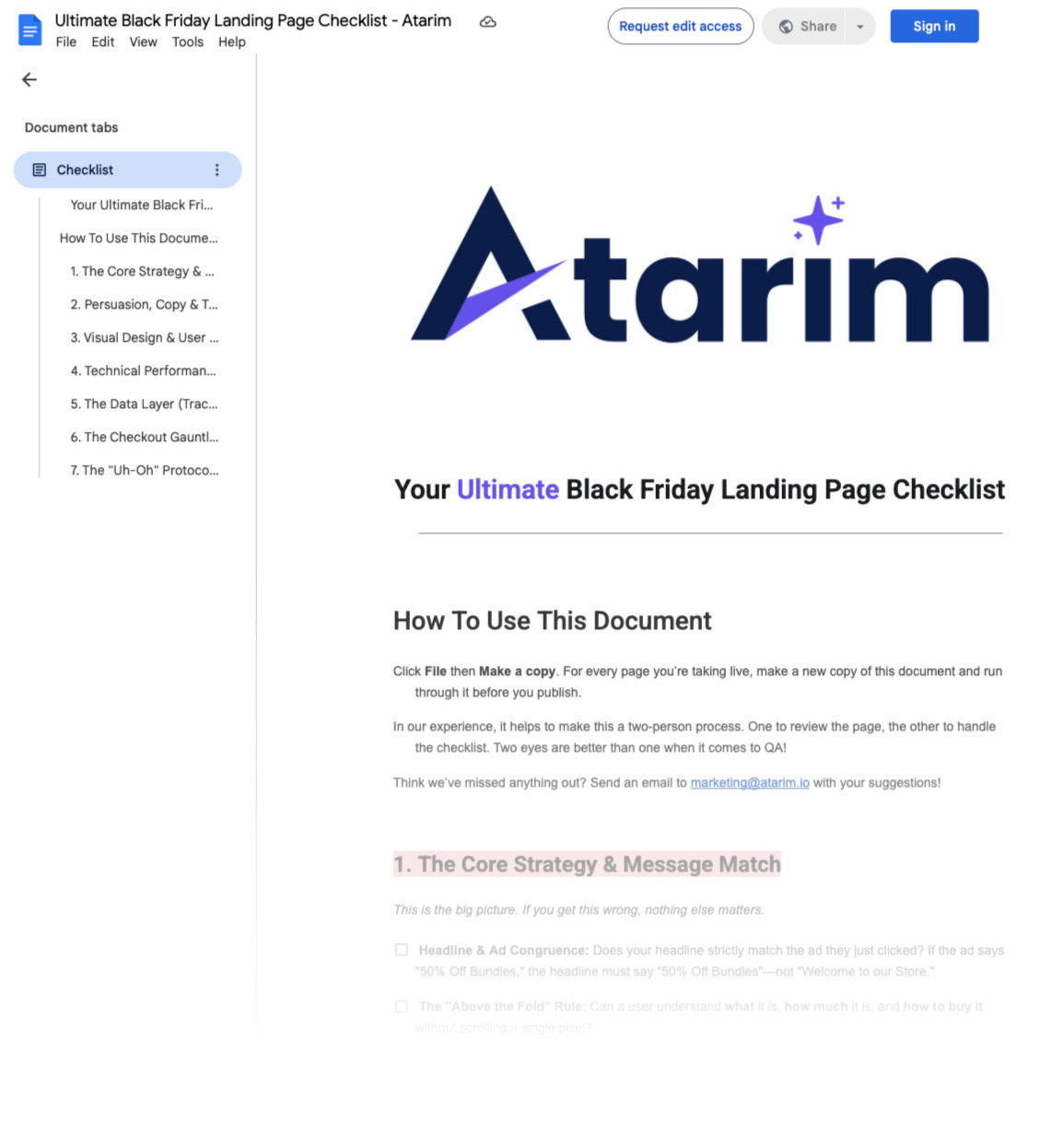
Don’t look at that list as a mountain of chores. See it for what it is: your pre-flight audit. It’s the systematic process you run to ensure your campaign engine is perfectly tuned before you hit “launch.” It’s how you move from hoping for conversions to engineering them.

This Black Friday, you won’t be competing on hype. You’ll be winning on precision. You won’t be praying for traffic to convert. You’ll be providing a frictionless, reassuring, and undeniable path to purchase for visitors who are already primed to buy.

Now, go build a page that’s ready to win.
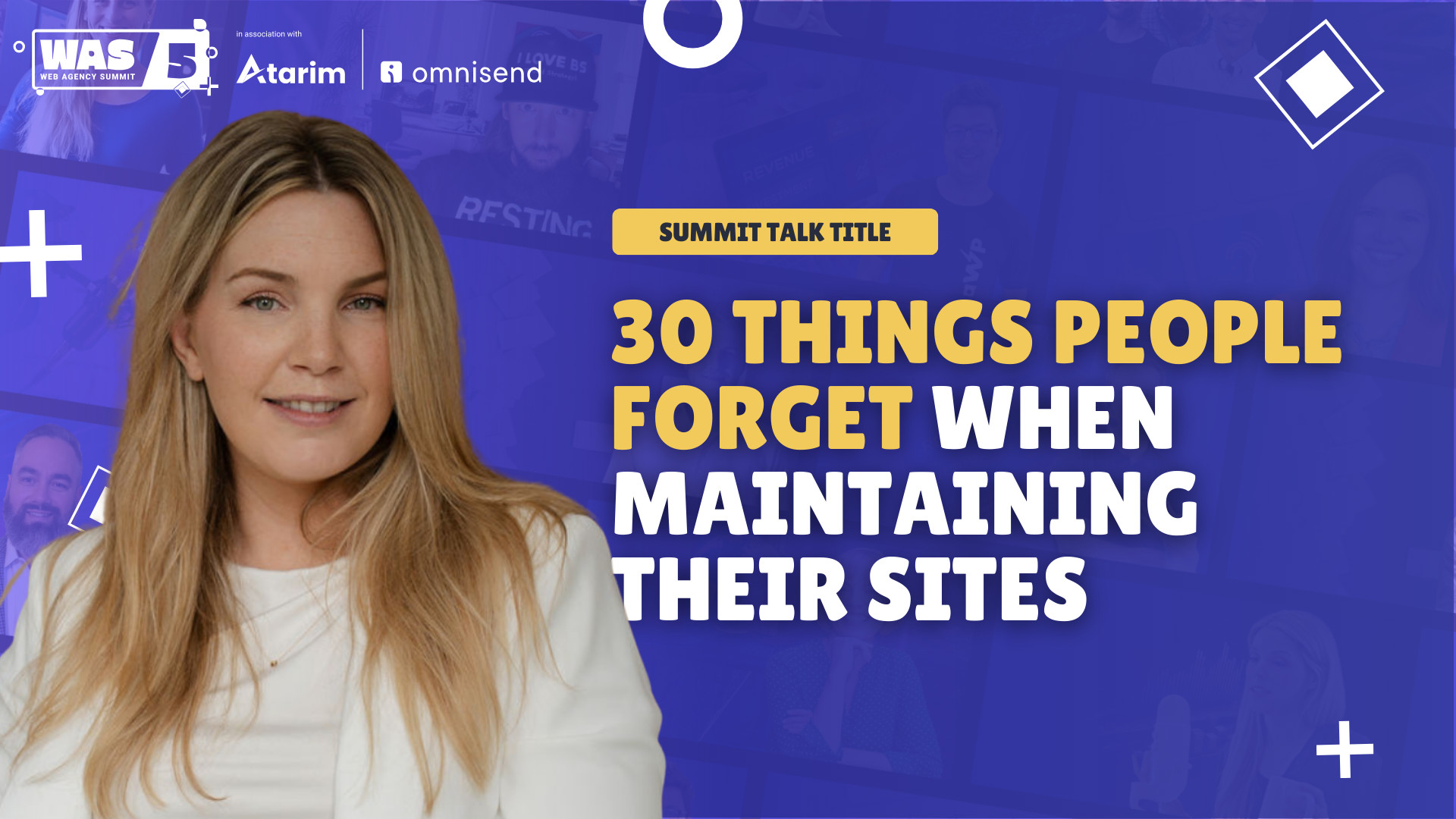
30 Overlooked Fixes That Can Make or Break Your Website

Most websites don’t fail because of one giant mistake. Instead, it’s the small details, the things that feel too trivial to check, that quietly chip away at performance, security, and user trust.

At the Web Agency Summit, we had the pleasure of having Iris Guelen from Progress Planner, who presented “30 Things People Forget When Maintaining Their Sites.”

This session wasn’t about fancy tricks or advanced coding. Instead, it focused on the everyday settings and overlooked blind spots that make a surprising difference in how your site runs.

Here’s a full breakdown of the 30 things you might be forgetting, and why they matter.

1. Is your site language set correctly?

It sounds simple, but it’s one of the easiest things to miss. If your WordPress site language doesn’t match the actual content language, for example, leaving it set to English when your site is in Dutch, it creates accessibility issues for screen readers. It also impacts how Google indexes your website, so this one small setting can affect both usability and SEO.

2. Is your timezone set correctly?

WordPress defaults to GMT offsets, but those don’t always reflect daylight savings or local adjustments. If you don’t switch it to your actual city or region, your scheduled posts, backups, and logs can be off by hours. That creates confusion both for your team and for your visitors.

3. Does WP Cron actually work?

WP Cron is how WordPress handles scheduled tasks like publishing posts, sending emails, or checking for plugin updates. The catch is, it only runs when someone visits your site, so if traffic is low or something breaks, those tasks may not run at all. That can mean subscription renewals don’t process, backups don’t trigger, and key maintenance gets skipped.

4. Are your WordPress emails arriving?

Out of the box, WordPress isn’t always reliable at sending emails. Depending on your host, messages like password resets, contact form submissions, or order confirmations may get lost. Using an SMTP plugin ensures they actually arrive, while also improving deliverability and security through proper DNS settings.

5. Do you need comments (on or off)?

Comments can either be a valuable engagement tool, or a major distraction. If you don’t use them, turning them off completely (including blocking API calls) saves resources and removes clutter from your admin. If you do rely on comments, make sure they’re managed with the right tools to reduce spam and keep moderation from being a headache.

6. Is your 404 page helpful?

A generic 404 page is a dead end. Instead, it should help visitors find their way back, whether with a search bar, links to recent posts, or suggested content. You can also include a button back to the homepage, links to top categories, or even a lighthearted message that matches your brand voice so users don’t feel lost. 

Some sites go further by adding popular products, featured blog posts, or a contact link, turning what could have been a frustrating moment into an opportunity to re-engage visitors.

7. Are public errors turned off?

Debugging is important, but displaying PHP errors on the front end is risky. It exposes sensitive details about your setup, which hackers could exploit, and it looks unprofessional to regular visitors. Errors should always be logged privately, not shown to the world.

8. Did you delete the default sample page?

Every fresh WordPress install includes a “Sample Page.” If you forget to delete it, it not only looks sloppy but can create SEO noise and even security risks. Cleaning up default content signals that your site is intentional and cared for.

9. Did you delete the “Hello World” post?

Thousands of sites still have the default “Hello World” post live. It’s a small detail, but it often signals that a site was launched and then left unattended. Deleting it is one of the simplest ways to show your site is maintained.

10. Do you have a favicon or site icon?

Your favicon is the small icon that shows in browser tabs and search results. Without one, your site blends in with every other WordPress default. Adding a custom site icon not only builds brand recognition but also makes it easier for users to find your tab among many.

11. Do your backups actually work?

It’s not enough to have backups, you need to test them. If your only backup is stored on the same server as your live site, you could lose everything in a hack or crash. Off-site backups that you can actually restore are the safest option.

12. Is your PHP version up to date?

Many site owners keep WordPress and plugins updated but forget about PHP. Running an outdated version makes your site slower and more vulnerable to security risks. Upgrading to the latest supported version gives you performance and safety improvements.

13. Have you checked user roles and access?

It’s easy to forget to remove old team members from your site. Regularly check who has access, what roles they’re assigned, and whether two-factor authentication is enabled. Minimizing admin accounts and permissions strengthens your security significantly.

14. Is your database cluttered?

When you delete plugins, they often leave behind data in your database. Over time, this clutter slows your site and loads unnecessary information. Cleaning it up ensures your site runs efficiently.

15. Do you test your contact forms?

Just because a form worked when you launched doesn’t mean it still does. Updates, plugin conflicts, or small changes can break them without you realizing. Testing regularly ensures leads and inquiries aren’t silently lost.

16. Is your privacy policy updated?

Privacy laws keep changing, and so does your site. If you’ve added new tools, forms, or tracking, your privacy policy needs to reflect that. Keeping it current builds trust with visitors and keeps you legally covered.

17. Is your site accessible for all users?

Accessibility isn’t just a nice-to-have; it ensures everyone, including people with disabilities, can use your site. Tools like Equalize Digital’s Accessibility Checker, WAVE, axe DevTools, and Google Lighthouse work like spell check—flagging issues such as missing alt text or incorrect heading order. These fixes make your site both more inclusive and more professional.

18. Have you scanned for vulnerabilities?

Updates alone don’t catch everything. Vulnerability scanners can flag known issues in your WordPress core, plugins, and themes before hackers find them. With new regulations like the Cyber Resilience Act, proactive security is becoming the standard.

19. Do you know your website traffic patterns?

Analytics can show whether visitors are landing on the pages you want them to—or getting stuck elsewhere. A blog post that’s drawing high traffic but has no call to action is a missed opportunity. Checking traffic patterns regularly helps you adjust your content strategy.

20. Have you tested your checkout process?

Even a small broken setting can ruin a customer’s purchase experience. Walking through your checkout yourself is the only way to spot issues before they cost you sales. This is especially critical after updates or new plugins are installed.

21. Is your robots.txt file up to date?

Robots.txt tells search engines where they’re allowed to crawl. If you’re using SEO tools like Yoast, make sure your sitemap is included in the file. And think carefully before blocking AI agents, often it’s better to allow them to crawl your content.

22. Is your page speed slowing users down?

Slow-loading sites drive people away. Tools like Google PageSpeed Insights can pinpoint what’s holding you back—whether it’s oversized images, unnecessary plugins, or bloated themes. You don’t need a perfect score, but your site should feel fast and responsive.

23. Do you have uptime monitoring?

If your site goes down and you don’t know it, you could lose sales and trust without realizing. Real-time monitoring alerts you immediately when there’s downtime. Even a few hours offline can have lasting consequences.

24. Is your About page up to date?

The About page is often one of the most visited on your site. But many companies forget to update it as their team, mission, or services evolve. A current and polished About page helps build trust and credibility.

It seems trivial, but an outdated copyright year signals neglect. Visitors may wonder if your site is still active. Updating it shows attention to detail and reassures them your site is maintained.

26. Are your tags and categories cleaned up?

Empty or redundant tags clutter your site. If a tag only leads to one post, it’s not adding value. Cleaning them up improves both navigation for visitors and SEO clarity for search engines.

Broken links frustrate users, hurt SEO, and make your site look neglected. They can appear in pages, images, embeds, or social links. Regular link audits keep your site trustworthy and professional.

28. Have you done a recent content audit?

Over time, content becomes outdated, irrelevant, or misaligned with your business. A content audit ensures everything on your site is still accurate and useful. It’s also a chance to refresh older posts for SEO and engagement.

29. Is Google Analytics worth it (or switch to Plausible)?

Analytics tools add cookies, consent banners, and performance costs. If you’re not actively using the data, it might not be worth it. Privacy-friendly alternatives like Plausible can give you insights without the extra baggage.

30. Have you checked Google Search Console?

Google Search Console shows what people are searching for, how your pages appear in results, and whether there are indexing or mobile issues. It’s free and incredibly valuable, but only if you actually check it. If you’re just collecting data without acting on it, you’re missing out.

Wrapping Up

Iris’s session reminded us that website management is as much about the little things as it is about the big strategy moves. None of these fixes take long on their own, but together they can transform your site’s speed, security, and credibility.

The best part? You don’t have to do all 30 at once. Pick a few, make them a habit, and keep improving step by step.

👉 Watch the full session on YouTube to see Iris break down each issue in detail and learn how to stay ahead in maintaining your site.