Best Practices for Client Onboarding and Collaboration
Streamline client onboarding and enhance collaboration with Atarim’s intuitive tools.
 Tips, Tricks, and Best Practices

Efficient client onboarding and collaboration are critical for the success of web agencies and internal teams. By reducing feedback cycles and creating a seamless interaction between clients and teams, Atarim empowers users to focus on delivering high-quality projects with ease. This guide outlines best practices for leveraging Atarim’s platform to optimize onboarding and collaboration.
Step-by-Step Guide
1. Utilize Inline Task Creation
Simplify feedback by enabling clients to leave comments directly on specific areas of a webpage or design.
Instructions:
- Open the webpage or design within Atarim. Learn how to add project for collaboration.
- Click on the section requiring feedback and leave a comment or create a task.
- Leave a comment or create a task — Atarim will auto-capture a screenshot and link the task to the exact element.

2. Enable Real-Time Collaboration
Use Atarim’s visual collaboration interface or Chrome extension to facilitate live feedback sessions.
Instructions:
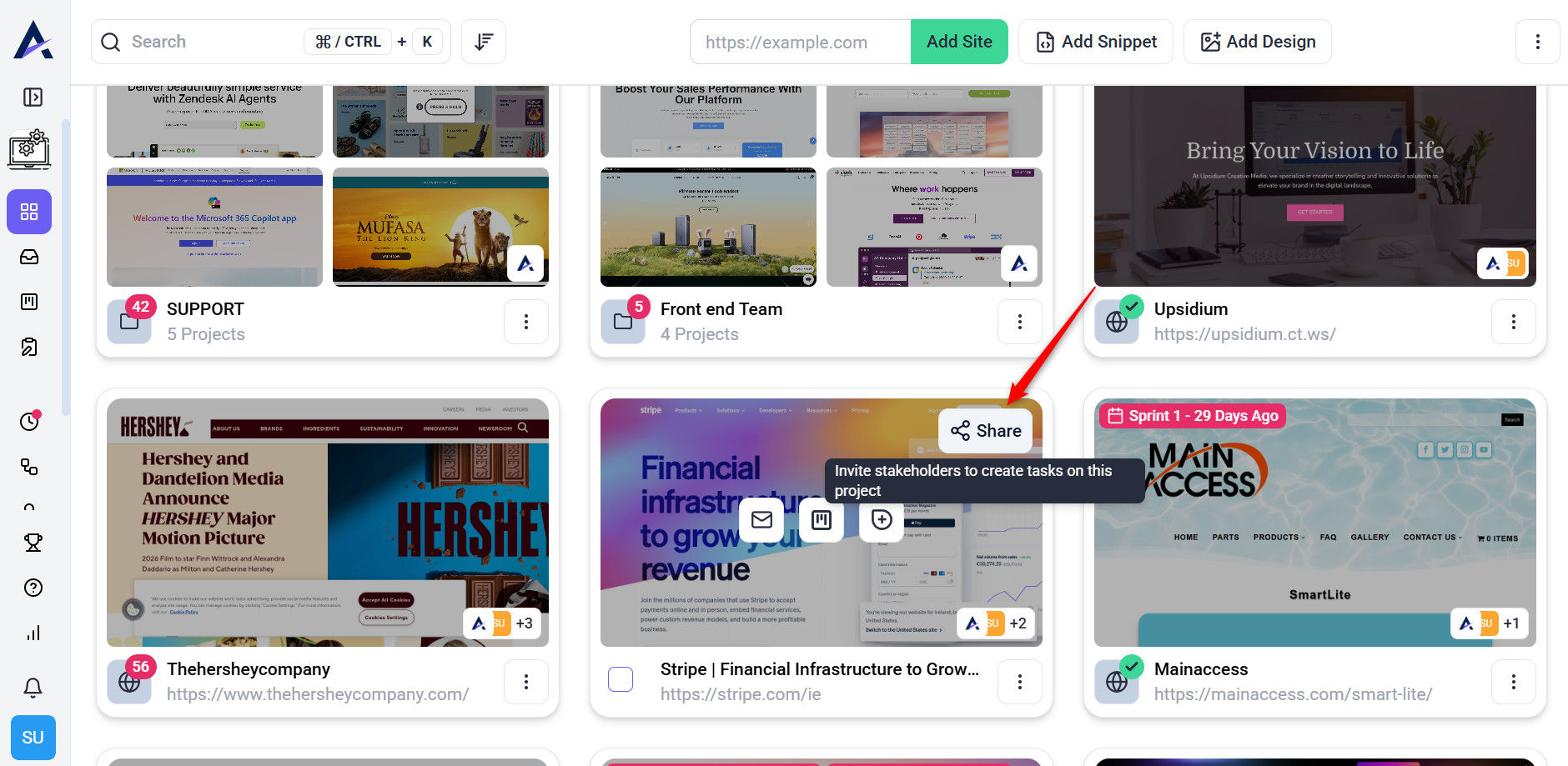
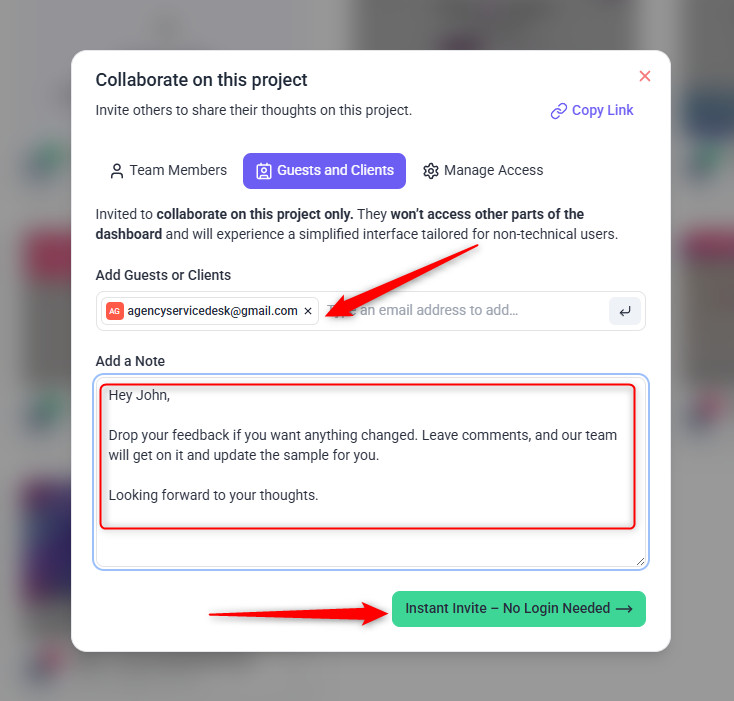
- Invite or share the project link with clients or team members.
- Use Atarim’s visual interface (or Chrome extension) to comment, create tasks, and resolve feedback instantly.
- Comments are auto-contextualized with screenshots and element data.


3. Leverage Automated Screenshots and Metadata
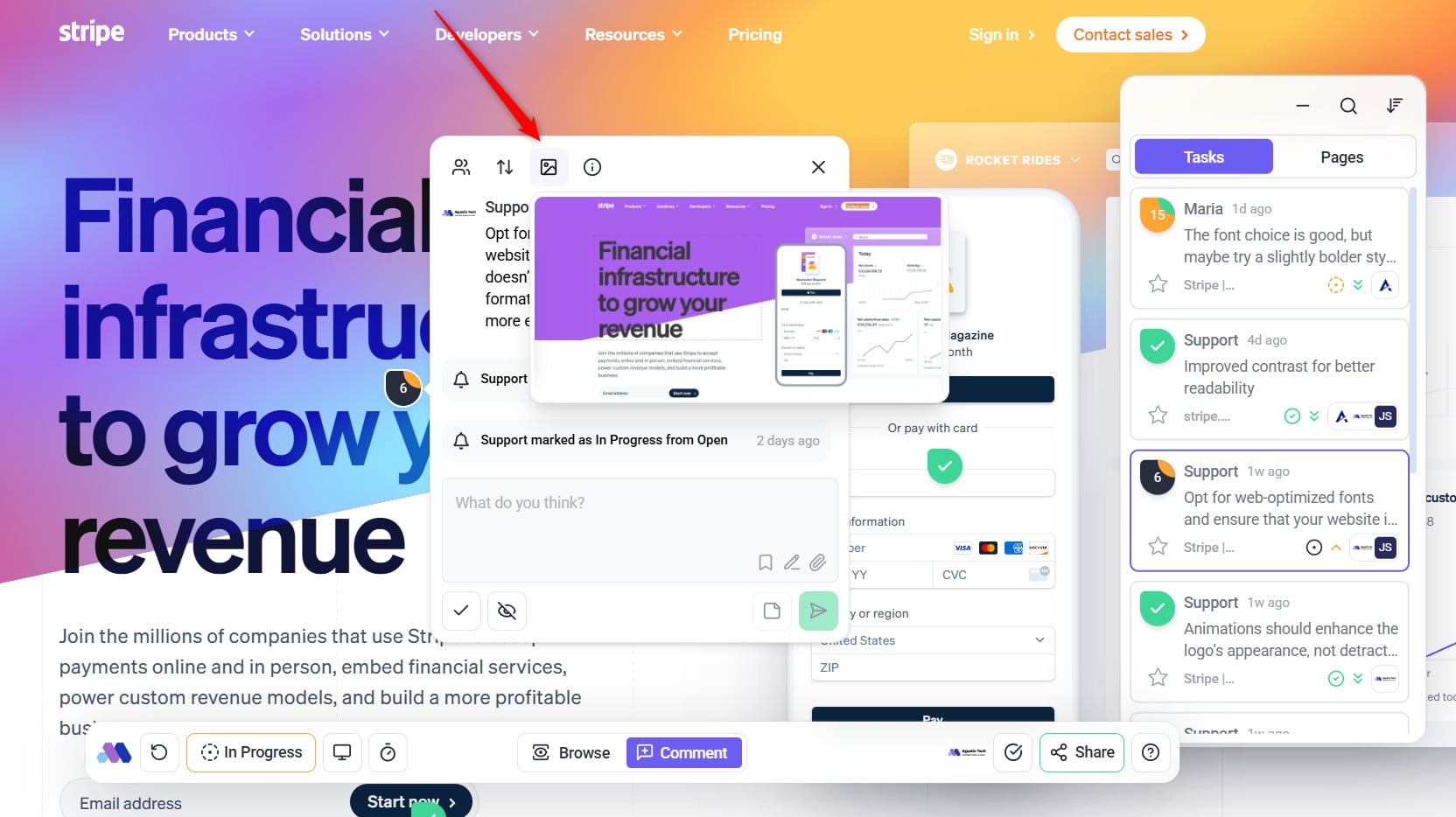
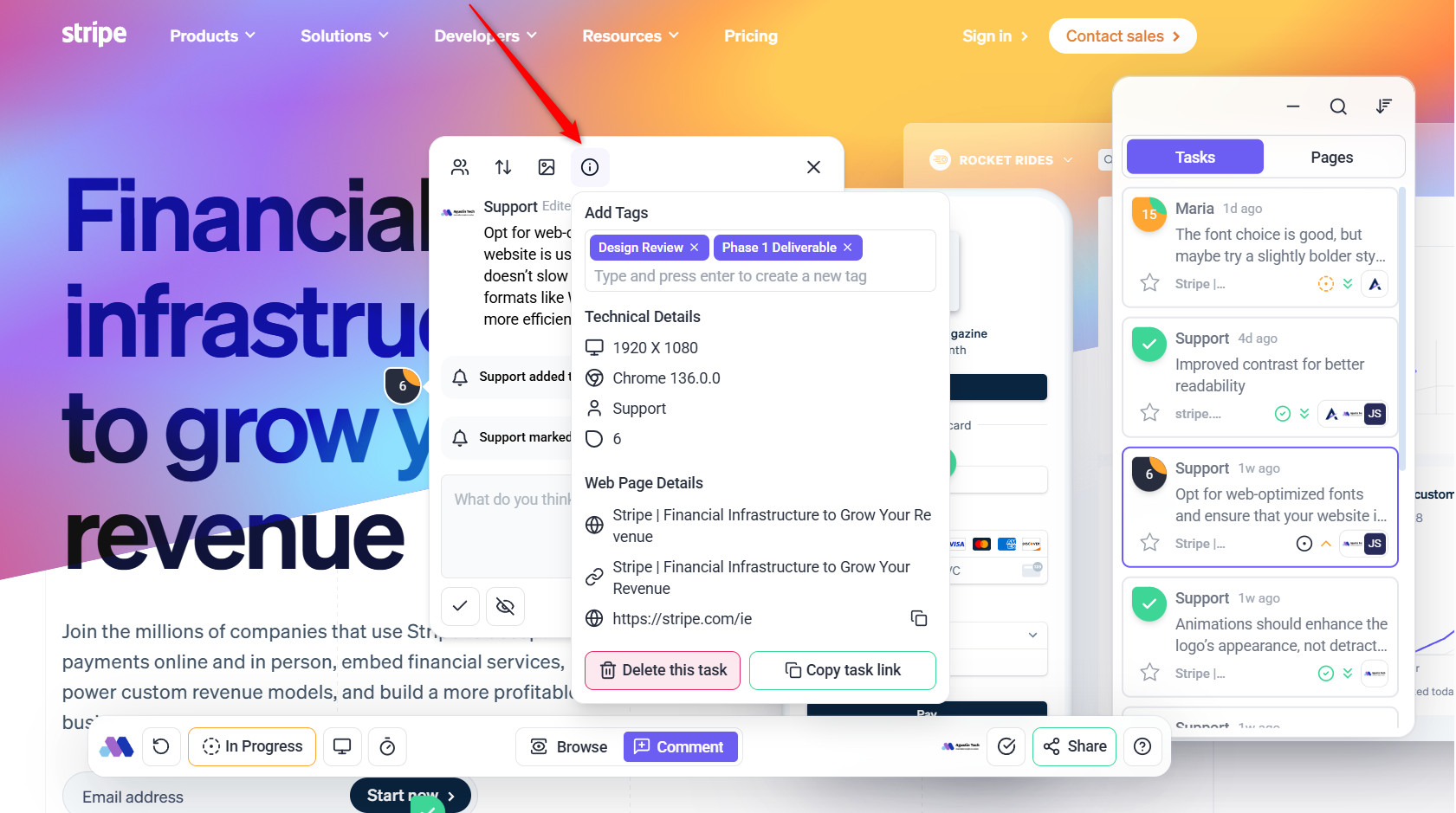
Each task captures a screenshot and key details (e.g., browser type, screen size), providing essential context for resolving feedback.
Instructions:
- Review screenshots and metadata in the task view inside Inbox or Board.
- Or you can review it on the project frontend.
- If you’re not able to see the screenshot, make sure you have the feature enabled inside user permission


4. Implement Responsive View Modes
Preview designs in various device formats (desktop, tablet, mobile) and gather context-specific feedback.
Instructions:
- Use the responsive view feature in Atarim.
- Guide clients to provide feedback on all device formats.

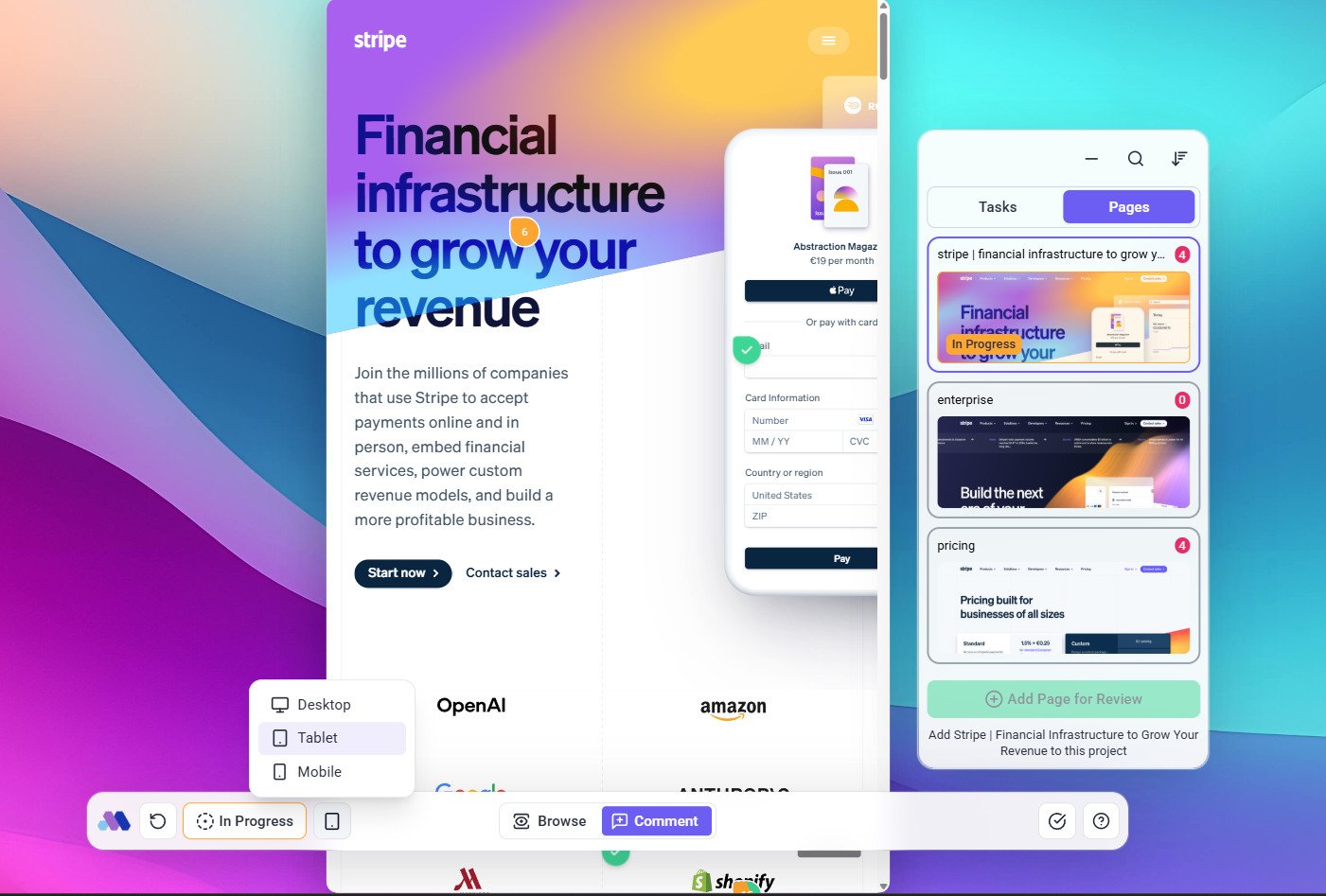
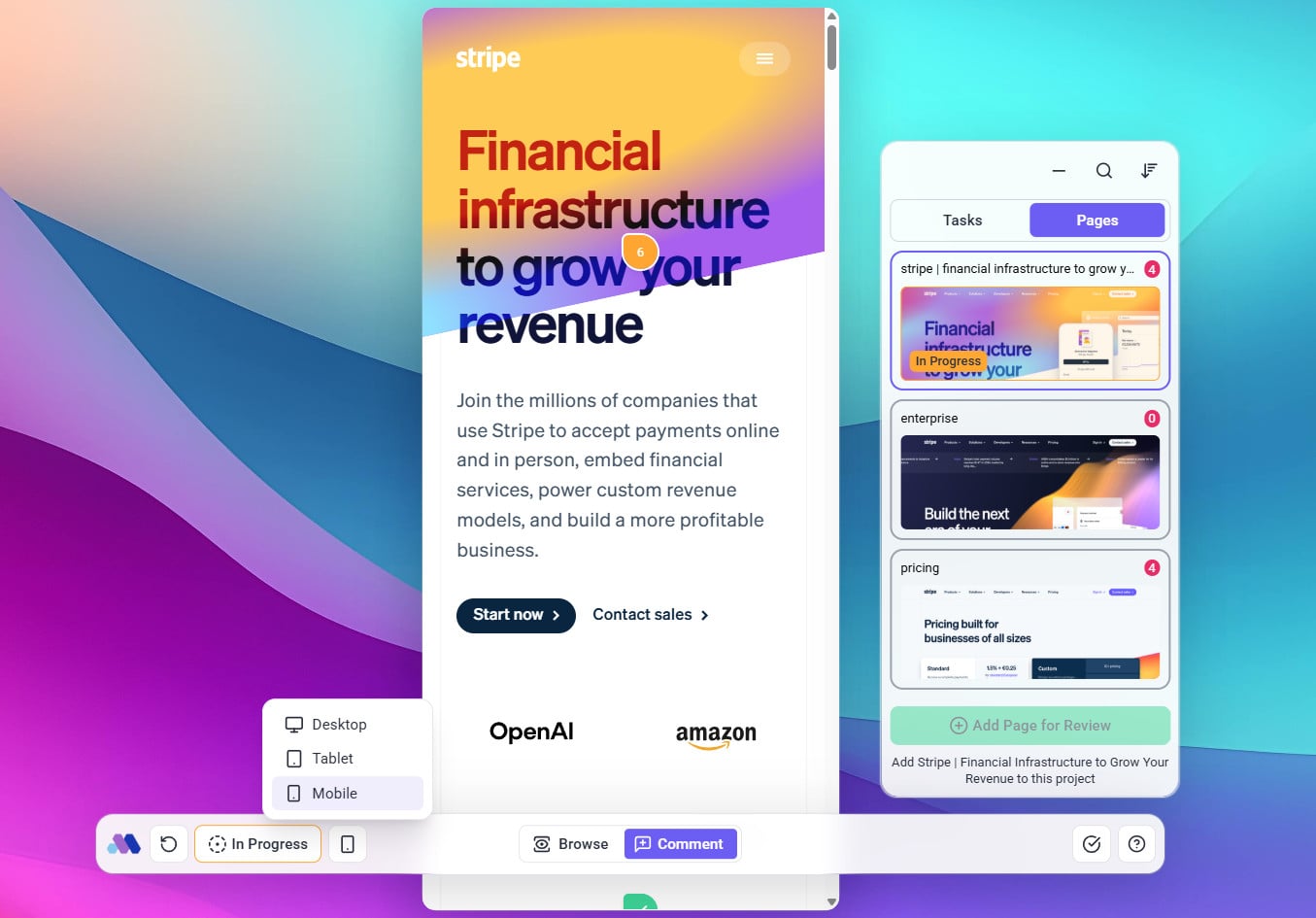
Tip: Prioritize mobile feedback if the majority of users access your designs on smaller devices.
5. Organize Tasks for Efficient Workflow
Use Atarim’s drag-and-drop boards, task categorization, and filtering to manage priorities.
Instructions:
- Categorize tasks based on urgency, tags, and status.
- Regularly review the task inbox to stay updated on client feedback.

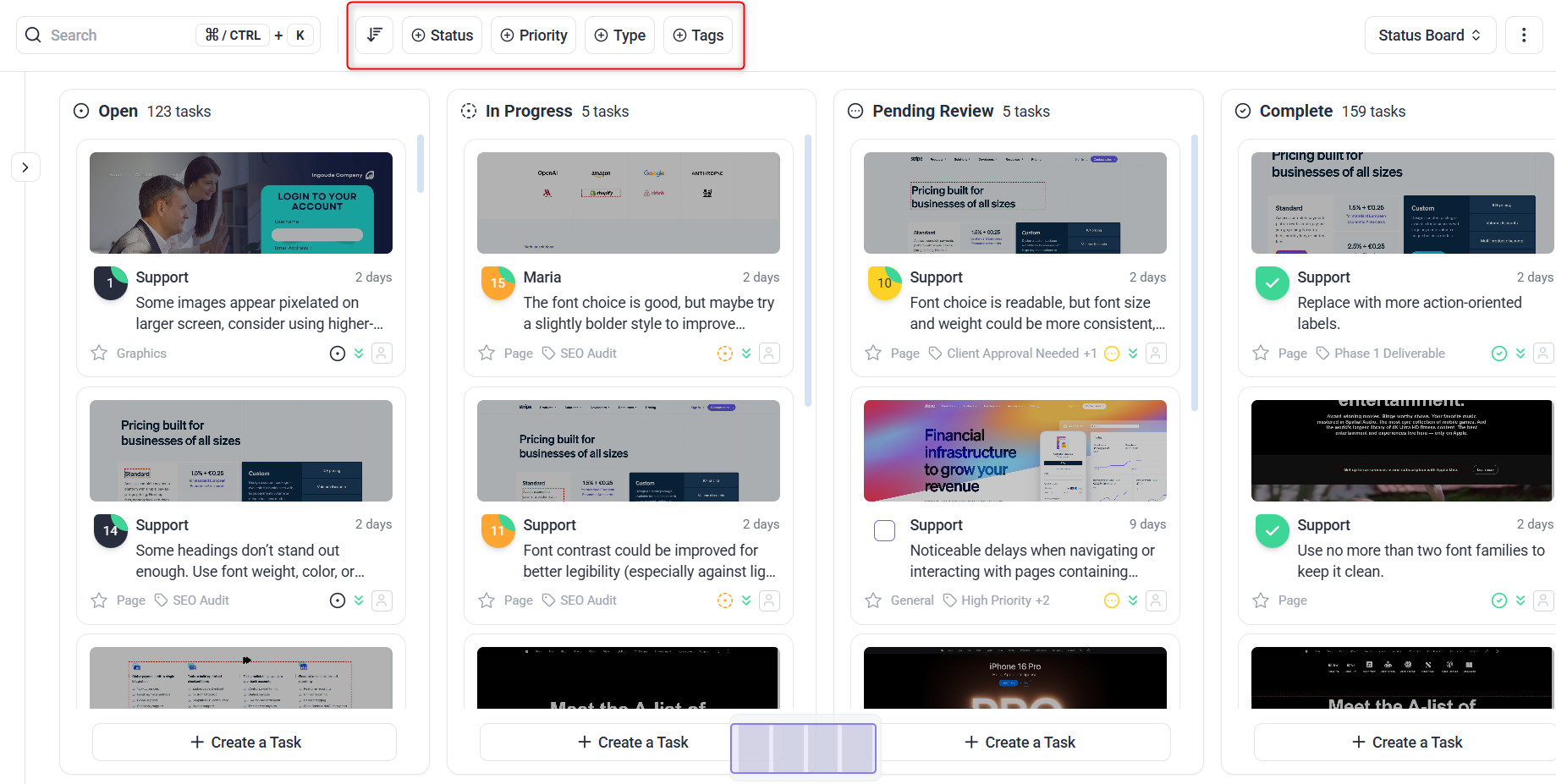
Tip: Assign tasks to team members with clear deadlines to ensure accountability.
6. Define Roles for Clear Communication
Differentiate between client and team roles to maintain focused and effective collaboration.
Instructions:
- Assign clients a simplified view for leaving feedback.
- Enable team members with advanced tools for managing and resolving tasks.

Tip: Regularly review role permissions on people page to avoid confusion.
7. Set and Share Project stages
Use stages to ensure alignment on deadlines and progress.
Instructions:
- Create project milestones and share them with clients.
- Set reminders for upcoming deadlines to keep everyone on track.
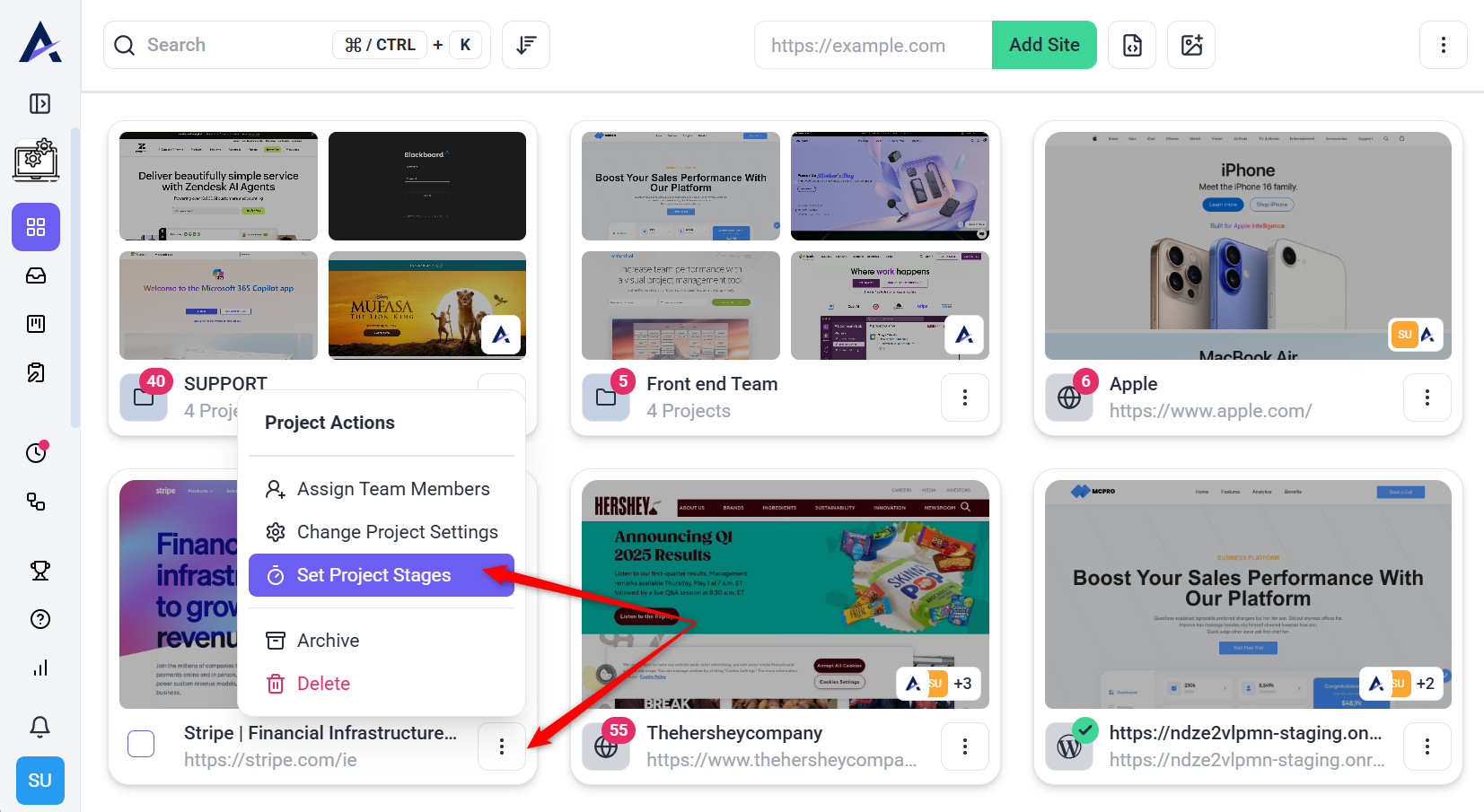
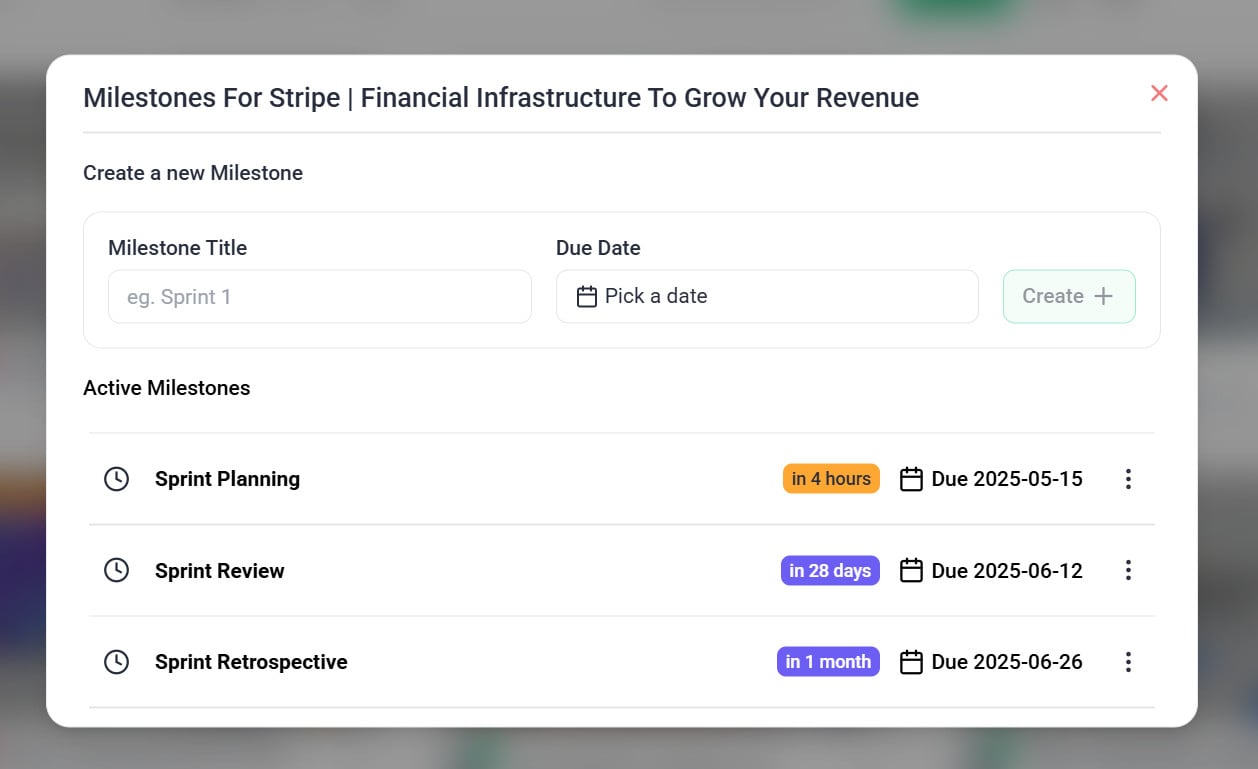
Tip: Keep track of project stages either from Project page or frontend collaborate.
FAQs
How can I onboard a new client to Atarim?
Share a guided tutorial or walkthrough video available in the Help Center.
Can clients leave feedback without creating an account?
Yes, clients can leave feedback through a shareable link without needing to log in.
How do I track the status of tasks?
Use Atarim’s task boards to view progress and update task statuses.
Conclusion
By following these best practices, you can streamline client onboarding and foster productive collaboration. Atarim’s tools ensure feedback is clear, actionable, and context-rich, allowing your team to deliver projects efficiently.
Tips & best practices
- Proactive Communication: Regularly update clients on progress to build trust and ensure alignment.
- Visual Feedback: Encourage clients to use Atarim’s visual tools for precise feedback, reducing miscommunication.
- Clear Documentation: Maintain detailed records of client feedback, task progress, and resolved issues for future reference.