Tips for Faster Feedback Loops with Atarim
Accelerate your project timelines with seamless feedback tools.
 Tips, Tricks, and Best Practices
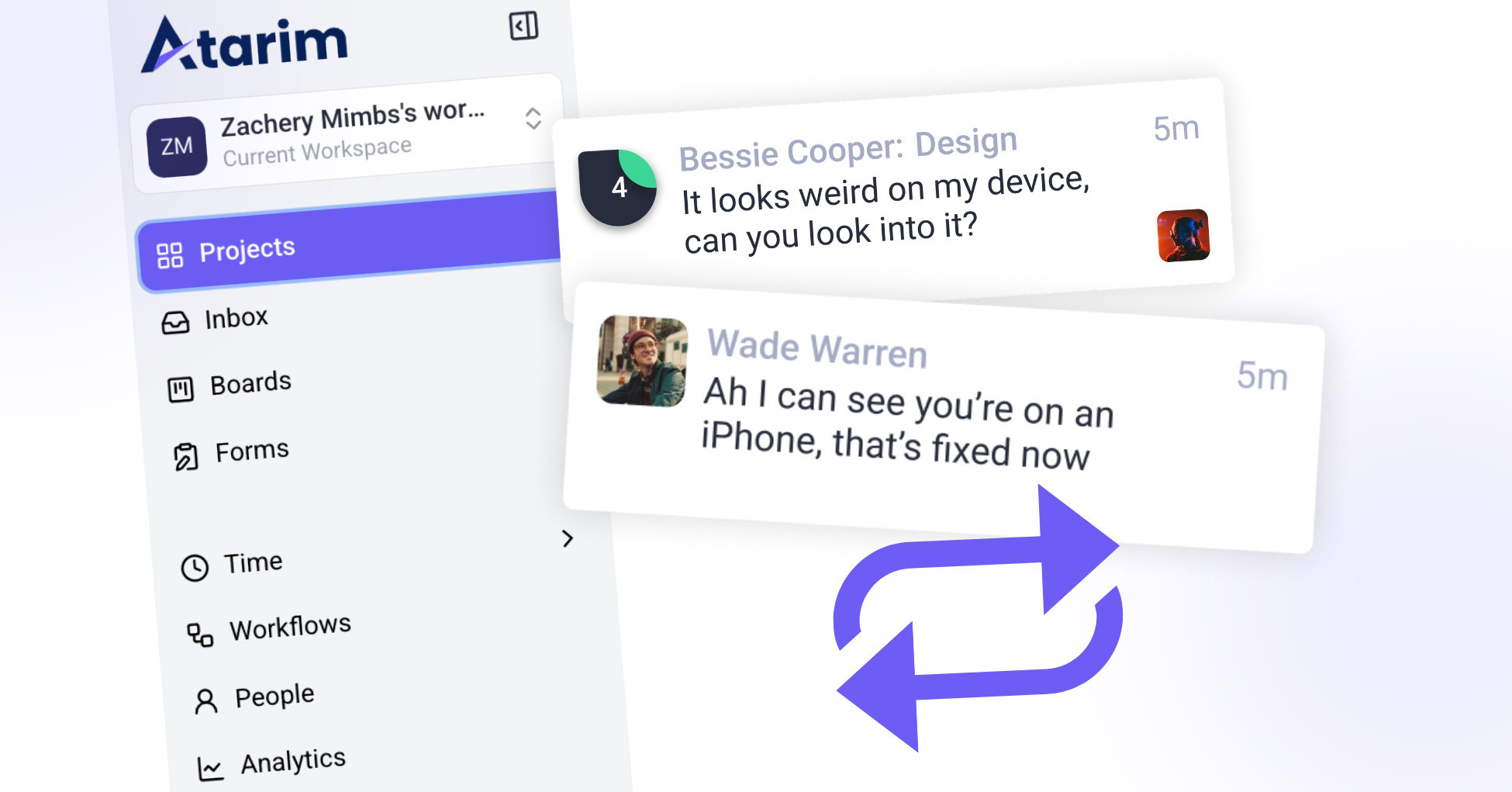
Faster feedback loops can make or break project timelines. Atarim’s suite of tools is designed to simplify and expedite collaboration, ensuring your projects stay on track. In this article, we’ll explore proven tips to leverage Atarim for reducing delays and enhancing communication efficiency.
Step-by-Step Guide:
1. Use Visual Collaboration Tools
Leverage Atarim’s ability to leave comments directly on designs, web pages, and images to tie feedback to specific elements.
Instructions:
- Navigate to a project and open a page or design in visual collaboration mode.
- Click on any part of the page to leave precise feedback.
- Assign comments as tasks directly to team members.
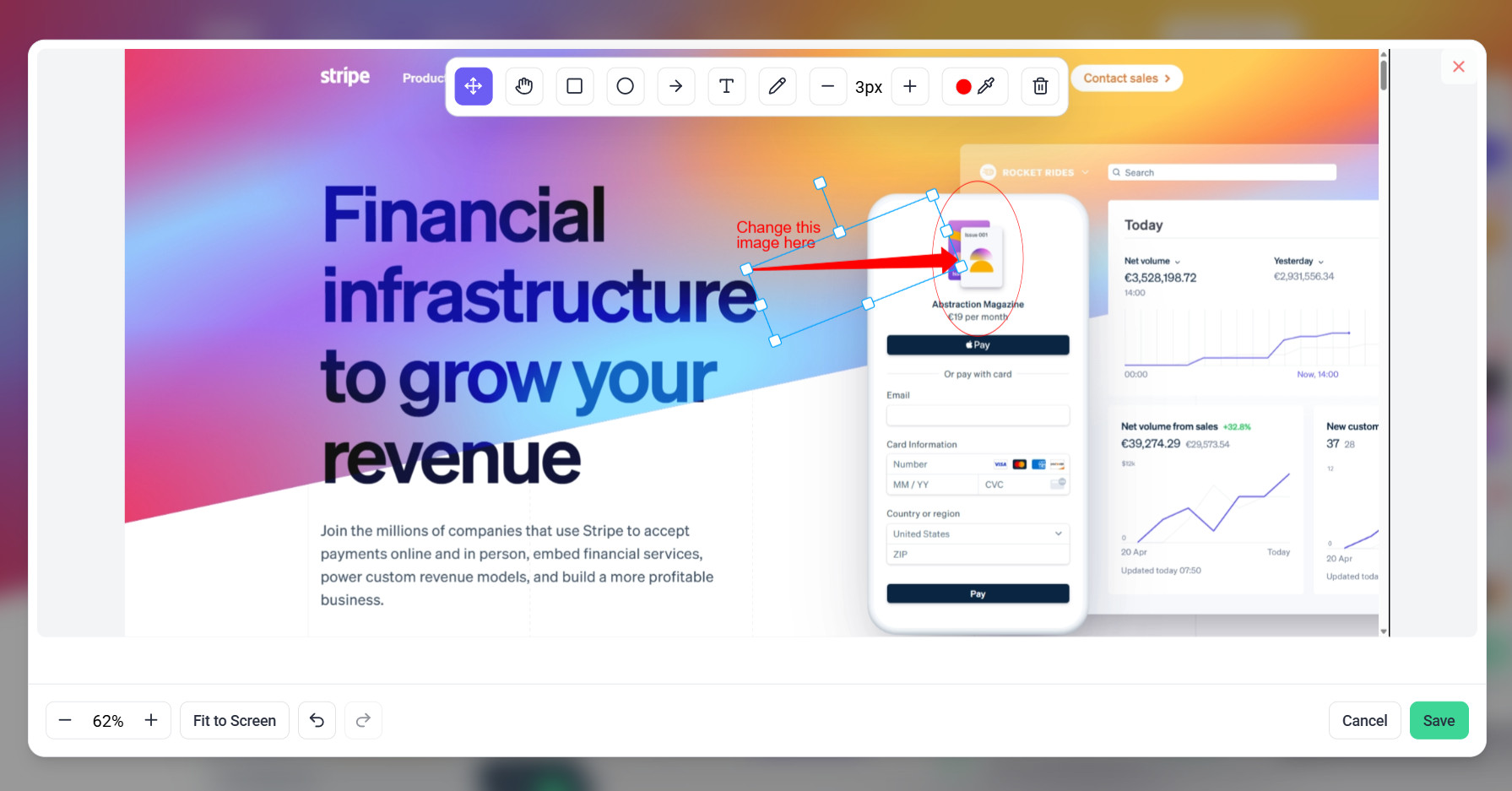
Tip: Use the annotation tools to add clarity to your feedback.
2. Organize Tasks with Folders and Filters
Group tasks by projects, project stages, or urgency to prioritize effectively.
Instructions:
- Use the “Folders” feature to group related projects for better navigation.
- Apply filters to sort tasks by priority, status, or tags.

Tip: Keep critical tasks visible by tagging them with urgency indicators like “High Priority.”
3. Leverage Project stages for Accountability
Set clear stages and deadlines to keep projects on track.
Instructions:
- Go to the project settings and set project stages.
- Add stage name and set the due date.
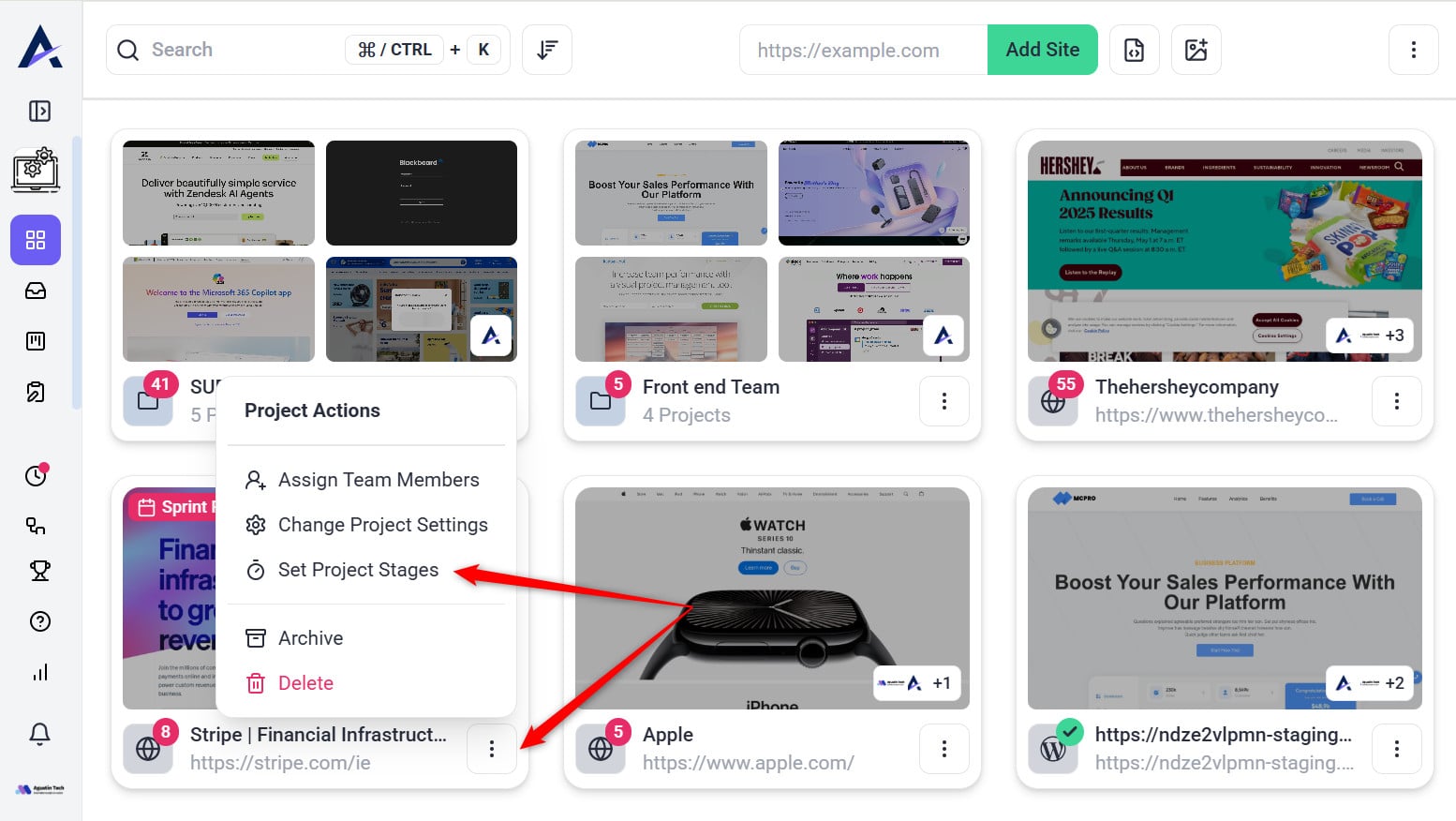
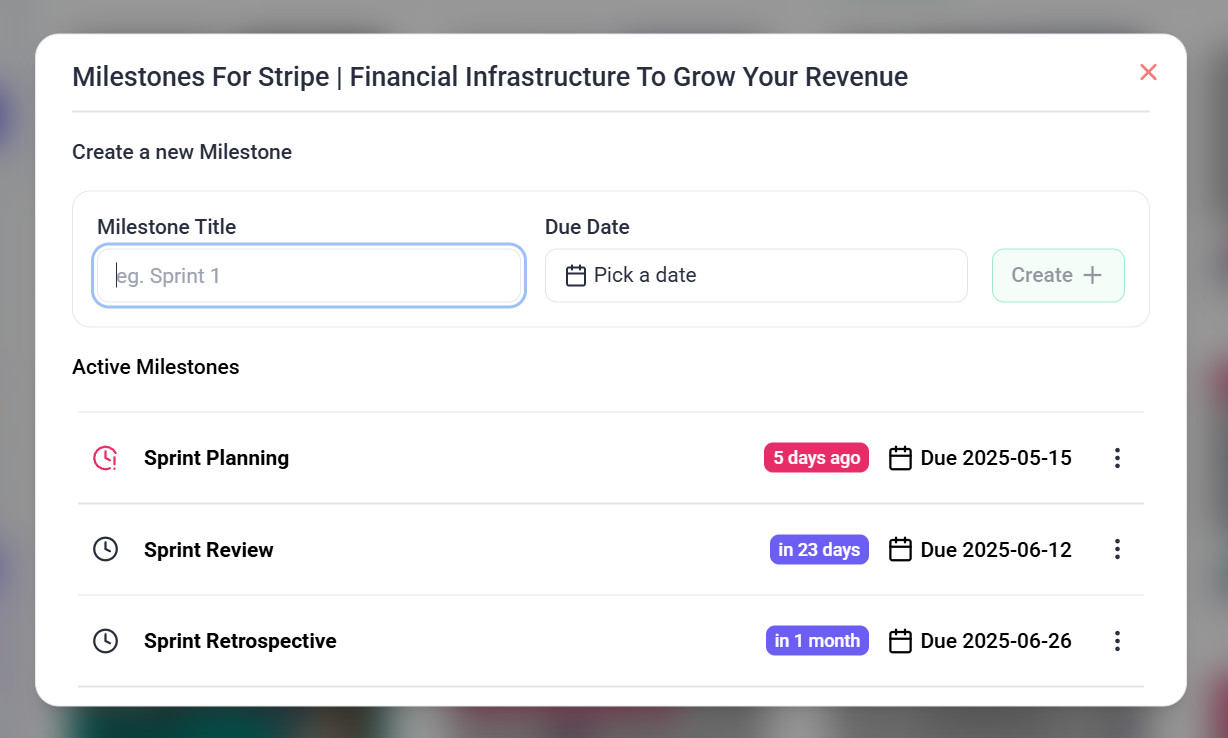
Tip: Share milestones with clients to foster transparency and accountability.
4. Enable Customized Notifications
Notify the right people at the right time to avoid feedback bottlenecks.
Instructions:
- Customize notification preferences in the settings to align with team roles.
- Use automated notifications for updates on critical tasks.


Tip: Avoid notification fatigue by only enabling updates for high-priority tasks.
5. Enhance Workflow with Integrations
Sync Atarim with tools like Jira, Slack, or Asana to centralize feedback.
Instructions:
- Connect your Atarim workspace to third-party tools from the integrations menu.
- Test workflows to ensure tasks and feedback sync properly.

Tip: Use integrations to reduce the need for manual task duplication.
FAQs
Can clients see my internal task?
No, internal tasks are visible only to your team, ensuring confidential discussions remain private.
Can I notify team members immediately when feedback is added?
No, Atarim sends notifications to relevant team members after few minutes once collaboration activity is stopped.
How do I keep feedback organized across multiple projects?
Use workspaces, folders, and Kanban boards to structure tasks and feedback, ensuring clarity and prioritization across projects.
Conclusion
By implementing these tips, you can significantly reduce feedback delays and improve project efficiency. Atarim’s tools are built to facilitate seamless collaboration, ensuring that every project milestone is met without unnecessary back-and-forth.
Tips & best practices
- Train Your Team: Conduct onboarding sessions to familiarize team members with collaboration modes and features.
- Optimize Task Tags: Use tags like “Urgent,” “Client Feedback,” and “Internal” for quick filtering.
- Monitor Bottlenecks: Use Kanban boards to identify delayed tasks and address them proactively.